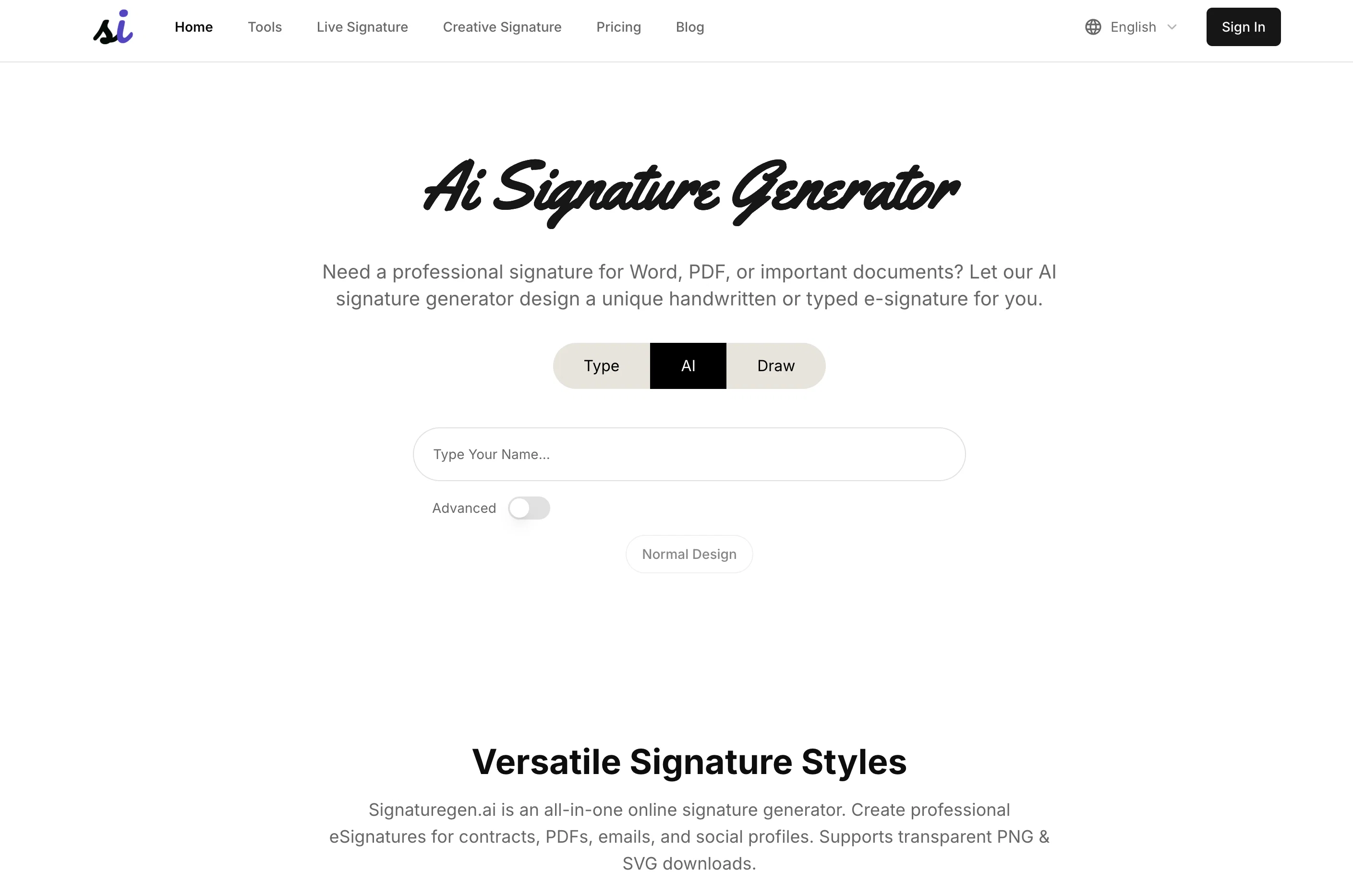
The AI Signature Generator is an online tool designed to generate unique, professional electronic signatures. It utilizes artificial intelligence to create a wide variety of signature styles, making it suitable for a diverse range of uses.
Whether you need a signature for Word, PDF, or any other document types, this tool allows you to generate handwritten or typed e-signatures that look authentic and professional.
In addition to standard font-based signatures, the AI Signature Generator offers custom AI-generated designs. These are personalized signatures with unique strokes and layouts based on a user's name, making them especially suitable for formal contexts such as resumes and email footers.
The tool also possesses a feature for mimicking handwritten signatures. You can either draw on-screen or upload your own handwriting to produce an 'wet ink'-like electronic signature.
These signatures can be downloaded as high-quality transparent PNGs. For those looking for a more dynamic touch, the tool includes an animated signatures feature, where the AI 'writes' the signature stroke-by-stroke, providing the user with a real-time playback of the signature's formation.
Moreover, the AI Signature Generator also provides the option to design artistic logo signatures by blending text with minimalist graphics and hand-drawn elements, making it effective for brand-related uses such as social media avatars and creative logo designs.
To use the tool, simply enter your name, choose a style (regular, AI-generated, or handwritten), then generate and download your preferred signature. The tool supports transparent PNG downloads, making the signatures easy to integrate into various file types.
Help other people by letting them know if this AI was useful.
Add your own prompts and outputs to help others understand how to use this AI.
Screenshot gallery
Pros & Cons
Pros
+Unique signature styles
+Suitable for diverse use
+Supports Word, PDF signatures
+Generates handwritten, typed e-signatures
+Personalized strokes, layouts
+Ideal for formal contexts
+Mimics handwritten signatures
+Upload your own handwriting
+High-quality transparent PNGs
+Animated signature feature
+Artistic logo signature design
+Easy to use interface
+Multiple style options
+Versatile signature styles
+Supports transparent PNG downloads
+Font-Based Signatures
+Real-time playback of formation
+Instant signature generation
+Personal branding suitability
+Ideal for social media avatars
+Supports PNG & SVG downloads
+Advanced Normal Design
+Signature versatility
+Live SVG Signatures
+New Creative Signatures
+Famous Signature Examples
+User reviews and feedback
+Support for multiple languages
+No download required
+Free Regular Signatures
+Free Signature Downloads
+Download with transparent backgrounds
+Email Signature Creation
+Contract Signing Solution
+Business card design assistance
+Gifts and greeting cards
+Tattoo pattern creation
Cons
−Lacks multilingual support
−No API integration
−Possible privacy concerns
−Limited signature styles
−Cannot adjust stroke thickness
−Limited artistic logo options
−Lacks vector file downloads
−No real-time signature preview
−No offline functionality
−No mobile app version
A Professional Framework to Evaluate SignatureGen AI
When considering SignatureGen AI for integration into your organizational workflow, we recommend deploying a structured score card across three critical operational pillars: Security & Compliance, Integration Friction, and long-term Price Scalability. Rather than looking only at basic feature lists, modern procurement teams must assess how a software platform behaves under high load and how well it fits into the team's data security guidelines.
1. Security and Database Compliance
Depending on your operating region and field, ensure that SignatureGen AI supports standard security layers such as SOC 2 Type II certifications, GDPR compliance, or HIPAA-compliant database encryption. If the tool connects directly to client database tables or handles user passwords, verify that they implement multi-factor authentication (MFA), single sign-on (SSO) integrations, and end-to-end data encryption in transit and at rest.
2. API Coverage and Custom Integrations
Siloed data is the primary cause of operational friction. Evaluate if SignatureGen AI has native connectors for your current project trackers, messaging hubs, and customer communication channels. For custom developer requirements, check if they provide a fully documented REST API with reasonable rate limits, comprehensive Webhooks support, and robust SDK packages in your language. A flexible API layer saves hundreds of hours of manual copy-paste overhead.
3. Total Cost of Ownership (TCO)
SaaS pricing packages are often deceptively simple. When reviewing SignatureGen AI's billing structure, map out your team's projected expansion over the next 12 to 24 months. Determine how costs scale as your customer database increases or as you add team members. Factor in setup costs, mandatory support plan upgrades, API access fees, and storage overage rates to understand the true cost before committing to a contract.
By combining verified user reviews from our directory with internal workflow pilot tests, your procurement team can make an informed decision that drives productivity without creating capital waste.
Features of SignatureGen AI
AI Signatures
Electronic Signatures
Signature Design
Document Signature
Professional Signature
Custom Signatures
Free + From $19.9
SaaS1to10 verified reviews for SignatureGen AI
Overall rating
★★★★★5.0
Based on 3 reviews
★★★★★5.02 months ago
“Review”
this one is actually pretty fun for sketching out tattoo ideas. i threw in a rough sleeve concept and it gave me a few decent directions to work from, even if some of the linework got a little messy. wouldn’t take the result straight to the artist, but it’s a solid jump-off point.
Stefan Angelo
★★★★★5.02 months ago
“Review”
Great tool for getting some logo ideas, works fine 👍
Josh KUMAR
★★★★★5.02 months ago
“Review”
I really like SignatureGen.ai — it makes creating a clean, professional-looking signature super easy, and the download options are genuinely useful for documents, email signatures, and branding.