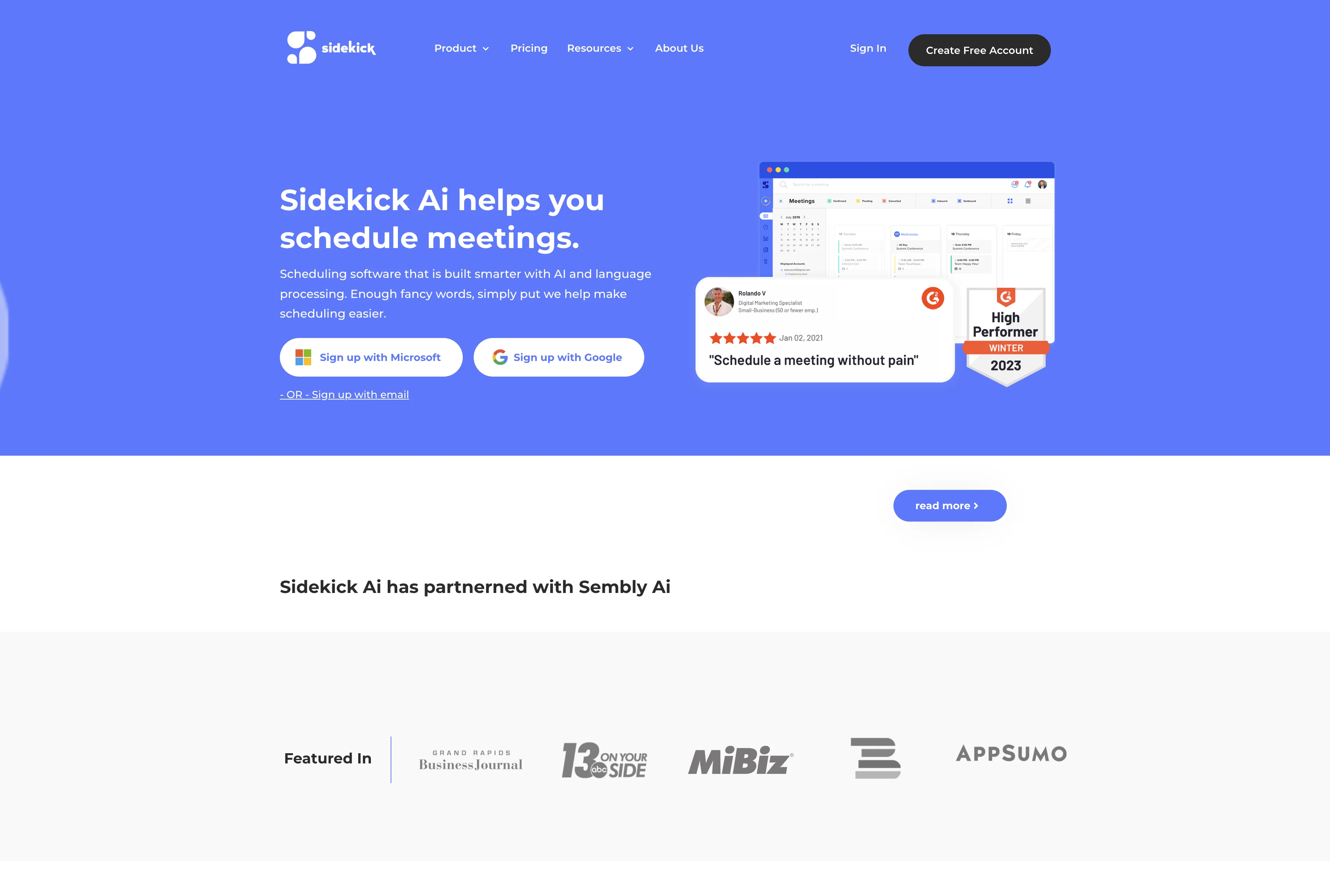
Sidekick AI is an intelligent scheduling tool that facilitates meeting coordination, primarily through your email, via mobile and web applications. The tool integrates with popular software such as Microsoft Teams and Google Calendars to ensure seamless scheduling.
It offers different scheduling methods including scheduling pages where meetings can be easily booked. With the 'Forward to Schedule' feature, you can simply forward an email to Sidekick, and the tool handles the rest of the meeting coordination.
It can also sync with other Sidekick users to find an optimal meeting time or work with non-users as well. Sidekick AI's 'Team Pages' feature is designed to efficiently manage meetings involving multiple team members, perhaps beneficial for businesses where clients need to meet with specific teams.
The platform further promises to remove its branding when scheduling meetings and offers a feature to send pre-meeting reminders. A paid subscription may be required for some features.
Help other people by letting them know if this AI was useful.
Add your own prompts and outputs to help others understand how to use this AI.
Screenshot gallery
Pros & Cons
Pros
+Free scheduling software
+Three ways to schedule
+Language processing for scheduling
+Integration with popular tools
+Team Page for multiple people
+Send out meeting reminders
+Automated calendar events
+Meeting invites sent automatically
+Available in 175+ countries
+Integrates Microsoft Teams
+Integrates Google Calendar
+Available in web app
+Available on mobile
+No white label branding
+Featured in major media
+Option to upgrade
+Easy sign up process
+Email forwarding scheduling feature
+Virtual meeting scheduling
+Scheduling with non-Sidekick users
+Team meeting scheduling made easier
+Individual and team scheduling pages
Cons
−Requires email for scheduling
−No full white label
−Limited tool integrations
−Paid removal of branding
−Dependent on other Sidekick users
−Limited scheduling process options
A Professional Framework to Evaluate Sidekick.com
When considering Sidekick.com for integration into your organizational workflow, we recommend deploying a structured score card across three critical operational pillars: Security & Compliance, Integration Friction, and long-term Price Scalability. Rather than looking only at basic feature lists, modern procurement teams must assess how a software platform behaves under high load and how well it fits into the team's data security guidelines.
1. Security and Database Compliance
Depending on your operating region and field, ensure that Sidekick.com supports standard security layers such as SOC 2 Type II certifications, GDPR compliance, or HIPAA-compliant database encryption. If the tool connects directly to client database tables or handles user passwords, verify that they implement multi-factor authentication (MFA), single sign-on (SSO) integrations, and end-to-end data encryption in transit and at rest.
2. API Coverage and Custom Integrations
Siloed data is the primary cause of operational friction. Evaluate if Sidekick.com has native connectors for your current project trackers, messaging hubs, and customer communication channels. For custom developer requirements, check if they provide a fully documented REST API with reasonable rate limits, comprehensive Webhooks support, and robust SDK packages in your language. A flexible API layer saves hundreds of hours of manual copy-paste overhead.
3. Total Cost of Ownership (TCO)
SaaS pricing packages are often deceptively simple. When reviewing Sidekick.com's billing structure, map out your team's projected expansion over the next 12 to 24 months. Determine how costs scale as your customer database increases or as you add team members. Factor in setup costs, mandatory support plan upgrades, API access fees, and storage overage rates to understand the true cost before committing to a contract.
By combining verified user reviews from our directory with internal workflow pilot tests, your procurement team can make an informed decision that drives productivity without creating capital waste.
Features of Sidekick.com
Coordinating Meetings
Scheduling Tool
Meeting Management
Time Management
Email Integration
Productivity Tool
Free + From $5/Mo
SaaS1to10 verified reviews for Sidekick.com
Overall rating
★★★★★5.0
Based on 12 reviews
★★★★★5.01 months ago
“Review”
Everest is a really thoughtful take on scheduling. I especially like the focus on making scheduling more personal instead of just sending another Calendly link. Managing multiple calendars in one place is also a genuinely useful feature for anyone juggling different commitments. The product feels simple, practical, and focused on solving a real pain point. Excited to see how Everest evolves, especially around AI-powered scheduling and more personalized meeting coordination. Definitely worth checking out! 🚀
Sergey Kuzmich
★★★★★5.02 months ago
“Review”
@Rytr is legit, but not the absolute best.
Cambridge Jenkins IV
★★★★★5.02 months ago
“Review”
Good idea, but full of bug. It removed my lunch to put a working task, the report bug form doesn't let you write anything. I'm out
Maxime
★★★★★5.02 months ago
“Review”
T shirt description
Adrita Jahan Afrin
★★★★★5.02 months ago
“Review”
Very expensive for most common pages, no way you pay that
Leandro Conti
★★★★★5.02 months ago
“Review”
Allows me to create high-quality banners to promote my products.
Marc Heldo
★★★★★5.02 months ago
“Review”
Only available on the iphone... doesn't seem super intuitive to use.
Mental Forge Media
★★★★★5.02 months ago
“Review”
I tried using it but the website has too many bugs.
João Neiva
★★★★★5.02 months ago
“Review”
B12 exceeded my expectations especially after I tried a few similar tools. Signing up took under a minute and because I offer a very specific set of services as a consultant, I didn't expect the AI to be able to capture my work, but it did a great job with creating content for me. I only had to make a few edits, add my bio, and was able to publish that same day. Now I get lots of compliments on my site and I've even tried their other tools like email marketing, which is great because the emails match my site's appearance. Overall I would recommend B12 as an effective, affordable, and easy to use website solution.
Katie G
★★★★★5.02 months ago
“Review”
As the service was in beta-testing stage, I created there a dozen of AI-generated courses for free. I wanted to use them. Those courses remained in my account as they started subscription tiers. But recently I have found out that they were deleted. The support didn't answer to my e-mail at all.