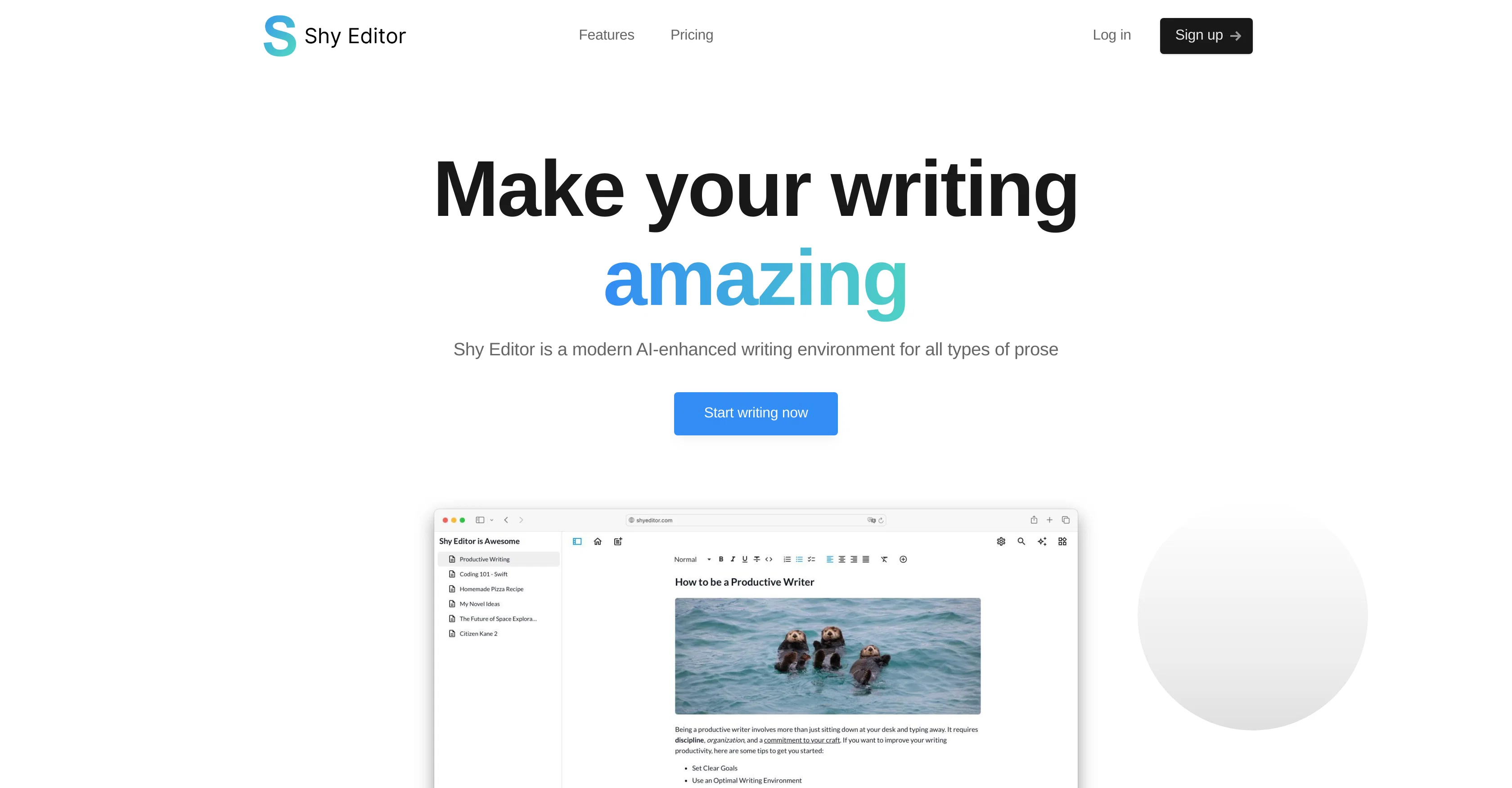
Shy Editor is an AI-powered writing tool that helps various types of writers: novelists, non-fiction writers, students, academics, bloggers, content creators, and journalists.
The platform utilizes advanced AI technology to help improve writing speed and quality, enhance writer productivity, and provide more confidence in the writing process.
This AI ensures the writer's style remains unique while enhancing the writing workflow. Users can integrate text, media, and tables to create a seamless work experience and organize their workflow, whether writing a report, essay, article, or even a full novel.
Features such as the versatile Markdown editor, AI assistant for feedback and brainstorming, quick note-taking, knowledge base for research organization, bibliography and citation management, progress tracking stats, version control, intelligent search, grammar check, and content export options are available.
A free Basic and a paid Pro plan is available.
Help other people by letting them know if this AI was useful.
Add your own prompts and outputs to help others understand how to use this AI.
Screenshot gallery
Pros & Cons
Pros
+Supports diverse writer categories
+Preserves the writer's style
+Workplace customization tools
+Easily integrate text, media, tables
+Markdown editor
+Quick note-taking
+Knowledge base built-in
+Citation management
+Progress tracking stats
+Comprehensive version control
+Intelligent search function
+Grammar check functionality
+Multiple content export options
+Usable for coding, strategizing
+Includes basic and professional versions
+Efficient research organization
+Helps enhance writing speed and quality
+Boosts writer productivity
+Increases confidence in writing
+Supports individual writing approaches
+Allows for seamless workflow organization
+Automated source import for bibliography
+Writing targets and detailed stats
+APA, MLA, Chicago citation styles
+Differential version tracking
+Direct export to TXT, MD, DOCX, PDF
+Multiple themes for aesthetic preference
+Multiplatform available
+Early access to new features
+Priority email support
+Integrates images, text, media seamlessly
+Auto-fixes punctuation, checks casing
+Improves writing style
+Comfortable space for work
+Offers Free version
+Professional version for advanced users
+Individual project management
+Advanced themes in Pro version
+Writing goals and stats for projects
+Unlimited projects for individuals
Cons
−No collaborative writing features
−Limited exporting formats
−Limited color themes for basic users
−No mobile application
−No offline mode
−Premium subscription needed for enhanced features
−No multi-language support
−No built-in thesaurus
−Lacks real-time error corrections
A Professional Framework to Evaluate Shy Editor
When considering Shy Editor for integration into your organizational workflow, we recommend deploying a structured score card across three critical operational pillars: Security & Compliance, Integration Friction, and long-term Price Scalability. Rather than looking only at basic feature lists, modern procurement teams must assess how a software platform behaves under high load and how well it fits into the team's data security guidelines.
1. Security and Database Compliance
Depending on your operating region and field, ensure that Shy Editor supports standard security layers such as SOC 2 Type II certifications, GDPR compliance, or HIPAA-compliant database encryption. If the tool connects directly to client database tables or handles user passwords, verify that they implement multi-factor authentication (MFA), single sign-on (SSO) integrations, and end-to-end data encryption in transit and at rest.
2. API Coverage and Custom Integrations
Siloed data is the primary cause of operational friction. Evaluate if Shy Editor has native connectors for your current project trackers, messaging hubs, and customer communication channels. For custom developer requirements, check if they provide a fully documented REST API with reasonable rate limits, comprehensive Webhooks support, and robust SDK packages in your language. A flexible API layer saves hundreds of hours of manual copy-paste overhead.
3. Total Cost of Ownership (TCO)
SaaS pricing packages are often deceptively simple. When reviewing Shy Editor's billing structure, map out your team's projected expansion over the next 12 to 24 months. Determine how costs scale as your customer database increases or as you add team members. Factor in setup costs, mandatory support plan upgrades, API access fees, and storage overage rates to understand the true cost before committing to a contract.
By combining verified user reviews from our directory with internal workflow pilot tests, your procurement team can make an informed decision that drives productivity without creating capital waste.
Features of Shy Editor
Writing Assistance
Text Editing
Content Creation
Grammar Check
Productivity Tools
Prose Writing
Free + From $10/Mo
SaaS1to10 verified reviews for Shy Editor
Overall rating
★★★★★5.0
Based on 20 reviews
★★★★★5.01 months ago
“Review”
I’ve been using it for a month now and I have decided to keep it for a year. There definitely are some kinks they can still work out like file management, but it’s very good at it’s core function: it generally does a good job answering questions and most times identifies PDFs automatically and correctly. The browser plugin works great, and it’s very nice that @Papers allows you to add your university’s library API so you can automatically download PDFs that are accessible through your institution (sometimes it refuses to download some @Papers, so you just have to downlow it yourself and manually add it). The iPad and Android apps are serviceable. Every once in a while it will mess up the PDF identification, especially with @Papers from either very old sources or online-only journals. Things they must work on: * A much better system to annotate PDFs (the post-it type notes are cumbersome). * Introduce a notepad attached to each PDF or some way to easily link and save the AI’s output to the PDF. Currently, you have to add a little post it note and then paste the text there. * Keep the AI answers available after closing the documents. If you close the document by mistake or have several open and wish to close some, the ai conversation will be reset. * I REALLY wish that you could get citations and links to where the info was from extracted from PDFs. Currently, I have found Coral.ai does a much better job of showing you where the info came from and it even highlights it for you. Give it a try, their 30-day no credit card needed trial allowed me to truly test it, and now I’m a yearly subscriber looking forward for new additions and releases.
JB
★★★★★5.01 months ago
“Review”
I can't explain how impressed i am by this. I've seen tools to help you brainstorm ideas, but not one to break your task down into big steps, then little steps for each of these. Plus "games" to help come up with more ideas for your project. I'm excited to use this!
ImpulseOscar
★★★★★5.01 months ago
“Review”
Everything is working normally. Best,
Stefan Mitrovic
★★★★★5.01 months ago
“Review”
filters my spam calls
Robin Haw
★★★★★5.01 months ago
“Review”
Very cool app! Build was fast as, and with a few tweaks I fully launched my website in 1 hour!
Joe Smythe
★★★★★5.01 months ago
“Review”
I think it's the best @Image Generator I ever found on the net. It gives more accurate image according to the prompt. And thank you for keeping it for free.
My Sawsiri
★★★★★5.01 months ago
“Review”
Love this application. Use it as my go to writing app. Replaced Grammarly and ChatGPT.
Lloyd Osler
★★★★★5.01 months ago
“Review”
Since discovering this tool in January 2024, my workflow as an entrepreneur, educator, and content creator has undergone a complete transformation, becoming far more efficient. With a total of +13,617 snippets used, I have managed to save +3,811 hours of work that were previously spent on repetitive and tedious tasks. Its ability to combine web scraping features with @AI Blaze instructions makes it far superior and more user-friendly compared to other technical alternatives. This system has truly become a bridge for me to stop worrying about exhausting operational details and shift my focus entirely to things that are essential in my career. Although the features that currently exist are already very solid and comprehensive, I see a great opportunity for improvement if @AI Blaze supported open-source models like DeepSeek or GLM. Giving users the option to add external API keys independently would be an amazing update that provides unlimited flexibility for users. Overall, this is the best productivity solution that continues to provide exceptional value to my community even after two years of active use.
Iwan Kurniawan
★★★★★5.01 months ago
“Review”
T shirt description
Adrita Jahan Afrin
★★★★★5.01 months ago
“Review”
The humanization is good it bypasses most AI detectors; besides you don't need to pay for it, it just gives like a promotion at the end of the message that is not annoying at all. So, it doesn't have a limitation of free tokens or something like that.
Sergio
★★★★★5.01 months ago
“Review”
I'm usually kinda skeptical with tools that send stuff over email, but this one had the full book in my inbox in like a min. You can even pick how and what you wanna download, it has text, cover, epub, pdf. The story was an interesting read too. As a heads up though, you only get 1 free book and the max that you can go for is 10 chapters, which adds up to about 20-something pages, so basically don't expect a full novel is what I'm saying. Still really good overall.
Niraj Katy
★★★★★5.01 months ago
“Review”
clean structure, solid content. only downside is the 3 credit limit on the free plan, since each page costs 1. would be nice to get a bit more flexibility for free users, but overall it’s a really good essay helper.
William Ben
★★★★★5.01 months ago
“Review”
It's sad to see people want to try your tool out but you have no free sample for them. This may be the best tool out there, but, as mentioned, going through with the AI for minutes to explain what you want, then being prompted to pay, without even knowing if it CAN create something, is discouraging. I hope we can get a free sample or preview at one point, im interested in this one.
Ron Jayson
★★★★★5.01 months ago
“Review”
Really like how it finds connection in the content that I save. I don't think any other tool can do that.
amix ffx
★★★★★5.01 months ago
“Review”
Alternative for fast academic writing
Ivan Taslim
★★★★★5.02 months ago
“Review”
It's a useful app.
musthafa basheer
★★★★★5.02 months ago
“Review”
It's a really great tool. I've used it for many different stories and brainstorms.
Justin Patterson
★★★★★5.02 months ago
“Review”
Have been trial running this tool and am very impressed by what I've seen. Would recommend for persons in need of a reliable, cost-effective and SEO optimized writing solution.
Kris Chan
★★★★★5.02 months ago
“Review”
I love this extension, mobile app and desktop software! I use it everyday and everywhere. Generated text are amazing. Well done to the team and continue your incredible work! For me, Voilà is the best AI assistant, copilot and AI writer on the market. I stopped my ChatGPT plus subscription since I discoverer it.
Lane Wood
★★★★★5.02 months ago
“Review”
your answer is much too general, so useless. You could have just tell me to ask Perplexity.