5.01 months ago
“Review”
I have been using it. It can write an interesting story.
Rafael Haddock

Read beautifully formatted YouTube transcripts instantly.
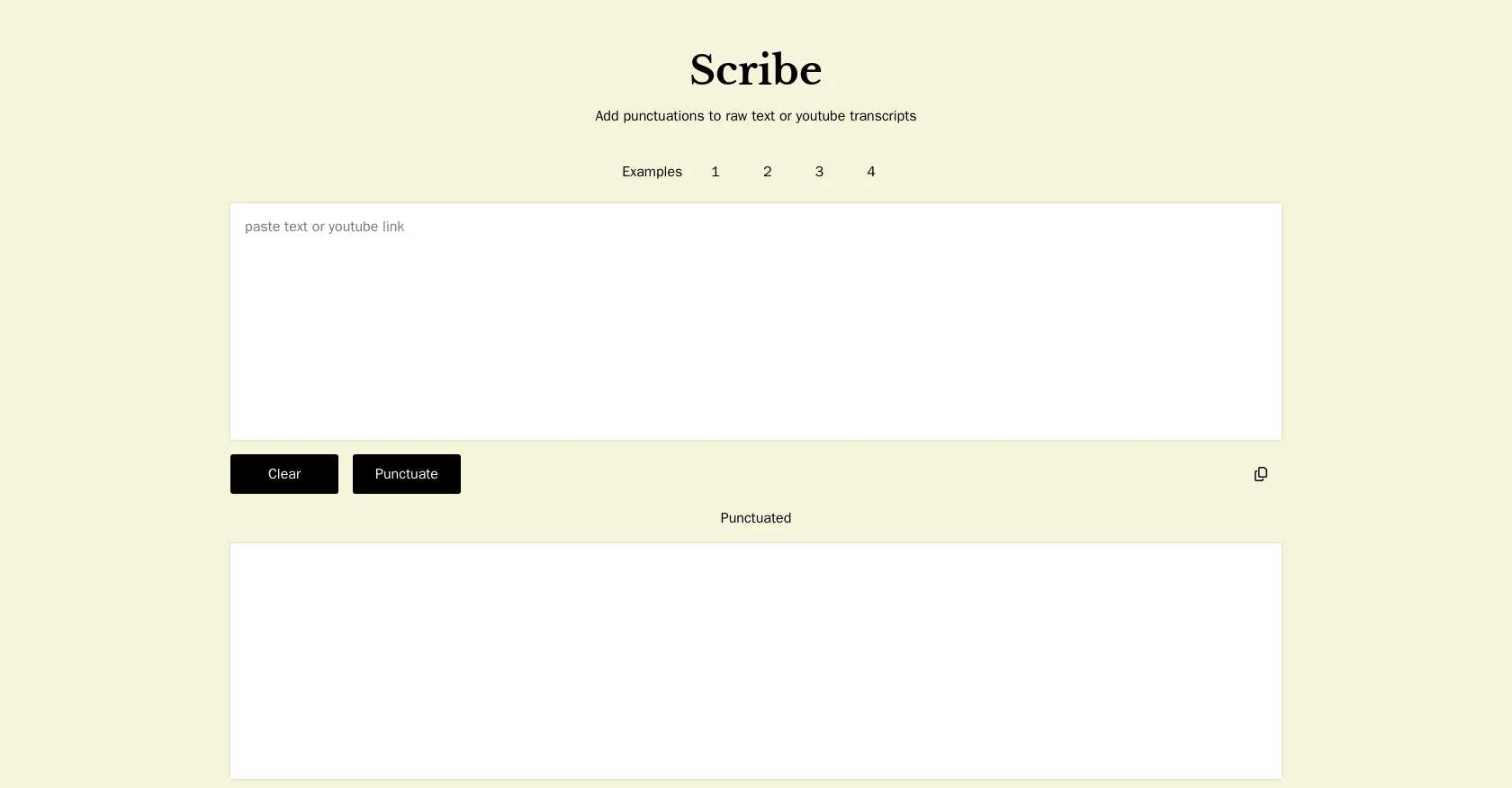
Scribe is a specialized tool designed to provide instant transcripts for YouTube videos. Instead of the standard, raw closed captions that YouTube automatically generates, Scribe takes it a step further by creating well-crafted transcripts. The tool incorporates punctuation and paragraphs to make the content more readable and similar to a written documentation. It also organizes the transcripts into chapters for easier navigation and better understanding. This capability is particularly useful for longer videos or ones with distinct sections. Scribe can be an excellent resource for a variety of purposes, including but not limited to content analysis, accessibility, language learning, and research. By transforming video content into readable text, Scribe helps users to rapidly scan, search, and leverage YouTube content in entirely new ways. Help other people by letting them know if this AI was useful. Add your own prompts and outputs to help others understand how to use this AI.
When considering Appblit Scribe for integration into your organizational workflow, we recommend deploying a structured score card across three critical operational pillars: Security & Compliance, Integration Friction, and long-term Price Scalability. Rather than looking only at basic feature lists, modern procurement teams must assess how a software platform behaves under high load and how well it fits into the team's data security guidelines.
Depending on your operating region and field, ensure that Appblit Scribe supports standard security layers such as SOC 2 Type II certifications, GDPR compliance, or HIPAA-compliant database encryption. If the tool connects directly to client database tables or handles user passwords, verify that they implement multi-factor authentication (MFA), single sign-on (SSO) integrations, and end-to-end data encryption in transit and at rest.
Siloed data is the primary cause of operational friction. Evaluate if Appblit Scribe has native connectors for your current project trackers, messaging hubs, and customer communication channels. For custom developer requirements, check if they provide a fully documented REST API with reasonable rate limits, comprehensive Webhooks support, and robust SDK packages in your language. A flexible API layer saves hundreds of hours of manual copy-paste overhead.
SaaS pricing packages are often deceptively simple. When reviewing Appblit Scribe's billing structure, map out your team's projected expansion over the next 12 to 24 months. Determine how costs scale as your customer database increases or as you add team members. Factor in setup costs, mandatory support plan upgrades, API access fees, and storage overage rates to understand the true cost before committing to a contract.
By combining verified user reviews from our directory with internal workflow pilot tests, your procurement team can make an informed decision that drives productivity without creating capital waste.
Overall rating
Based on 24 reviews
I have been using it. It can write an interesting story.
Rafael Haddock
this is so good, i pasted a youtube link of 40 mins long video and it gave me a clean text nice to read and i didn’t find any mistakes. best part it only took 2 mins maybe less
beni1
You have the option to waitlist or you can login with your email/pass or google account. I chose google. Once inside you have a suite of tools but im sure when you go to publish you have to sign up for a paid plan. So if your looking for a free option it will be branded. Use at your own risk. Thanks
Col Cooper
"Brilliant AI solution—making life easier."
Catherine Leblanc
Only available on the iphone... doesn't seem super intuitive to use.
Mental Forge Media
Great idea, but does not find what you are looking for-about the same as Google Scholar
Andy
It created some decent logos. They are great as a start point
Samuel Barlet
"Unfortunately, we cannot provide a description for this tool as it promotes the use of dark magic and the involvement of spirits, which is not a legitimate or safe practice." ..but those other AIs generating anorexically thin women with huge bazongaloos is totally fine. Especially when it involves NSFW stories about your adopted goth sister, your daughter's hot best friend, or even the hot slave you just bought. Totes safe practice. Cmon guys.
Haught Takke
@KeywordSearch creates AI Ad Targeting audiences for YouTube
Aleric Heck
Fantastic tool for anyone who is looking to promote their personal brand and gain followers on Linkedin with no experience. The tool has a lot of potential to grow and as someone who has recently purchased the tool I'm hoping for more topics in settings.
Ed Soltani
Really like how it finds connection in the content that I save. I don't think any other tool can do that.
amix ffx
No other tool quite like this, it's pretty straightforward. Needed to extract a long interview from YouTube and it extracted everything, providing it in different meaningful formats in less than two minutes. Awesome
Juan Sierra
I already have another transcription tool, but this one is much better. I love the different features such as the summary, quiz, and chapters. It does a great job of them. I've only done one transcript so far to try it out, but I'm truly impressed and am going to grab another code. A couple things that would make it even better are: - the ability to rename the files and organize them through folders. - the ability to download a copy of the other features as well as the transcript. Copying and pasting it works, but doesn't keep the format.
dunn
State of the Art
Dmitry G.
Free Start with a Free Experience $0 /mo
Vitus Bering
I’ve tried many AI writing tools in the past, but this one actually delivers content that sounds human and ranks. I love how you can create a full SEO blog post with just a keyword… and it’s ready to publish in one click. That saves me so much time. Also, small win for the wallet — use code FSL25 to get 25% off on any plan. Definitely helped me out when testing it for the first time. 👍 Hope this helps someone else who’s been struggling like I was!
Jason
An amazing app, I love the share feature and the comment section summaries
Silvia Cho
I tested the app to summarize a pdf document, however it failed to do its work.
Alfredo Salvadora
Video editing
Amrit kuli Amrit kuli
I’ve used Riverside before and it’s a really solid tool for recording and producing high-quality audio and video. If you’re looking for a YouTube transcript generator, I’ve also been using Saveto AI. It’s been pretty handy for turning videos into clean text and quick notes.
tingmin yan
i use it myself all the time
Robert Youssef
Hands down the best ai tool for content creators. Their free YouTube transcriptor is always on point
El Mehdi
YouTube to Doc is freaking awesome! Total lifesaver for turning videos into text. Just paste the URL → boom, you’ve got a doc. Perfect for notes or quotes. 10/10 recommend!
Linda Lin
Seems great. Just setup an account to try it out. Basically bounced ideas off it for SOPs for a fire department and it actually does a wonderful job.
HarleyQuinn Deadpool
Starting Price
Free plan available
Free tier available with optional paid upgrades.


