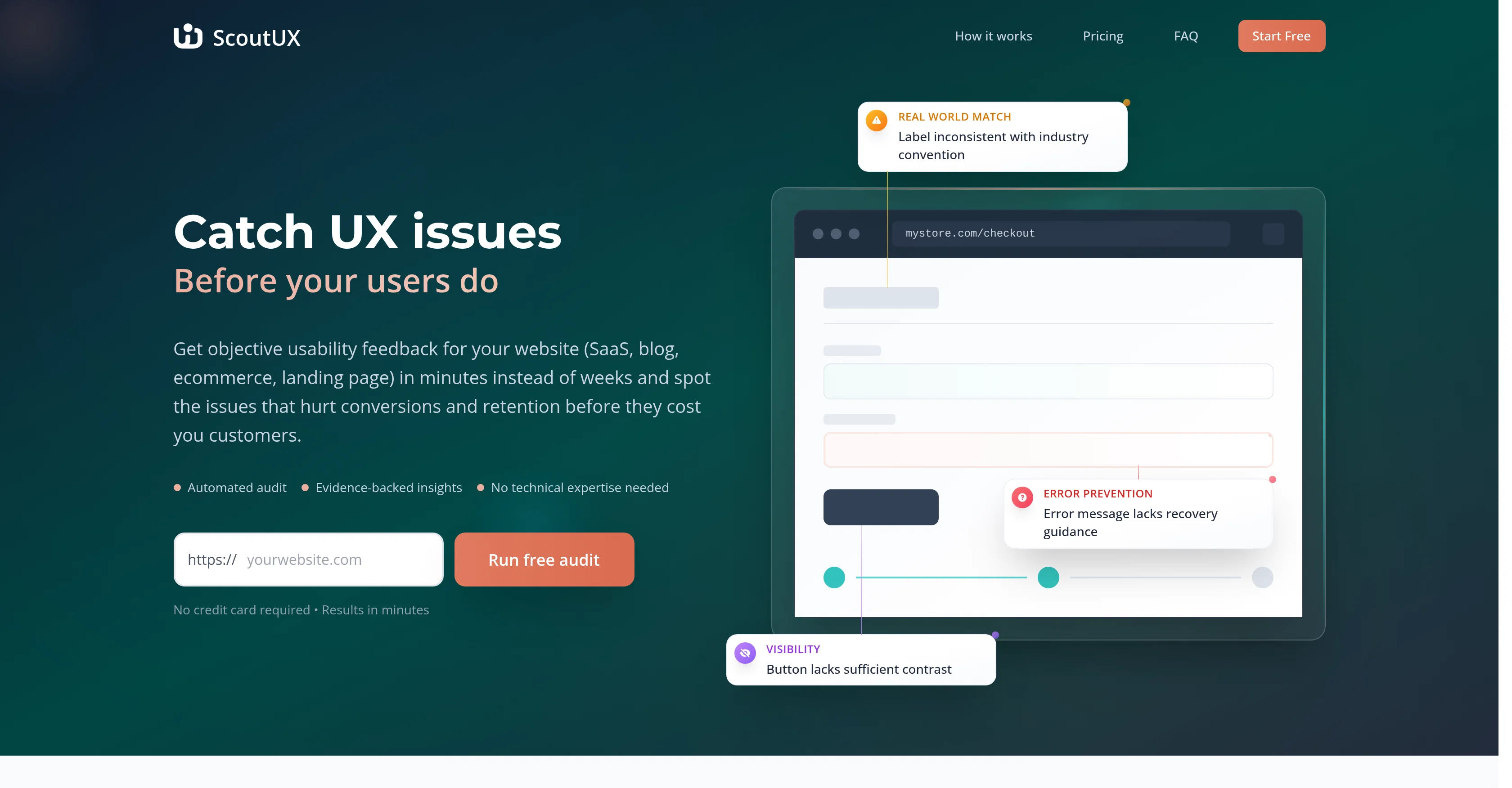
ScoutUX is an AI-powered tool designed to identify and highlight user experience (UX) issues on websites, applications and interfaces before they impact the end-users.
Its primary utility lies in providing rapid, objective usability feedback to aid the timely rectification of problems that could negatively affect conversions and customer retention.
The tool uses an 'automated audit' to explore the tested site, closely emulating the actions of a real human user. This includes tasks such as clicking, scrolling, and typing.
After the audit process, it offers a comprehensive report, which includes usability issue identification, and improvement suggestions, providing actionable insights based on established usability principles.
The analysis by ScoutUX is based on Nielsen's 10 Usability Heuristics for User Interface Design, considered as an industry-standard framework, trusted and adopted by many Fortune 500 companies.
ScoutUX is designed to be useful across organizations for roles like product managers, designers, developers, quality assurance professionals, founders and marketers who aim to improve user experience.
It should be noted that ScoutUX, while fast and powerful, is intended as a first-line defensive tool against usability issues, and should not be seen as a substitute for comprehensive user research.
Help other people by letting them know if this AI was useful.
Add your own prompts and outputs to help others understand how to use this AI.
Screenshot gallery
Pros & Cons
Pros
+Identifies UX issues pre-impact
+Offers rapid usability feedback
+'Automated audit' feature
+Emulates human user actions
+Comprehensive post-audit report
+Includes actionable improvement suggestions
+Analysis based on Nielsen's Heuristics
+Role-specific utility across organizations
+Tool for developers, marketers, founders
+First-line defensive tool against UX issues
+Increases conversion and retention
+Spot issues that hurt conversions
+Works for SaaS, app, website
+Results in minutes
+Error identification and prevention
+Tests across desktop and mobile
+Visually represented insights
+Usability issue visualization
+Heuristic violation identification
+Option for specific task testing
+Analyzes key areas naturally
+Records every site interaction
+Usability principles for suggestions
+Free basic plan available
+Option for faster processing
+Option for more reports
+Optimized for maximum business growth
+Beneficial for Product Managers, Designers
+Boosts conversion rates
+Pre-launch validation for products
+Design validation for designers
+UX testing automation for developers
+Cancellation at any time
+Can work with screenshots analysis
+No need for long-term commitments
Cons
−Limited to Nielsen's heuristics
−Not for comprehensive research
−No real user feedback
−Lacks manual testing options
−No specific task testing
−Limited to website interfaces
−Usability focus, not functionality
−No live user tracking
−Requires published site for analysis
−No direct integration with development tools
A Professional Framework to Evaluate ScoutUX
When considering ScoutUX for integration into your organizational workflow, we recommend deploying a structured score card across three critical operational pillars: Security & Compliance, Integration Friction, and long-term Price Scalability. Rather than looking only at basic feature lists, modern procurement teams must assess how a software platform behaves under high load and how well it fits into the team's data security guidelines.
1. Security and Database Compliance
Depending on your operating region and field, ensure that ScoutUX supports standard security layers such as SOC 2 Type II certifications, GDPR compliance, or HIPAA-compliant database encryption. If the tool connects directly to client database tables or handles user passwords, verify that they implement multi-factor authentication (MFA), single sign-on (SSO) integrations, and end-to-end data encryption in transit and at rest.
2. API Coverage and Custom Integrations
Siloed data is the primary cause of operational friction. Evaluate if ScoutUX has native connectors for your current project trackers, messaging hubs, and customer communication channels. For custom developer requirements, check if they provide a fully documented REST API with reasonable rate limits, comprehensive Webhooks support, and robust SDK packages in your language. A flexible API layer saves hundreds of hours of manual copy-paste overhead.
3. Total Cost of Ownership (TCO)
SaaS pricing packages are often deceptively simple. When reviewing ScoutUX's billing structure, map out your team's projected expansion over the next 12 to 24 months. Determine how costs scale as your customer database increases or as you add team members. Factor in setup costs, mandatory support plan upgrades, API access fees, and storage overage rates to understand the true cost before committing to a contract.
By combining verified user reviews from our directory with internal workflow pilot tests, your procurement team can make an informed decision that drives productivity without creating capital waste.
Features of ScoutUX
Agent
User Experience Improvement
User Interface Design
UX Analysis
Usability Feedback
Usability Heuristics
Free + From $20/Mo
SaaS1to10 verified reviews for ScoutUX
Overall rating
★★★★★5.0
Based on 15 reviews
★★★★★5.02 months ago
“Review”
B12 exceeded my expectations especially after I tried a few similar tools. Signing up took under a minute and because I offer a very specific set of services as a consultant, I didn't expect the AI to be able to capture my work, but it did a great job with creating content for me. I only had to make a few edits, add my bio, and was able to publish that same day. Now I get lots of compliments on my site and I've even tried their other tools like email marketing, which is great because the emails match my site's appearance. Overall I would recommend B12 as an effective, affordable, and easy to use website solution.
Katie G
★★★★★5.02 months ago
“Review”
The website is pretty good but there are only a limited number of responses
Probal Roy
★★★★★5.02 months ago
“Review”
After my first use, I think it's surprisingly good. The only drawback so far is the PDF export option for the report which is formatless.
Alejandro Correa
★★★★★5.02 months ago
“Review”
O GPT faz uma análise melhor e mais personalizada.
Vinicius Vilela
★★★★★5.02 months ago
“Review”
Really impressed by the multi-model planning and code review. Having different models collaborate instead of relying on just one actually leads to better decisions. You can feel the difference on more complex tasks.
Cara
★★★★★5.02 months ago
“Review”
the founder is cool, definitely a recommendation if you have personal requests and grow the app along with you.
Samik Choudhury
★★★★★5.02 months ago
“Review”
Amazing deep research feature! Haven't seen this level of execution through any other tool. It gives a designed socket to view a presentation at the end.
Zarrak Mushtaq
★★★★★5.02 months ago
“Review”
usefull for intial landing page design
WEB5LAB
★★★★★5.02 months ago
“Review”
Hate that LinkedIn carousel took so much time, and tools on the market either too simple or sophisticated and paid. This one is awesome, solved my problem
Islam Midov
★★★★★5.02 months ago
“Review”
@GPT Trainer is run by a highly responsive management team and support staff. Questions are answered quickly, feature requests are incorporated quickly. We have multiple chatbots that are live with GPT Traner, including for Healthcare, hospitality and solar energy providers. We highly recommend for both value and quality.
John Griffith
★★★★★5.02 months ago
“Review”
@Whiteboard by Athena AI is a user-friendly, AI-powered tool that makes digital collaboration seamless. supports real-time brainstorming, and integrates easily with other apps—ideal for teams, educators, and remote learners alike.
hamed elghoul
★★★★★5.02 months ago
“Review”
Would rate 4.9 if possible, but rounding up to 5 stars because this app truly excels compared to other AI coding tools. Why 5 Stars: Best-in-class AI coding assistance Huge improvements over competitors Actually works for real development Real Impact: I successfully built and published an actual app using this tool - that's game-changing for non-developers like me. Bottom Line: Yes, there's room for improvement, but this is already the top AI coding app available. The fact that ordinary people can create real apps with it says everything. Perfect for anyone wanting to turn ideas into actual apps!
Johnson
★★★★★5.02 months ago
“Review”
Really cool tool. Looking forward to new updates
Daniel A.
★★★★★5.02 months ago
“Review”
Great tool! Was very helpful in content production
Duck Typer
★★★★★5.02 months ago
“Review”
Thank you everyone for trying @1UI! If you haven't yet, give it a spin and use code ‘TAAFT’ to get $5 credits to try @1UI.