5.01 months ago
“Review”
Not bad..............
Stephanie Paden

AI agent for Jupyter: Generate code, run cells with natural language.
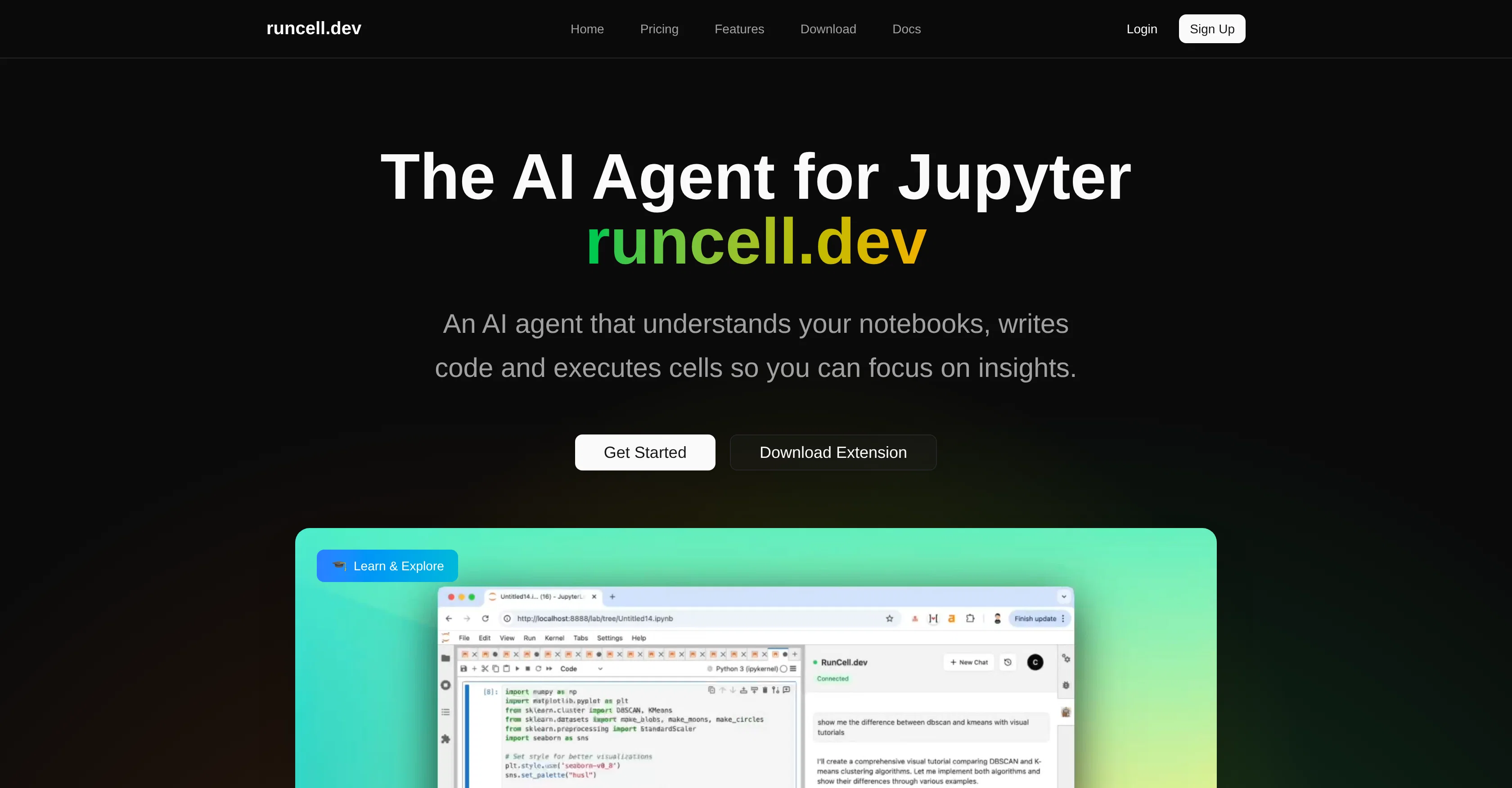
Runcell is an artificial intelligence (AI) tool designed exclusively for Jupyter notebooks. It acts as an AI agent capable of generating code and executing cells, letting users concentrate on extracting meaningful insights. The tool exhibits interactive learning mode that explains concepts with live examples, perfect for understanding differences between various algorithms such as K-means and DBSCAN. Runcell offers an autonomous agent mode fully automating notebook operations, completing complex workflows automatically, thus improving productivity for data scientists and developers. Another highly-functional feature of this tool is its smart edit mode. Here, the AI assistant provides intelligent suggestions for editing and enhancing code leading to an improved notebook. Moreover, Runcell functions as an AI-powered Jupyter enhancement tool. Users can pose questions about their code and receive AI-generated solutions along with smart recommendations on the possible next steps. By effectively transforming and speeding up the Jupyter workflow, Runcell ensures that notebook work is efficient and streamlined, optimizing the coding process for developers without having to exit Jupyter. Its service is offered as a free trial, with more comprehensive plans available. Help other people by letting them know if this AI was useful. Add your own prompts and outputs to help others understand how to use this AI.
When considering Runcell - Data Science AI Agent in Jupyter for integration into your organizational workflow, we recommend deploying a structured score card across three critical operational pillars: Security & Compliance, Integration Friction, and long-term Price Scalability. Rather than looking only at basic feature lists, modern procurement teams must assess how a software platform behaves under high load and how well it fits into the team's data security guidelines.
Depending on your operating region and field, ensure that Runcell - Data Science AI Agent in Jupyter supports standard security layers such as SOC 2 Type II certifications, GDPR compliance, or HIPAA-compliant database encryption. If the tool connects directly to client database tables or handles user passwords, verify that they implement multi-factor authentication (MFA), single sign-on (SSO) integrations, and end-to-end data encryption in transit and at rest.
Siloed data is the primary cause of operational friction. Evaluate if Runcell - Data Science AI Agent in Jupyter has native connectors for your current project trackers, messaging hubs, and customer communication channels. For custom developer requirements, check if they provide a fully documented REST API with reasonable rate limits, comprehensive Webhooks support, and robust SDK packages in your language. A flexible API layer saves hundreds of hours of manual copy-paste overhead.
SaaS pricing packages are often deceptively simple. When reviewing Runcell - Data Science AI Agent in Jupyter's billing structure, map out your team's projected expansion over the next 12 to 24 months. Determine how costs scale as your customer database increases or as you add team members. Factor in setup costs, mandatory support plan upgrades, API access fees, and storage overage rates to understand the true cost before committing to a contract.
By combining verified user reviews from our directory with internal workflow pilot tests, your procurement team can make an informed decision that drives productivity without creating capital waste.
Overall rating
Based on 14 reviews
Not bad..............
Stephanie Paden
This is a very useful tool, especially for me as a small business owner. It keeps everything in one place
Linda
I tested. Loved it. Tried with 3 different websites. Full Marks to the output! Worth paying for!
SANTOSH SAHU
@Whiteboard by Athena AI is a user-friendly, AI-powered tool that makes digital collaboration seamless. supports real-time brainstorming, and integrates easily with other apps—ideal for teams, educators, and remote learners alike.
hamed elghoul
Just tried it and it’s working fine for me. The results are actually nice, worth trying again!
Alexandru Bostina
i love it i use it to teach me Italian and ukranian and programing ! and it awesome , because it allows you in the free version send many prints of your screen , not having to explain all the errors by typing diferent from gpt that you can only send 3 photos in the free version. i also use @Grok to study i frist make the exercise in my book then i take a photo of my exercise then i ask it to see if there is any mistake and dissipate my terryble handwriting it understands
fernand Lopes
Generating captions was super fast like seconds. Wish they had Anton font though
bob miller
@Cursor is underrated.
Vanessa
Absolutely in love. I could create my own custom AI and shared it with my colleuges to get instant support from me, i mean digital AI of me :)
Derek W.
tried @Veo 3 today and it honestly feels like a sneak peek into the future. one short prompt and it gave me a crisp 4K video with perfect audio and cinematic camera moves. not flawless yet, but wow.
Lark Cube
that's such a great AI
piw
Reducing manual efforts in first-pass during code-review process helps speed up the "final check" before merging PRs
Sahil Mohan Bansal
I got some top quality results after learning how to prompt songs 🤩
Claes Lanng
Not at all accurate…. The only thing similar between original and generated images were the clothes and accessories… face was absolutely new and unconnected.
Shvetank Sharma
Starting Price
Free plan available
Free tier available with optional paid upgrades.