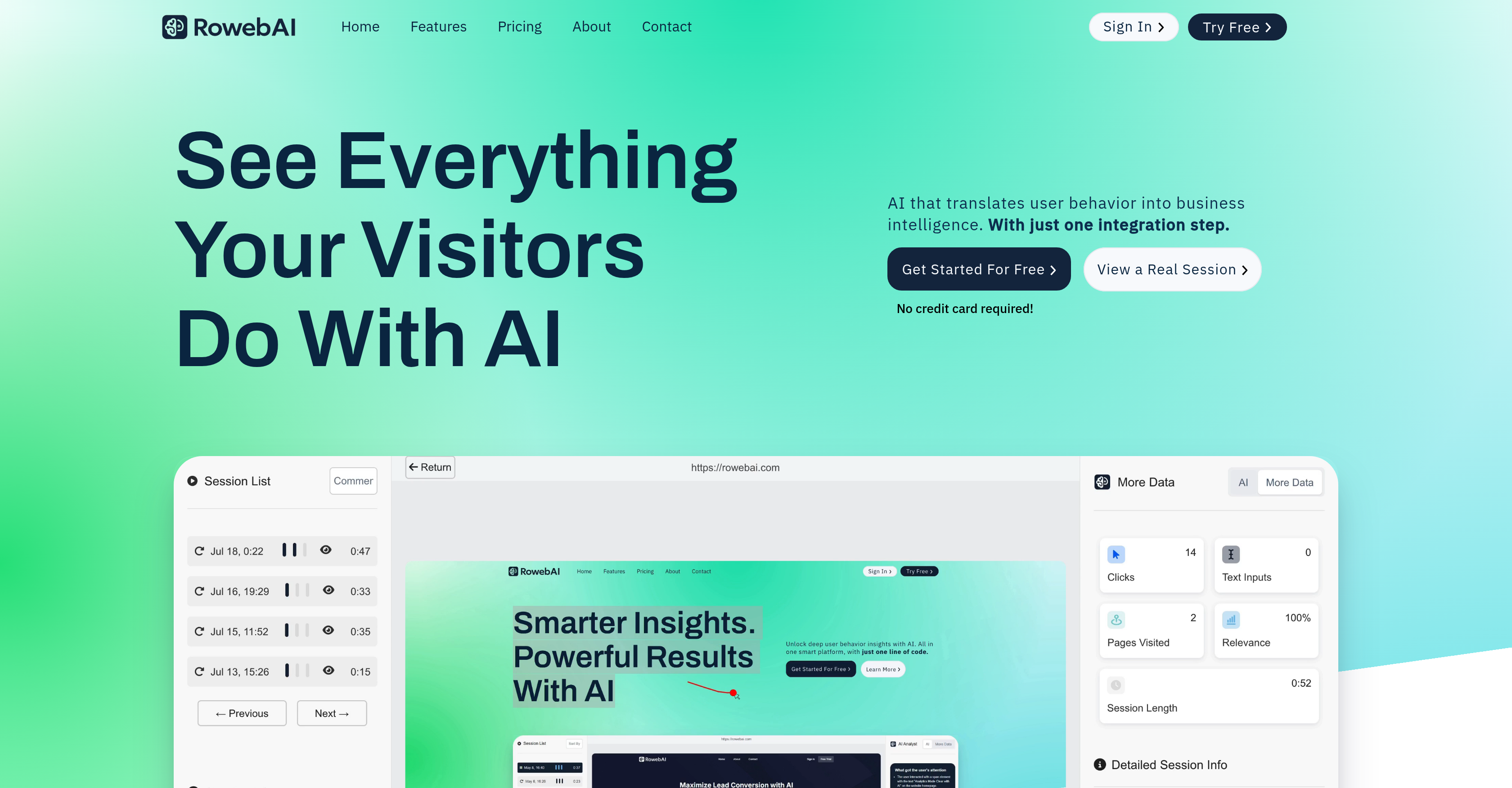
RowebAI is an AI-powered tool designed to provide deep insights on user interaction with websites. This tool employs innovative technology to capture and analyze user sessions, presenting details of visitor behavior as interactive heatmaps and recorded sessions.
The main purpose of this tool is to optimize websites and enhance user experiences, which in turn can boost conversions. Additionally, RowebAI uses AI-driven analysis to highlight actionable insights for a more efficient approach to website management.
RowebAI is easily integrated into any platform and begins capturing sessions, heatmaps, and AI insights immediately after a simple setup. It is compatible with various web platforms and provides 24/7 customer support to assist with any questions or issues.
A distinguishing feature of RowebAI is its powerful and intuitive AI technology. It records every user session and generates automatic heatmaps to visually represent how users are interacting with a website.
Highlights of visitor behavior are turned into actionable insights in real-time using AI analytics. Other features include full-session replays, smart pattern detection, AI summarized insights and collaboration tools for team members.
The tool also comes with a lightweight script that has no impact on website load times or performance. RowebAI is designed to be a robust solution for businesses, enhancing their understanding of user behaviors and preferences, which guides accurate improvements and modifications for better user engagement and conversion rates.
It provides a cost-effective solution without sacrificing premium features commonly associated with enterprise-level offerings.
Help other people by letting them know if this AI was useful.
Add your own prompts and outputs to help others understand how to use this AI.
Screenshot gallery
Pros & Cons
Pros
+Optimizes operations
+Trims costs
+Enhances productivity
+Improves lead closing percentages
+Insightful website analytics
+Tailored responses
+Understandability of contacts/leads
+Easy lead management
+Clear view of site views
+Pinpoints visit timings
+Discloses referral sources
+Automated responses
+Quick response generation
+Highlights lead sources
+Informative for strategy formulation
+24/7 customer support
+CRM integration
+Simple setup process
+Dashboard for viewing requests
+Streamlined website traffic analysis
+Saves time
+Efficiency booster
+Risk-free trial
+SSL-Secured software
+Whitelabeling services
+Enhanced decision-making
+Increases lead closures
+Clear analytics dashboard
+Lead/contact data management
+Readability enhancement
+Trustworthy customer testimonials
+Proven productivity increase
+Helps maintain competitive edge
+Live chat support
Cons
−No mentioned integration capabilities
−No API mentioned
−No offline capability
−No multi-language support
−Limited analytics details
−No mobile application
−Setup may require coding
−No predictive analytics
−No data export options
−No custom dashboard features
A Professional Framework to Evaluate Rowebco
When considering Rowebco for integration into your organizational workflow, we recommend deploying a structured score card across three critical operational pillars: Security & Compliance, Integration Friction, and long-term Price Scalability. Rather than looking only at basic feature lists, modern procurement teams must assess how a software platform behaves under high load and how well it fits into the team's data security guidelines.
1. Security and Database Compliance
Depending on your operating region and field, ensure that Rowebco supports standard security layers such as SOC 2 Type II certifications, GDPR compliance, or HIPAA-compliant database encryption. If the tool connects directly to client database tables or handles user passwords, verify that they implement multi-factor authentication (MFA), single sign-on (SSO) integrations, and end-to-end data encryption in transit and at rest.
2. API Coverage and Custom Integrations
Siloed data is the primary cause of operational friction. Evaluate if Rowebco has native connectors for your current project trackers, messaging hubs, and customer communication channels. For custom developer requirements, check if they provide a fully documented REST API with reasonable rate limits, comprehensive Webhooks support, and robust SDK packages in your language. A flexible API layer saves hundreds of hours of manual copy-paste overhead.
3. Total Cost of Ownership (TCO)
SaaS pricing packages are often deceptively simple. When reviewing Rowebco's billing structure, map out your team's projected expansion over the next 12 to 24 months. Determine how costs scale as your customer database increases or as you add team members. Factor in setup costs, mandatory support plan upgrades, API access fees, and storage overage rates to understand the true cost before committing to a contract.
By combining verified user reviews from our directory with internal workflow pilot tests, your procurement team can make an informed decision that drives productivity without creating capital waste.
Features of Rowebco
AI Analytics
AI Insights
Conversion Optimization
Marketing Intelligence
Session Replay
Smart Heatmaps
From $49/Mo
SaaS1to10 verified reviews for Rowebco
Overall rating
★★★★★5.0
Based on 3 reviews
★★★★★5.01 months ago
“Review”
As a technical entrepreneur, working with designers is often way too slow - when I have an idea, I want a prototype the same day - not days/weeks later. I created UX Canvas because I wanted a better way to communicate my UI/UX ideas to developers, without having to spend thousands on hiring UI/UX designers or opening Figma and spending days/hours manually creating, iterating on, and prototyping designs myself. UX Canvas unlocks the ability for anyone - technical or not - to rapidly prototype their design ideas and instantly share them with team members in minutes. If you can put your idea into words, you can design it. No design skills required. (Although they are helpful) The agent has the ability to do cool things like generate it’s own image assets to be used in the design, and you can even export your designs to clean React/Typescript code - so you can hand the code over to your developers (or other AI tools like Cursor, Windsurf, etc.) to bring your product idea to life. Try it for free and let me know what you think! https://@UXCanvas.ai
Mike Tromba
★★★★★5.01 months ago
“Review”
free version doesn't even work in figma, you need figjam
Chris Agi
★★★★★5.02 months ago
“Review”
I’ve been using UX sniff for a little while now and I absolutely love it! It’s brilliant! It’s very easy to use, very easy to set up and the support has been spot on. It’s really been helping me with my Business - Pawfection Pet Products. I highly recommend this product.
Anneka Avery
Pricing
Starting Price
From $12.00/user/month
Pricing may vary based on team size and features selected.