5.02 months ago
“Review”
Hi everyone, Jon here. I love Deep Research but hated reading the slop churned out by the major apps. Try this passion project out and let me know what you think!
Jon Sinclair

Production errors that fix themselves.
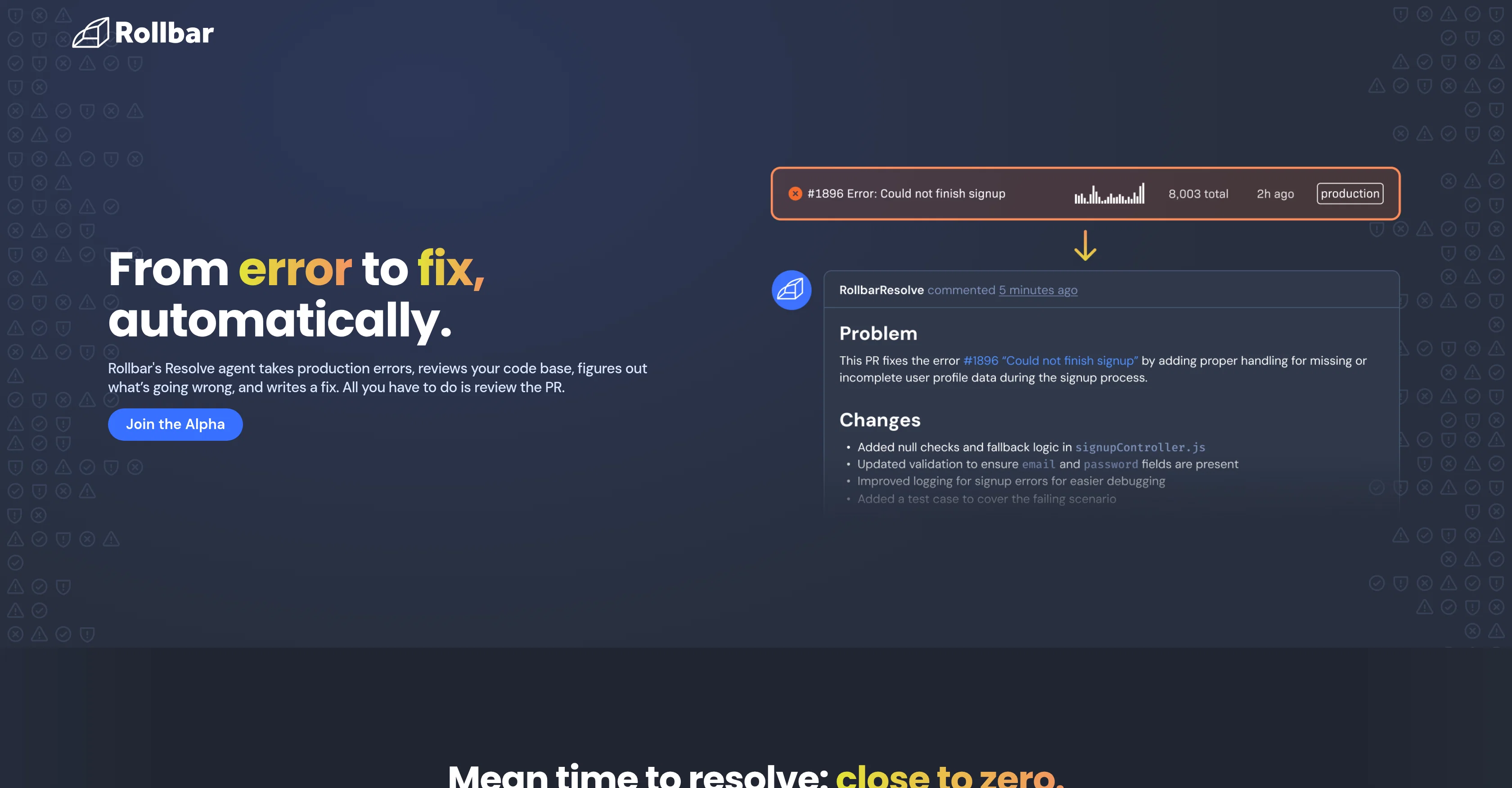
Rollbar Resolve is a solution designed to automate the identification and resolution of production errors within an organization's codebase. Its key feature involves identifying problematic elements in your code, formulating a suitable solution, and opening a pull request containing the fix for review and approval. This process enhances efficiency by significantly reducing manual troubleshooting requirements. User intervention is only needed during the approval process, giving developers more time to focus on other crucial tasks. The functionality also allows organizations to stay in control of the errors that Resolve should handle and when, lending a high degree of customizable control to the end-user. This control can be exercised by setting rules directly in Rollbar or by delegating from your Integrated Development Environment (IDE) using the MCP integration feature. Moreover, before opening a pull request, Resolve thoroughly tests the proposed fix in an isolated environment to ensure its validity. This preemptive measure ensures pull requests contain tested and validated solutions rather than speculative fixes. Resolve as a tool adds itself to your development team as another member by constantly learning and improving its processes from the feedback it receives with every merge. Additionally, the solution can be tailored to control the scope, cadence, and cost, letting the user set clear limits on its operations and frequency. Finally, Rollbar Resolve provides support for budget setting and allows users to control how they receive notifications about fixes. Help other people by letting them know if this AI was useful. Add your own prompts and outputs to help others understand how to use this AI.
When considering Rollbar Resolve for integration into your organizational workflow, we recommend deploying a structured score card across three critical operational pillars: Security & Compliance, Integration Friction, and long-term Price Scalability. Rather than looking only at basic feature lists, modern procurement teams must assess how a software platform behaves under high load and how well it fits into the team's data security guidelines.
Depending on your operating region and field, ensure that Rollbar Resolve supports standard security layers such as SOC 2 Type II certifications, GDPR compliance, or HIPAA-compliant database encryption. If the tool connects directly to client database tables or handles user passwords, verify that they implement multi-factor authentication (MFA), single sign-on (SSO) integrations, and end-to-end data encryption in transit and at rest.
Siloed data is the primary cause of operational friction. Evaluate if Rollbar Resolve has native connectors for your current project trackers, messaging hubs, and customer communication channels. For custom developer requirements, check if they provide a fully documented REST API with reasonable rate limits, comprehensive Webhooks support, and robust SDK packages in your language. A flexible API layer saves hundreds of hours of manual copy-paste overhead.
SaaS pricing packages are often deceptively simple. When reviewing Rollbar Resolve's billing structure, map out your team's projected expansion over the next 12 to 24 months. Determine how costs scale as your customer database increases or as you add team members. Factor in setup costs, mandatory support plan upgrades, API access fees, and storage overage rates to understand the true cost before committing to a contract.
By combining verified user reviews from our directory with internal workflow pilot tests, your procurement team can make an informed decision that drives productivity without creating capital waste.
Overall rating
Based on 6 reviews
Hi everyone, Jon here. I love Deep Research but hated reading the slop churned out by the major apps. Try this passion project out and let me know what you think!
Jon Sinclair
Tried it out today. The speed is definitely the standout part. Pasting a Google Maps link and getting a usable website so quickly is impressive, especially for businesses that have no site at all. That said, it is more of a strong starting point than a finished website. The generated result looked clean, but I’d still want more control over layout, branding, sections, and finer edits before publishing. For some users that may be enough, but others will want deeper customization. Overall though, the idea solves a real problem: many small businesses delay getting online because websites feel expensive or complicated. If Wowable keeps improving the editing side while keeping the setup this simple, it has real potential.
Josh Bennett
Absolutely love this tool! It helps me apply to jobs so quickly and is so easy to use
Worthy Rae
I signed up for early access and have been using codoki for a few months now, eventually brought it into my team as well. Great tool, simple to use, not overwhelming and has caught things in a way thats actually digestible
John
I was impressed this tool was able to find not just bugs/formatting issues with the code itself, but also real risks in my ML pipeline such as train-test bleed through.
Jordan Sorokin
Reducing manual efforts in first-pass during code-review process helps speed up the "final check" before merging PRs
Sahil Mohan Bansal
Starting Price
Contact vendor for pricing
Pricing may vary based on team size and features selected.