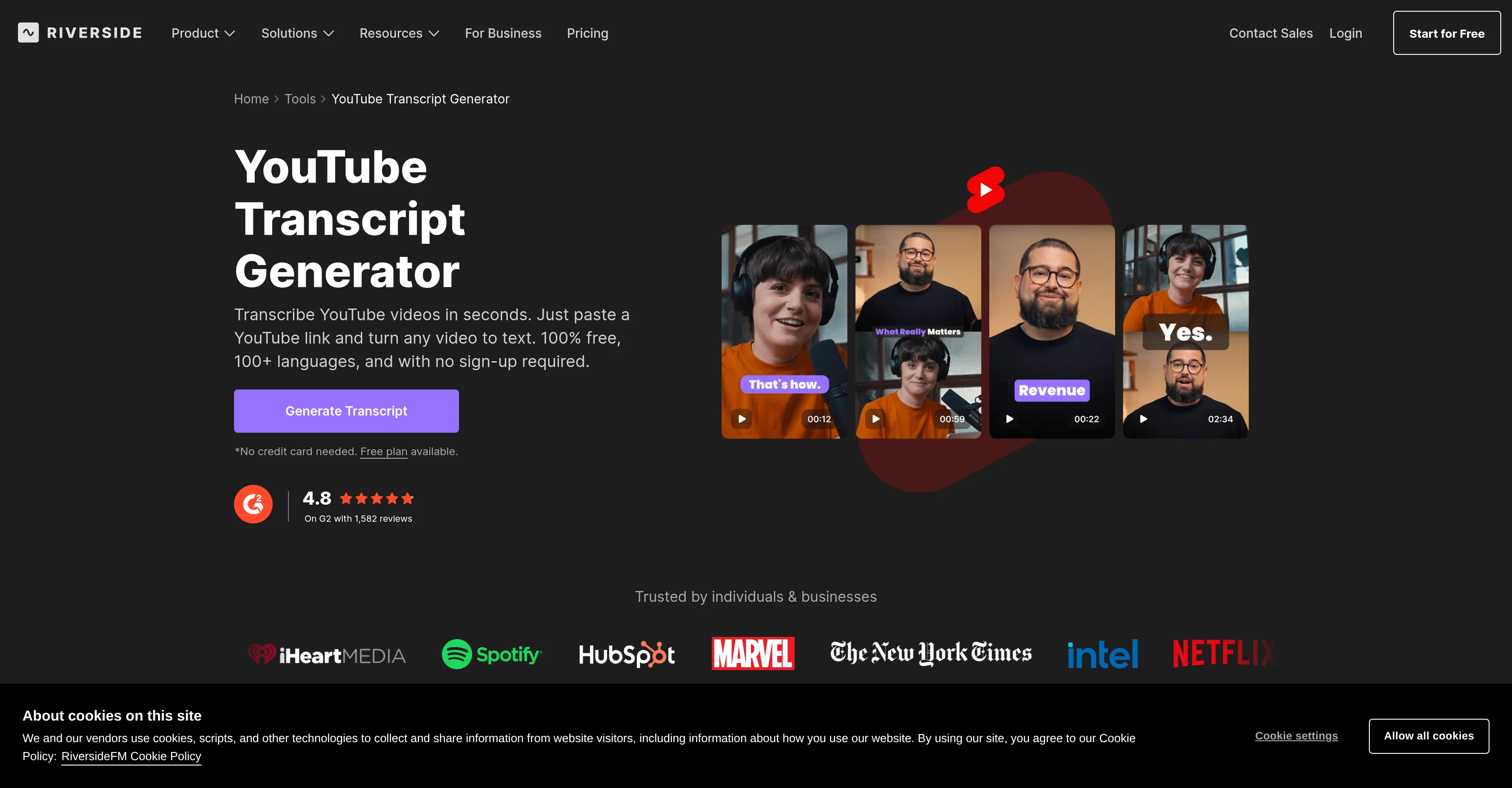
The Riverside YouTube Transcript Generator is a free tool that allows users to easily convert YouTube video content into text transcripts. It functions by letting the user paste a YouTube video link into the tool, which then uses AI technology to generate a transcript of the video.
The transcription service prides itself on a high level of accuracy and supports over 100 languages. This tool is particularly beneficial for those looking to repurpose YouTube content into different formats - transcripts can be downloaded in text form for repurposing into blogs or summaries, or as a subtitle file for creating YouTube captions.
Beyond transcriptions, the tool also can generate automatic post summaries, descriptions, titles, and key takeaways, adding value for content creators looking to extend the reach and utility of their video content.
An integral aspect of this generator's user experience is its simplicity - there are no downloads or uploads needed, and no required sign-ups. The tool forms part of Riverside's broader suite of video content tools, including 4K video recording and AI text-based video editing, positioning it as a comprehensive solution for YouTube content creation.
Help other people by letting them know if this AI was useful.
Add your own prompts and outputs to help others understand how to use this AI.
Screenshot gallery
Pros & Cons
Pros
+Converts YouTube videos to text
+Supports upload or recording
+Transcriptions in multiple formats
+Text document or subtitle file
+No downloads or sign-ups needed
+Transcribe via browser
+Supports transcription in 100+ languages
+High levels of transcription accuracy
+Captures nearly every word
+High-resolution audio support
+Automatic post-summary generation
+Automatic chapter-wise summaries
+Key takeaways extraction
+All-in-one content studio experience
+Supports YouTube content repurposing
+Subtitle generation
+Automatic summary generation
+Content creation and editing
+No sign-up required
+SEO optimization
+Post-editing tool for transcriptions
+Content marketing tools
+Transcript download in text form
+Transcript download as subtitle file
+Automatic post summaries, descriptions, and titles
+4K video recording
+Offers YouTube video to text conversion
+Blogging tool
+Link-friendly transcription
+Free tool
+Catches every syllable and jest
+Creates automatic post summaries
+Generates automatic descriptions and titles
+No need for uploads
+Functions in a browser
+No credit card needed
+Capable of video editing by transcript text
+Transcripts into blogs, newsletters conversion
+Automatic captions, summaries, and clips
+Export and import in various formats
+Time-saving tool
+Eases content accessibility and discoverability
+Supports 44kHz audio
+Single tool for record, transcribe, edit, and publish
+Turn a single video into blogs, quotes, newsletters, social posts
A Professional Framework to Evaluate Riverside - YouTube Transcript Generator
When considering Riverside - YouTube Transcript Generator for integration into your organizational workflow, we recommend deploying a structured score card across three critical operational pillars: Security & Compliance, Integration Friction, and long-term Price Scalability. Rather than looking only at basic feature lists, modern procurement teams must assess how a software platform behaves under high load and how well it fits into the team's data security guidelines.
1. Security and Database Compliance
Depending on your operating region and field, ensure that Riverside - YouTube Transcript Generator supports standard security layers such as SOC 2 Type II certifications, GDPR compliance, or HIPAA-compliant database encryption. If the tool connects directly to client database tables or handles user passwords, verify that they implement multi-factor authentication (MFA), single sign-on (SSO) integrations, and end-to-end data encryption in transit and at rest.
2. API Coverage and Custom Integrations
Siloed data is the primary cause of operational friction. Evaluate if Riverside - YouTube Transcript Generator has native connectors for your current project trackers, messaging hubs, and customer communication channels. For custom developer requirements, check if they provide a fully documented REST API with reasonable rate limits, comprehensive Webhooks support, and robust SDK packages in your language. A flexible API layer saves hundreds of hours of manual copy-paste overhead.
3. Total Cost of Ownership (TCO)
SaaS pricing packages are often deceptively simple. When reviewing Riverside - YouTube Transcript Generator's billing structure, map out your team's projected expansion over the next 12 to 24 months. Determine how costs scale as your customer database increases or as you add team members. Factor in setup costs, mandatory support plan upgrades, API access fees, and storage overage rates to understand the true cost before committing to a contract.
By combining verified user reviews from our directory with internal workflow pilot tests, your procurement team can make an informed decision that drives productivity without creating capital waste.
Features of Riverside - YouTube Transcript Generator
No Sign Up
YouTube Transcription
Video To Text Conversion
YouTube Content Repurposing
Automatic Transcriptions
High Accuracy
Free + From $24/Mo
SaaS1to10 verified reviews for Riverside - YouTube Transcript Generator
Overall rating
★★★★★5.0
Based on 16 reviews
★★★★★5.02 months ago
“Review”
tested this for a side project and the art style is more picture book than manga but still useful for reference. generated like 50 character expressions in different angles. saves time when planning panel layouts
Super songoku41
★★★★★5.02 months ago
“Review”
@Farol is been clutch for spotting trends before they blow up everywhere. I've caught a few product launches and tech shifts early enough to actually post something original instead of just adding to the noise. If you're always feeling a step behind on what's trending, this one's worth a look!
Ana Pinto
★★★★★5.02 months ago
“Review”
Super! Honest 5 stars!
Sergej Kelsch
★★★★★5.02 months ago
“Review”
Seems shady / Scammy no contact info on website (imagine a so called connector platform not having contact info for themselves) The videos are all set to "private" (what are they hiding and why?) all red flags
Test Tube
★★★★★5.02 months ago
“Review”
So I tested out Test Your Idea, and it actually works pretty well. You put in your idea, wait a minute, and it shows you the stuff you've been missing. Got some decent pivot suggestions that helped me refocus from a tiny niche to something way bigger. Saved me from probably wasting a few months in the wrong direction if you're actually gonna build something, not just daydreaming about it
Julio
★★★★★5.02 months ago
“Review”
Great way to improve you prompting skills through daily exercises. This should be implemented in schools, would really help students. Can also see it being really valuable for adults. Not just for prompting, but for articulation in general. Also made a video about it: https://www.youtube.com/watch?v=A8ZRJgLCFy8
J.I.
★★★★★5.02 months ago
“Review”
@VideoIdeas.ai Creates YouTube Video Ideas & Scripts
Aleric Heck
★★★★★5.02 months ago
“Review”
usefull for intial landing page design
WEB5LAB
★★★★★5.02 months ago
“Review”
This tool finally helps me understand what makes a great prompt. It doesn't just give me a better version, it shows me to get there by analyzing why the original prompt is weak and showing what to improve. The difference this makes to the final AI output is incredible. An essential tool for getting more accurate and detailed results, Great Job!
Milo Quinn
★★★★★5.02 months ago
“Review”
Ideal for stock-watchlist and not missing trade setups that correspond to my strategy.
Builder
★★★★★5.02 months ago
“Review”
This tool i found is super cool, I created 5 books from this tool to sell them online, which gives me great profit. I am creating more valuable books to spread knowledge, and earn some bucks as well 🤑.
Bilal Ashraf
★★★★★5.02 months ago
“Review”
I’ve used Riverside before and it’s a really solid tool for recording and producing high-quality audio and video.
If you’re looking for a YouTube transcript generator, I’ve also been using Saveto AI. It’s been pretty handy for turning videos into clean text and quick notes.
tingmin yan
★★★★★5.02 months ago
“Review”
i use it myself all the time
Robert Youssef
★★★★★5.02 months ago
“Review”
Hands down the best ai tool for content creators. Their free YouTube transcriptor is always on point
El Mehdi
★★★★★5.02 months ago
“Review”
YouTube to Doc is freaking awesome! Total lifesaver for turning videos into text. Just paste the URL → boom, you’ve got a doc. Perfect for notes or quotes. 10/10 recommend!
Linda Lin
★★★★★5.02 months ago
“Review”
Fast - probably the fastest tool I've tried for transcribing from an uploaded MP3. Accuracy was good. My samples was a ~30 min university lecture recorded alone (recorded with a mic and laptop, not in a lecture hall). Only complaint is that the logical sectioning or paragraphing isn't great. (It's hard to do with these stream-of-consciousness type lectures, but some tools do a great job.) If I didn't need the logical breaks, I'd likely come back to this tool solely for the speed and accuracy. Great job!
Lisa Prowse
Pricing
Starting Price
Free plan available
Free tier available with optional paid upgrades.
Where can Riverside - YouTube Transcript Generator be deployed?