5.01 months ago
“Review”
Amazing, fast
Leonel Curra

Convert video/audio to editable text instantly
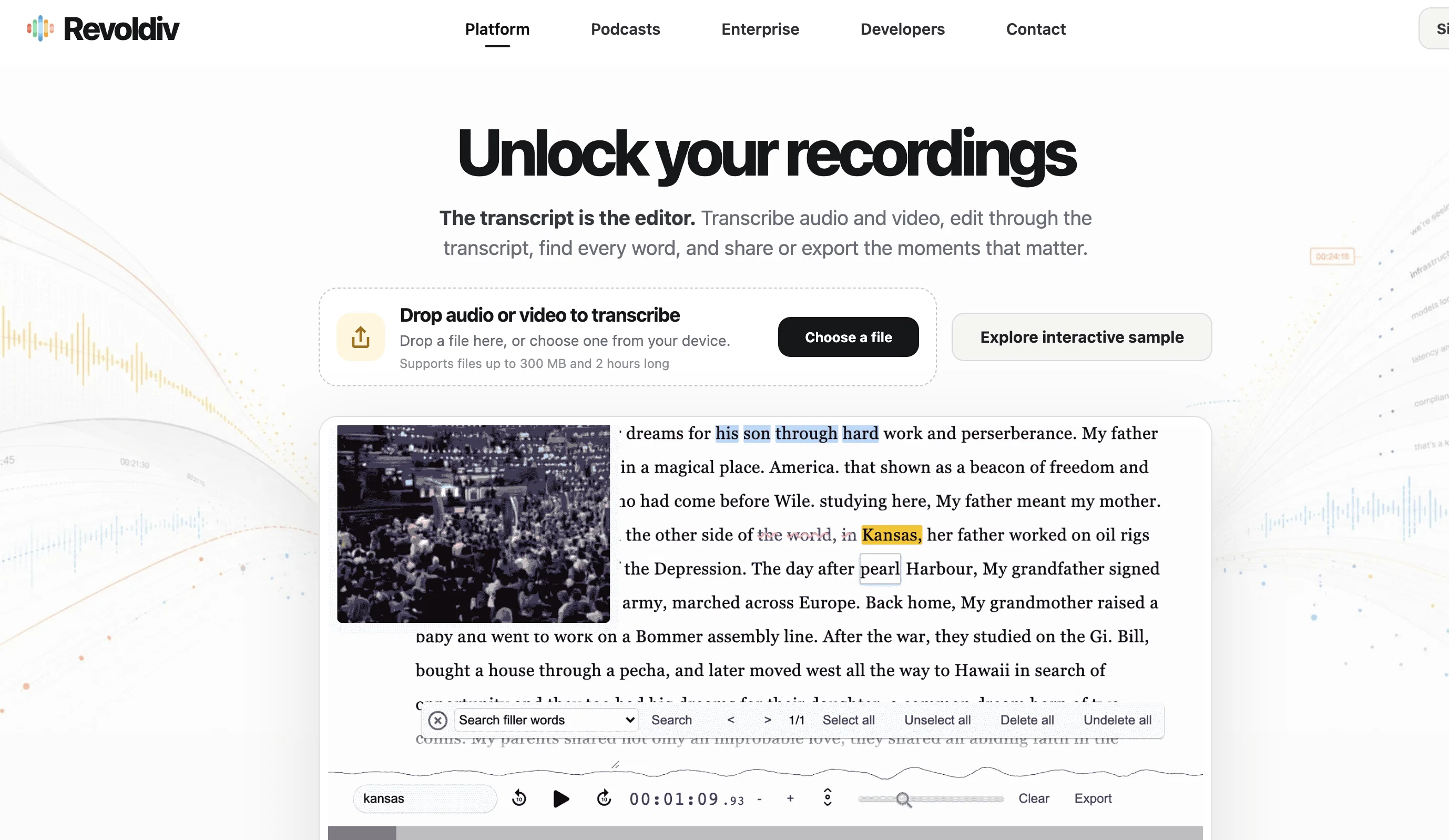
Revoldiv is an AI-based tool specifically designed for converting audio or video files to text with impressive accuracy. This tool is incredibly useful for creating transcriptions of various media files, like podcasts, interviews or video calls. Media contents less than two hours long are supported in widely used browsers such as Chrome and Firefox. With its robust AI, Revoldiv detects speech, applause and cheers within the media files. Users are also able to edit transcription text to correspondingly edit audio, dramatically streamlining the editing process. Revoldiv features the unique functionality of being able to remove filler words like 'um', 'like', and 'uhh' with a single click, making for cleaner, crisper content. Moreover, user-friendly features allow users to export their content in several formats, share projects or snippets via the share feature, and create chapters for easier content navigation. Additional capabilities extend to commenting and discussion functions, enabling users to communicate their thoughts and responses on the platform. This transcription and editing tool also supports media files via a Chrome Extension and facilitates the creation of audiograms. Novel features such as 'flag post' and 'detecting speakers' add an extra layer of utility and convenience for user experience. However, it is important to note that editing functions are currently only supported on non-mobile devices. Real-time transcription capabilities added for instant audio/video to text conversion Drag-and-drop uploads introduced for easier media file handling Users can now search and transcribe podcasts directly in-platform Automatic removal of filler words like ”um” and ”uhh” in transcriptions Ability to create chapters within transcripts for better content navigation New speaker detection system to differentiate voices in audio Help other people by letting them know if this AI was useful. Add your own prompts and outputs to help others understand how to use this AI.
When considering Revoldivv2.1 for integration into your organizational workflow, we recommend deploying a structured score card across three critical operational pillars: Security & Compliance, Integration Friction, and long-term Price Scalability. Rather than looking only at basic feature lists, modern procurement teams must assess how a software platform behaves under high load and how well it fits into the team's data security guidelines.
Depending on your operating region and field, ensure that Revoldivv2.1 supports standard security layers such as SOC 2 Type II certifications, GDPR compliance, or HIPAA-compliant database encryption. If the tool connects directly to client database tables or handles user passwords, verify that they implement multi-factor authentication (MFA), single sign-on (SSO) integrations, and end-to-end data encryption in transit and at rest.
Siloed data is the primary cause of operational friction. Evaluate if Revoldivv2.1 has native connectors for your current project trackers, messaging hubs, and customer communication channels. For custom developer requirements, check if they provide a fully documented REST API with reasonable rate limits, comprehensive Webhooks support, and robust SDK packages in your language. A flexible API layer saves hundreds of hours of manual copy-paste overhead.
SaaS pricing packages are often deceptively simple. When reviewing Revoldivv2.1's billing structure, map out your team's projected expansion over the next 12 to 24 months. Determine how costs scale as your customer database increases or as you add team members. Factor in setup costs, mandatory support plan upgrades, API access fees, and storage overage rates to understand the true cost before committing to a contract.
By combining verified user reviews from our directory with internal workflow pilot tests, your procurement team can make an informed decision that drives productivity without creating capital waste.
Overall rating
Based on 28 reviews
Amazing, fast
Leonel Curra
I didn't get to the voices. I don't give my credit card information up front. I clicked away as soon as I saw that. It's a shame too, the pricing structure looked great.
David Marshall
Nice interface, but no good at PDF answers, especially tables data.
hifive szu
Really like how it finds connection in the content that I save. I don't think any other tool can do that.
amix ffx
Great! I think @AI Lawyer is the best service I've ever seen. Perfect use. Prompting helps in the work
Yuri Gerasimov
superb, e gratis, merge blana, in EN se aude ideal
jon doe
Undetectable.wtf is better bypasses everything maintaining thee integrity of the text.
LiteEagle
After my first use, I think it's surprisingly good. The only drawback so far is the PDF export option for the report which is formatless.
Alejandro Correa
after playing around with it for a bit, i am now aware of how much i need this. i can already feel the hours of sleep coming back to me <3
Bru no no no
It seems to be working fine right now. Maybe try again and double check if you’re using the book’s original or most recognized title. That might make a difference.
Alexandru Bostina
O GPT faz uma análise melhor e mais personalizada.
Vinicius Vilela
Really amazing! Makes learning content and engaging with things so much easier!
Jamie McDonald
As the service was in beta-testing stage, I created there a dozen of AI-generated courses for free. I wanted to use them. Those courses remained in my account as they started subscription tiers. But recently I have found out that they were deleted. The support didn't answer to my e-mail at all.
Oldfag TV
Not at all accurate…. The only thing similar between original and generated images were the clothes and accessories… face was absolutely new and unconnected.
Shvetank Sharma
I'm still testing the tool yet it looks very promising. I tested it with a 5.5k words Academic text that I had previously red. I tested the Key points feature, it does work!
Ivana González
I really like @Transkribieren. The free features allowed to me to transcribe PERFECTLY some Youtube downloaded audios, into perfectly written texts (in French). Too bad there are no timestamps, but it did the job I needed it to do.
Olivia Carrel
I think it's the best @Image Generator I ever found on the net. It gives more accurate image according to the prompt. And thank you for keeping it for free.
My Sawsiri
When uploading a 30-minute video file, I was surprised to receive the transcript in just a few seconds. The speed and quality of the transcription process blew me away, especially considering the complexity of the video content.
Ângelo Deixa
Gem of a service!
Melwyn Mendonca
Thank you very much for this. An actual free audio to text transcriber.
Velocity
Its good simple straight up to the point. Just upload file, and will transcribe with ease. The problem is, its weak apprehension on other lamguage like Malay.
koi
Very useful. Maybe the best reverse speech transcription t ool I've seen. Only caveat- 240 chara ter limit.
Toby Schmallovichtenschteinenbergowitz
It's good, but the editing part of the text is limited (it doesn't allow adding a new line for wrongly stitched paragraphs, or stitching two paragraphs together, which are wrongly divided!), and it doesn't read the text edits, as other TTS-TXT editors already do (converting text editing into audio editing). So, it's good only to "borrow/steal" text from audio files and maybe to subtitle videos ;-) If you add these missing features (listed above), it would be priceless!!! THX
Timeship
the founder is cool, definitely a recommendation if you have personal requests and grow the app along with you.
Samik Choudhury
This is my favourite, so handy and works brilliant
Colin Fitzpatrick
No other tool quite like this, it's pretty straightforward. Needed to extract a long interview from YouTube and it extracted everything, providing it in different meaningful formats in less than two minutes. Awesome
Juan Sierra
I already have another transcription tool, but this one is much better. I love the different features such as the summary, quiz, and chapters. It does a great job of them. I've only done one transcript so far to try it out, but I'm truly impressed and am going to grab another code. A couple things that would make it even better are: - the ability to rename the files and organize them through folders. - the ability to download a copy of the other features as well as the transcript. Copying and pasting it works, but doesn't keep the format.
dunn
One of the most accurate API's I've used for speech to text and summarization. Cost effective w/ bulk contracts too.
Mery
Starting Price
Free plan available
Free tier available with optional paid upgrades.


