5.02 months ago
“Review”
Not bad at all. I wish more details can be added
kanawati

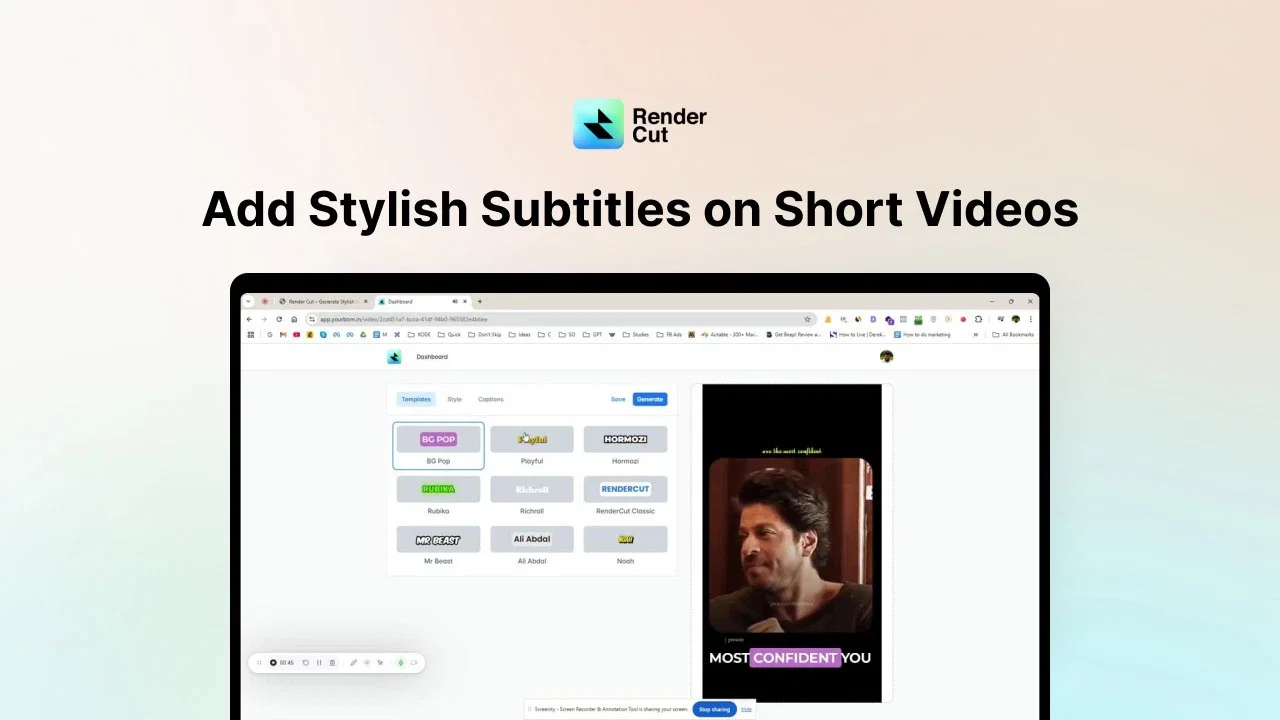
Add stylish subtitles to short videos instantly.
Help other people by letting them know if this AI was useful. Add your own prompts and outputs to help others understand how to use this AI.
When considering RenderCut for integration into your organizational workflow, we recommend deploying a structured score card across three critical operational pillars: Security & Compliance, Integration Friction, and long-term Price Scalability. Rather than looking only at basic feature lists, modern procurement teams must assess how a software platform behaves under high load and how well it fits into the team's data security guidelines.
Depending on your operating region and field, ensure that RenderCut supports standard security layers such as SOC 2 Type II certifications, GDPR compliance, or HIPAA-compliant database encryption. If the tool connects directly to client database tables or handles user passwords, verify that they implement multi-factor authentication (MFA), single sign-on (SSO) integrations, and end-to-end data encryption in transit and at rest.
Siloed data is the primary cause of operational friction. Evaluate if RenderCut has native connectors for your current project trackers, messaging hubs, and customer communication channels. For custom developer requirements, check if they provide a fully documented REST API with reasonable rate limits, comprehensive Webhooks support, and robust SDK packages in your language. A flexible API layer saves hundreds of hours of manual copy-paste overhead.
SaaS pricing packages are often deceptively simple. When reviewing RenderCut's billing structure, map out your team's projected expansion over the next 12 to 24 months. Determine how costs scale as your customer database increases or as you add team members. Factor in setup costs, mandatory support plan upgrades, API access fees, and storage overage rates to understand the true cost before committing to a contract.
By combining verified user reviews from our directory with internal workflow pilot tests, your procurement team can make an informed decision that drives productivity without creating capital waste.
Overall rating
Based on 23 reviews
Not bad at all. I wish more details can be added
kanawati
Thank you for the detailed feedback! We will make sure to improve these.
Caspian Moon
I'm using a 27" screen. with a pro logitec webcam. If it's mounted on top, it's way to high, if it's below the screen, it's way to low. I've also tried boom arms and other gadgets to put the cam in the middle of the screen, however, while it's a good temporary solution, it's blocking my screen and instead of looking at the person, i'm watching my cam... @Casablanca is a great alternative and while it was glitchy at 1st, it is now stable and a great alternative that just works. Not sure why Google, Zoom and others haven't implemented this option OOTB. Way to go @Casablanca!
Guy Vago
unlock premium
kamil khan
Pricing too steep for the offered quality.
Richard Stone
It simplifies my video creation. It's a must-have tool.
fei shi
Generating captions was super fast like seconds. Wish they had Anton font though
bob miller
I recently started using @Napkin AI, and I couldn't be more impressed! This tool is incredibly user-friendly and intuitive, making it easy to generate clear visual representations from text. Moreover, the interface is clean and visually appealing, which enhances the overall user experience. @Napkin AI is a fantastic companion. Highly recommended for anyone looking to elevate their creative process!
Jobin Mathew
A groundbreaking tech project in the AI sector
Shreeram Bharadwaj
This tool i found is super cool, I created 5 books from this tool to sell them online, which gives me great profit. I am creating more valuable books to spread knowledge, and earn some bucks as well 🤑.
Bilal Ashraf
superb, e gratis, merge blana, in EN se aude ideal
jon doe
@VideoIdeas.ai Creates YouTube Video Ideas & Scripts
Aleric Heck
Nice good better than before
Rehankhan Shamim
Went from a C to an A in Cognitive Psychology using @Thea!!
Sarah White
Amazing title choices! I put in a title idea with a one sentence video description and got back amazing title options.
Caroline Flansbaum
I think it's the best @Image Generator I ever found on the net. It gives more accurate image according to the prompt. And thank you for keeping it for free.
My Sawsiri
Amazing tool! Just started working on my videos and I’m loving everything @RenderCut offers. It’s super easy to use and saves me a ton of time with subtitles. 5 tacos, no doubt!
Render Cut
Subtitle remover tool
Abhi Rao
tried @Submagic and it does the job, auto captions came out clean and it’s super easy to use. free trial lets you upload 3 vids which is enough to test it out, but the watermark on them means you can’t really use those exports anywhere. still, pretty solid tool overall :p
Devandra Daniel
Amazing functionality! I created stunning animations for my online courses.
Mikael
It doesn't create the subtitles and it doesn't let you upload them. You can only create them manually
francesco tagliamonte
starts in 59$mo
Igor Medeiros
This one is CRAAAAAZY! drop your MP4/MOV, it locks captions to speech cleanly (also multi-language), the in-browser editor is solid and you can either export SRT for youtube or burn the subs in shorts with a couple clicks. it's a W for creators :D
Chris Studioz
Starting Price
Free plan available
Free tier available with optional paid upgrades.


