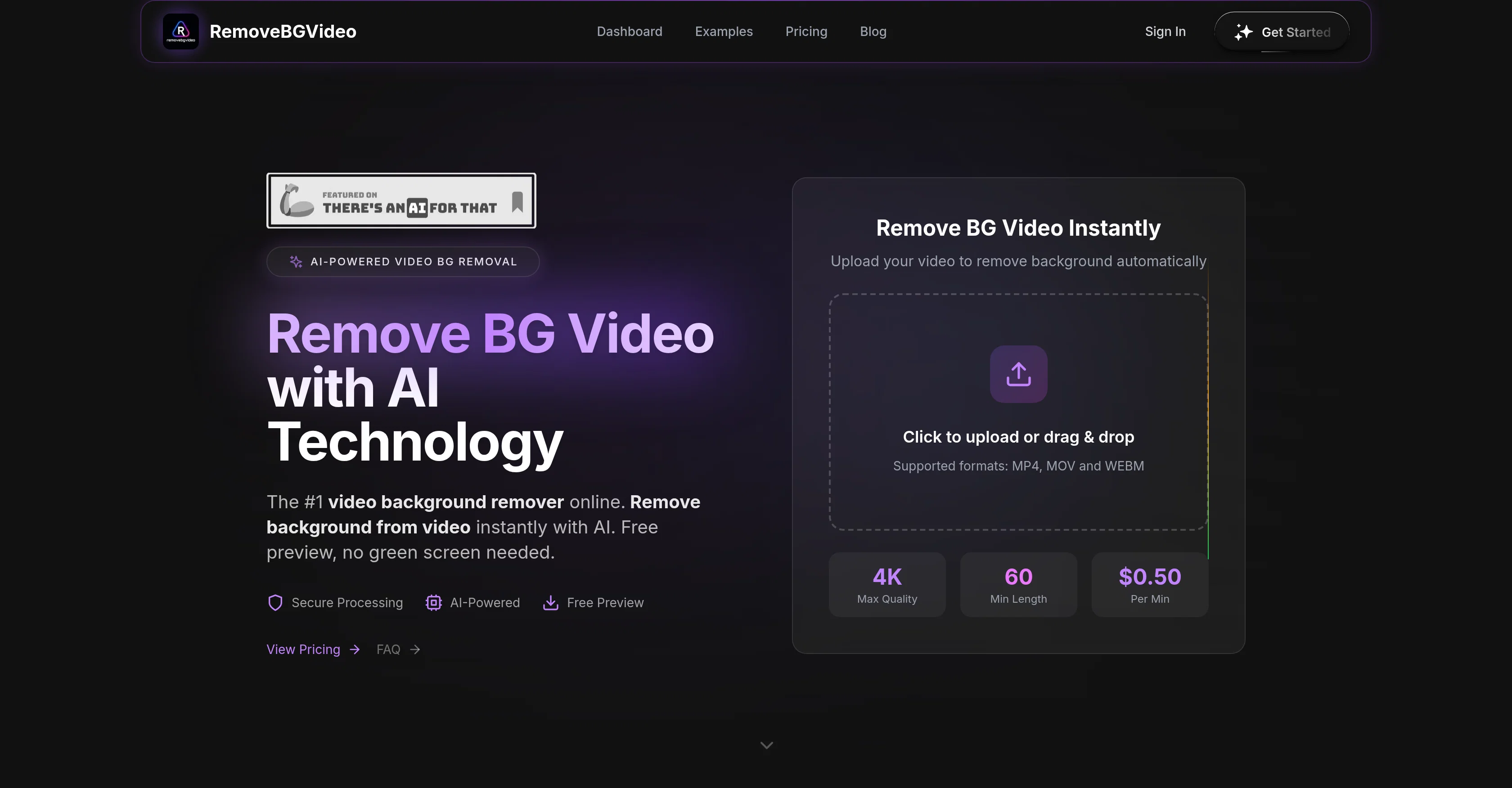
RemoveBGVideo is an AI-powered tool designed to aid in removing backgrounds from videos. The technology supports a variety of video formats such as MP4, MOV, and WebM, allowing you to upload your video content directly, and then it automatically processes the content to remove the background.
One of the key features of this tool is its object recognition capabilities, meaning it can detect and preserve the primary subjects of the video, like people, pets or products, whilst efficiently removing the background even without a green screen.
Once the background has been removed, you have the option to choose from several background alternatives, including solid colors, transparent backgrounds, or using custom images.
The technology ensures rapid and high-quality processing, preserving detailed video quality up to 4K and capable of handling videos up to 60 minutes in length.
Additionally, users can preview their edited videos before processing, ensuring the final look meets their expectations. RemoveBGVideo does have a cost associated with usage, but doesn't require a subscription, instead operating on a per-minute pricing model for more flexibility.
Help other people by letting them know if this AI was useful.
Add your own prompts and outputs to help others understand how to use this AI.
Screenshot gallery
Pros & Cons
Pros
+Supports multiple video formats
+High-precision background removal
+Green screen not needed
+Flexible post-removal background options
+Preservation of original video quality
+Offers 4K resolution exports
+Fast processing with GPU technology
+Free preview feature
+Pay-per-use, no subscription
+Handles videos up to 60 minutes
+Can upload custom images
+Works for YouTube, TikTok, Instagram
+Handles both people and animals
+No software installation required
+Supports MP4, MOV, WebM formats
+Transparent background option
+Handles object/product detection
+Versatile user base compatibility
+Professional quality output
+Optimized pipeline speed
+Ability to batch process videos
+API access coming soon
+Audio preservation in video
+Advanced features access
+Handles fast movements
+Quality holds in various lighting conditions
+No login required to preview
+0.50 per minute processing cost
+Supports max 500MB file size
+Allows up to 20 videos batch processing
+Transparent WebM export support
+Export options include PNG Sequence
+GIF/WebP support
+Automated 'intelligent' background removal
+Allows longer videos (60 mins)
+More affordable operation costs
+No green screen required
+Cross-platform functionality
+Transparent pricing, no hidden costs
+Precise auto-detection and removal
+Clean transparent video output
+Efficient masking of videos
+Professional studio-like results
+Incredibly accurate edge detection
+Customizable background application
+Creators worldwide trust
+No technical skills needed
Cons
−Per-minute pricing
−No subscription option
−Length limit of 60 minutes
−File size limit 500MB
−Limited to MP4, MOV, WebM
−No API access currently
−No batch processing
−No login-free trial
−No general design tools
−Requires internet access
A Professional Framework to Evaluate RemoveBGVideo
When considering RemoveBGVideo for integration into your organizational workflow, we recommend deploying a structured score card across three critical operational pillars: Security & Compliance, Integration Friction, and long-term Price Scalability. Rather than looking only at basic feature lists, modern procurement teams must assess how a software platform behaves under high load and how well it fits into the team's data security guidelines.
1. Security and Database Compliance
Depending on your operating region and field, ensure that RemoveBGVideo supports standard security layers such as SOC 2 Type II certifications, GDPR compliance, or HIPAA-compliant database encryption. If the tool connects directly to client database tables or handles user passwords, verify that they implement multi-factor authentication (MFA), single sign-on (SSO) integrations, and end-to-end data encryption in transit and at rest.
2. API Coverage and Custom Integrations
Siloed data is the primary cause of operational friction. Evaluate if RemoveBGVideo has native connectors for your current project trackers, messaging hubs, and customer communication channels. For custom developer requirements, check if they provide a fully documented REST API with reasonable rate limits, comprehensive Webhooks support, and robust SDK packages in your language. A flexible API layer saves hundreds of hours of manual copy-paste overhead.
3. Total Cost of Ownership (TCO)
SaaS pricing packages are often deceptively simple. When reviewing RemoveBGVideo's billing structure, map out your team's projected expansion over the next 12 to 24 months. Determine how costs scale as your customer database increases or as you add team members. Factor in setup costs, mandatory support plan upgrades, API access fees, and storage overage rates to understand the true cost before committing to a contract.
By combining verified user reviews from our directory with internal workflow pilot tests, your procurement team can make an informed decision that drives productivity without creating capital waste.
Features of RemoveBGVideo
API
Background Removal
Video Editing
AI Video Editing
Video Processing
Video Quality Preservation
From $6
SaaS1to10 verified reviews for RemoveBGVideo
Overall rating
★★★★★5.0
Based on 15 reviews
★★★★★5.02 months ago
“Review”
I really enjoy using @Remini, but I can only rate it three stars for two main reasons: 1. The ads in the free version are too long and disrupt the experience. 2. The pro version is extremely expensive, making it hard to justify the upgrade.
Eugene Bridger
★★★★★5.02 months ago
“Review”
Hi Rod, you did not click the "include" for each section you wanted to include. I did that for you so you can now see your page. Looks good so far.
Bo Bennett
★★★★★5.02 months ago
“Review”
I've put about 30-40 hours into SureThing, and it's seriously been a game-changer, basically acting like a virtual COO for my business!
Bonnie
★★★★★5.02 months ago
“Review”
@GoEnhance's production from video to animation is impressive. It can go up to 2k 60fps, so exciting.
qiufeng hua
★★★★★5.02 months ago
“Review”
killer one!!!!
Daniel Melegari
★★★★★5.02 months ago
“Review”
I rarely leave reviews, but Elsa amazed me. After a few weeks of using it, I'm still excited. Props, guys.
Anton
★★★★★5.02 months ago
“Review”
The most humanly AI i have used so far but the problem is as soon as you start piling up messages in single chat session , it starts getting slow and at some point it starts freezing and also uses a lot of resources. For time being its okay to do 3 4 messages but as soon as we continue it has messages limitation and also starts getting very very slow . For the price of £18 per month this is unacceptable and with the newly introduced feature called project, if we start new chat within the project we cannot continue with the context we provided in other chats within same project. There are lot of improvements for them to work on. And to start with the its speed and its price
Bibash Katel
★★★★★5.02 months ago
“Review”
easy onboarding, quick to set up.
Pluto Radigund
★★★★★5.02 months ago
“Review”
I got some top quality results after learning how to prompt songs 🤩
Claes Lanng
★★★★★5.02 months ago
“Review”
Such a great place to start out!
Helli Lang
★★★★★5.02 months ago
“Review”
This tool i found is super cool, I created 5 books from this tool to sell them online, which gives me great profit. I am creating more valuable books to spread knowledge, and earn some bucks as well 🤑.
Bilal Ashraf
★★★★★5.02 months ago
“Review”
State of the Art
Dmitry G.
★★★★★5.02 months ago
“Review”
it's not free
Sr Nim
★★★★★5.02 months ago
“Review”
tried @Veo 3 today and it honestly feels like a sneak peek into the future. one short prompt and it gave me a crisp 4K video with perfect audio and cinematic camera moves. not flawless yet, but wow.
Lark Cube
★★★★★5.02 months ago
“Review”
When I want to sign up on the @Ideogram website with "Continue with Google" and press it, the sentence "Please choose an option to continue" appears below the banner and no action happens. Anybody can help me?
Michael Ryan
Pricing
Starting Price
From $18.00/user/month
Pricing may vary based on team size and features selected.