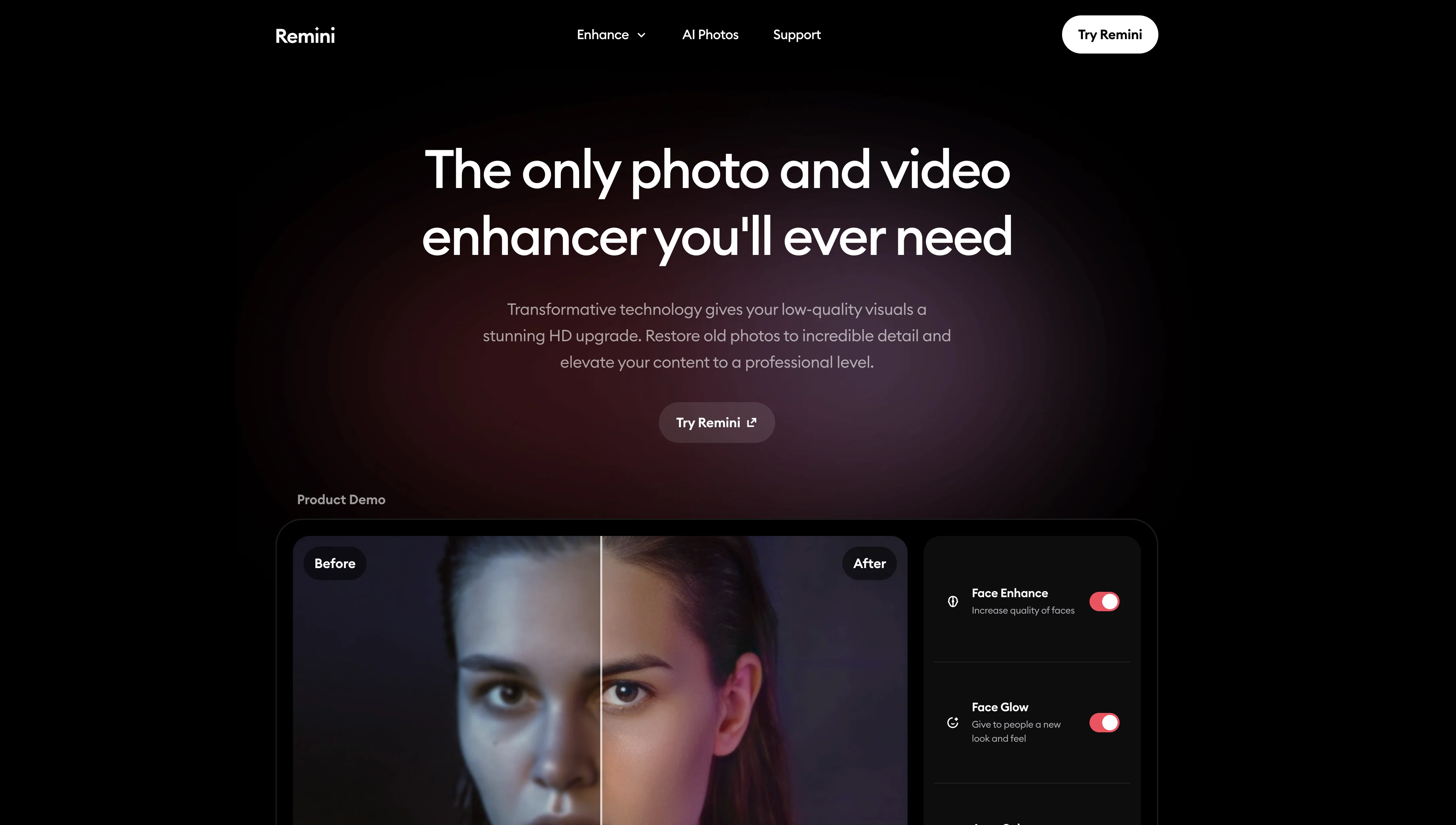
Remini is an advanced AI tool designed to enhance photos and videos. The tool utilizes state-of-the-art AI technology to transform old or low-quality visuals into high definition content.
Its features include unblurring, sharpening, denoising, restoring old photos, enlarging images, and fixing color distortions. The tool also has specialized features for enhancing faces and backgrounds.
Furthermore, it includes a video enhancer for upgrading the quality of video content, and an AI feature for creating realisitic, high-quality photos. Users can also access API services for easy integration of Remini's HD technology into other products to generate sharp, detailed photos and videos.
Industries can benefit from its features, including social media platforms that wish to professionalize content, heritage preservation, e-commerce for enhancing product images, educational material creation, or magazines wishing to enhance their article's images.
Remini also offers unique solutions to remove motion blur, camera shake, or focus issues. Its 'Old Photo Restorer' is capable of revitalizing faded and damaged photos, while the 'Denoiser' can eliminate grain and noise for clearer and sharper images.
The 'Image Enlarger' feature enables users to upscale their visuals without impairing the quality. All enhancements made by the tool are stated to be authentic.
Help other people by letting them know if this AI was useful.
Add your own prompts and outputs to help others understand how to use this AI.
Screenshot gallery
Pros & Cons
Pros
+Transforms old photos
+Enhances low-quality images
+Facial detail reconstruction
+Quick image processing
+Photo sharpening capabilities
+Upscales images 2x
+Web-based editing platform
+Mobile app for sharing
+Supports professional and general use
+In use by 70 million
+Mentioned by Mashable
+Featured on Fstoppers
+Video enhancement capabilities
+Image noise reduction
+Improves image sharpness
+Restores old photos
+Fixes color distortions
+Specializes in face/background enhancements
+API service availability
+Picture quality upscaling
+Video quality enhancement
+Employs unique blur removal
+Counteracts camera shake
+Fixes focus issues
+Revitalizes faded photos
+Removes image grain
+Maintains quality on enlargement
+Supports social media platforms
+Useful for heritage preservation
+E-commerce image enhancer
+Enhances educational materials
+Improves magazine images
+Motion blur correction
+Enhances video content
+Automated color adjustment
+Brings authenticity to enhancements
+Creates professional-grade images
+Upscales images for printing
+Interactive product demo
+User-friendly interface
+Supports printing services
+Helps in creating educational materials
+Increases eCommerce sales
+Used by millions
+Provides business solutions
+API for easy integration
Cons
−Difficult to evaluate authenticity
−Potential over-enhancement
−Fixing color distortions limited
−Limited upscaling capabilities
−Potential loss of originality
−Inferior results for non-portraits
−Inconsistent performance across different industries
−Excessive reliance on internet connection
−Limited differentiation for professionals
−Limited differentiation for general users
A Professional Framework to Evaluate Remini
When considering Remini for integration into your organizational workflow, we recommend deploying a structured score card across three critical operational pillars: Security & Compliance, Integration Friction, and long-term Price Scalability. Rather than looking only at basic feature lists, modern procurement teams must assess how a software platform behaves under high load and how well it fits into the team's data security guidelines.
1. Security and Database Compliance
Depending on your operating region and field, ensure that Remini supports standard security layers such as SOC 2 Type II certifications, GDPR compliance, or HIPAA-compliant database encryption. If the tool connects directly to client database tables or handles user passwords, verify that they implement multi-factor authentication (MFA), single sign-on (SSO) integrations, and end-to-end data encryption in transit and at rest.
2. API Coverage and Custom Integrations
Siloed data is the primary cause of operational friction. Evaluate if Remini has native connectors for your current project trackers, messaging hubs, and customer communication channels. For custom developer requirements, check if they provide a fully documented REST API with reasonable rate limits, comprehensive Webhooks support, and robust SDK packages in your language. A flexible API layer saves hundreds of hours of manual copy-paste overhead.
3. Total Cost of Ownership (TCO)
SaaS pricing packages are often deceptively simple. When reviewing Remini's billing structure, map out your team's projected expansion over the next 12 to 24 months. Determine how costs scale as your customer database increases or as you add team members. Factor in setup costs, mandatory support plan upgrades, API access fees, and storage overage rates to understand the true cost before committing to a contract.
By combining verified user reviews from our directory with internal workflow pilot tests, your procurement team can make an informed decision that drives productivity without creating capital waste.
Features of Remini
Photo Enhancement
Photo Restoration
Image Processing
Old Photo Restoration
Video Enhancement
Image Quality Upscaling
Free + From $4.99/Mo
SaaS1to10 verified reviews for Remini
Overall rating
★★★★★5.0
Based on 18 reviews
★★★★★5.02 months ago
“Review”
I really enjoy using @Remini, but I can only rate it three stars for two main reasons:
1. The ads in the free version are too long and disrupt the experience.
2. The pro version is extremely expensive, making it hard to justify the upgrade.
Eugene Bridger
★★★★★5.02 months ago
“Review”
I loved to try the trial version of @Remini (first week free). The loading time was quite long, but the result was worth it. The pictures came out amazing and I would like to use it again if there would be more options for AI created pictures. Some of them - i had a feeling that it really was me, not AI created, some of them looked quite fake, but thanks to that, I'm changing my image :D
Biruta Lapina
★★★★★5.02 months ago
“Review”
An amazing app, I love the share feature and the comment section summaries
Silvia Cho
★★★★★5.02 months ago
“Review”
I think it's the best @Image Generator I ever found on the net. It gives more accurate image according to the prompt. And thank you for keeping it for free.
My Sawsiri
★★★★★5.02 months ago
“Review”
It's not free. $13 a month.
Brittany Allen
★★★★★5.02 months ago
“Review”
Great avatar generation tool!
Ethan Webb
★★★★★5.02 months ago
“Review”
It's really frustrating when you try to select something you want, only to be immediately redirected to a subscription-based payment model. There's no opportunity to even test things out, which kills the enthusiasm right away. It seems like everything is geared towards subscriptions nowadays, and it's a turn-off. Companies should prioritize transparency and give customers a chance to try out products before committing to a subscription. Practices like these erode consumer trust and deter many potential customers.
X X
★★★★★5.02 months ago
“Review”
unlock premium
kamil khan
★★★★★5.02 months ago
“Review”
Classic tool 😮💨 Loving Gen 4, it's wild how good the motion consistency is. It feels like a full studio in your browser. Big W guys keep it up!
Chris Studioz
★★★★★5.02 months ago
“Review”
O GPT faz uma análise melhor e mais personalizada.
Vinicius Vilela
★★★★★5.02 months ago
“Review”
Seems to be working for me. Maybe try again?
Aramis
★★★★★5.02 months ago
“Review”
Such a great place to start out!
Helli Lang
★★★★★5.02 months ago
“Review”
WE USE @D-ID AT THE COLORADO VIRTUAL CREATIVE FACTORY...AND LOVE IT.
Franco Arteseros
★★★★★5.02 months ago
“Review”
Free Start with a Free Experience $0 /mo
Vitus Bering
★★★★★5.02 months ago
“Review”
Will not let you test on a HD picture without paying. I found a lot of these "programs" do a poor job and I am tired of paying for a test. Maybe offer 1 HD picture, but crop it (user crop)?
Tim Patrie
★★★★★5.02 months ago
“Review”
It's not free, it forces you to input an email before shoving a price tag in your face.
Arvoly XSL
★★★★★5.02 months ago
“Review”
Great!! I used a blurry photo of mine and tried two different modes, Soft and Balanced, and the effect was very good! But the tips for different enhance modes could be more detailed so that I can better judge which enhance mode my photos. The effect of enhancing the picture is still very good!
Ethan Smith
★★★★★5.02 months ago
“Review”
I’ve used PhotoGrid for 8 years—it’s amazing! The new AI Eraser