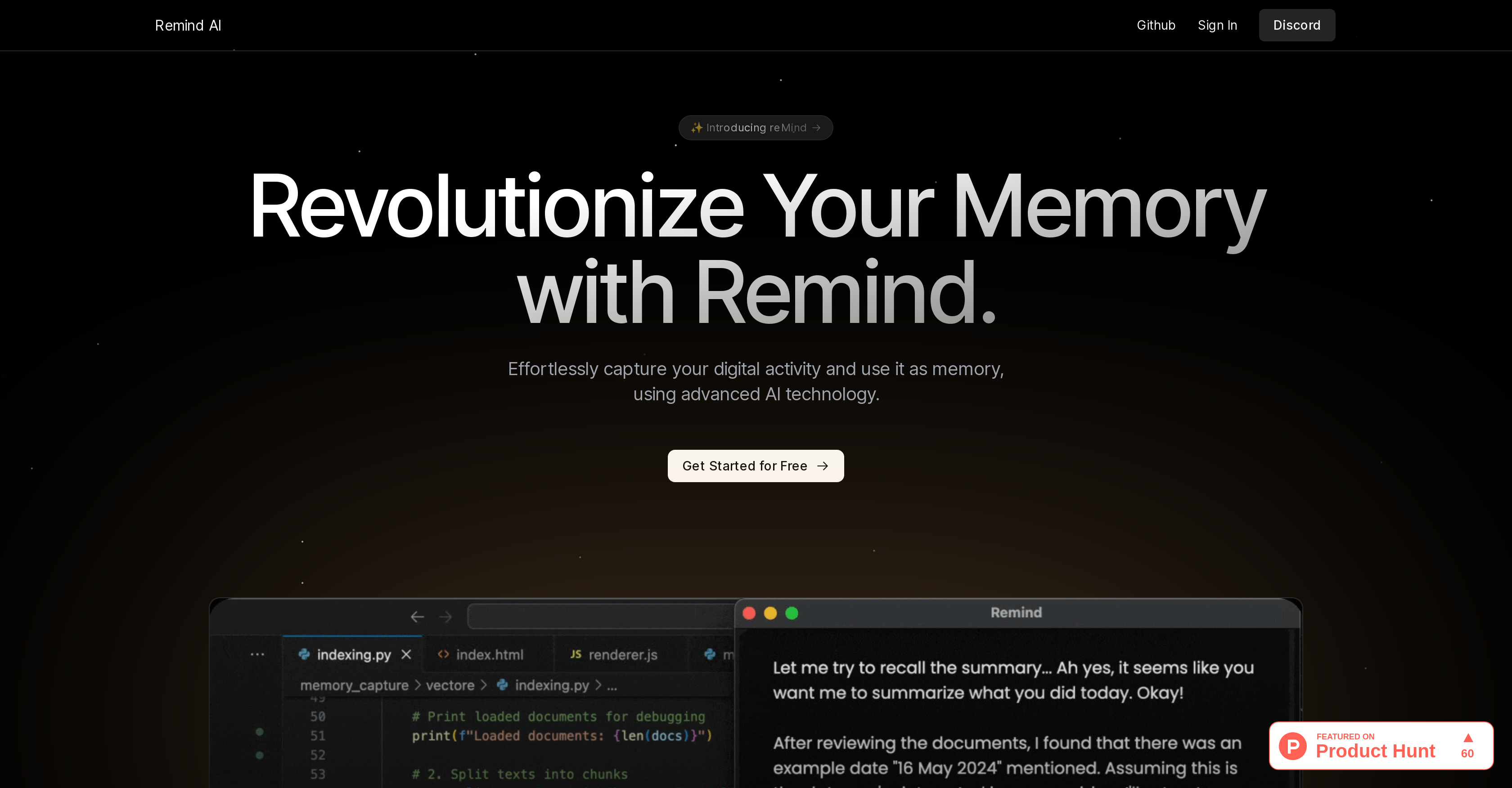
Recall AI, also known as ReMind, is an AI tool designed to act as a local, artificial memory for your device. It captures digital activity and utilizes it as a 'memory', aiming to revolutionize the user's memory recall ability and enhance productivity.
The tool works by leveraging advanced AI technology to log and recall your tasks. Its applications are not limited to simply remembering tasks, but extend towards accurately recounting details of your digital engagements on the device.
This offers seamless continuity in completing tasks, thus boosting efficiency. The tool is designed to be user-friendly, allowing for easy onboarding and use.
After free registration, users can dove into developing their own artificial memory system. Recall AI also supports technical issues and offers the possibility of customizing components to adhere to user preferences and needs.
Although developed with the help of Python and other platforms, the main avenue to access the service, contribute to its open-source code, or start the service is via its Github page.
To aid further understanding or for any inquiries, users may reach out via provided contact information or engage with the community on Discord and Twitter.
Despite its technical competency, the tool maintains its focus on user accessibility, making it a beneficial addition to those desiring an extension of their memory in the digital space.
Help other people by letting them know if this AI was useful.
Add your own prompts and outputs to help others understand how to use this AI.
Screenshot gallery
Pros & Cons
Pros
+Local artificial memory
+Captures digital activity
+Enhances memory recall
+Boosts productivity
+User-friendly interface
+Free registration
+Customizable components
+Python-based
+Open-source code
+Accessible via Github
+Active community on Discord
+Continuous task completion
+Technical support availability
+Detailed digital engagements
+Efficiency enhancement
+Task management assistance
+Increases user accessibility
+Supports personal preference
+Allows easy onboarding
+Promotes community engagement
+Enhances task recall
+Python development support
+Seamless continuity in tasks
+Supports activity log
Cons
−Access mainly via Github
−Limited application beyond tasks
−Potential privacy issues
−Customization may be complex
−High dependence on digital activity
−Over-reliance on community support
−Limited platform compatibility
−No offline version
−Potential data leakage
−Requires free registration
A Professional Framework to Evaluate ReMind
When considering ReMind for integration into your organizational workflow, we recommend deploying a structured score card across three critical operational pillars: Security & Compliance, Integration Friction, and long-term Price Scalability. Rather than looking only at basic feature lists, modern procurement teams must assess how a software platform behaves under high load and how well it fits into the team's data security guidelines.
1. Security and Database Compliance
Depending on your operating region and field, ensure that ReMind supports standard security layers such as SOC 2 Type II certifications, GDPR compliance, or HIPAA-compliant database encryption. If the tool connects directly to client database tables or handles user passwords, verify that they implement multi-factor authentication (MFA), single sign-on (SSO) integrations, and end-to-end data encryption in transit and at rest.
2. API Coverage and Custom Integrations
Siloed data is the primary cause of operational friction. Evaluate if ReMind has native connectors for your current project trackers, messaging hubs, and customer communication channels. For custom developer requirements, check if they provide a fully documented REST API with reasonable rate limits, comprehensive Webhooks support, and robust SDK packages in your language. A flexible API layer saves hundreds of hours of manual copy-paste overhead.
3. Total Cost of Ownership (TCO)
SaaS pricing packages are often deceptively simple. When reviewing ReMind's billing structure, map out your team's projected expansion over the next 12 to 24 months. Determine how costs scale as your customer database increases or as you add team members. Factor in setup costs, mandatory support plan upgrades, API access fees, and storage overage rates to understand the true cost before committing to a contract.
By combining verified user reviews from our directory with internal workflow pilot tests, your procurement team can make an informed decision that drives productivity without creating capital waste.
Features of ReMind
Artificial Memory
Digital Activity Tracker
Efficiency Enhancement
Data Capturing
Boost Productivity
Digital Workspace
SaaS1to10 verified reviews for ReMind
Overall rating
★★★★★5.0
Based on 11 reviews
★★★★★5.01 months ago
“Review”
A Game-Changer for Deep Work and Creativity! Flowith has completely transformed my workflow. The infinite canvas is an intuitive and powerful way to interact with AI, moving beyond the limits of traditional linear chats. I can now explore multiple ideas in parallel, compare outputs from different AI models like GPT-4o and Claude 3.5 side-by-side, and visually organize complex projects. The personal knowledge base feature is incredible. By simply uploading my own documents, the AI generates content that is perfectly tailored and context-aware, which has significantly boosted the quality and relevance of its outputs. It's the ultimate tool for long-form content generation, brainstorming, and real-time collaboration. Highly recommended for anyone looking to enhance their productivity and creativity with AI.
樊少
★★★★★5.01 months ago
“Review”
This is going to be a contender in the Chat era. I tried it and it pulled information up that others could not. You have to be very precise when asking a question to get a correct response. I like it.
Leonie McLeggan
★★★★★5.01 months ago
“Review”
Seems good , but do not have single easy to use step guide to help use it. Its like your learn and then it works . They could prepared a small cheat sheet to make their product easy to use . I am logging out
Jayesh Patel
★★★★★5.01 months ago
“Review”
I think it is great!!
WhatsApp Number Checker
★★★★★5.01 months ago
“Review”
I like the way I can read, search, write, take note and organize in one seamless place.
ali. market
★★★★★5.01 months ago
“Review”
The hybrid feature is very powerful. I finally don’t need to manage our local knowledge base anymore.
MemFree
★★★★★5.01 months ago
“Review”
This is genius!!!
Dmitry Volt
★★★★★5.01 months ago
“Review”
It is not free. So i couldnt test anything
Isa Venancio
★★★★★5.01 months ago
“Review”
I tried using it but the website has too many bugs.
João Neiva
★★★★★5.01 months ago
“Review”
Hi there! It worked great for me, it might have been a temporary issue.
Antonia Mitrea
★★★★★5.01 months ago
“Review”
AI Notebook does what it promises, it's a decent on the go note-taking app. I like the automated tweak of these newer note-taking apps. I can just throw in pdfs, voice memos or youtube videos, and it'll generate all type oof different format like summaries, mind maps or flashcards. Extremely useful for students and professionals as it digest lengthy materials into small chunks of text. Recommended for anyone looking for a no-frills note taker tool
John Hong
Pricing
Starting Price
Contact vendor for pricing
Pricing may vary based on team size and features selected.