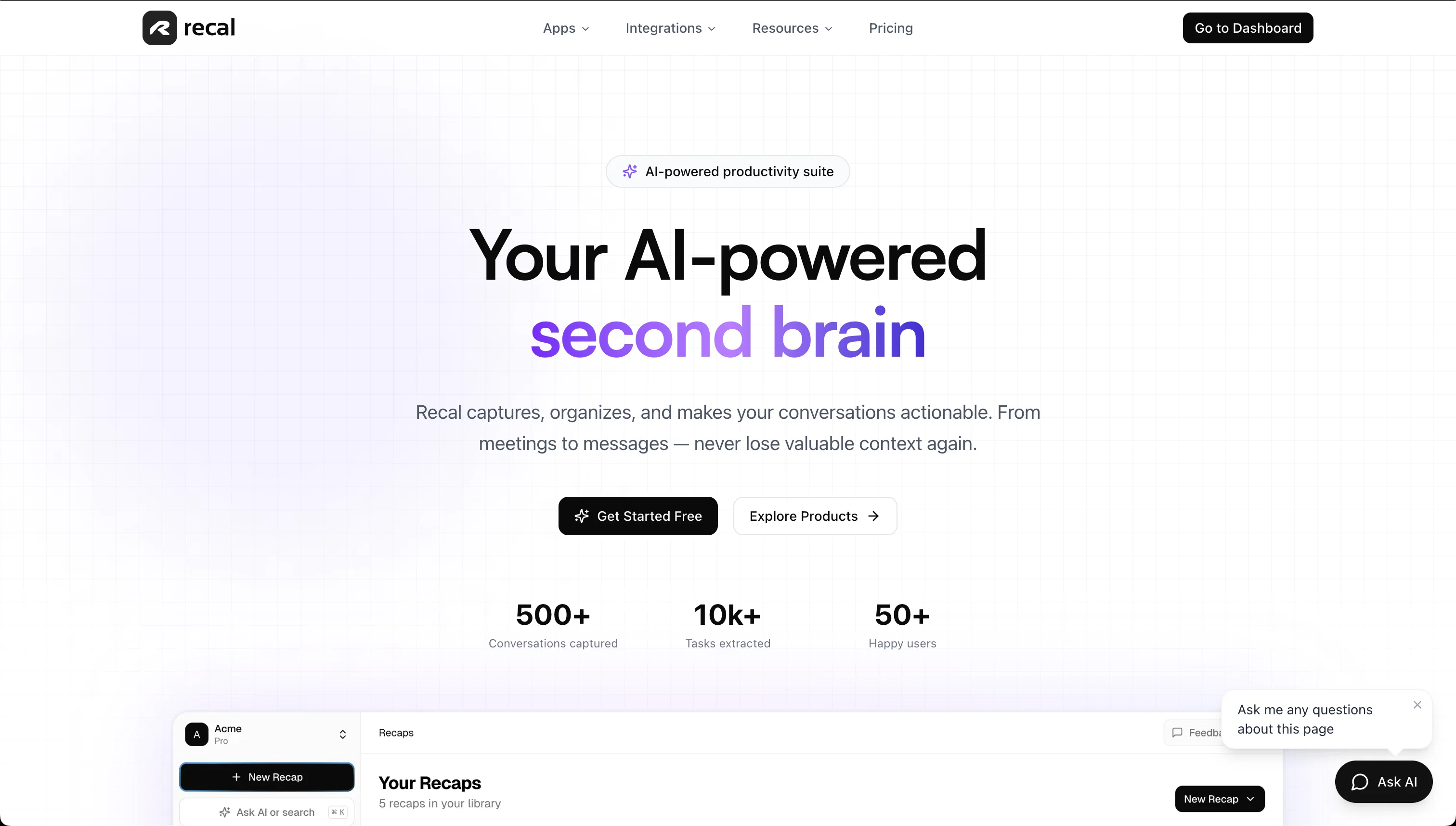
Recal is an AI-powered tool that acts as a 'second brain', designed to capture information and organise it in an actionable manner. It functions across various types of conversations, from meetings to messages, ensuring that the user does not lose context.
Its main functions include generating instant summaries, action items, and insights from various sources such as meetings, conversations, links, uploaded text, and content sourced from integrations with apps like Slack, Linear, and Notion.
The tool can turn messy emails and notes into structured action items, leveraging natural language understanding to extract relevant tasks. Further, Recal includes a Slack bot that can summarise Slack conversations, extract decisions, and ensure vital information is captured.
Also, its unique selling point is its ability to process audio and video files, even capturing the visual context like screen shares and presentations for complete understanding.
Simple and transparent pricing models are offered, including a free plan and two premium levels, which provide added benefits. All plans include specific integrations, and support multiple languages and accents.
Help other people by letting them know if this AI was useful.
Add your own prompts and outputs to help others understand how to use this AI.
Screenshot gallery
Pros & Cons
Pros
+Captures conversations across platforms
+Generates concise discussion recaps
+Creates actionable items
+Searchable chat history
+Rapid task creation
+Exports tasks to Linear/Notion
+Enhances asynchronous collaboration
+Updates projects without meetings
+Manages email clutter
+Converts unstructured notes to tasks
+Integrates Slack for summarized chats
+Processes audio and video files
+Comprehends presentations and screenshares
+Supports multiple languages
+Transparent pricing options
+Free and premium plans
+Slack bot summarizes threads
+Detects decision points in conversation
+Works with Linear and Notion
+Understands natural language
+Transforms messy emails
+Creates structured action steps
+Immediate meeting summaries
+Tasks and insights identification
+Supports multiple accents
+Context-oriented search capability
+Automatically transcribes meetings
+Uploads process audio-video files
+Extracts screen shares and presentations
+Formats flexibility
+Natural language input
+Smart task parsing
+Priority detection
+Instant organization
+Summarizes Slack threads
+Searches within Slack threads
+Markdown and PDF export
+Custom recap templates
+180-day data retention
+Branded sharing
+Priority user support
+Google Calendar sync
+Supports in-person meeting capture
+Automatic speaker identification
+Ability to edit transcripts
+14-day money-back guarantee
+High transcription accuracy
+Recordings and transcripts encryption
+Data privacy and security
+Screen shares, presentations, whiteboard sketches, and demos analysis
Cons
−No API
−Limited free plan
−No real-time collaboration
−Only supports few integrations
−No mobile application
−Limited transcription languages
−Maximum 4 hours per recap
−Doesn't support live meeting analysis
−Pricing can be expensive
−Needs quality mic for accuracy
A Professional Framework to Evaluate Recal
When considering Recal for integration into your organizational workflow, we recommend deploying a structured score card across three critical operational pillars: Security & Compliance, Integration Friction, and long-term Price Scalability. Rather than looking only at basic feature lists, modern procurement teams must assess how a software platform behaves under high load and how well it fits into the team's data security guidelines.
1. Security and Database Compliance
Depending on your operating region and field, ensure that Recal supports standard security layers such as SOC 2 Type II certifications, GDPR compliance, or HIPAA-compliant database encryption. If the tool connects directly to client database tables or handles user passwords, verify that they implement multi-factor authentication (MFA), single sign-on (SSO) integrations, and end-to-end data encryption in transit and at rest.
2. API Coverage and Custom Integrations
Siloed data is the primary cause of operational friction. Evaluate if Recal has native connectors for your current project trackers, messaging hubs, and customer communication channels. For custom developer requirements, check if they provide a fully documented REST API with reasonable rate limits, comprehensive Webhooks support, and robust SDK packages in your language. A flexible API layer saves hundreds of hours of manual copy-paste overhead.
3. Total Cost of Ownership (TCO)
SaaS pricing packages are often deceptively simple. When reviewing Recal's billing structure, map out your team's projected expansion over the next 12 to 24 months. Determine how costs scale as your customer database increases or as you add team members. Factor in setup costs, mandatory support plan upgrades, API access fees, and storage overage rates to understand the true cost before committing to a contract.
By combining verified user reviews from our directory with internal workflow pilot tests, your procurement team can make an informed decision that drives productivity without creating capital waste.
Features of Recal
Action Item Extraction
AI Productivity Tool
AI Meeting Notes
Async Collaboration
Audio Transcription
Conversation Intelligence
Free + From $14/Mo
SaaS1to10 verified reviews for Recal
Overall rating
★★★★★5.0
Based on 18 reviews
★★★★★5.02 months ago
“Review”
@BotDojo is one of the most powerful AI Agent builders I've found out there. As a non-technical marketer, it took me a minute to get familiar with the designer, but using the preexisting templates is super helpful! I am now running outreach 100% on autopilot. @BotDojo personalizes the copy for each contact we reach out to by email and LI. It also takes care of the drip campaign that I run through Lemilist. LOVE IT! I really hope to see more templates coming up soon!
Antoine Vial
★★★★★5.02 months ago
“Review”
Can’t use it without an invite code.
Steven
★★★★★5.02 months ago
“Review”
Amazing tool to get things done! Trully amazing use of AI
Andres
★★★★★5.02 months ago
“Review”
Absolutely in love. I could create my own custom AI and shared it with my colleuges to get instant support from me, i mean digital AI of me :)
Derek W.
★★★★★5.02 months ago
“Review”
This tool finally helps me understand what makes a great prompt. It doesn't just give me a better version, it shows me to get there by analyzing why the original prompt is weak and showing what to improve. The difference this makes to the final AI output is incredible. An essential tool for getting more accurate and detailed results, Great Job!
Milo Quinn
★★★★★5.02 months ago
“Review”
I recently started using @Napkin AI, and I couldn't be more impressed! This tool is incredibly user-friendly and intuitive, making it easy to generate clear visual representations from text. Moreover, the interface is clean and visually appealing, which enhances the overall user experience. @Napkin AI is a fantastic companion. Highly recommended for anyone looking to elevate their creative process!
Jobin Mathew
★★★★★5.02 months ago
“Review”
i would say it gives the mind a sense of clarity
Emmanuella Marshall
★★★★★5.02 months ago
“Review”
I joined Kin's beta program on my iPhone XR. After upgrading to an iPhone 13, I found that I couldn't log into my existing account on the new phone, forcing me to create a new account. Now, I have two separate Kin accounts on different phones. Today, when I accessed the beta version of Kin, I got a notification stating that the test version ended on Monday, September 23rd. It instructed me to back up my data and move to the official Kin app. I did as advised—backed up my data, confirmed, uninstalled the beta app via TestFlight, and installed the official Kin app. However, when I attempted to “log in”, I was still unable to access my existing account. This issue hasn't been resolved yet. I have been trying desperately to get in contact with the support team. I left feedback through the test flight app and sent emails. No response. Now trying to find a forums, Reddit posts, TAAFT comments☻
Desiree Miller
★★★★★5.02 months ago
“Review”
Really like how it finds connection in the content that I save. I don't think any other tool can do that.
amix ffx
★★★★★5.02 months ago
“Review”
Great tool! Was very helpful in content production
Duck Typer
★★★★★5.02 months ago
“Review”
I tried using it but the website has too many bugs.
João Neiva
★★★★★5.02 months ago
“Review”
Ferrari of Vibecoding Tools
Vitali Kotik
★★★★★5.02 months ago
“Review”
We built this for us, and if other people want to use it, so be it, but I’m not going to try and sell on why one should use or buy it. Judging by the sign-ups and upgrades, it looks like more people are finding it useful. You are right about #1 and that line does sound a bit dishonest and salesy - which was unintentional so I’m changing that. It was very real though and we carefully baked in tiny little details for our upgraded users. For eg, we have invited most of our upgraded users to try the mobile apps’ TestFlight version.
Jijo Sunny
★★★★★5.02 months ago
“Review”
By far the best AI platform!
amanda santos
★★★★★5.02 months ago
“Review”
I can't explain how impressed i am by this. I've seen tools to help you brainstorm ideas, but not one to break your task down into big steps, then little steps for each of these. Plus "games" to help come up with more ideas for your project. I'm excited to use this!
ImpulseOscar
★★★★★5.02 months ago
“Review”
Accuracy nice. Free
Álvaro Sánchez Román
★★★★★5.02 months ago
“Review”
Awesome to use, the dictation really helps out while doing dev work
Zeeshan
★★★★★5.02 months ago
“Review”
It pretty much does everything I need and more, I give it 5 stars for accuracy and ease of use. Most of the tools I use are cluttered and complex but this platforms very simple to use and neat