5.02 months ago
“Review”
Build plan was highly detailed, and the tool suggested a lot of good new ideas based on my original input. PRD structure is straightforward, and CSV download makes it easy to share and upload to Jira.
John Bender

AI-powered roadmapping that links products to revenue
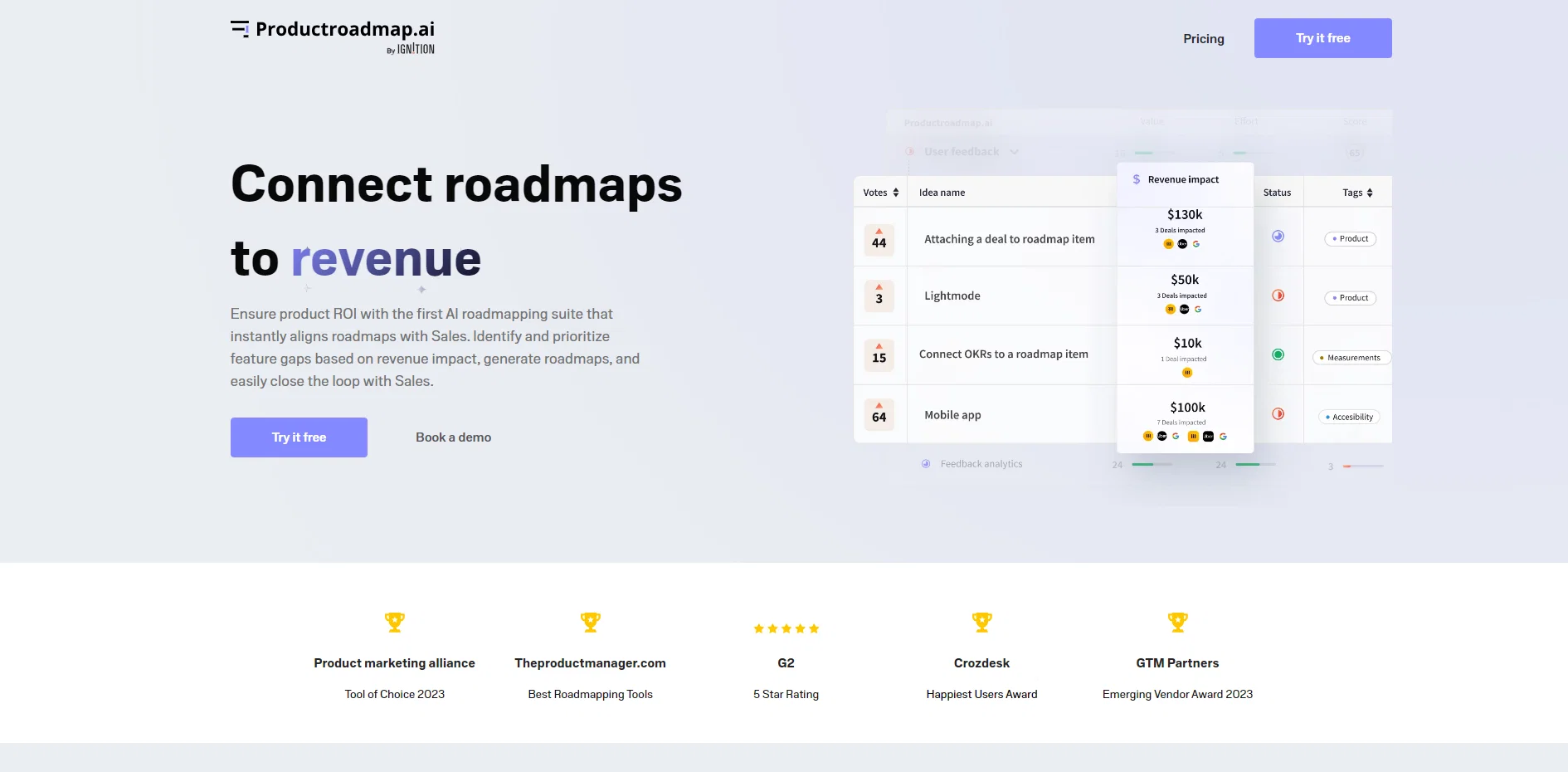
ProductRoadmap.ai is an AI-powered roadmapping suite that helps ensure product return on investment (ROI) by aligning roadmaps with sales efforts. The tool enables users to identify and prioritize feature gaps based on their impact on revenue, generate roadmaps, and seamlessly connect with sales teams. One of the key features of ProductRoadmap.ai is its ability to automatically extract deal-blocking feature gaps by analyzing customer relationship management (CRM) data and customer conversations using AI. This information is then categorized and added to the idea backlog for future consideration. The tool also facilitates revenue-based roadmapping, allowing users to quantify the impact of their product on revenue. By mapping CRM deal data to roadmap items, users gain a clear view of potential business impact, user needs, and internal value, enabling them to prioritize effectively.Furthermore, ProductRoadmap.ai streamlines product-sales alignment by automatically notifying sales representatives when features ship. This targeted alert system helps sales teams take prompt action to unblock stalled deals, capture upsell opportunities, and close pipeline.In addition to these core functionalities, ProductRoadmap.ai offers features such as competitive intelligence monitoring, roadmapping with customizable views, GTM planning, feature voting boards, public changelogs, AI feedback summarization, and automation of internal enablement processes.Overall, ProductRoadmap.ai aims to align product, marketing, and sales efforts in one centralized platform, providing users with better adoption rates, increased revenue impact, time savings for stakeholders, and potential cost savings. The tool has received positive feedback from users, highlighting its effectiveness in improving launch effectiveness, organizational efficiency, and process repeatability. Help other people by letting them know if this AI was useful. Add your own prompts and outputs to help others understand how to use this AI.
When considering Productroadmap for integration into your organizational workflow, we recommend deploying a structured score card across three critical operational pillars: Security & Compliance, Integration Friction, and long-term Price Scalability. Rather than looking only at basic feature lists, modern procurement teams must assess how a software platform behaves under high load and how well it fits into the team's data security guidelines.
Depending on your operating region and field, ensure that Productroadmap supports standard security layers such as SOC 2 Type II certifications, GDPR compliance, or HIPAA-compliant database encryption. If the tool connects directly to client database tables or handles user passwords, verify that they implement multi-factor authentication (MFA), single sign-on (SSO) integrations, and end-to-end data encryption in transit and at rest.
Siloed data is the primary cause of operational friction. Evaluate if Productroadmap has native connectors for your current project trackers, messaging hubs, and customer communication channels. For custom developer requirements, check if they provide a fully documented REST API with reasonable rate limits, comprehensive Webhooks support, and robust SDK packages in your language. A flexible API layer saves hundreds of hours of manual copy-paste overhead.
SaaS pricing packages are often deceptively simple. When reviewing Productroadmap's billing structure, map out your team's projected expansion over the next 12 to 24 months. Determine how costs scale as your customer database increases or as you add team members. Factor in setup costs, mandatory support plan upgrades, API access fees, and storage overage rates to understand the true cost before committing to a contract.
By combining verified user reviews from our directory with internal workflow pilot tests, your procurement team can make an informed decision that drives productivity without creating capital waste.
Overall rating
Based on 15 reviews
Build plan was highly detailed, and the tool suggested a lot of good new ideas based on my original input. PRD structure is straightforward, and CSV download makes it easy to share and upload to Jira.
John Bender
It is not free. So i couldnt test anything
Isa Venancio
Isn't it intriguing how all three other reviews for this "website builder" share the exact same profile photo?
Desiree Miller
Useful tool for visualizing traffic flowing through your website. Does what GA4 does but without the headache and unnecessary learning curve.
Nic Miller
Very cool app! Build was fast as, and with a few tweaks I fully launched my website in 1 hour!
Joe Smythe
Undetectable.wtf is better bypasses everything maintaining thee integrity of the text.
LiteEagle
O GPT faz uma análise melhor e mais personalizada.
Vinicius Vilela
Great tool for simplifying product requirement tasks. Smooth Jira integration, some AI-generated content might need tweaking. If you’re looking to streamline your process without spending much, it’s definitely worth a try!
Levent Kılıç
I’ve been using UX sniff for a little while now and I absolutely love it! It’s brilliant! It’s very easy to use, very easy to set up and the support has been spot on. It’s really been helping me with my Business - Pawfection Pet Products. I highly recommend this product.
Anneka Avery
Hi thanks for pointing this out, we've checked and can confirm that the thing is in fact doing the thing 🫡
Osum
i tried just now and it seems that it works
Aramis
I rarely leave reviews, but Elsa amazed me. After a few weeks of using it, I'm still excited. Props, guys.
Anton
We will give you guys a go! thanks!
Silent Co
It has changed the way I do product discovery now
Artem Bukhinchenko
Maker here. @Roadmark came out of a specific frustration: I was an early investor in a project that changed direction several times, and I could always see where it was going — never why. The current destination was available; the journey wasn't. So @Roadmark branches a roadmap instead of overwriting it. When a date moves, the old plan stays on the board next to the new one, with the written decision that changed it. Boards sync daily from Linear, Jira, GitHub, Notion and six more, so a link you shared last quarter still shows the real plan. Genuinely curious how other people handle this part: when your plan changes, where does the reasoning actually end up? A doc nobody reopens, Slack scrollback, or honestly just memory? I couldn't find anything that worked, which is why this exists.
Aleksandr Tretyakov
Starting Price
Free plan available
Free tier available with optional paid upgrades.