5.02 months ago
“Review”
makes actually good clips
fourleafclover

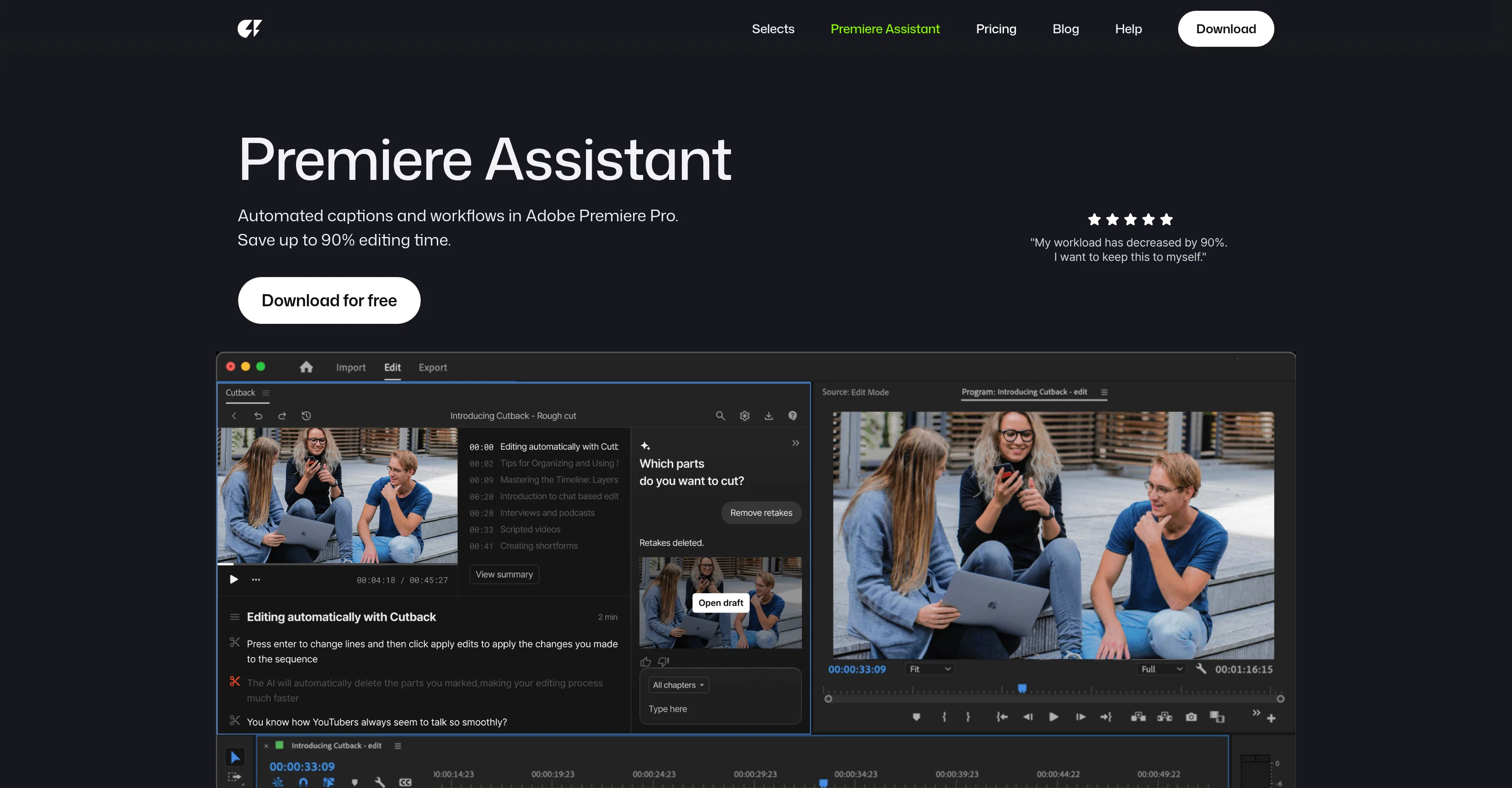
Automated captions and workflows in Adobe Premiere Pro.
Premiere Assistant by Cutback is an AI-enabled tool built to streamline and enhance video editing workflows within Adobe Premiere Pro. The tool handles a plethora of repetitive tasks, which can significantly increase productivity. Some key functions include automatic raw footage editing, multi-camera switching, silences detection and removal, automated transcription and translation in multiple languages, and offering animated captions functionalities. In addition, it offers unique features such as automatic track switching when speakers change and sound bite detection. Premiere Assistant also integrates a chatbot to provide help with selecting optimal takes and finding highlights from raw footage. A unique feature of the tool is the ability to create precise transcriptions, which can be directly edited like a document in Premiere Pro. Furthermore, Premiere Assistant offers trim video, auto multi-cam switching, translation, and visualizing tools that are capable of creating stunning depth effects. Lastly, it can remove background from both videos and images in a one-click operation, providing creators more freedom to experiment with their visual content. This assistant is well suited for individuals and teams seeking to automate their video editing workflow while maintaining high-quality outputs. Help other people by letting them know if this AI was useful. Add your own prompts and outputs to help others understand how to use this AI.
When considering Premiere Assistant by Cutback for integration into your organizational workflow, we recommend deploying a structured score card across three critical operational pillars: Security & Compliance, Integration Friction, and long-term Price Scalability. Rather than looking only at basic feature lists, modern procurement teams must assess how a software platform behaves under high load and how well it fits into the team's data security guidelines.
Depending on your operating region and field, ensure that Premiere Assistant by Cutback supports standard security layers such as SOC 2 Type II certifications, GDPR compliance, or HIPAA-compliant database encryption. If the tool connects directly to client database tables or handles user passwords, verify that they implement multi-factor authentication (MFA), single sign-on (SSO) integrations, and end-to-end data encryption in transit and at rest.
Siloed data is the primary cause of operational friction. Evaluate if Premiere Assistant by Cutback has native connectors for your current project trackers, messaging hubs, and customer communication channels. For custom developer requirements, check if they provide a fully documented REST API with reasonable rate limits, comprehensive Webhooks support, and robust SDK packages in your language. A flexible API layer saves hundreds of hours of manual copy-paste overhead.
SaaS pricing packages are often deceptively simple. When reviewing Premiere Assistant by Cutback's billing structure, map out your team's projected expansion over the next 12 to 24 months. Determine how costs scale as your customer database increases or as you add team members. Factor in setup costs, mandatory support plan upgrades, API access fees, and storage overage rates to understand the true cost before committing to a contract.
By combining verified user reviews from our directory with internal workflow pilot tests, your procurement team can make an informed decision that drives productivity without creating capital waste.
Overall rating
Based on 4 reviews
makes actually good clips
fourleafclover
Bro, @Captions is actually straight fire for short-form content. Script in, clean @Captions and edits out, and it makes talking-head clips feel way more polished in minutes. Big w for creators
Chris Studioz
Selamat siang saya akan membagikan tutorial gimana caranya mengedit video di aplikasi capcut
Rhyben Rinto
Video editing
Amrit kuli Amrit kuli
Starting Price
From $14.00/user/month
Pricing may vary based on team size and features selected.


