5.01 months ago
“Review”
still background removing accuracy is required. it only 80% not 100%
Krutika Creations

Generate AI images to your exact dimensions.
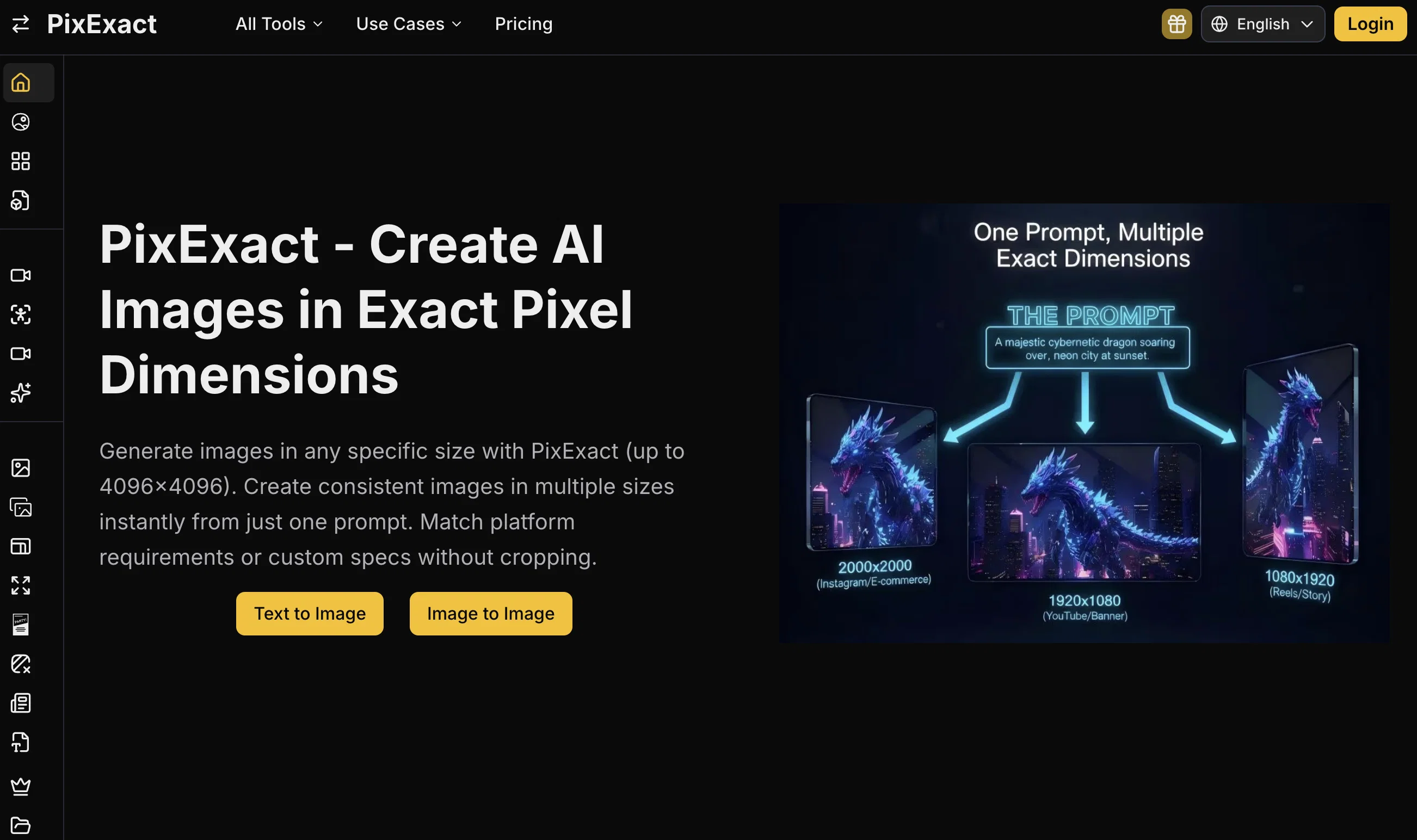
PixExact is an AI tool that allows users to create images at precise pixel dimensions, up to a maximum of 4096x4096 pixels. It is designed to cater to a wide variety of requirements, such as creation of banners, thumbnails, E-commerce product images, and professional visuals, among others. The tool offers features that allow for generation of images without the issues of cropping or composition loss common with resizing or changing aspect ratios. The exact dimension feature of PixExact enables creation of images that perfectly meet platform specifications or any custom size, yielding professional, compliant visuals in just a single click. This tool simplifies generating assets ranging from Google Ad visuals to Amazon product images. Furthermore, PixExact allows for the generation of thumbnails, wallpapers, backgrounds, e-commerce product images, app store screenshots, and specific game assets and UI that fit UVs and atlases amidst others, without engine rescaling. Users can set the precise width and height in pixels for their desired image and receive AI-generated images instantaneously. Notably, the tool provides commercial license with no watermarks ensuring immediate usability for e-commerce and other professional needs. Help other people by letting them know if this AI was useful. Add your own prompts and outputs to help others understand how to use this AI.
When considering PixExact for integration into your organizational workflow, we recommend deploying a structured score card across three critical operational pillars: Security & Compliance, Integration Friction, and long-term Price Scalability. Rather than looking only at basic feature lists, modern procurement teams must assess how a software platform behaves under high load and how well it fits into the team's data security guidelines.
Depending on your operating region and field, ensure that PixExact supports standard security layers such as SOC 2 Type II certifications, GDPR compliance, or HIPAA-compliant database encryption. If the tool connects directly to client database tables or handles user passwords, verify that they implement multi-factor authentication (MFA), single sign-on (SSO) integrations, and end-to-end data encryption in transit and at rest.
Siloed data is the primary cause of operational friction. Evaluate if PixExact has native connectors for your current project trackers, messaging hubs, and customer communication channels. For custom developer requirements, check if they provide a fully documented REST API with reasonable rate limits, comprehensive Webhooks support, and robust SDK packages in your language. A flexible API layer saves hundreds of hours of manual copy-paste overhead.
SaaS pricing packages are often deceptively simple. When reviewing PixExact's billing structure, map out your team's projected expansion over the next 12 to 24 months. Determine how costs scale as your customer database increases or as you add team members. Factor in setup costs, mandatory support plan upgrades, API access fees, and storage overage rates to understand the true cost before committing to a contract.
By combining verified user reviews from our directory with internal workflow pilot tests, your procurement team can make an informed decision that drives productivity without creating capital waste.
Overall rating
Based on 21 reviews
still background removing accuracy is required. it only 80% not 100%
Krutika Creations
your answer is much too general, so useless. You could have just tell me to ask Perplexity.
Ta
@img2img AI is the first image editor that actually replaced three tools on our team. I can upload a product shot, type what I want in plain English.
futian liang
Tool is useless for anything that even hints at being mature. Not even swimsuits or cleavage pics. Much less nudity. Worthless, puritanical garbage. Don't bother.
moknbyrd
Requires login and credits to work
Elenimotoon
Glad to see LitVideo listed here. Have been using it for a while. Easy to use, and LitVideo provides a relatively low-cost entry point into AI video creation.
Isabelle Howe
I tested the product on my own idea and was really satisfied with the result. The analysis feels structured, professional, and much more grounded than a typical LLM chat. It helped me see both the strengths and weak points of the idea and made me want to run it again with a more thoughtful input. I also liked the detailed AI analysis logging, the debate flow, and the potential/readiness matrix. Even after one run, the product already feels valuable for a founder. With deeper UX/UI and technical development, I can see strong potential in it.
zerovoidrage
Clean UI, multiple video models in one place, and fair credit refunds when generations fail. Nice that you can try it for free before committing.
umusonet
Yeah AI has ongoing cost. You have to purchase that model. But if you have a good computer, you can also use local models
Praneeth Pike
Love this app!
Chase O'Neal
The best best tool i tried so far
Jakub Kowalski
i love it i use it to teach me Italian and ukranian and programing ! and it awesome , because it allows you in the free version send many prints of your screen , not having to explain all the errors by typing diferent from gpt that you can only send 3 photos in the free version. i also use @Grok to study i frist make the exercise in my book then i take a photo of my exercise then i ask it to see if there is any mistake and dissipate my terryble handwriting it understands
fernand Lopes
State of the Art
Dmitry G.
Not at all accurate…. The only thing similar between original and generated images were the clothes and accessories… face was absolutely new and unconnected.
Shvetank Sharma
like it . I punch in 1920×1080 or 2000×2000 and it delivers the right size
joan
This one gives some pretty decent logo directions quickly. The first concepts are useful, but I’d still want finer control over typography and spacing before calling anything final.
Josh KUMAR
Such a great place to start out!
Helli Lang
Love how it offers stuff for both free and premium users. huge thanks to the devs and keep it up!
Burner Cruz
Free Start with a Free Experience $0 /mo
Vitus Bering
It's not free, it forces you to input an email before shoving a price tag in your face.
Arvoly XSL
I think it's the best @Image Generator I ever found on the net. It gives more accurate image according to the prompt. And thank you for keeping it for free.
My Sawsiri
Starting Price
Free plan available
Free tier available with optional paid upgrades.


