5.03 weeks ago
“Review”
very poor result, almost caricature like
Alberto Aristeguieta
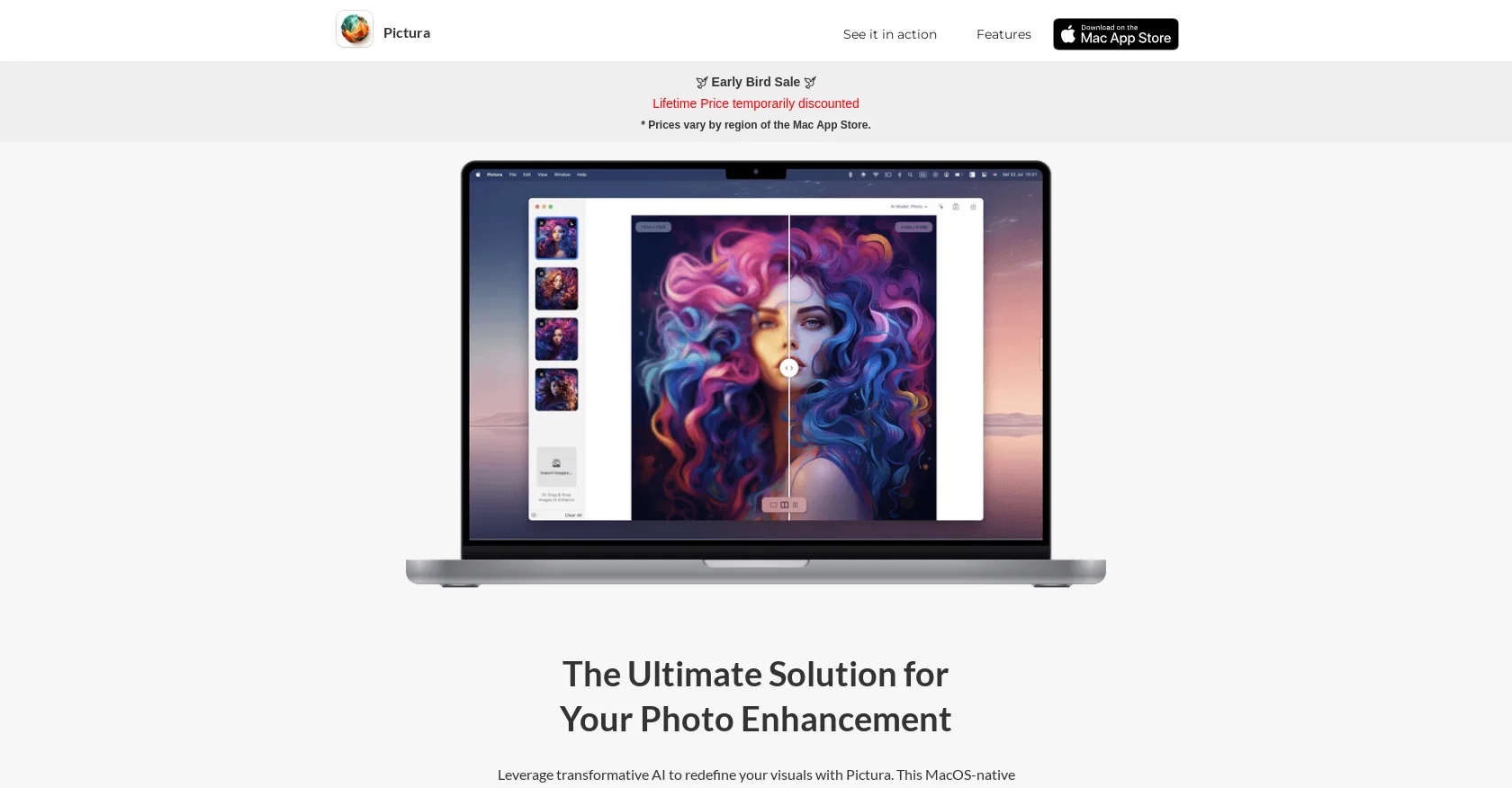
Transform low-res images into stunning 4x clarity visuals.
Pictura is a MacOS-native photo enhancement tool that utilizes transformative AI technology to enhance low-resolution images with stunning 4x clarity. It allows users to revive old photos with amazing detail and elevate their visual content while maintaining privacy. Pictura offers dual AI models that cater to both pictures and anime. This means users can benefit from advanced AI technology for enhancing the resolution and refining unique art elements of their images, whether they are ordinary photos or anime visuals. One of the notable features of Pictura is its user-friendly interface, which includes a drag-and-drop functionality for quick and efficient image uploads. This eliminates the need for cumbersome uploading processes typically associated with other photo enhancement apps or websites. Pictura also prioritizes convenience and accessibility by minimizing loading time, so users can instantly access the tool whenever inspiration strikes.Pictura is a powerful native Mac app that optimizes its performance using the unmatched power of the Mac's Neural Engine. It is also optimized for Apple Silicon. Additionally, Pictura offers photo encryption through the user's Mac to ensure the security of their images.Overall, Pictura is a versatile and easy-to-use photo enhancement tool that maximizes the potential of AI technology to transform images into high-resolution visuals. Whether users are working with regular pictures or anime, Pictura provides them with the tools they need to enhance their photos and elevate their visual content. Help other people by letting them know if this AI was useful. Add your own prompts and outputs to help others understand how to use this AI.
When considering Pictura for integration into your organizational workflow, we recommend deploying a structured score card across three critical operational pillars: Security & Compliance, Integration Friction, and long-term Price Scalability. Rather than looking only at basic feature lists, modern procurement teams must assess how a software platform behaves under high load and how well it fits into the team's data security guidelines.
Depending on your operating region and field, ensure that Pictura supports standard security layers such as SOC 2 Type II certifications, GDPR compliance, or HIPAA-compliant database encryption. If the tool connects directly to client database tables or handles user passwords, verify that they implement multi-factor authentication (MFA), single sign-on (SSO) integrations, and end-to-end data encryption in transit and at rest.
Siloed data is the primary cause of operational friction. Evaluate if Pictura has native connectors for your current project trackers, messaging hubs, and customer communication channels. For custom developer requirements, check if they provide a fully documented REST API with reasonable rate limits, comprehensive Webhooks support, and robust SDK packages in your language. A flexible API layer saves hundreds of hours of manual copy-paste overhead.
SaaS pricing packages are often deceptively simple. When reviewing Pictura's billing structure, map out your team's projected expansion over the next 12 to 24 months. Determine how costs scale as your customer database increases or as you add team members. Factor in setup costs, mandatory support plan upgrades, API access fees, and storage overage rates to understand the true cost before committing to a contract.
By combining verified user reviews from our directory with internal workflow pilot tests, your procurement team can make an informed decision that drives productivity without creating capital waste.
Overall rating
Based on 16 reviews
very poor result, almost caricature like
Alberto Aristeguieta
Good very good is this i love this ai tool
Mudassar Tanoli
Would be nice to try some other feature without paying even if only 5 trys
gale eras
Only human face restoration.
Annhen A
You can create AI-generated images for free on @Artguru. As a user, you will receive 5 free credits per day, with each credit allowing you to generate one image. If you require additional credits, you can choose to upgrade to the premium plan or wait for 24 hours to receive a new set of free credits. Generation of images is pretty quick. It has advanced settings, you can add negative prompts.It will generate a watermark automatically. However, you can only create an account with Google or with Facebook. No possibility to use e-mail. What really sucks: You can't delete your account. You can only delete the content you've created and log out. There should be a possibility to delete the account permanently.
Marshmallowfroggy
Great cause, I like it!
Philipp Steinweber
Seemed nice but I was welcomed by authwall, /login. I don't want to sign up for something I didn't try first.
Filip Halapir
Zero GPT which is supposed to be covered detects it with 100% certainty. So... No.
Stephan Tual
the search functionality is a bit limited i think. like i save lots of webpages but it can't really know the pages content themselves
Lilly Walsh
I think it's the best @Image Generator I ever found on the net. It gives more accurate image according to the prompt. And thank you for keeping it for free.
My Sawsiri
Very practical
Scofield michael
you only get 10 credits better to use other upscalers
Requiem of Ice
Very good job. File size concerns me, it was 10.2mb from a 1.63mb file. That was only one image, what if I had 50?
Ann P
5 minutes to create account. 1 minute to discover poor photo enhancing. Waste of time
Екатерина Дашкова
Androlicous!!!
Wazim Aju
nice holistic
Amit ImmI
Starting Price
Free plan available
Free tier available with optional paid upgrades.


