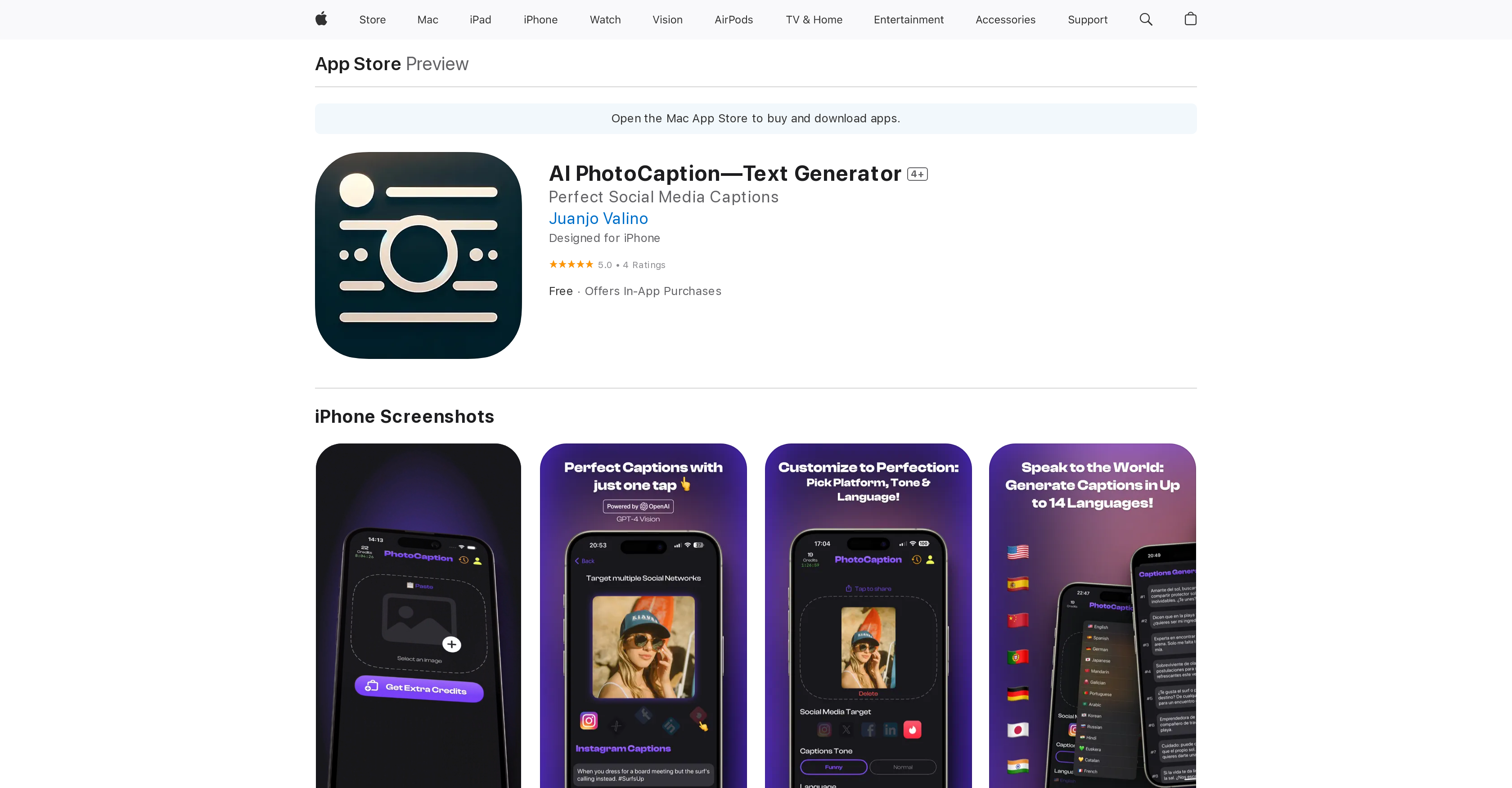
PhotoCaption AI harnesses cutting-edge technologies to offer users a revamp in their social media posting experience. The application uses a proprietary AI, based on the GPT-4 Vision system from OpenAI, that generates relevant captions for uploaded images.
The tone of these captions can be customizable to fit with specific styles or moods. Equipped with multi-language support, PhotoCaption AI provides captions in up to 14 different languages.
Moreover, it tailors its captions to fit the unique requirements of different social media platforms such as Instagram, Facebook, and Twitter. Its sleek and intuitive interface ensures a seamless user experience.
The tool allows direct sharing of captions from the app and copying to the clipboard. Although designed with social media enthusiasts and influencers in mind, PhotoCaption AI is applicable to all individuals who thrive on sharing photos, offering a diverse range of post captions to appeal to various audience dimensions.
Its main objective is to save time, increase post engagement, and stimulate creative captioning while eliminating cultural barriers.
Help other people by letting them know if this AI was useful.
Add your own prompts and outputs to help others understand how to use this AI.
Screenshot gallery
Pros & Cons
Pros
+Based on GPT-4 Vision
+Customizable Caption Tone
+Multi-language Support
+Tailored Captions for Platforms
+Seamless User Experience
+Direct Sharing from App
+Diverse Caption Range
+Engagement booster
+Eliminates cultural barriers
+Automatic Captioning
+Cross-Platform
+Time-saving
+Designed for Influencers
+Captions in 14 languages
+Fits Unique Platform Requirements
+Intuitive Interface
+Clipboard Copying Support
+Applicable to All Individuals
+Saves Time
+Increases Post Engagement
+Removes Guesswork from Captioning
+Effortless Caption Creation
+Good for Global Citizens
+Stand-out Captions
+For Social Media Enthusiasts
Cons
−Requires iOS 17.1 or later
−Requires macOS 14.1 or later
−Requires Apple M1 chip
−Offers In-App Purchases
−Limited to 14 languages
−Limited social media integration
−No mention of Android compatibility
−Data handling/privacy concerns
−Requires visionOS 1.0 or later
A Professional Framework to Evaluate PhotoCaption AI
When considering PhotoCaption AI for integration into your organizational workflow, we recommend deploying a structured score card across three critical operational pillars: Security & Compliance, Integration Friction, and long-term Price Scalability. Rather than looking only at basic feature lists, modern procurement teams must assess how a software platform behaves under high load and how well it fits into the team's data security guidelines.
1. Security and Database Compliance
Depending on your operating region and field, ensure that PhotoCaption AI supports standard security layers such as SOC 2 Type II certifications, GDPR compliance, or HIPAA-compliant database encryption. If the tool connects directly to client database tables or handles user passwords, verify that they implement multi-factor authentication (MFA), single sign-on (SSO) integrations, and end-to-end data encryption in transit and at rest.
2. API Coverage and Custom Integrations
Siloed data is the primary cause of operational friction. Evaluate if PhotoCaption AI has native connectors for your current project trackers, messaging hubs, and customer communication channels. For custom developer requirements, check if they provide a fully documented REST API with reasonable rate limits, comprehensive Webhooks support, and robust SDK packages in your language. A flexible API layer saves hundreds of hours of manual copy-paste overhead.
3. Total Cost of Ownership (TCO)
SaaS pricing packages are often deceptively simple. When reviewing PhotoCaption AI's billing structure, map out your team's projected expansion over the next 12 to 24 months. Determine how costs scale as your customer database increases or as you add team members. Factor in setup costs, mandatory support plan upgrades, API access fees, and storage overage rates to understand the true cost before committing to a contract.
By combining verified user reviews from our directory with internal workflow pilot tests, your procurement team can make an informed decision that drives productivity without creating capital waste.
Features of PhotoCaption AI
Caption Generation
Social Media
Automatic Captioning
Multilingual
Content Creation
Cross Platform
Free + From $5.99/Mo
SaaS1to10 verified reviews for PhotoCaption AI
Overall rating
★★★★★5.0
Based on 15 reviews
★★★★★5.01 months ago
“Review”
I've been playing around with this for a few hours. It's made me say "WOW" too many times than i wish to admit. I'm going to follow this and see how it evolves. For now, i managed to create quite a nice Expenses app for personal use. | It did have some problems when it came to moving some components on other pages, but for how short the prompts it uses can be, it is really impressive. With some proper prompts it can generate some strong stuff.
Bernard
★★★★★5.01 months ago
“Review”
Great tool for my video content
Silvia Cho
★★★★★5.01 months ago
“Review”
@KeywordSearch creates AI Ad Targeting audiences for YouTube
Aleric Heck
★★★★★5.01 months ago
“Review”
I joined Kin's beta program on my iPhone XR. After upgrading to an iPhone 13, I found that I couldn't log into my existing account on the new phone, forcing me to create a new account. Now, I have two separate Kin accounts on different phones. Today, when I accessed the beta version of Kin, I got a notification stating that the test version ended on Monday, September 23rd. It instructed me to back up my data and move to the official Kin app. I did as advised—backed up my data, confirmed, uninstalled the beta app via TestFlight, and installed the official Kin app. However, when I attempted to “log in”, I was still unable to access my existing account. This issue hasn't been resolved yet. I have been trying desperately to get in contact with the support team. I left feedback through the test flight app and sent emails. No response. Now trying to find a forums, Reddit posts, TAAFT comments☻
Desiree Miller
★★★★★5.01 months ago
“Review”
An amazing app, I love the share feature and the comment section summaries
Silvia Cho
★★★★★5.01 months ago
“Review”
O GPT faz uma análise melhor e mais personalizada.
Vinicius Vilela
★★★★★5.01 months ago
“Review”
nice tool,only input two images to easily create realistic cartoon animations.
Lumen Liu
★★★★★5.01 months ago
“Review”
Seems to be working now
Aramis
★★★★★5.01 months ago
“Review”
Is the best. Free and ullimited
Ruggiero Centaro
★★★★★5.01 months ago
“Review”
Hubert is no longer good.. Trust me...it's garbage
visente ramos
★★★★★5.01 months ago
“Review”
I have tried it for my grandma, this is really game changing! She found it easy to use, and now we are starting to preserve her memories.
Anne Sue
★★★★★5.01 months ago
“Review”
Used this for a quick ebook draft and it got the structure down pretty well. The first chapters were stronger than the later ones, but it’s a useful starting point if you want to turn an idea into something readable fast.
Niraj Katy
★★★★★5.01 months ago
“Review”
Literally does not work at all
Matei-Gabriel ELS
★★★★★5.01 months ago
“Review”
website is well laid out and its free
martin nolan
★★★★★5.01 months ago
“Review”
I'm new in using AI tools, but i found @COACH quite helpful! It follows you step by step both analyzing your situation and finding resources... thanks!