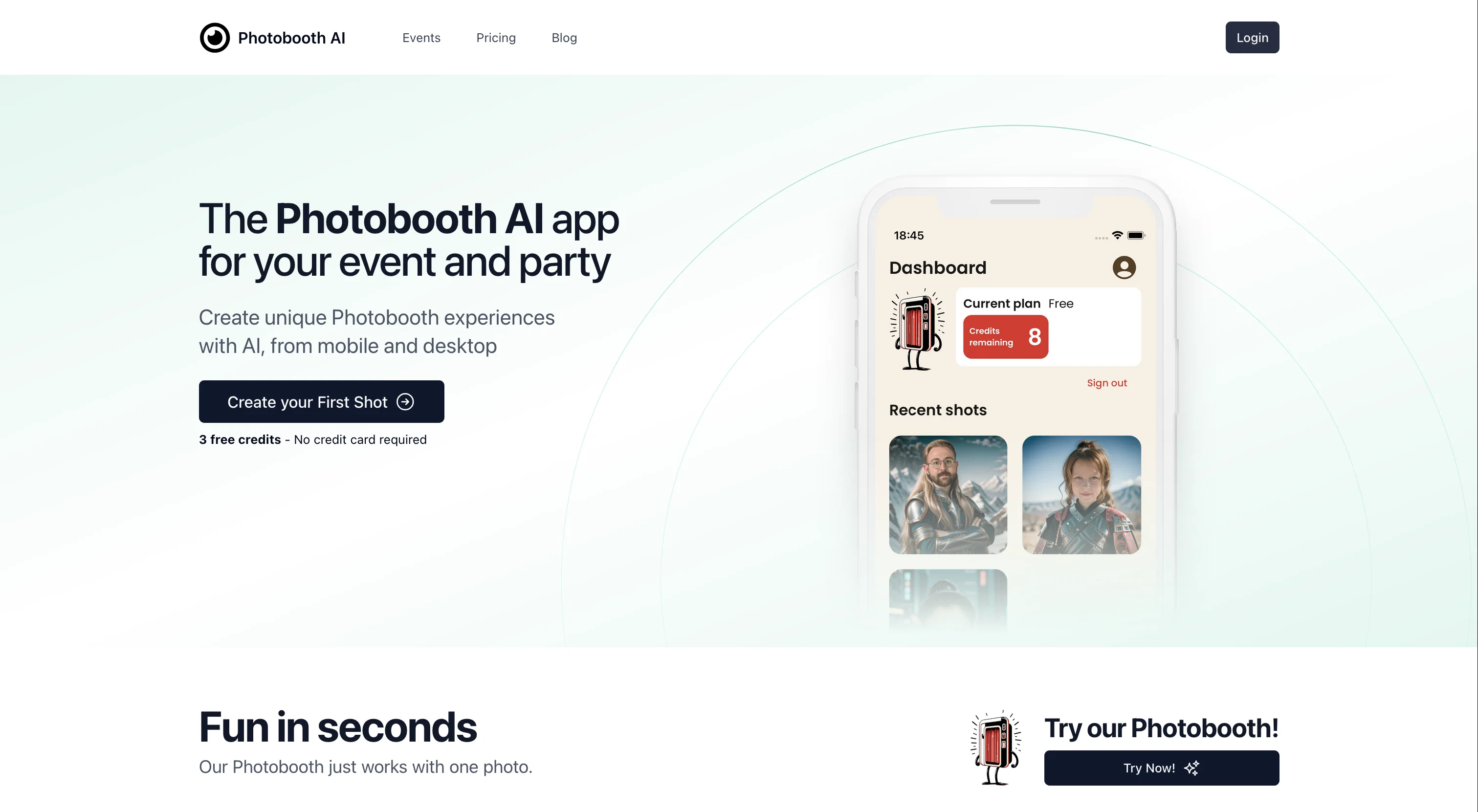
Photobooth AI is a photobooth app that uses artificial intelligence to enhance your event, party, or personal photography experiences. With this app, users can take photos and apply a variety of themes to create unique and fun images that can be shared with friends or on social media.
One of its distinctive features is the ability to generate an AI twin, or a digital version of yourself, using just one photo. Beyond personal use, Photobooth AI also offers features for event planning.
App users can create a dedicated gallery for specific events, share pictures with guests via custom QR codes, customize gallery style, and gain insights about popular photos.
Notably, the app takes privacy and security seriously, processing photos securely and ensuring personal data is not shared without consent. In terms of usability, Photobooth AI is designed to be user-friendly and accessible for users of any age and technical skills.
The app is free to download, with premium features available for additional purchase. It supports high-resolution photos, regularly adds new themes, and is optimized for both Android and Apple devices.
Help other people by letting them know if this AI was useful.
Add your own prompts and outputs to help others understand how to use this AI.
Screenshot gallery
Pros & Cons
Pros
+Event planning features
+Creates dedicated event gallery
+Shares photos via QR codes
+Customizable gallery styles
+Providing photo popularity insights
+Prioritizes privacy and security
+Supports high-resolution photos
+Regularly new theme additions
+Optimized for Android and iOS
+Available premium features
+User-friendly interface
+Encrypted photos
+Interactive for event guests
+Variety of photo themes
+No queueing time for photos
+Free credits available
+Handles multi-app modes
+Custom layout for events
+Supports in-app purchases
+Free to download
+Secure data processing
+Regular updates
+Supports social media sharing
+Custom prompt creation
Cons
−Limited free features
−Requires in-app purchases
−Potential privacy concerns
−Dependent on photo quality
−Limited themes
−No explicit data usage policy
−May require good lighting
−Complex for non-tech users
−Unclear update frequency
A Professional Framework to Evaluate Photobooth AI
When considering Photobooth AI for integration into your organizational workflow, we recommend deploying a structured score card across three critical operational pillars: Security & Compliance, Integration Friction, and long-term Price Scalability. Rather than looking only at basic feature lists, modern procurement teams must assess how a software platform behaves under high load and how well it fits into the team's data security guidelines.
1. Security and Database Compliance
Depending on your operating region and field, ensure that Photobooth AI supports standard security layers such as SOC 2 Type II certifications, GDPR compliance, or HIPAA-compliant database encryption. If the tool connects directly to client database tables or handles user passwords, verify that they implement multi-factor authentication (MFA), single sign-on (SSO) integrations, and end-to-end data encryption in transit and at rest.
2. API Coverage and Custom Integrations
Siloed data is the primary cause of operational friction. Evaluate if Photobooth AI has native connectors for your current project trackers, messaging hubs, and customer communication channels. For custom developer requirements, check if they provide a fully documented REST API with reasonable rate limits, comprehensive Webhooks support, and robust SDK packages in your language. A flexible API layer saves hundreds of hours of manual copy-paste overhead.
3. Total Cost of Ownership (TCO)
SaaS pricing packages are often deceptively simple. When reviewing Photobooth AI's billing structure, map out your team's projected expansion over the next 12 to 24 months. Determine how costs scale as your customer database increases or as you add team members. Factor in setup costs, mandatory support plan upgrades, API access fees, and storage overage rates to understand the true cost before committing to a contract.
By combining verified user reviews from our directory with internal workflow pilot tests, your procurement team can make an informed decision that drives productivity without creating capital waste.
Features of Photobooth AI
Photography
Artificial Intelligence
Event Planning
Social Media
AI Twin
User Friendly
Free + From $4.9
SaaS1to10 verified reviews for Photobooth AI
Overall rating
★★★★★5.0
Based on 18 reviews
★★★★★5.01 months ago
“Review”
Try doing anything real with @Lovable and welcome to the error loop. Has a lot of potential but @Lovable does not seem to be ready to produce real apps with multiple pieces that need to work together without getting stuck in error loops. Disappointing.
Joe LK
★★★★★5.01 months ago
“Review”
@GoEnhance's production from video to animation is impressive. It can go up to 2k 60fps, so exciting.
qiufeng hua
★★★★★5.01 months ago
“Review”
Everything is working normally. Best,
Stefan Mitrovic
★★★★★5.01 months ago
“Review”
Amazing title choices! I put in a title idea with a one sentence video description and got back amazing title options.
Caroline Flansbaum
★★★★★5.01 months ago
“Review”
filters my spam calls
Robin Haw
★★★★★5.01 months ago
“Review”
I've been playing around with this for a few hours. It's made me say "WOW" too many times than i wish to admit. I'm going to follow this and see how it evolves. For now, i managed to create quite a nice Expenses app for personal use. | It did have some problems when it came to moving some components on other pages, but for how short the prompts it uses can be, it is really impressive. With some proper prompts it can generate some strong stuff.
Bernard
★★★★★5.01 months ago
“Review”
No other tool quite like this, it's pretty straightforward. Needed to extract a long interview from YouTube and it extracted everything, providing it in different meaningful formats in less than two minutes. Awesome
Juan Sierra
★★★★★5.01 months ago
“Review”
🌟🌟🌟🌟🌟 This AI prompt generation tool is exceptional! It vividly brought to life the jungle scene I envisioned, capturing every detail with remarkable accuracy. The natural expressions, vibrant colors, and serene atmosphere were perfectly rendered. Highly recommended for creative projects!
Sukul Das PANIKA
★★★★★5.01 months ago
“Review”
Good one, prompt works too good
Shivaforai
★★★★★5.01 months ago
“Review”
@LaunchLemonade is brilliant! AI for everyone.
meena sangar
★★★★★5.01 months ago
“Review”
Easy to start and made a customer support agent for my website in a few minutes!
PeersIdea Inc.
★★★★★5.01 months ago
“Review”
You get 300 credits upon signing up, which is enough to test out the app and see its potential. I had a bit of fun with it. It takes a few minutes to generate content, but the results are impressive. There are many styles, modifiers, and customization options available. I would definitely use this for content creation or storytelling.
Daniel Garaiacu
★★★★★5.01 months ago
“Review”
This is genius!!!
Dmitry Volt
★★★★★5.01 months ago
“Review”
This tool i found is super cool, I created 5 books from this tool to sell them online, which gives me great profit. I am creating more valuable books to spread knowledge, and earn some bucks as well 🤑.
Bilal Ashraf
★★★★★5.01 months ago
“Review”
I already have another transcription tool, but this one is much better. I love the different features such as the summary, quiz, and chapters. It does a great job of them. I've only done one transcript so far to try it out, but I'm truly impressed and am going to grab another code. A couple things that would make it even better are: - the ability to rename the files and organize them through folders. - the ability to download a copy of the other features as well as the transcript. Copying and pasting it works, but doesn't keep the format.
dunn
★★★★★5.01 months ago
“Review”
Suppppeeeeerrr! Wowwww! @Mindsmith is absolutely fantastic! It is incredibly useful, easy to use, and very professional.
Claudia Scilletta
★★★★★5.01 months ago
“Review”
The concept is great.
kanawati
★★★★★5.02 months ago
“Review”
@Photobooth AI allows users to create events in a fully self-service process! The configurator is intuitive, letting you choose the number of credits, event type, layout options (like adding your own logo and overlay), and more. Once the event is set up, the virtual Photobooth is available both from the desktop web version and the native mobile apps, making it easy for guests to participate. The pricing is fair, and the flexibility is perfect for customizing events to your exact needs!