5.01 months ago
“Review”
Would be better if they let you use your own text as an option.
William Lowe
Get an ICS File
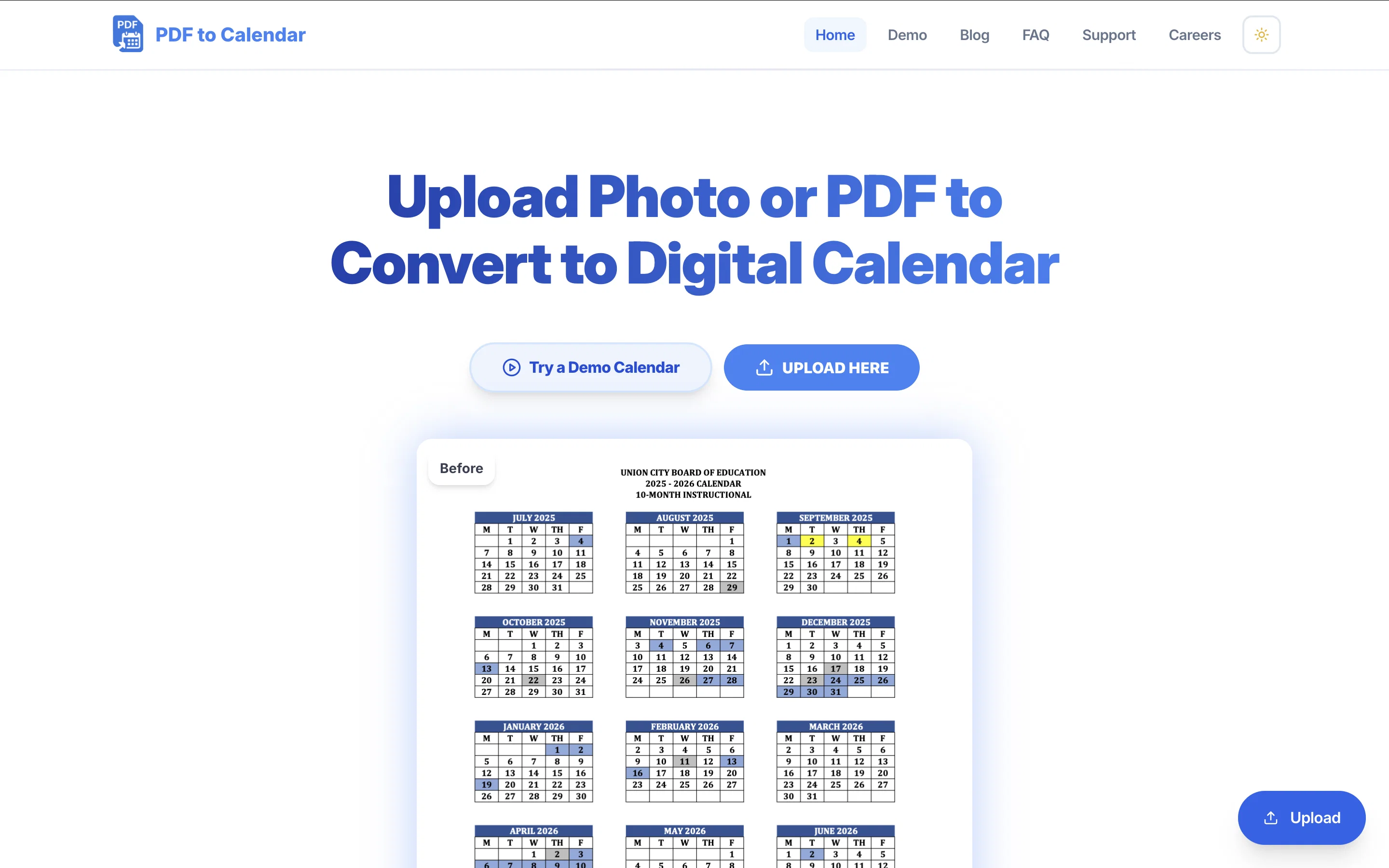
Ever feel overwhelmed by your schedule? PDFs are great, until you actually try to use them. That is where PDF to Calendar Converter comes in. Imagine uploading your PDF schedule and, with just a click, seeing every class, meeting, and deadline appear neatly in your calendar, ready to organize your day. No more copying, no more missing details, just clarity and control. Whether you are a student juggling assignments, a professional managing meetings, or anyone who wants their time back, this tool helps you stay on top of your life. Fast, secure, and simple, it turns chaos into calm. Help other people by letting them know if this AI was useful. Add your own prompts and outputs to help others understand how to use this AI.
When considering PDF to Calendar for integration into your organizational workflow, we recommend deploying a structured score card across three critical operational pillars: Security & Compliance, Integration Friction, and long-term Price Scalability. Rather than looking only at basic feature lists, modern procurement teams must assess how a software platform behaves under high load and how well it fits into the team's data security guidelines.
Depending on your operating region and field, ensure that PDF to Calendar supports standard security layers such as SOC 2 Type II certifications, GDPR compliance, or HIPAA-compliant database encryption. If the tool connects directly to client database tables or handles user passwords, verify that they implement multi-factor authentication (MFA), single sign-on (SSO) integrations, and end-to-end data encryption in transit and at rest.
Siloed data is the primary cause of operational friction. Evaluate if PDF to Calendar has native connectors for your current project trackers, messaging hubs, and customer communication channels. For custom developer requirements, check if they provide a fully documented REST API with reasonable rate limits, comprehensive Webhooks support, and robust SDK packages in your language. A flexible API layer saves hundreds of hours of manual copy-paste overhead.
SaaS pricing packages are often deceptively simple. When reviewing PDF to Calendar's billing structure, map out your team's projected expansion over the next 12 to 24 months. Determine how costs scale as your customer database increases or as you add team members. Factor in setup costs, mandatory support plan upgrades, API access fees, and storage overage rates to understand the true cost before committing to a contract.
By combining verified user reviews from our directory with internal workflow pilot tests, your procurement team can make an informed decision that drives productivity without creating capital waste.
Overall rating
Based on 22 reviews
Would be better if they let you use your own text as an option.
William Lowe
Accuracy nice. Free
Álvaro Sánchez Román
Reducing manual efforts in first-pass during code-review process helps speed up the "final check" before merging PRs
Sahil Mohan Bansal
i would say it gives the mind a sense of clarity
Emmanuella Marshall
Hi there! The tool works just fine, all you need to do is copy the text you want to rewrite and paste it in the little prompt box, where it says "Enter your prompt here". Click "Generate" and you're done!
Antonia Mitrea
I got some top quality results after learning how to prompt songs 🤩
Claes Lanng
Really like how it finds connection in the content that I save. I don't think any other tool can do that.
amix ffx
This tool i found is super cool, I created 5 books from this tool to sell them online, which gives me great profit. I am creating more valuable books to spread knowledge, and earn some bucks as well 🤑.
Bilal Ashraf
I already have another transcription tool, but this one is much better. I love the different features such as the summary, quiz, and chapters. It does a great job of them. I've only done one transcript so far to try it out, but I'm truly impressed and am going to grab another code. A couple things that would make it even better are: - the ability to rename the files and organize them through folders. - the ability to download a copy of the other features as well as the transcript. Copying and pasting it works, but doesn't keep the format.
dunn
I can't believe this one is SO accurate while others misbehave like drunk rebels ;-) THX
Timeship
Went from a C to an A in Cognitive Psychology using @Thea!!
Sarah White
superb, e gratis, merge blana, in EN se aude ideal
jon doe
🌟🌟🌟🌟🌟 This AI prompt generation tool is exceptional! It vividly brought to life the jungle scene I envisioned, capturing every detail with remarkable accuracy. The natural expressions, vibrant colors, and serene atmosphere were perfectly rendered. Highly recommended for creative projects!
Sukul Das PANIKA
2 times I tried and it threw error. it is not clear how to use it.
marcelo prizmic
your answer is much too general, so useless. You could have just tell me to ask Perplexity.
Ta
When uploading a 30-minute video file, I was surprised to receive the transcript in just a few seconds. The speed and quality of the transcription process blew me away, especially considering the complexity of the video content.
Ângelo Deixa
Best PDF to Explainer Videos AI Tool
Alex Cao
Very good.....
Daichi
It helped me save so much time! Thank you to whoever made this.
Jumaru
I love this app! I looked everywhere for one that will let me download for free and now I found it.
Ella
cool app design verr useful
Midnight Wave
Super helpful, it really saved me so much time managing my deadlines!!!
S
Starting Price
Free plan available
Free tier available with optional paid upgrades.