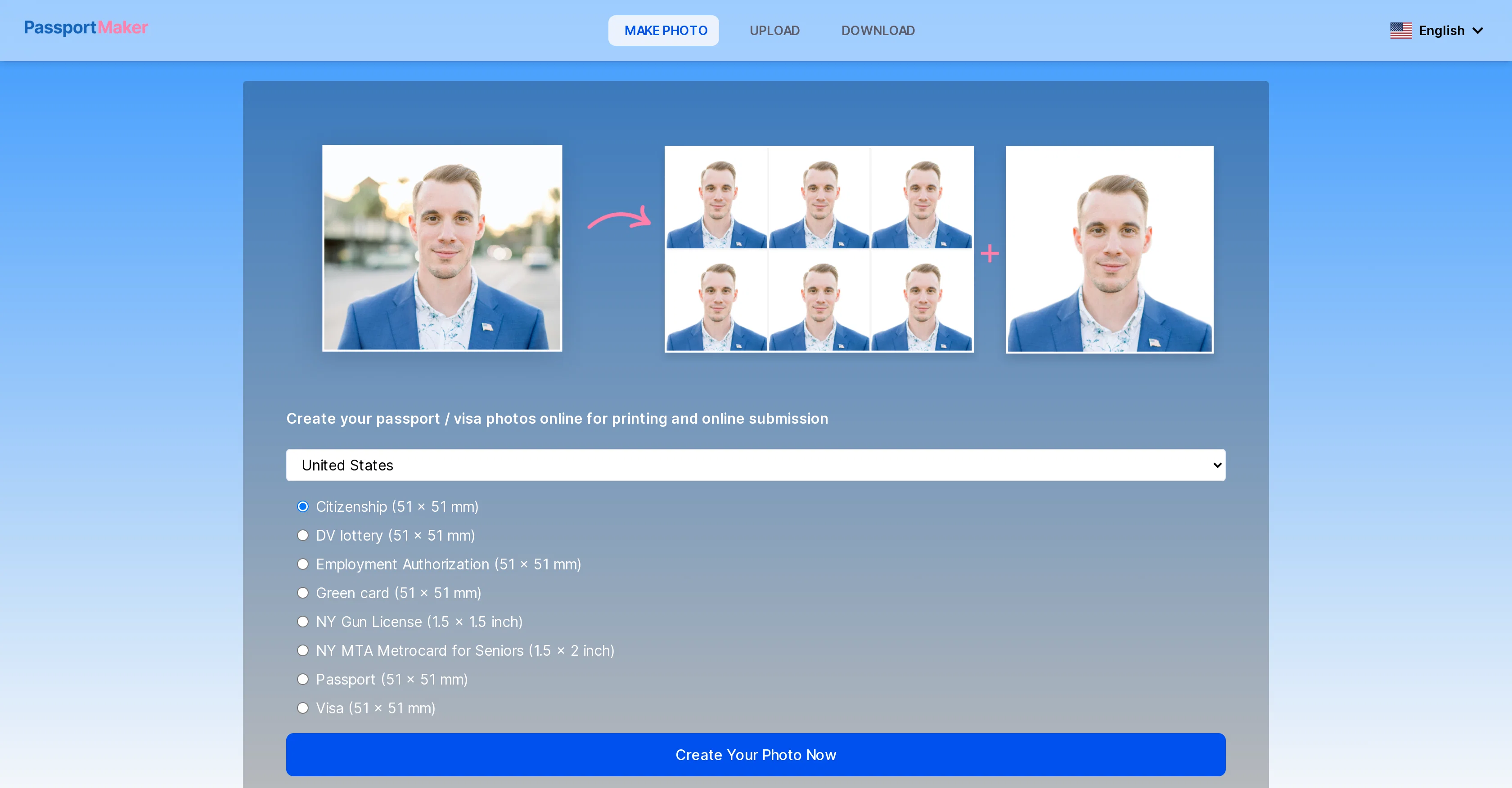
PassportMaker is an online AI-powered tool designed to automate the creation of passport, visa, and ID photos that adhere to government guidelines. It allows users to choose their country and the type of document they need a photo for, ensuring the image meets the defined requirement such as 51x51mm or 40x60mm.
In addition to passport photos, PassportMaker can standardize photos for a range of documents including visas, travel cards, driving licenses, and ID cards.
Users can upload their self-portrait, and the AI tool handles tasks such as background removal, image clarification, and size standardization in line with official guidelines.
Users can further edit the photo background as required and download the passport photo as a single printable file or sheet of multiple images. It's user-friendly on any device.
The tool also ensures data security as it does not require account sign-up and does not save users personal information or photos. PassportMaker also offers a mobile app for iOS and Android for user convenience.
Help other people by letting them know if this AI was useful.
Add your own prompts and outputs to help others understand how to use this AI.
Screenshot gallery
Pros & Cons
Pros
+Supports multiplatform use
+Does not require signup
+Secure data
+iOS and Android apps
+Adheres to government guidelines
+Supports multi-document standardization
+Upload self-portrait functionality
+Automatic image clarification
+Automatic size standardization
+Editable photo background
+Downloadable printable files or sheets
+Available in multiple languages
+Over 130 country document standards
+Advanced algorithm photo centering
+Automatic photo cropping
+Transparent background feature
+Blue or white background option
+Downloadable HD photos
+Option for photo collage sheets
+Free use
+Quality retention and enhancement
+Complex background handling
+Allows further photo editing
Cons
−Limited image editing features
−Cannot store images
−No accounts for personalisation
−Relies on user quality uploads
−No direct print service
−No user community support
−Mobile app compatibility issues
−Overly simplified interface
−Limited troubleshooting guidance
−No paid premium options
A Professional Framework to Evaluate PassportMaker
When considering PassportMaker for integration into your organizational workflow, we recommend deploying a structured score card across three critical operational pillars: Security & Compliance, Integration Friction, and long-term Price Scalability. Rather than looking only at basic feature lists, modern procurement teams must assess how a software platform behaves under high load and how well it fits into the team's data security guidelines.
1. Security and Database Compliance
Depending on your operating region and field, ensure that PassportMaker supports standard security layers such as SOC 2 Type II certifications, GDPR compliance, or HIPAA-compliant database encryption. If the tool connects directly to client database tables or handles user passwords, verify that they implement multi-factor authentication (MFA), single sign-on (SSO) integrations, and end-to-end data encryption in transit and at rest.
2. API Coverage and Custom Integrations
Siloed data is the primary cause of operational friction. Evaluate if PassportMaker has native connectors for your current project trackers, messaging hubs, and customer communication channels. For custom developer requirements, check if they provide a fully documented REST API with reasonable rate limits, comprehensive Webhooks support, and robust SDK packages in your language. A flexible API layer saves hundreds of hours of manual copy-paste overhead.
3. Total Cost of Ownership (TCO)
SaaS pricing packages are often deceptively simple. When reviewing PassportMaker's billing structure, map out your team's projected expansion over the next 12 to 24 months. Determine how costs scale as your customer database increases or as you add team members. Factor in setup costs, mandatory support plan upgrades, API access fees, and storage overage rates to understand the true cost before committing to a contract.
By combining verified user reviews from our directory with internal workflow pilot tests, your procurement team can make an informed decision that drives productivity without creating capital waste.
Features of PassportMaker
ID Photos
Passport Photos
Size Standardization
Visa Photos
Photo Standardization
AI Powered Tool
Free + From $4.99/Mo
SaaS1to10 verified reviews for PassportMaker
Overall rating
★★★★★5.0
Based on 18 reviews
★★★★★5.01 months ago
“Review”
I’ve tried many AI writing tools in the past, but this one actually delivers content that sounds human and ranks. I love how you can create a full SEO blog post with just a keyword… and it’s ready to publish in one click. That saves me so much time. Also, small win for the wallet — use code FSL25 to get 25% off on any plan. Definitely helped me out when testing it for the first time. 👍 Hope this helps someone else who’s been struggling like I was!
Jason
★★★★★5.01 months ago
“Review”
It's sad to see people want to try your tool out but you have no free sample for them. This may be the best tool out there, but, as mentioned, going through with the AI for minutes to explain what you want, then being prompted to pay, without even knowing if it CAN create something, is discouraging. I hope we can get a free sample or preview at one point, im interested in this one.
Ron Jayson
★★★★★5.01 months ago
“Review”
Old man with white short hair and bard
Dom Cauv
★★★★★5.01 months ago
“Review”
It's not free, it forces you to input an email before shoving a price tag in your face.
Arvoly XSL
★★★★★5.01 months ago
“Review”
why doesnt files get exported as hdri ? ..perhaps there cound be an option to do this. mine came out as png and i had to convert. Also i wanted mine as a skydome....Interesting tool though.
Michael Flynn
★★★★★5.01 months ago
“Review”
It doesn’t include the specified text. It doesn’t allow you to describe the logo
David April
★★★★★5.01 months ago
“Review”
O GPT faz uma análise melhor e mais personalizada.
Vinicius Vilela
★★★★★5.01 months ago
“Review”
Does not know how to spell
Emily Hamilton
★★★★★5.01 months ago
“Review”
Needs to learn about different art schools, imo: doesn’t seem to understand the concept of cubism.
Catherine Karaguézian
★★★★★5.01 months ago
“Review”
There were no aristocratic Asians and Africans in ancient Rome.
Sándor Gajdos
★★★★★5.01 months ago
“Review”
still background removing accuracy is required. it only 80% not 100%
Krutika Creations
★★★★★5.01 months ago
“Review”
your answer is much too general, so useless. You could have just tell me to ask Perplexity.
Ta
★★★★★5.01 months ago
“Review”
Not at all accurate…. The only thing similar between original and generated images were the clothes and accessories… face was absolutely new and unconnected.
Shvetank Sharma
★★★★★5.01 months ago
“Review”
It helped me set up my online business within minutes.
cherni hiba
★★★★★5.01 months ago
“Review”
Edisa, thanks for the reply. Didn't know about the confidentiality guarantee.
Kevin Corrigan
★★★★★5.01 months ago
“Review”
i edited my picture twice because the first time it randomly got deleted. second time i did everything and i pressed download but nothing happened, after repeatedly trying it didn’t work in the end. regardless very good editing tool (fyi you can’t download high res pic without paying)
Georg
★★★★★5.01 months ago
“Review”
State of the Art
Dmitry G.
★★★★★5.01 months ago
“Review”
I think it's the best @Image Generator I ever found on the net. It gives more accurate image according to the prompt. And thank you for keeping it for free.