5.01 months ago
“Review”
Hi there! I tested it myself and didn’t run into any errors, maybe try again now
Antonia Mitrea
Create AI-powered interactive maps effortlessly.
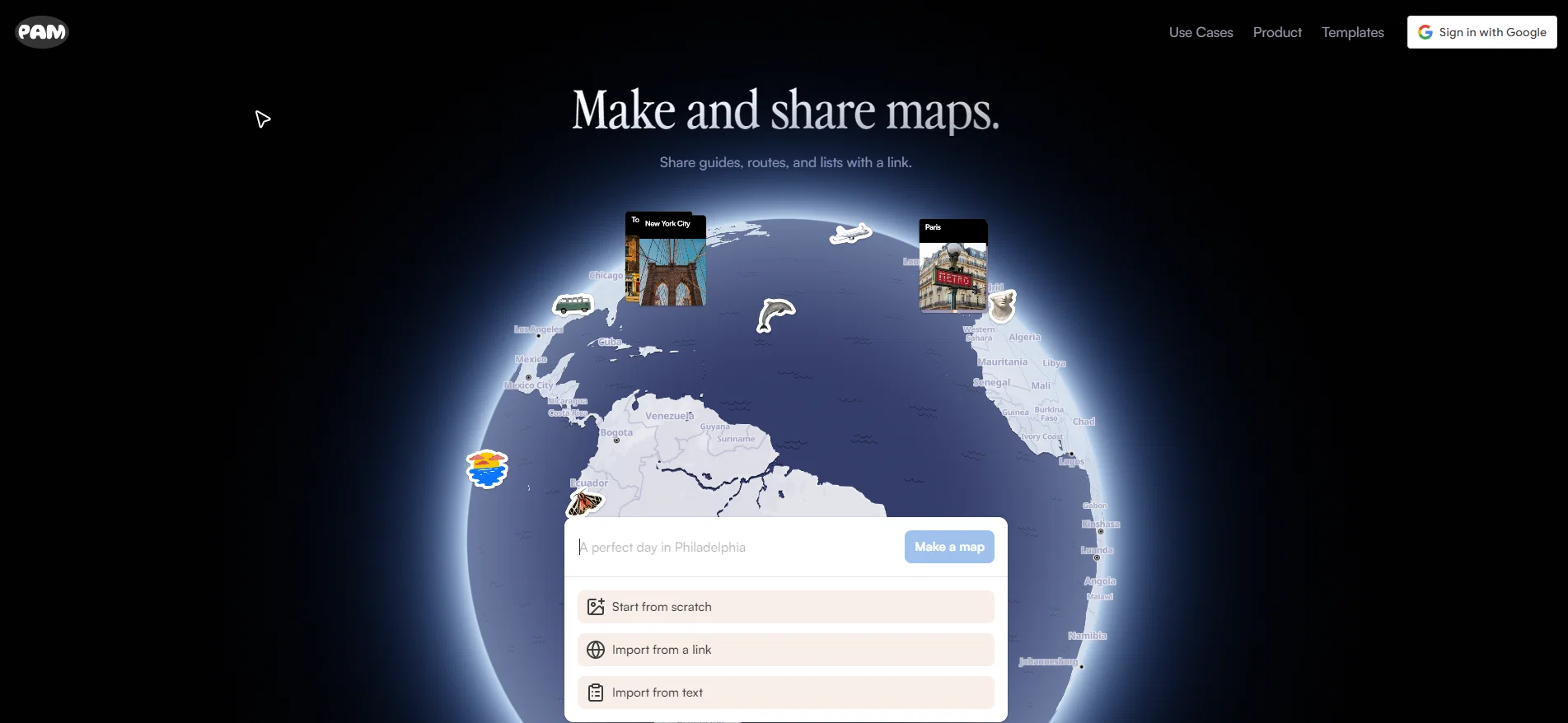
PamPam is an innovative tool that facilitates the creation of interactive maps, leveraging the capabilities of artificial intelligence. This platform is designed to provide an easier and more intuitive way for users to explore geographical data through interactive maps. With the use of AI technology, PamPam can provide meaningful and intelligent insights to assist in understanding geographical information. It is suitable for both professional and personal use. Users can add points or areas of interest to their maps, annotate them with descriptions, and enrich the data with various details. Thus, the tool aims to provide a comprehensive and in-depth exploration of geographical regions, whether for educational, research, or recreational purposes. It comes with user-friendly features that allow users to navigate easily across their maps and explore different aspects of the geographical data. The utilization of AI adds a layer of sophistication to the tool, making the exploration of geographical data a more engaging and insightful process. It should be noted that PamPam is not just about accessing geographical information; it is about using this information in meaningful ways through the interactive functionality of the tool. In summary, PamPam is a tool for creating versatile interactive maps supported by artificial intelligence, aiming to enhance users' understanding and engagement with geographical data. Help other people by letting them know if this AI was useful. Add your own prompts and outputs to help others understand how to use this AI.
When considering PamPam for integration into your organizational workflow, we recommend deploying a structured score card across three critical operational pillars: Security & Compliance, Integration Friction, and long-term Price Scalability. Rather than looking only at basic feature lists, modern procurement teams must assess how a software platform behaves under high load and how well it fits into the team's data security guidelines.
Depending on your operating region and field, ensure that PamPam supports standard security layers such as SOC 2 Type II certifications, GDPR compliance, or HIPAA-compliant database encryption. If the tool connects directly to client database tables or handles user passwords, verify that they implement multi-factor authentication (MFA), single sign-on (SSO) integrations, and end-to-end data encryption in transit and at rest.
Siloed data is the primary cause of operational friction. Evaluate if PamPam has native connectors for your current project trackers, messaging hubs, and customer communication channels. For custom developer requirements, check if they provide a fully documented REST API with reasonable rate limits, comprehensive Webhooks support, and robust SDK packages in your language. A flexible API layer saves hundreds of hours of manual copy-paste overhead.
SaaS pricing packages are often deceptively simple. When reviewing PamPam's billing structure, map out your team's projected expansion over the next 12 to 24 months. Determine how costs scale as your customer database increases or as you add team members. Factor in setup costs, mandatory support plan upgrades, API access fees, and storage overage rates to understand the true cost before committing to a contract.
By combining verified user reviews from our directory with internal workflow pilot tests, your procurement team can make an informed decision that drives productivity without creating capital waste.
Overall rating
Based on 15 reviews
Hi there! I tested it myself and didn’t run into any errors, maybe try again now
Antonia Mitrea
Looks amazing, but only 5 searches??
kanawati
It’s good but I don’t like that it doesn’t animate the whole picture, I mean 4 people on 1 picture would be animated differently so you can’t save a picture as whole
Boris Simasco
Didn't offer any ideas for the chosen area.
Marie Symons
i love it i use it to teach me Italian and ukranian and programing ! and it awesome , because it allows you in the free version send many prints of your screen , not having to explain all the errors by typing diferent from gpt that you can only send 3 photos in the free version. i also use @Grok to study i frist make the exercise in my book then i take a photo of my exercise then i ask it to see if there is any mistake and dissipate my terryble handwriting it understands
fernand Lopes
I’ve been using @Collate to go through technical PDFs, and it’s been surprisingly handy. Summarizing docs and being able to ask questions directly saves me time, especially when I’m skimming through research or API references. No sign-ups, works offline, and everything stays on my device — which I appreciate.
Harman
I can't explain how impressed i am by this. I've seen tools to help you brainstorm ideas, but not one to break your task down into big steps, then little steps for each of these. Plus "games" to help come up with more ideas for your project. I'm excited to use this!
ImpulseOscar
like the other person said, you have to pay. Normally, I wouldn't care, but this particular group advertised itself as free for quite some time. A lot of the materials about it still suggest it's free. And then it engages in basically the same pricing structure that people use this tool to protect themselves from.
comrade circuits
hmm it is un-real...literally...sounds robotic....far awy from Real
Dhhaval Joshi
Seemed nice but I was welcomed by authwall, /login. I don't want to sign up for something I didn't try first.
Filip Halapir
This is phenomenal. I demo it in my sessions all the time.
Beth Ziesenis
Really like how it finds connection in the content that I save. I don't think any other tool can do that.
amix ffx
nice holistic
Amit ImmI
Hi there! It worked great for me, it might have been a temporary issue.
Antonia Mitrea
@Fabric is kind of like a combo of bookmarking/webclipper/summarizer/knowledgebase. Basically you can add information and it will auto organize it as well as let you chat with this information and search through it. It is not a “search engine tool” I wouldn’t say. Maybe you will be able to create a knowledge, base and information repository of everything relevant to you and be able to search through that information… But that is still different than a “search engine, tool” in my opinion. So far I think they are shooting for individuals and not enterprise users. Which is great because I have been wanting to find a product that will allow me to add information from PDFs, websites and videos and then be able to search/query/chat with that. But so many of the companies I have found that offer anything close to along these lines are developing knowledge bases with only company customers in mind. I get that that is where the money is, but @Fabric appears to be for actual people to use. The product is definitely underdevelopment, and I have the TestFlight of their iOS app. I wouldn’t say the app is perfect yet or anything, but they are actively developing it, and some of their ideas are changing and evolving not just minor changes to their user interface. I am using @Fabric and Mem at the same time and I will be interested to see which turns put to be more for me. Definitely check it out if you have not already done so they have the opportunity to make an extremely useful tool and kind of even changing the way individuals think about storing/accessing information important to them.
Extra Google Account
Starting Price
Free plan available
Free tier available with optional paid upgrades.


