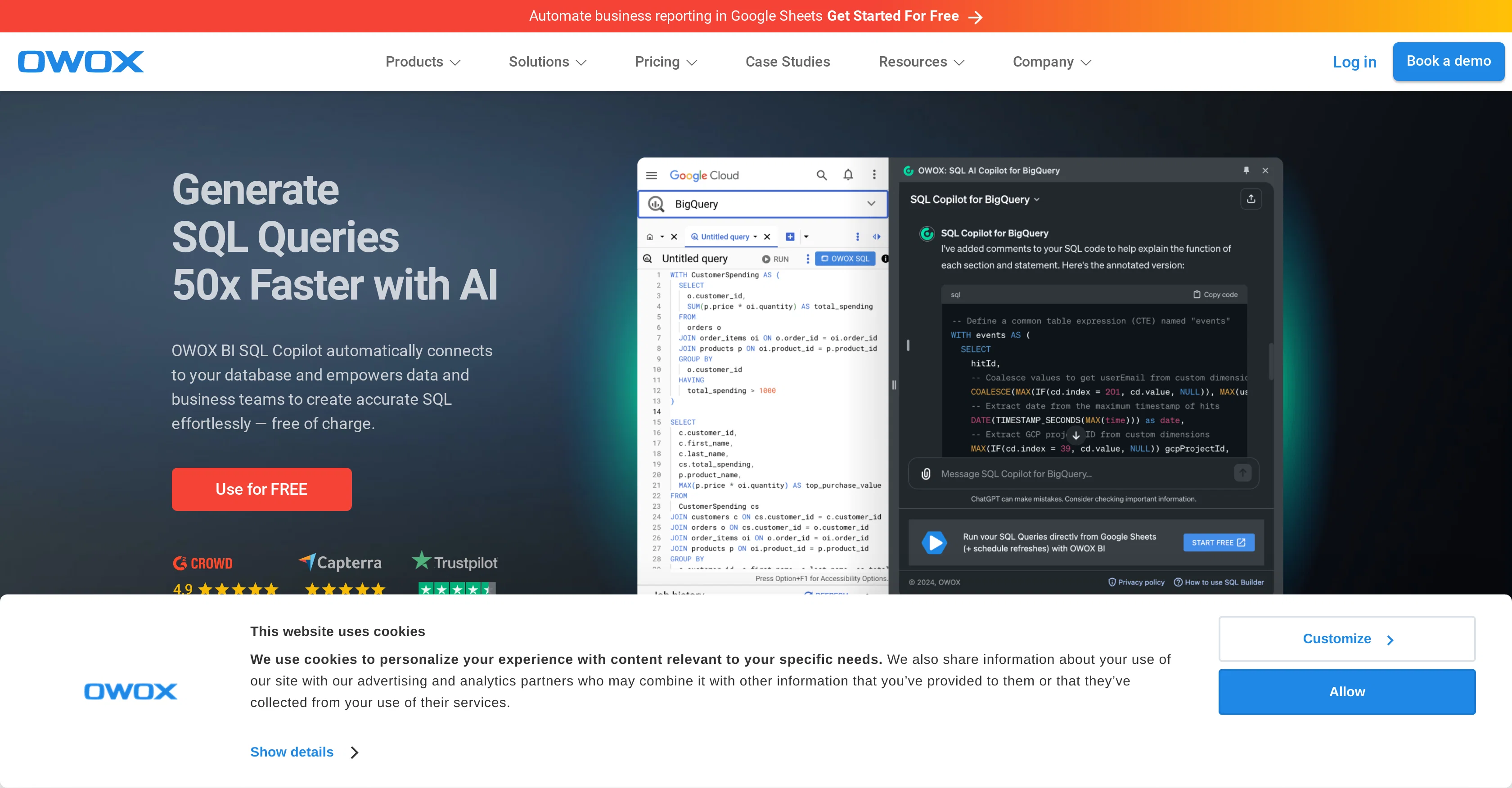
OWOX BI SQL Copilot is an AI-driven tool designed to make the process of generating, optimizing, debugging and testing SQL queries more efficient. This product allows users to connect their database and enhance their data analysis process.
The SQL Copilot, as its name suggests, aids in building SQL Queries quickly using artificial intelligence, making it a crucial tool for businesses that depend heavily on data analysis for decision making.
Further, it features an AI Chrome Sidebar, offering a free SQL generator right inside the browser's sidebar. Notably, the tool is designed to automate business reporting, which makes it instrumental in saving time and effort in corporate reporting.
It works hand-in-hand with Google Sheets, simplifying the process of getting reports from BigQuery directly in the Sheets. Additionally, it plays a significant role in the data preparation process, where it revolutionizes the way businesses handle their data.
The tool extends its capabilities to work with a variety of integrations including Google Analytics 4, Google Sheets, Google BigQuery and various advertising platforms such as Facebook Ads, Google Ads and LinkedIn Ads.
Help other people by letting them know if this AI was useful.
Add your own prompts and outputs to help others understand how to use this AI.
Screenshot gallery
Pros & Cons
Pros
+Generates SQL queries efficiently
+Business reporting automation
+Direct integration with Google BigQuery
+Google Sheets Integration
+Works with various advertising platforms
+Visualizes database relationships
+Instant SQL debugging and correction
+Broad range of SQL functionalities
+Enhances existing SQL queries
+Automated table schema detection
+Real-time query correction
+Use natural language for query generation
+Provides error-free SQL
+Ensures data security and compliance
+No coding skills required
+Boosts team productivity
+Transforms data interaction
+Join keys discovery
+Visualize data relationships
+Optimize and execute queries
+Easy to use for beginners
+Saves time on data operations
+100% data ownership
+Helps with data preparation process
Cons
−Only works with Google BigQuery
−Limited to SQL queries
−Dependent on a good internet connection
−Chrome-only sidebar
−No support for other databases
−No offline version
−Dependent on Google Sheets for certain functionalities
−No manual override for automatic schema detection
A Professional Framework to Evaluate OWOX
When considering OWOX for integration into your organizational workflow, we recommend deploying a structured score card across three critical operational pillars: Security & Compliance, Integration Friction, and long-term Price Scalability. Rather than looking only at basic feature lists, modern procurement teams must assess how a software platform behaves under high load and how well it fits into the team's data security guidelines.
1. Security and Database Compliance
Depending on your operating region and field, ensure that OWOX supports standard security layers such as SOC 2 Type II certifications, GDPR compliance, or HIPAA-compliant database encryption. If the tool connects directly to client database tables or handles user passwords, verify that they implement multi-factor authentication (MFA), single sign-on (SSO) integrations, and end-to-end data encryption in transit and at rest.
2. API Coverage and Custom Integrations
Siloed data is the primary cause of operational friction. Evaluate if OWOX has native connectors for your current project trackers, messaging hubs, and customer communication channels. For custom developer requirements, check if they provide a fully documented REST API with reasonable rate limits, comprehensive Webhooks support, and robust SDK packages in your language. A flexible API layer saves hundreds of hours of manual copy-paste overhead.
3. Total Cost of Ownership (TCO)
SaaS pricing packages are often deceptively simple. When reviewing OWOX's billing structure, map out your team's projected expansion over the next 12 to 24 months. Determine how costs scale as your customer database increases or as you add team members. Factor in setup costs, mandatory support plan upgrades, API access fees, and storage overage rates to understand the true cost before committing to a contract.
By combining verified user reviews from our directory with internal workflow pilot tests, your procurement team can make an informed decision that drives productivity without creating capital waste.
Features of OWOX
Data Analysis
SQL Queries
Business Reporting Automation
Data Preparation
AI Driven
BigQuery
Free + From $30/Mo
SaaS1to10 verified reviews for OWOX
Overall rating
★★★★★5.0
Based on 16 reviews
★★★★★5.01 months ago
“Review”
It is the ease of use for me. @DataSquirrel is fast, the UI is super intuitive, and the guided analysis feature is highly convenient. I have officially moved from uploading CSV files from Google sheet to @DataSquirrel. Within minutes, I can visualize my data and interpreting it becomes super simple.
Aakriti Mahajan
★★★★★5.01 months ago
“Review”
Great tool, offers a lot of data story suggestion and detailed charts.
Lotfi Bokhari
★★★★★5.01 months ago
“Review”
It's quite good
Antnio3_SS
★★★★★5.01 months ago
“Review”
This is an awesome tool for creating content very fast. I use it daily for my LinkedIn posts. However, you need to be crystal clear about what you actually want from it. Superb tool!
Archana Prabhune
★★★★★5.01 months ago
“Review”
Highly recommend it for anyone dealing with high-volume document processing. Simplifies the process of extracting data from multiple PDFs into clean, accurate spreadsheets.
Tarang
★★★★★5.01 months ago
“Review”
We can use this AI effortlessly
Mohammed Sabiq
★★★★★5.01 months ago
“Review”
Hi Lachy, Thank you for bringing this issue to our attention and for your patience. We understand the importance of a seamless experience and are committed to improving our software continuously. We've issued a software update which resolves the issue and are extending additional free use as a token of our appreciation. We're confident in our product's ability to deliver superior formula and VBA code generation. Your feedback is invaluable as we strive to provide the best tool on the market.
Excel Master
★★★★★5.01 months ago
“Review”
A very useful thing :)
A. G.
★★★★★5.01 months ago
“Review”
I swear this actually saved me a lot. 100% recommend to anyone.
307LLL
★★★★★5.01 months ago
“Review”
I’ve been using it for a month now and I have decided to keep it for a year. There definitely are some kinks they can still work out like file management, but it’s very good at it’s core function: it generally does a good job answering questions and most times identifies PDFs automatically and correctly. The browser plugin works great, and it’s very nice that @Papers allows you to add your university’s library API so you can automatically download PDFs that are accessible through your institution (sometimes it refuses to download some @Papers, so you just have to downlow it yourself and manually add it). The iPad and Android apps are serviceable. Every once in a while it will mess up the PDF identification, especially with @Papers from either very old sources or online-only journals. Things they must work on: * A much better system to annotate PDFs (the post-it type notes are cumbersome). * Introduce a notepad attached to each PDF or some way to easily link and save the AI’s output to the PDF. Currently, you have to add a little post it note and then paste the text there. * Keep the AI answers available after closing the documents. If you close the document by mistake or have several open and wish to close some, the ai conversation will be reset. * I REALLY wish that you could get citations and links to where the info was from extracted from PDFs. Currently, I have found Coral.ai does a much better job of showing you where the info came from and it even highlights it for you. Give it a try, their 30-day no credit card needed trial allowed me to truly test it, and now I’m a yearly subscriber looking forward for new additions and releases.
JB
★★★★★5.01 months ago
“Review”
Edisa, thanks for the reply. Didn't know about the confidentiality guarantee.
Kevin Corrigan
★★★★★5.01 months ago
“Review”
I've been playing around with this for a few hours. It's made me say "WOW" too many times than i wish to admit. I'm going to follow this and see how it evolves. For now, i managed to create quite a nice Expenses app for personal use. | It did have some problems when it came to moving some components on other pages, but for how short the prompts it uses can be, it is really impressive. With some proper prompts it can generate some strong stuff.
Bernard
★★★★★5.01 months ago
“Review”
It's genius. Amazing tool. PDF generation might be improved, but apart from that is amazing.
Aleksander Lukashou
★★★★★5.01 months ago
“Review”
I'm still testing the tool yet it looks very promising. I tested it with a 5.5k words Academic text that I had previously red. I tested the Key points feature, it does work!
Ivana González
★★★★★5.02 months ago
“Review”
Works really well, keeps context about your database schema and works directly with data to very quickly generate sql, datatables and visual graphs
Kieron Welman
★★★★★5.02 months ago
“Review”
Great product, helps us to get insights from DB without involving developers.