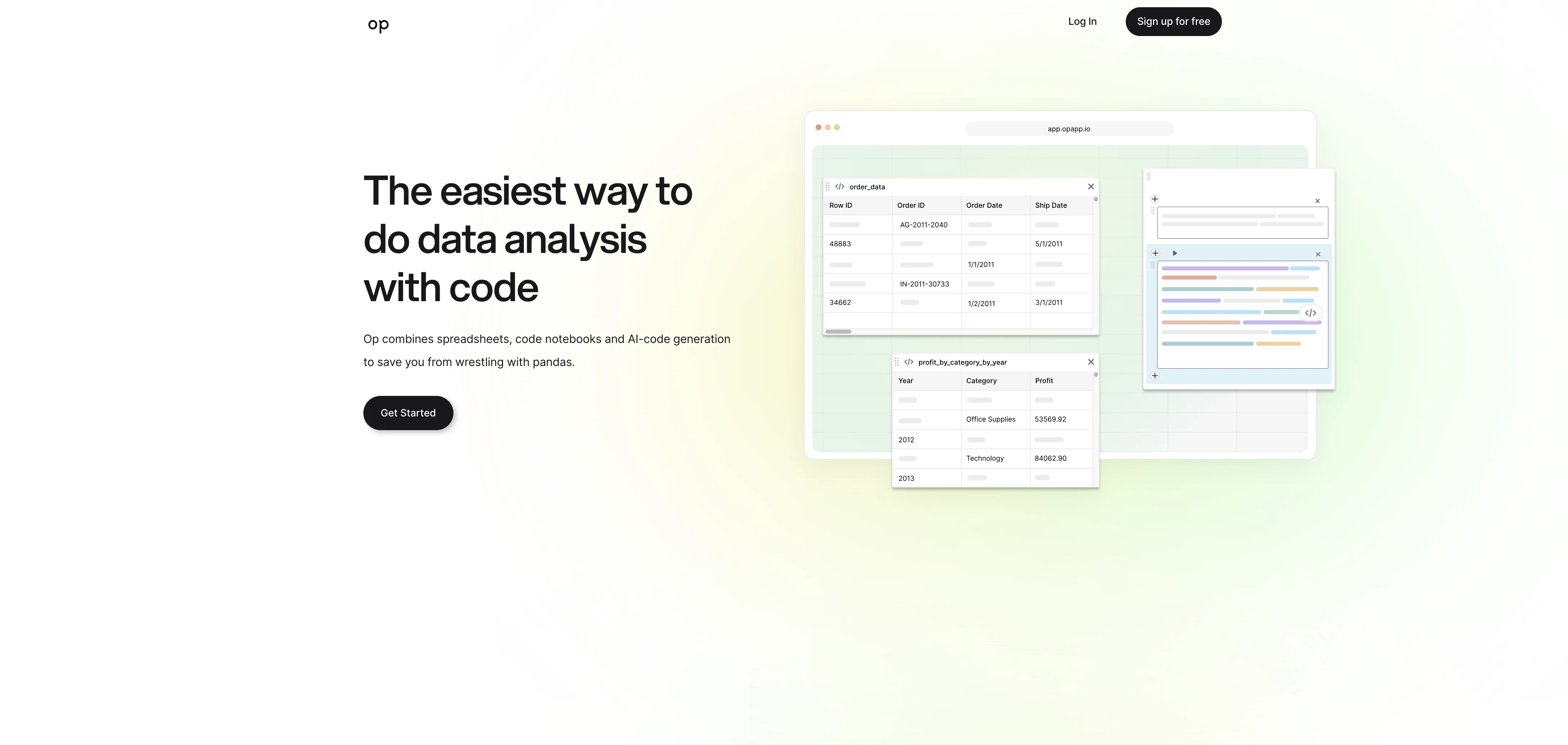
op is a data analysis tool that provides an easy and efficient way to analyze data using code. It combines spreadsheets, Jupyter notebooks, and AI-chat to simplify the data analysis process.
By asking questions about the data, users can generate code without the need to struggle with Python pandas.The tool aims to save users time by eliminating the need to search for Python error solutions online.
By asking questions, users receive context-relevant code as a response, minimizing the time spent on debugging and troubleshooting.op allows users to sync visual tables with data frames in the code, ensuring that the data is always visible and easily accessible.
This feature enhances the user's understanding of the data and facilitates the analysis process.Additionally, op offers a free trial, eliminating the need for a credit card to get started.
This allows users to experience the tool and its capabilities before committing to a paid plan.Overall, op simplifies the data analysis process by providing an intuitive interface that combines spreadsheets, code notebooks, and AI-generated code.
It aims to streamline the coding aspect of data analysis, allowing users to focus on extracting meaningful insights from their data.
Help other people by letting them know if this AI was useful.
Add your own prompts and outputs to help others understand how to use this AI.
Screenshot gallery
Pros & Cons
Pros
+Improved data analysis efficiency
+Code generation by query
+Combines spreadsheets and code
+Python error solutions
+Context-relevant code generation
+Data frames sync with tables
+Code and data side-by-side
+Free trial, no credit card needed
+Intuitive interface
+Data insights by questions
+Time-saving debugging process
+Accessible and visible data
+Easily extract meaningful insights
+Streamlines coding in data analysis
+Avoids wresting with pandas
+Prompt data question answering
Cons
−Syncing issues with data frames
−Requires existing coding knowledge
−No available API
−Limited to Python pandas
−Lack of error solutions
−No offline mode
−Limited to spreadsheets format
−No customization options
−Free trial might be limiting
A Professional Framework to Evaluate Op app
When considering Op app for integration into your organizational workflow, we recommend deploying a structured score card across three critical operational pillars: Security & Compliance, Integration Friction, and long-term Price Scalability. Rather than looking only at basic feature lists, modern procurement teams must assess how a software platform behaves under high load and how well it fits into the team's data security guidelines.
1. Security and Database Compliance
Depending on your operating region and field, ensure that Op app supports standard security layers such as SOC 2 Type II certifications, GDPR compliance, or HIPAA-compliant database encryption. If the tool connects directly to client database tables or handles user passwords, verify that they implement multi-factor authentication (MFA), single sign-on (SSO) integrations, and end-to-end data encryption in transit and at rest.
2. API Coverage and Custom Integrations
Siloed data is the primary cause of operational friction. Evaluate if Op app has native connectors for your current project trackers, messaging hubs, and customer communication channels. For custom developer requirements, check if they provide a fully documented REST API with reasonable rate limits, comprehensive Webhooks support, and robust SDK packages in your language. A flexible API layer saves hundreds of hours of manual copy-paste overhead.
3. Total Cost of Ownership (TCO)
SaaS pricing packages are often deceptively simple. When reviewing Op app's billing structure, map out your team's projected expansion over the next 12 to 24 months. Determine how costs scale as your customer database increases or as you add team members. Factor in setup costs, mandatory support plan upgrades, API access fees, and storage overage rates to understand the true cost before committing to a contract.
By combining verified user reviews from our directory with internal workflow pilot tests, your procurement team can make an informed decision that drives productivity without creating capital waste.
Features of Op app
Data Analysis
Code Generation
Efficiency
Data Processing
Automation
AI Optimization
Free
SaaS1to10 verified reviews for Op app
Overall rating
★★★★★5.0
Based on 20 reviews
★★★★★5.02 months ago
“Review”
I can't help but rave about this product because of the level of craftsmanship in it; @Vizly is made for data scientists, by data scientists, and it shows. Having tried various tools in the space, I can confidently say it's the best by a mile, the UX is silky smooth and will feel familiar to any data scientist, and yet it manages to supercharge your workflows - I gurantee you'll be a few times more productive, can't recommend it enough.
Amir Abushanab
★★★★★5.02 months ago
“Review”
Useful to quickly explore the content of and interconnections between research papers. Makes it a more fun process.
Jon Hasworth
★★★★★5.02 months ago
“Review”
I would highly recommend for researches and students. useful to manage your articles and use AI to get the key points.
Hamed Mousavi
★★★★★5.02 months ago
“Review”
Useful tool for visualizing traffic flowing through your website. Does what GA4 does but without the headache and unnecessary learning curve.
Nic Miller
★★★★★5.02 months ago
“Review”
Great product to offload the data analytics workflow.
Pedro A Porras Luraschi
★★★★★5.02 months ago
“Review”
I tried using it but the website has too many bugs.
João Neiva
★★★★★5.02 months ago
“Review”
The website is pretty good but there are only a limited number of responses
Probal Roy
★★★★★5.02 months ago
“Review”
After my first use, I think it's surprisingly good. The only drawback so far is the PDF export option for the report which is formatless.
Alejandro Correa
★★★★★5.02 months ago
“Review”
I'm still testing the tool yet it looks very promising. I tested it with a 5.5k words Academic text that I had previously red. I tested the Key points feature, it does work!
Ivana González
★★★★★5.02 months ago
“Review”
O GPT faz uma análise melhor e mais personalizada.
Vinicius Vilela
★★★★★5.02 months ago
“Review”
A valuable resource. I think I will be using this site quite regularly.
Slavica Voss
★★★★★5.02 months ago
“Review”
I think it's the best @Image Generator I ever found on the net. It gives more accurate image according to the prompt. And thank you for keeping it for free.
My Sawsiri
★★★★★5.02 months ago
“Review”
I really like @DataLine, but I'm kinda biased cause I built it.
Rami Awar
★★★★★5.02 months ago
“Review”
after playing around with it for a bit, i am now aware of how much i need this. i can already feel the hours of sleep coming back to me <3
Bru no no no
★★★★★5.02 months ago
“Review”
I really value the sentiment analysis tool—it simplifies understanding customer feedback by picking up on their emotions. Plus, the way it groups comments into topics is super helpful for decision-making.
Prakhar Pratap Mall
★★★★★5.02 months ago
“Review”
Immo currently best solution if you want to convert / enchant your how-to tutorials to more professional!
asusi zuppa
★★★★★5.02 months ago
“Review”
Created a dashboard using my Excel file and it gave insights I didn’t even expect. It can read any kind of Excel file no matter the template. I can even check the accuracy by tracing back which column the data came from Great tool. highly recommended!!
Anubhav Pandey
★★★★★5.02 months ago
“Review”
Signed up for a pro account for Google Drive integration. Works great! Saves me a lot of manual excel work.
Thu Ha Vu
★★★★★5.02 months ago
“Review”
It is the ease of use for me. @DataSquirrel is fast, the UI is super intuitive, and the guided analysis feature is highly convenient. I have officially moved from uploading CSV files from Google sheet to @DataSquirrel. Within minutes, I can visualize my data and interpreting it becomes super simple.