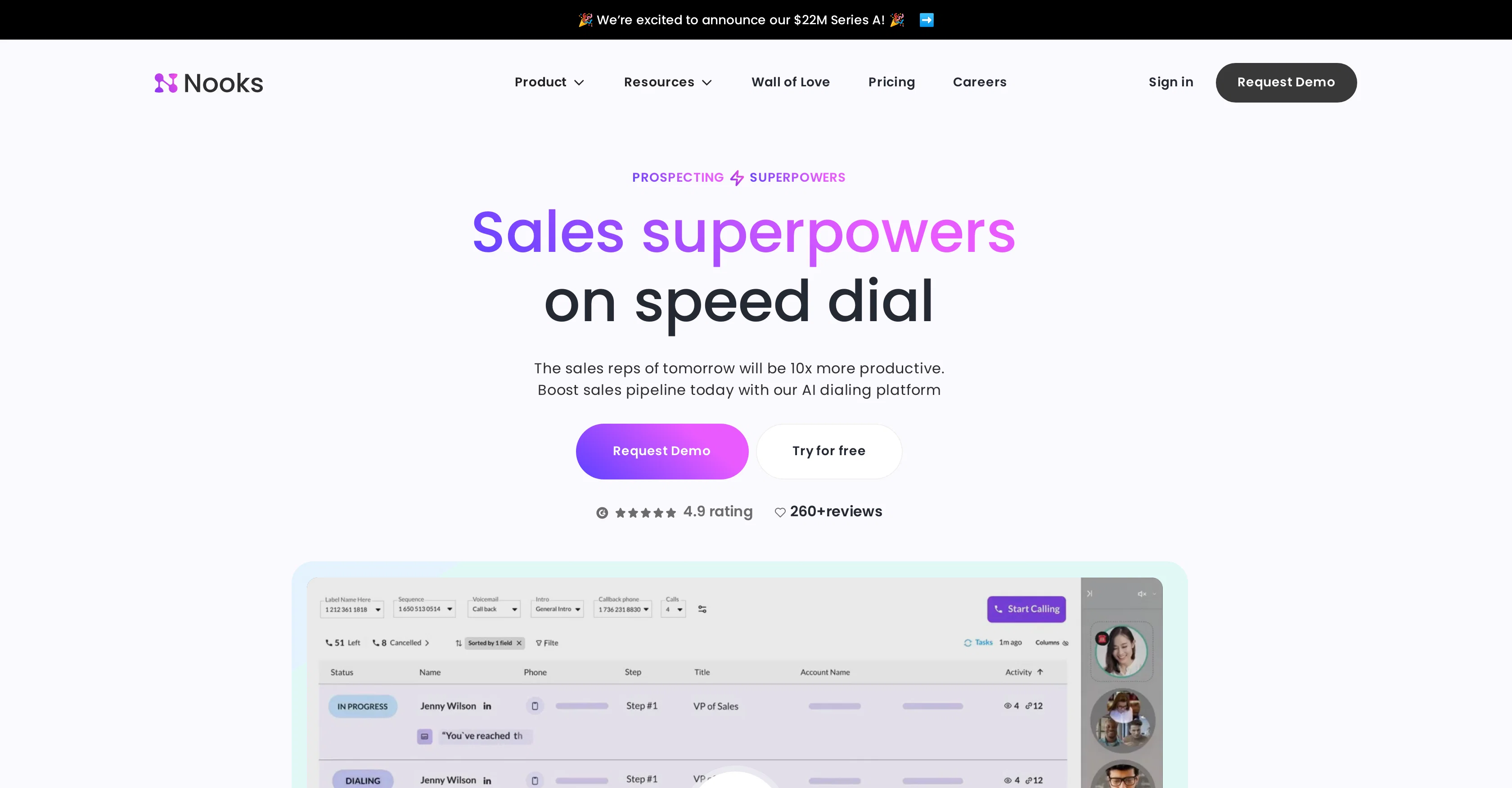
Nooks is an AI-assisted outbound platform, designed to boost productivity and enhance collaboration in the sales process. It uses a feature entitled 'Parallel Dialer' to automate manual call tasks, effectively increasing volume and conversion rates.
The platform offers a virtual sales floor, which is intended to facilitate coaching and collaboration on live calls, regardless of whether the team is remote, hybrid, or in-person.
Its 'AI Dialer' automates processes like skipping answering machines, logging calls, taking notes, and more, allowing sales representatives to focus more on selling.
It also provides call analytics, transcribing and analyzing calls to help improve team performance based on the analyzed data. Another key feature of Nooks is its 'AI Training', which allows users to work on their talk tracks with simulated personas based on real call data.
The platform additionally works to improve data coverage and quality by leveraging AI verification and waterfall enrichment across top providers, these are collectively known as 'Nooks Numbers'.
The tool integrates with LinkedIn, and offers convenient features like 'AI Battlecards' for strategies, smart lists for organization, and an automatic voicemail drop for efficiencies.
Help other people by letting them know if this AI was useful.
Add your own prompts and outputs to help others understand how to use this AI.
Screenshot gallery
Pros & Cons
Pros
+Parallel Dialer
+Automates manual call tasks
+Increases call volume
+Increases sales conversion rates
+Virtual sales floor
+Coaching on live calls
+Collaboration on live calls
+Supports remote teams
+Supports hybrid teams
+Supports in-person teams
+Skips answering machines automatically
+Automated call logger
+Automated note taking
+Call analytics
+Call transcriptions
+Improves team performance
+Simulated customer personas
+Based on real call data
+Improves data coverage
+Improves data quality
+Waterfall enrichment
+Nooks Numbers
+LinkedIn integration
+Smart lists for organization
+Automatic voicemail drop
+Increases productivity
+Enhances collaboration in sales
+Automates call tasks
+Facilitates coaching on calls
+Allows focus on selling
+Automates answering machine skipping
+Automates call logging
+Transcribes and analyzes calls
+Enables talk track practicing
+Leverages waterfall enrichment
+Database from top providers
+Integrates convenient features
+Auto voicemail drop feature
+Boosts sales pipeline
+Parallel dialing feature
+Training from real calls
+Enriches data coverage
+Increases data quality
+Automates skip answering machines
+Automated note taking during calls
+Analyze performance across target accounts
Cons
−Limited CRM integrations
−No mention of mobile app
−No automation for email tasks
−Dependency on reliable internet connection
−Lacks defined user-role customization
−No multilingual support pointed out
−No apparent A/B testing feature
−Lack of third-party integrations
−No specific feature for GDPR compliance
A Professional Framework to Evaluate Nooks
When considering Nooks for integration into your organizational workflow, we recommend deploying a structured score card across three critical operational pillars: Security & Compliance, Integration Friction, and long-term Price Scalability. Rather than looking only at basic feature lists, modern procurement teams must assess how a software platform behaves under high load and how well it fits into the team's data security guidelines.
1. Security and Database Compliance
Depending on your operating region and field, ensure that Nooks supports standard security layers such as SOC 2 Type II certifications, GDPR compliance, or HIPAA-compliant database encryption. If the tool connects directly to client database tables or handles user passwords, verify that they implement multi-factor authentication (MFA), single sign-on (SSO) integrations, and end-to-end data encryption in transit and at rest.
2. API Coverage and Custom Integrations
Siloed data is the primary cause of operational friction. Evaluate if Nooks has native connectors for your current project trackers, messaging hubs, and customer communication channels. For custom developer requirements, check if they provide a fully documented REST API with reasonable rate limits, comprehensive Webhooks support, and robust SDK packages in your language. A flexible API layer saves hundreds of hours of manual copy-paste overhead.
3. Total Cost of Ownership (TCO)
SaaS pricing packages are often deceptively simple. When reviewing Nooks's billing structure, map out your team's projected expansion over the next 12 to 24 months. Determine how costs scale as your customer database increases or as you add team members. Factor in setup costs, mandatory support plan upgrades, API access fees, and storage overage rates to understand the true cost before committing to a contract.
By combining verified user reviews from our directory with internal workflow pilot tests, your procurement team can make an informed decision that drives productivity without creating capital waste.
Features of Nooks
Sales Productivity
Sales Process Automation
AI Powered Dialing
Call Automation
Outbound Platform
Team Performance Analysis
SaaS1to10 verified reviews for Nooks
Overall rating
★★★★★5.0
Based on 10 reviews
★★★★★5.02 months ago
“Review”
@TermSniper.com is a powerful tool for businesses looking to enhance their online strategy by understanding the intent behind user searches. By analyzing search queries, @TermSniper identifies the specific intentions that drive users to perform searches, allowing businesses to tailor their content more effectively. This deeper insight into user behavior helps create content that resonates better with the target audience, leading to improved engagement and potentially better SEO results. While the impact on SEO varies depending on factors like content quality and competition, @TermSniper serves as a key resource for aligning content with search intent.
Ruslan Butivchenko
★★★★★5.02 months ago
“Review”
I found @AHelp during its ProductHunt launch. Tried its free tools and was quite satisfied. That's why plan to use them often.
Dasha Karpiuk
★★★★★5.02 months ago
“Review”
Hey everyone! I’m Martin — co-founder, builder, and creator of @OneTask 🚀 @OneTask is specifically designed for people with ADHD and other creatives who can’t be bothered to spend time “managing” their tasks, and instead need an app that just helps them get things done. We have a Todoist and Google Calendar integration, and offer many other features that will help you optimize your life. Let me know if you have any questions! As of this writing, we have a special lifetime deal featured on our website — be sure to catch it before it’s gone! Martin
Martin Adams
★★★★★5.02 months ago
“Review”
Thank you. We are looking forward for the latest 4-o1 model available and it would be even better in terms of reasoning accuracy.
Pei Yong Goh
★★★★★5.02 months ago
“Review”
Great tool for simplifying product requirement tasks. Smooth Jira integration, some AI-generated content might need tweaking. If you’re looking to streamline your process without spending much, it’s definitely worth a try!
Levent Kılıç
★★★★★5.02 months ago
“Review”
has been an absolute game changer. Easy to use and offers the flexibility of enterprise level integrations at a fraction of the cost of some other tools. Training models are easy.
navin jeno
★★★★★5.02 months ago
“Review”
Thanks for the feedback! Would love to hear what you’d like to see next
MagicBlocks
★★★★★5.02 months ago
“Review”
I was searching for such a tool literally two days ago, and today I found it on theresanaiforthat. That's funny and awesome. It seems to work well.
Sergey Kolesnikov
★★★★★5.02 months ago
“Review”
It’s an very interesting project, it helps me a lot to speed up my process.
Max Reverey
★★★★★5.02 months ago
“Review”
that's such a great AI
piw
Pricing
Starting Price
Contact vendor for pricing
Pricing may vary based on team size and features selected.