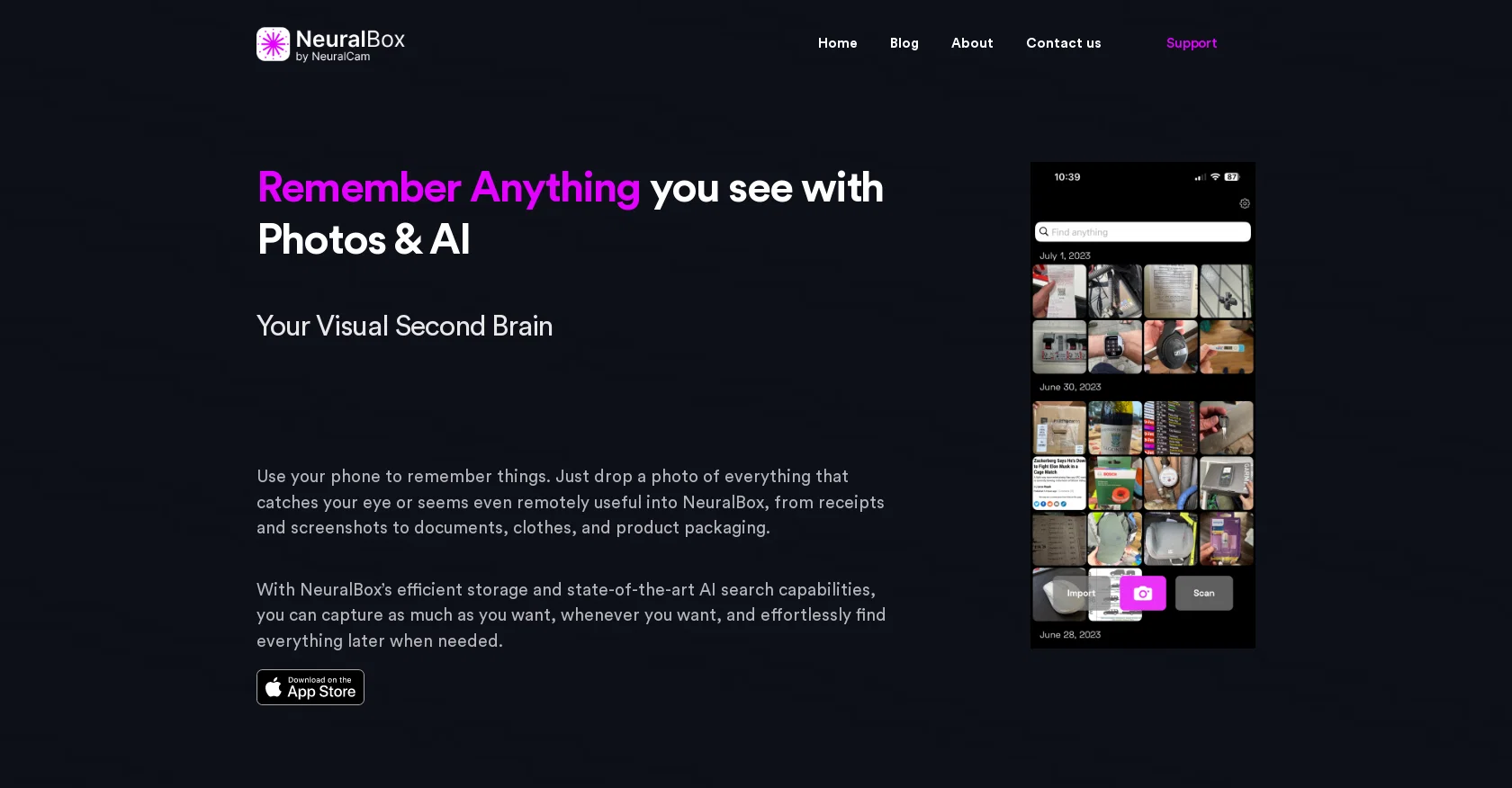
NeuralBox by NeuralCam is a mobile app that serves as a visual second brain, allowing users to remember and organize various types of information using photos and AI.
With NeuralBox, users can easily capture and store photos of anything they find interesting or useful, such as receipts, documents, screenshots, clothing, and product packaging.
The app offers efficient storage and state-of-the-art AI search capabilities, enabling users to capture as much as they want and effortlessly find everything later when needed.One of NeuralBox's notable features is its AI image and OCR search, which allows users to search for specific objects or text within their images using simple descriptions.
This powerful search capability eliminates the need for complex organization, folders, or tags. Additionally, the app offers image similarity browsing, allowing users to find visually similar images based on color, texture, and shape.NeuralBox provides efficient on-device and cloud storage for photos, making it easy for users to store countless utility images without worrying about running out of space.
As a result, users can unclutter their main photo gallery and keep it reserved for special moments. The app offers a free version with limited features and a paid version, NeuralBox Plus, which provides unlimited photos, cloud storage, document scanning mode, and synchronization across multiple devices.NeuralBox is designed to be user-friendly, with a quick-add lock screen widget and automatic importing of screenshots.
It is available for download on the App Store for iOS devices.
Help other people by letting them know if this AI was useful.
Add your own prompts and outputs to help others understand how to use this AI.
Screenshot gallery
Pros & Cons
Pros
+Efficient visual note-taking
+Automated import of screenshots
+Easy image capture
+OCR search capabilities
+Search with simple descriptions
+Image similarity browsing
+Efficient on-device storage
+Cloud storage support
+Unclutter main photo gallery
+Free version available
+NeuralBox Plus for advanced features
+Quick-add lock screen widget
+Supports multiple devices
+Document scanning mode
+Sync across devices
+Auto-import screenshots
+Import existing photos
+No watermark on shared images
+Optimized use of local storage
Cons
−Only available on iOS
−Limited features in free version
−Requires monthly subscription for full access
−No Android support
−No image watermark removal in free version
−Limited storage in free version
−Only 30 photos per month in free version
−No document scanning in free version
−No multi-device sync in free version
A Professional Framework to Evaluate NeuralBox
When considering NeuralBox for integration into your organizational workflow, we recommend deploying a structured score card across three critical operational pillars: Security & Compliance, Integration Friction, and long-term Price Scalability. Rather than looking only at basic feature lists, modern procurement teams must assess how a software platform behaves under high load and how well it fits into the team's data security guidelines.
1. Security and Database Compliance
Depending on your operating region and field, ensure that NeuralBox supports standard security layers such as SOC 2 Type II certifications, GDPR compliance, or HIPAA-compliant database encryption. If the tool connects directly to client database tables or handles user passwords, verify that they implement multi-factor authentication (MFA), single sign-on (SSO) integrations, and end-to-end data encryption in transit and at rest.
2. API Coverage and Custom Integrations
Siloed data is the primary cause of operational friction. Evaluate if NeuralBox has native connectors for your current project trackers, messaging hubs, and customer communication channels. For custom developer requirements, check if they provide a fully documented REST API with reasonable rate limits, comprehensive Webhooks support, and robust SDK packages in your language. A flexible API layer saves hundreds of hours of manual copy-paste overhead.
3. Total Cost of Ownership (TCO)
SaaS pricing packages are often deceptively simple. When reviewing NeuralBox's billing structure, map out your team's projected expansion over the next 12 to 24 months. Determine how costs scale as your customer database increases or as you add team members. Factor in setup costs, mandatory support plan upgrades, API access fees, and storage overage rates to understand the true cost before committing to a contract.
By combining verified user reviews from our directory with internal workflow pilot tests, your procurement team can make an informed decision that drives productivity without creating capital waste.
Features of NeuralBox
Visual Note Taking
Data Organization
Efficiency Tools
Neural Networks
Information Management
Student Tools
From $4.99
SaaS1to10 verified reviews for NeuralBox
Overall rating
★★★★★5.0
Based on 17 reviews
★★★★★5.01 months ago
“Review”
Good idea on democratization of AHP based Multiple Criteria Decision Making / Analysis (MCDM / MCDA). Helping common people to get AI powered MCDA at own mobile phone, otherwise only available expencive software with enterprises.
Shashi Bhattarai
★★★★★5.02 months ago
“Review”
Great idea, but does not find what you are looking for-about the same as Google Scholar
Andy
★★★★★5.02 months ago
“Review”
Great product to offload the data analytics workflow.
Pedro A Porras Luraschi
★★★★★5.02 months ago
“Review”
It has everything that I need in one place: ChatGPT, Copywriting templates, AI Images, Audio Transcription.
Dmytro
★★★★★5.02 months ago
“Review”
Hey Dillon, email me at bobby@revmo.ai and let’s see if we can figure out what’s going on.
Revmo
★★★★★5.02 months ago
“Review”
Did not work, keeps on thinking
Frank van Tussenbroek
★★★★★5.02 months ago
“Review”
It is the ease of use for me. @DataSquirrel is fast, the UI is super intuitive, and the guided analysis feature is highly convenient. I have officially moved from uploading CSV files from Google sheet to @DataSquirrel. Within minutes, I can visualize my data and interpreting it becomes super simple.
Aakriti Mahajan
★★★★★5.02 months ago
“Review”
Nice interface, but no good at PDF answers, especially tables data.
hifive szu
★★★★★5.02 months ago
“Review”
Please forward any material NSFWJS finds directly to me! This kind of thing is not to be trifled with!
This Cosmic
★★★★★5.02 months ago
“Review”
Fantastic tool for anyone who is looking to promote their personal brand and gain followers on Linkedin with no experience. The tool has a lot of potential to grow and as someone who has recently purchased the tool I'm hoping for more topics in settings.
Ed Soltani
★★★★★5.02 months ago
“Review”
Really like how it finds connection in the content that I save. I don't think any other tool can do that.
amix ffx
★★★★★5.02 months ago
“Review”
Undetectable.wtf is better bypasses everything maintaining thee integrity of the text.
LiteEagle
★★★★★5.02 months ago
“Review”
It's really frustrating when you try to select something you want, only to be immediately redirected to a subscription-based payment model. There's no opportunity to even test things out, which kills the enthusiasm right away. It seems like everything is geared towards subscriptions nowadays, and it's a turn-off. Companies should prioritize transparency and give customers a chance to try out products before committing to a subscription. Practices like these erode consumer trust and deter many potential customers.
X X
★★★★★5.02 months ago
“Review”
Really amazing! Makes learning content and engaging with things so much easier!
Jamie McDonald
★★★★★5.02 months ago
“Review”
Easy to implement into my workflow and helps save time reviewing and drafting various legal documents
Meaghan Hounslow
★★★★★5.02 months ago
“Review”
the search functionality is a bit limited i think. like i save lots of webpages but it can't really know the pages content themselves
Lilly Walsh
★★★★★5.02 months ago
“Review”
Super! Honest 5 stars!
Sergej Kelsch
Pricing
Starting Price
Contact vendor for pricing
Pricing may vary based on team size and features selected.