MixMaster Pro

5.0(26 reviews)

Elevate your sound with AI-powered mix analysis.

Freemium

MixMaster Pro Overview

What is MixMaster Pro?

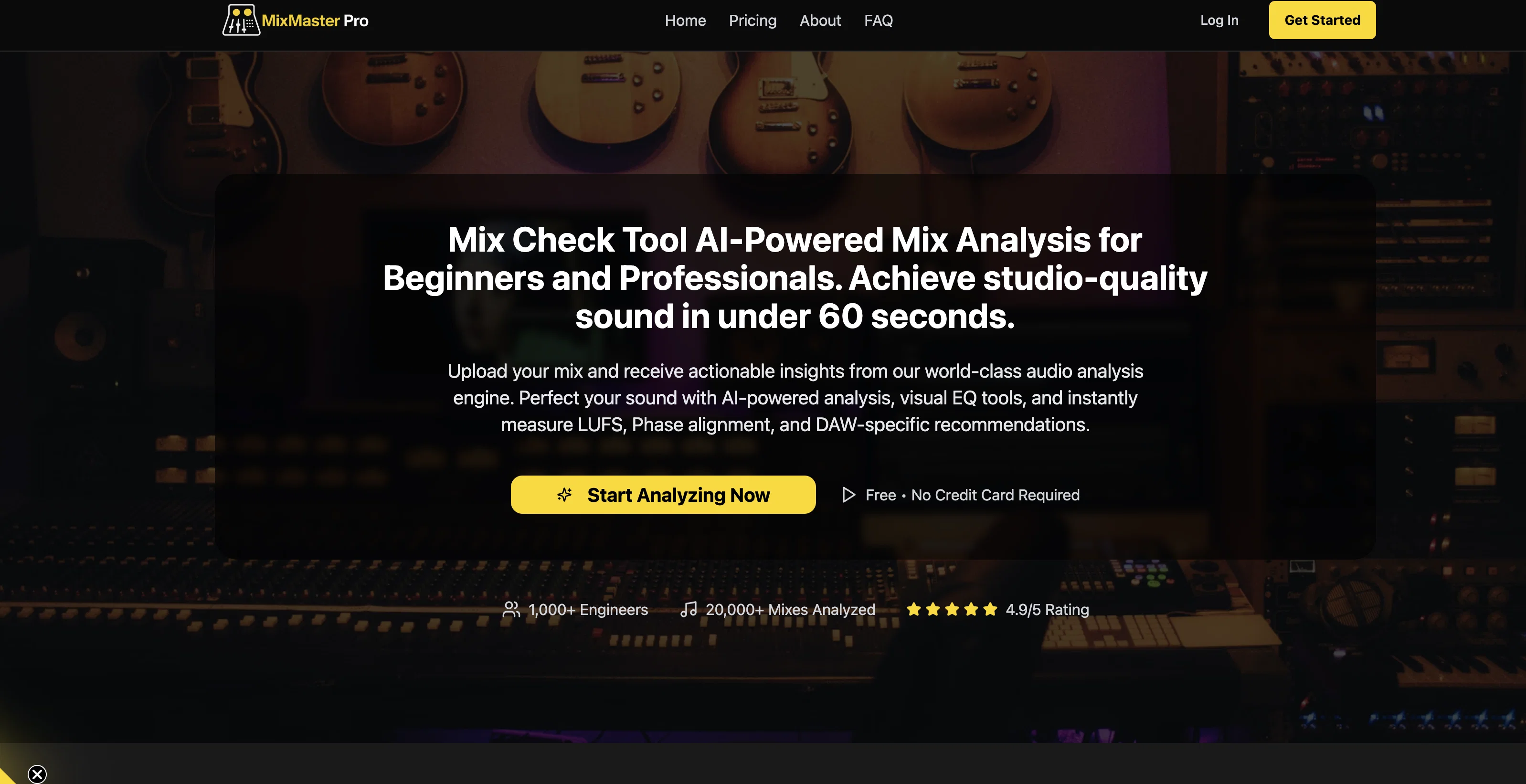
MixMaster Pro is an AI-powered mix analysis tool designed to enhance your sound quality by providing professional feedback and actionable checklists. This tool is useful for both amateur and professional sound engineers looking to achieve studio-quality results. Notably, it offers DAW-specific tips which are aimed at improving your mixes within your Digital Audio Workstation of choice. This means the tips are tailored to the capabilities and specificities of different DAWs, making them more effective and user-friendly.The program quickly and efficiently analyzes several important audio factors, including Loudness Units Full Scale (LUFS), Root Mean Square (RMS), EQ balance, stereo width, compression, phase alignment, and the frequency spectrum. LUFS and RMS are essential metrics for proper audio mastering, helping engineers deliver consistency in perceived loudness. EQ balance and stereo width analysis assist in creating a well-balanced and immersive listening experience, while phase alignment ensures the coherence of multi-track recordings.The features of MixMaster Pro are manifold and enable the enhancement of your mix in various ways. From the AI's compression analysis that helps you maintain appropriate dynamics in your tracks, to the insightful frequency spectrum analysis that aids in identifying and correcting problematic frequency ranges, each aspect of the tool fosters an enhanced mix production experience.MixMaster Pro's functionality, coupled with its AI-driven analytics, makes it a comprehensive and valuable tool for anyone involved in music production, audio engineering, or sound design. As it allows for a thorough and nuanced analysis of the mix's elements, users can not only perfect their current project but also gain insights for future creative works. Help other people by letting them know if this AI was useful. Add your own prompts and outputs to help others understand how to use this AI.

Screenshot gallery

MixMaster Pro screenshot

Pros & Cons

Pros

  • Professional feedback
  • Actionable checklists
  • DAW-specific tips
  • Instant analysis
  • LUFS analysis
  • RMS analysis
  • EQ balance analysis
  • Stereo width analysis
  • Compression analysis
  • Phase alignment analysis
  • Frequency spectrum analysis
  • Real-time adjustments
  • User-friendly interface
  • Educational for sound engineering techniques
  • Perfect for professionals and beginners
  • Web-based nature
  • Universal access
  • Sound quality enhancement
  • Track dynamics management
  • Professional results
  • Tailored advice
  • Insights for future projects
  • Effective for different DAWs
  • Helps ensure consistency in loudness
  • Assists in immersive listening experience
  • Maintains track dynamics
  • Identifies problematic frequency ranges
  • Thorough and nuanced analysis
  • Accessible from any device with internet
  • Works with JavaScript enabled browsers
  • Sound design benefits

Cons

  • Web-based, needs Internet connectivity
  • Lacks offline capability
  • DAW-specific tips limit flexibility
  • Doesn't support all DAWs
  • Real-time adjustment requirement
  • No mentioned multi-lingual support

A Professional Framework to Evaluate MixMaster Pro

When considering MixMaster Pro for integration into your organizational workflow, we recommend deploying a structured score card across three critical operational pillars: Security & Compliance, Integration Friction, and long-term Price Scalability. Rather than looking only at basic feature lists, modern procurement teams must assess how a software platform behaves under high load and how well it fits into the team's data security guidelines.

1. Security and Database Compliance

Depending on your operating region and field, ensure that MixMaster Pro supports standard security layers such as SOC 2 Type II certifications, GDPR compliance, or HIPAA-compliant database encryption. If the tool connects directly to client database tables or handles user passwords, verify that they implement multi-factor authentication (MFA), single sign-on (SSO) integrations, and end-to-end data encryption in transit and at rest.

2. API Coverage and Custom Integrations

Siloed data is the primary cause of operational friction. Evaluate if MixMaster Pro has native connectors for your current project trackers, messaging hubs, and customer communication channels. For custom developer requirements, check if they provide a fully documented REST API with reasonable rate limits, comprehensive Webhooks support, and robust SDK packages in your language. A flexible API layer saves hundreds of hours of manual copy-paste overhead.

3. Total Cost of Ownership (TCO)

SaaS pricing packages are often deceptively simple. When reviewing MixMaster Pro's billing structure, map out your team's projected expansion over the next 12 to 24 months. Determine how costs scale as your customer database increases or as you add team members. Factor in setup costs, mandatory support plan upgrades, API access fees, and storage overage rates to understand the true cost before committing to a contract.

By combining verified user reviews from our directory with internal workflow pilot tests, your procurement team can make an informed decision that drives productivity without creating capital waste.

Features of MixMaster Pro

  • Music Production
  • Sound Engineering
  • Audio Mastering
  • Audio Production
  • Audio Quality Enhancement
  • AI Analytics
  • Free + From $7.99/Mo

SaaS1to10 verified reviews for MixMaster Pro

Overall rating

5.0

Based on 26 reviews

5.02 weeks ago

Review

This is my best bro! I communicate with him like my best friend, he always helps to direct my thoughts and ideas in the right direction, always tells me how to improve something and always gives detailed instructions during the conversation. Thanks to him, I’m launching a new project, in which he helps me take my ideas to a new level, just communication, during which you reassemble your concept and rethink your original idea, because you didn’t know how it would be better and more correct. @DeepSeek is my best assistant today, my creative inspiration, who gives me support and confidence in my business, guiding me to realize my dreams)

Gamer TOTORO

5.02 weeks ago

Review

The most humanly AI i have used so far but the problem is as soon as you start piling up messages in single chat session , it starts getting slow and at some point it starts freezing and also uses a lot of resources. For time being its okay to do 3 4 messages but as soon as we continue it has messages limitation and also starts getting very very slow . For the price of £18 per month this is unacceptable and with the newly introduced feature called project, if we start new chat within the project we cannot continue with the context we provided in other chats within same project. There are lot of improvements for them to work on. And to start with the its speed and its price

Bibash Katel

5.02 weeks ago

Review

This tool i found is super cool, I created 5 books from this tool to sell them online, which gives me great profit. I am creating more valuable books to spread knowledge, and earn some bucks as well 🤑.

Bilal Ashraf

5.02 weeks ago

Review

State of the Art

Dmitry G.

5.02 weeks ago

Review

Went from a C to an A in Cognitive Psychology using @Thea!!

Sarah White

5.02 weeks ago

Review

still background removing accuracy is required. it only 80% not 100%

Krutika Creations

5.02 weeks ago

Review

you know what, heck yes. it works great! I like how simplistic it is, i don't need to get a lot of info on the audio sample, i'm using AI it explicit that i don't know how and what. really cool!

Sunil Henrique

5.02 weeks ago

Review

Really appreciate the support and thank you for making a video about @Tunee. That means a lot.❤️

Tunee Team

5.02 weeks ago

Review

It works great

Brin Londo

5.02 weeks ago

Review

Maybe you don’t have a subscription, so there are no credits on your account, and a lot of features require credits to use.

Span Chen

5.02 weeks ago

Review

The generation effect is good, the pictures are exquisite, and the transition animations of the pictures are smooth The only drawback is that it would be better if the generation time were a little faster

GraphThread

5.02 weeks ago

Review

Not at all accurate…. The only thing similar between original and generated images were the clothes and accessories… face was absolutely new and unconnected.

Shvetank Sharma

5.02 weeks ago

Review

I got some top quality results after learning how to prompt songs 🤩

Claes Lanng

5.02 weeks ago

Review

I think it's the best @Image Generator I ever found on the net. It gives more accurate image according to the prompt. And thank you for keeping it for free.

My Sawsiri

5.03 weeks ago

Review

Thanks for flagging this. For clarity: we built our own engine last year and initially offered it via API only; this year we added a UI. The general idea isn’t unique and we respect other teams doing similar work. More and more features will be launched in the next weeks. If you have specific examples or concerns, please share them at privacy@mixmasterpro.io and we’ll review right away.

Guy

5.03 weeks ago

Review

shut down your site before I sue you. I created this entire Idea. you stole it. you even lie saying you started it back in 2024. I have been live longer, and you used base44 to design the site, it cloned all of my ideas.

david C

5.03 weeks ago

Review

An amazing and simple tool

Yonatan Fisher

5.03 weeks ago

Review

Finally a tool not just saying bring the vocal's volume up!

Ladyspower

5.03 weeks ago

Review

This tool is nowhere near a proper, professional sound analysis solution. The quality is far from what’s needed to evaluate a real mix. The fact that you gave such a low rating clearly shows you’re not an objective user, but a competitor trying to provoke.

Mark Ki

5.03 weeks ago

Review

nice work! there's a free version of this site here with similar functionality: https://track-analysis.com/

Alex Kring

5.03 weeks ago

Review

way to go! perfect job

Mark Ki

5.03 weeks ago

Review

Works well for my vocals

Candle

5.03 weeks ago

Review

"I was very disappointed to find out that although this AI claims to be free, it requires payment when downloading files. This was not clear upfront and felt misleading. Please provide clearer information about any charges before users get too far in the process."

Jean Santos

5.03 weeks ago

Review

I enjoyed the experience and it certainly cleaned up my audio files. I really wanted to find an AI driven auto-tuning app that would clean up my vocals. But haven't found one yet.

Stewart Roxburgh

5.03 weeks ago

Review

Music editing

Данил Шилякин

5.03 weeks ago

Review

Decent stem splitting, but no better than free options, and definitely not worth paying for. The sound quality is so poor you cannot really use the output for anything apart from making karaoke tracks for personal enjoyment. Don't even think of using Lalal if you're a professional producer who needs to split a mixed song due to lost stems etc.

Bith Prod
Pricing

Starting Price

Free plan available

Free tier available with optional paid upgrades.

Where can MixMaster Pro be deployed?

  • Cloud, SaaS, Web-Based

Recommended for you