5.02 months ago
“Review”
Went from a C to an A in Cognitive Psychology using @Thea!!
Sarah White

Access your Microsoft account securely.
Microsoft AI Playground Chat is Microsoft’s experimental conversational AI environment for exploring, testing, and interacting with its latest AI models through a simple chat interface. It allows users to ask questions, generate and refine text, brainstorm ideas, summarize information, and evaluate how different prompts influence model behavior in real time.The platform is primarily designed as a preview and experimentation space rather than a finished consumer productivity product. It gives users a hands-on way to try Microsoft’s AI capabilities, observe responses, compare outputs, and better understand how the models perform across a variety of creative, technical, and informational tasks.Microsoft AI Playground Chat can be useful for developers, researchers, creators, and curious users who want to explore AI interaction patterns, test use cases, and provide feedback on emerging Microsoft AI experiences. Overall, it serves as a lightweight, interactive sandbox for discovering and experimenting with Microsoft’s evolving conversational AI technology. Stronger photorealism with more natural light, skin tones, and lived-in environments. Better in-image text generation for things like posters, slides, diagrams, and signage. Stronger at rich, ornate, hyper-detailed scene creation. Higher public ranking, moving from top 10 into the top 3 model families on Arena. Broader rollout path, with Playground access now, rollout to Copilot and Bing Image Creator, and API access for select customers. Microsoft’s first fully in-house image generation model. Debuted in the top 10 on LMArena. Built for photorealistic imagery with strong lighting, reflections, and landscapes. Prioritized speed plus quality so creators can iterate faster. Designed to avoid repetitive, generic-looking outputs and provide more visual diversity Help other people by letting them know if this AI was useful. Add your own prompts and outputs to help others understand how to use this AI.
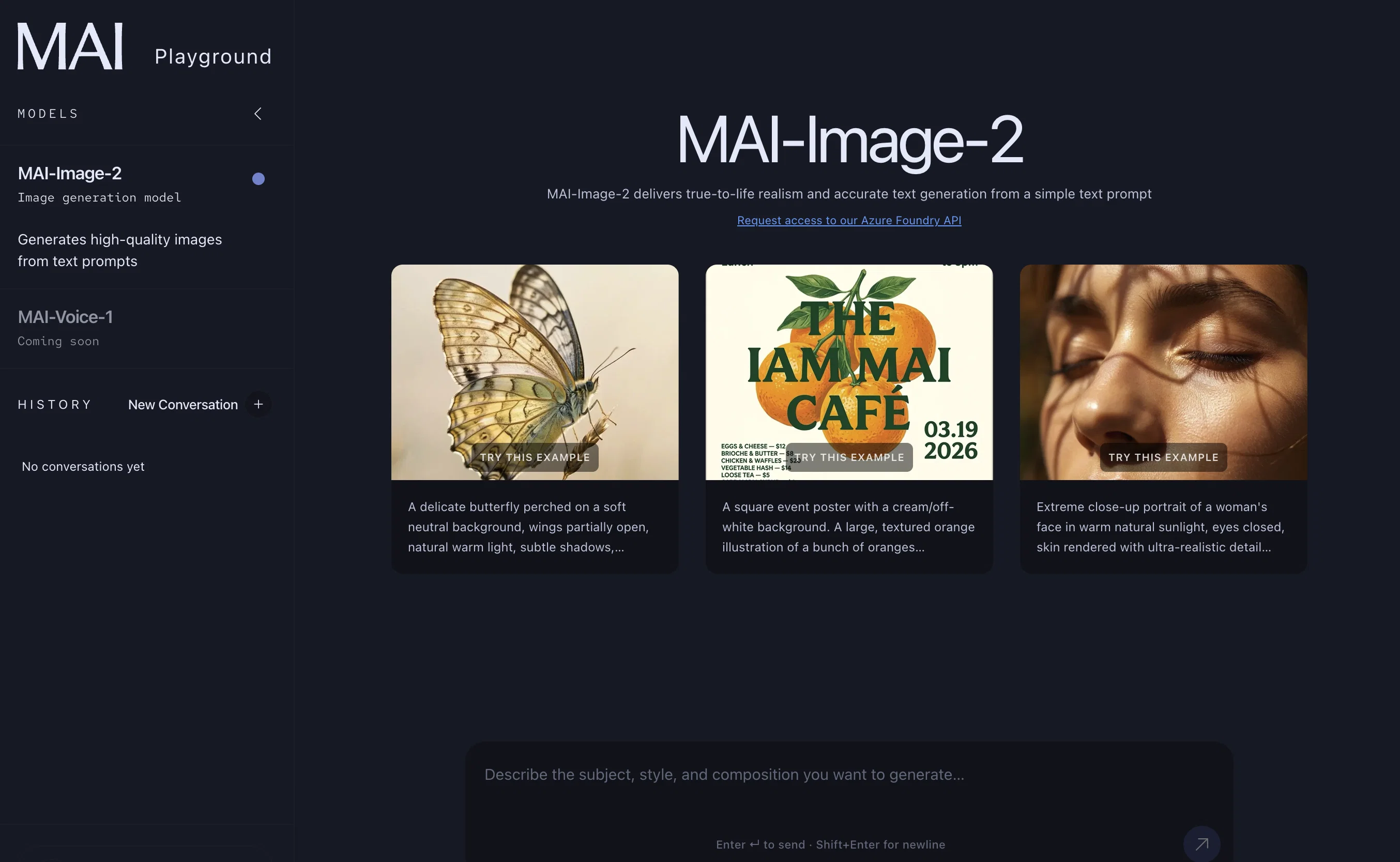
When considering MAI Imagev2 for integration into your organizational workflow, we recommend deploying a structured score card across three critical operational pillars: Security & Compliance, Integration Friction, and long-term Price Scalability. Rather than looking only at basic feature lists, modern procurement teams must assess how a software platform behaves under high load and how well it fits into the team's data security guidelines.
Depending on your operating region and field, ensure that MAI Imagev2 supports standard security layers such as SOC 2 Type II certifications, GDPR compliance, or HIPAA-compliant database encryption. If the tool connects directly to client database tables or handles user passwords, verify that they implement multi-factor authentication (MFA), single sign-on (SSO) integrations, and end-to-end data encryption in transit and at rest.
Siloed data is the primary cause of operational friction. Evaluate if MAI Imagev2 has native connectors for your current project trackers, messaging hubs, and customer communication channels. For custom developer requirements, check if they provide a fully documented REST API with reasonable rate limits, comprehensive Webhooks support, and robust SDK packages in your language. A flexible API layer saves hundreds of hours of manual copy-paste overhead.
SaaS pricing packages are often deceptively simple. When reviewing MAI Imagev2's billing structure, map out your team's projected expansion over the next 12 to 24 months. Determine how costs scale as your customer database increases or as you add team members. Factor in setup costs, mandatory support plan upgrades, API access fees, and storage overage rates to understand the true cost before committing to a contract.
By combining verified user reviews from our directory with internal workflow pilot tests, your procurement team can make an informed decision that drives productivity without creating capital waste.
Overall rating
Based on 20 reviews
Went from a C to an A in Cognitive Psychology using @Thea!!
Sarah White
B12 exceeded my expectations especially after I tried a few similar tools. Signing up took under a minute and because I offer a very specific set of services as a consultant, I didn't expect the AI to be able to capture my work, but it did a great job with creating content for me. I only had to make a few edits, add my bio, and was able to publish that same day. Now I get lots of compliments on my site and I've even tried their other tools like email marketing, which is great because the emails match my site's appearance. Overall I would recommend B12 as an effective, affordable, and easy to use website solution.
Katie G
That's soo cool I love the idea, takes me back to when I was a kid
Martin Durant
I tried Animon for a bit and it’s actually pretty solid. It does a good job with simple animations and keeps the original image style pretty well, so the results usually look clean.
HK KIS
I tested a few AI presentation tools and this one works smoothly inside Google Slides.
Giulietta Studios
Great!!!! It's a really great app! Go check it out!
Molly Luft
Really good product, simple and no bs 👍
Etienne Dupuis
I like it but sometimes it changes some features in somone
Cherry
I like it a lot. It's quite fast, and the summary quality is high.
Jackson
@Base44 Superagents is an AI tool that designs personalized AI agents to automate various tasks without requiring any coding. It offers users a platform where they can deploy apps that are built specifically for AI agents.
Daniel Edri
Deploys the backend directly from chat!
Spam Trapper
this AI is great!!!!!!!
sina1marvel
This one gives some pretty decent logo directions quickly. The first concepts are useful, but I’d still want finer control over typography and spacing before calling anything final.
Josh KUMAR
Such a great place to start out!
Helli Lang
Love how it offers stuff for both free and premium users. huge thanks to the devs and keep it up!
Burner Cruz
Free Start with a Free Experience $0 /mo
Vitus Bering
It's not free, it forces you to input an email before shoving a price tag in your face.
Arvoly XSL
I think it's the best @Image Generator I ever found on the net. It gives more accurate image according to the prompt. And thank you for keeping it for free.
My Sawsiri
quick to pick up, slick results. turned my prompts into clean logo drafts n poster layouts fast; pixel-art style worked after a couple tweaks. wish it had true vector export and tighter font control, but for fast art ideas it’s great. 5/5
Oleg John
It's absolutely stunning how accurate it transforms your prompts into images, thanks to Dall-e 3. You have 15 boosts, after that image creation takes longer. You can create 30 images per day. You can organize your creations in gallery folders. However, the restrictions are insane, they filter out too many words / combinations of words. If you use words that are filtered, it will block your prompt, but won't tell you which word of your prompt it was. After several tries that resulted in a blocked prompt, you will be banned. This can mean for an hour, a day,... or permanently. If your prompt is OK, the AI will start to generate the images but if the created images are considered 'unsafe content', as the AI created something that could be considered offensive, it won't show you the resulting images. This is really annoying, you can't even create an image with several people in swimwear on a beach, it will generate only one person in swimwear, the other ones are wearing street wear for modesty or decency, I guess. But a single person in swimwear at a beach is ok. The logic behind that doesn't make sense. This could be way better if it would at least tell you the blocked words or mark them. And if you could decide for yourself if you want to see the created 'unsafe' images anyway.
Marshmallowfroggy
Starting Price
Contact vendor for pricing
Pricing may vary based on team size and features selected.