Mealify: Weekly Meal Planner

5.0(19 reviews)

Your ultimate tool for fitness and weight loss goals.

Freemium

Mealify: Weekly Meal Planner Overview

What is Mealify: Weekly Meal Planner?

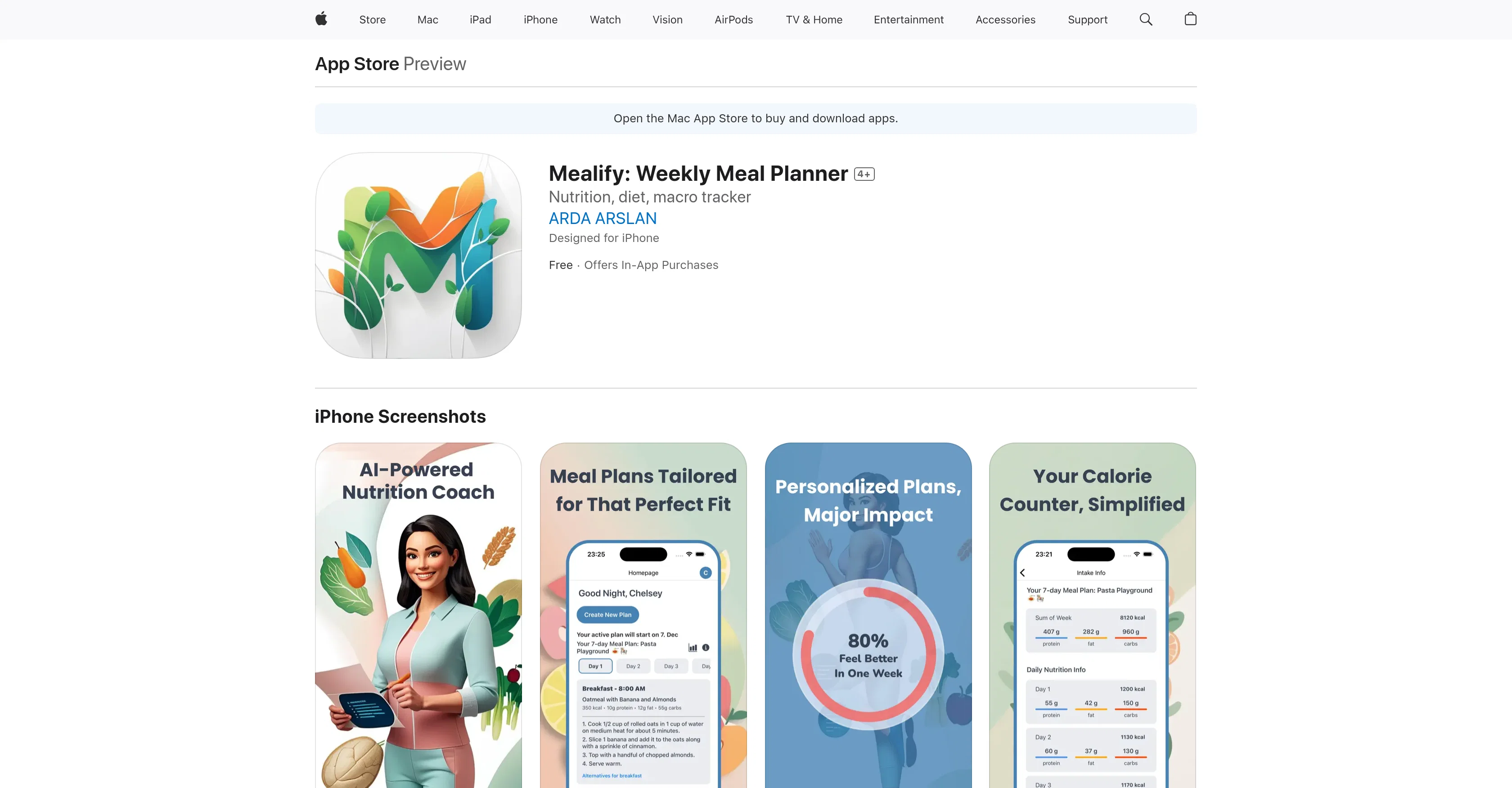
Mealify is a weekly meal planner application designed to facilitate fitness and weight loss goals. This smart tool generates personalized meal plans based on individual fitness routines, dietary preferences, and weight loss objectives. It allows for adjustments as users' fitness level or dietary needs change. Users can enjoy healthy, low-calorie recipes with a built-in calorie counter ensuring a balanced diet. Mealify is conscious of food allergies and intolerances, providing safe meal alternatives when necessary. The application offers a detailed nutritional breakdown of each meal, including calories, protein, fats, and carbohydrates facilitating the tracking of intake and optimization of nutrition. With Mealify, users can plan meals on a budget, making healthier eating affordable. It also offers nutrient tracking features for better control of dietary intake. Designed to be the perfect companion for active lifestyles, it's simple, convenient, and supports fitness routines, helping users stay on track towards achieving their health goals. Help other people by letting them know if this AI was useful. Add your own prompts and outputs to help others understand how to use this AI.

Screenshot gallery

Mealify: Weekly Meal Planner screenshot

Pros & Cons

Pros

  • Personalized meal plans
  • Adjustable fitness level
  • Dietary needs adaptive
  • Built-in calorie counter
  • Allergy-conscious
  • Nutritional breakdown of meals
  • Budget-friendly meal planning
  • Nutrient tracking feature
  • Fitness routine supportive
  • Low-calorie recipe library
  • Ensures balanced diet
  • Optimizes nutrition intake
  • Healthy eating affordability
  • Detailed dietary intake control
  • Offers safe meal alternatives
  • Designed for active lifestyle
  • Recipe allergen adjustments
  • Automatic meal plan adjustment
  • Built-in calorie breakdown
  • Promotes fitness and weight loss
  • Meal plans for different budgets
  • Seamless dietary preferences integration
  • Fitness-based meal creation
  • Detailed protein, fats, carbs tracking
  • Supports various dietary preferences
  • Adaptive to fitness changes
  • Highly personalized dietary experience
  • Seamless meal planning process
  • Discover nutritious satisfying meals
  • Fitness-friendly meal planning
  • Easy-to-follow meal plans
  • Effective for weight loss goals
  • Supports muscle recovery diet
  • Simple, convenient meal planning
  • Targets specific health goals
  • Inline with user's lifestyle
  • Fit for various food intolerances
  • Wellness companion for workouts
  • Optimized meal choices
  • Constructive nutrient tracking
  • Transformative for weight loss journey
  • Designed for iPhone use
  • Helps achieve weight loss goals
  • Aligned with fitness and wellness
  • Helps meal planning without stress
  • Workout recovery meal options
  • Affordable, Healthy meal planning
  • Clear insights to calorie intake
  • Works with iOS 15.1 or later
  • Detailed macro tracking
  • Regular updates for improvement

Cons

  • Only available on iOS
  • Constant adjustments needed
  • Limited meal options for allergies
  • No offline mode
  • Potential privacy concern
  • No integration with fitness devices
  • Requires in-app purchases
  • Lack major nutrient tracking
  • No community support
  • Doesn't cater to specific diets

A Professional Framework to Evaluate Mealify: Weekly Meal Planner

When considering Mealify: Weekly Meal Planner for integration into your organizational workflow, we recommend deploying a structured score card across three critical operational pillars: Security & Compliance, Integration Friction, and long-term Price Scalability. Rather than looking only at basic feature lists, modern procurement teams must assess how a software platform behaves under high load and how well it fits into the team's data security guidelines.

1. Security and Database Compliance

Depending on your operating region and field, ensure that Mealify: Weekly Meal Planner supports standard security layers such as SOC 2 Type II certifications, GDPR compliance, or HIPAA-compliant database encryption. If the tool connects directly to client database tables or handles user passwords, verify that they implement multi-factor authentication (MFA), single sign-on (SSO) integrations, and end-to-end data encryption in transit and at rest.

2. API Coverage and Custom Integrations

Siloed data is the primary cause of operational friction. Evaluate if Mealify: Weekly Meal Planner has native connectors for your current project trackers, messaging hubs, and customer communication channels. For custom developer requirements, check if they provide a fully documented REST API with reasonable rate limits, comprehensive Webhooks support, and robust SDK packages in your language. A flexible API layer saves hundreds of hours of manual copy-paste overhead.

3. Total Cost of Ownership (TCO)

SaaS pricing packages are often deceptively simple. When reviewing Mealify: Weekly Meal Planner's billing structure, map out your team's projected expansion over the next 12 to 24 months. Determine how costs scale as your customer database increases or as you add team members. Factor in setup costs, mandatory support plan upgrades, API access fees, and storage overage rates to understand the true cost before committing to a contract.

By combining verified user reviews from our directory with internal workflow pilot tests, your procurement team can make an informed decision that drives productivity without creating capital waste.

Features of Mealify: Weekly Meal Planner

  • Meal Planning
  • Fitness
  • Weight Loss
  • Dietary Preferences
  • Calorie Counter
  • Allergy Consciousness
  • Free + From $9.99/Mo

SaaS1to10 verified reviews for Mealify: Weekly Meal Planner

Overall rating

5.0

Based on 19 reviews

5.01 weeks ago

Review

A Masterpiece Machine — This Tool Feels Like Time Travel with a Paintbrush Absolutely breathtaking. This @Renaissance Painting Generator is by far the most impressive AI art tool I’ve tested on TAAFT so far. Every image felt like it belonged in a museum — rich with light, symbolism, and painterly depth. From the celestial queen holding the world in her palm, to the glowing scholar’s hall beneath a zodiac dome, to the woman standing beneath that stained-glass dove — each piece was powerful, reverent, and visually spellbinding. The colors, the architecture, the sacred energy… it nailed the 14th–16th century aesthetic perfectly. If you’re even slightly enchanted by classical art or historical fantasy, this tool is a must-try. It’s not just a style — it embodies the spirit of the Renaissance. Truly brilliant.

Jennifer Gibbs

5.01 weeks ago

Review

No other tool quite like this, it's pretty straightforward. Needed to extract a long interview from YouTube and it extracted everything, providing it in different meaningful formats in less than two minutes. Awesome

Juan Sierra

5.01 weeks ago

Review

Alternative for fast academic writing

Ivan Taslim

5.01 weeks ago

Review

I already have another transcription tool, but this one is much better. I love the different features such as the summary, quiz, and chapters. It does a great job of them. I've only done one transcript so far to try it out, but I'm truly impressed and am going to grab another code. A couple things that would make it even better are: - the ability to rename the files and organize them through folders. - the ability to download a copy of the other features as well as the transcript. Copying and pasting it works, but doesn't keep the format.

dunn

5.01 weeks ago

Review

Went from a C to an A in Cognitive Psychology using @Thea!!

Sarah White

5.01 weeks ago

Review

easy to pick up and you get a few free file imports. it gives you results pretty fast, unfortunately i can't find a way to get back to these, they're locked behind the paid service.

Ron Jayson

5.01 weeks ago

Review

Undetectable.wtf is better bypasses everything maintaining thee integrity of the text.

LiteEagle

5.01 weeks ago

Review

I tried using it but the website has too many bugs.

João Neiva

5.01 weeks ago

Review

An amazing app, I love the share feature and the comment section summaries

Silvia Cho

5.01 weeks ago

Review

It's not free, it forces you to input an email before shoving a price tag in your face.

Arvoly XSL

5.01 weeks ago

Review

I'm still testing the tool yet it looks very promising. I tested it with a 5.5k words Academic text that I had previously red. I tested the Key points feature, it does work!

Ivana González

5.01 weeks ago

Review

I think it's the best @Image Generator I ever found on the net. It gives more accurate image according to the prompt. And thank you for keeping it for free.

My Sawsiri

5.01 weeks ago

Review

I'm enjoying the current features and customization options – it's clear a lot of thought went into this! I'd love to see a recipe import feature from other websites to make it even better. This would significantly streamline my workflow and make it an even more indispensable tool. I believe it would be a valuable addition for many users.

Ashok Muppavarapu

5.01 weeks ago

Review

I joined Kin's beta program on my iPhone XR. After upgrading to an iPhone 13, I found that I couldn't log into my existing account on the new phone, forcing me to create a new account. Now, I have two separate Kin accounts on different phones. Today, when I accessed the beta version of Kin, I got a notification stating that the test version ended on Monday, September 23rd. It instructed me to back up my data and move to the official Kin app. I did as advised—backed up my data, confirmed, uninstalled the beta app via TestFlight, and installed the official Kin app. However, when I attempted to “log in”, I was still unable to access my existing account. This issue hasn't been resolved yet. I have been trying desperately to get in contact with the support team. I left feedback through the test flight app and sent emails. No response. Now trying to find a forums, Reddit posts, TAAFT comments☻

Desiree Miller

5.01 weeks ago

Review

Suppppeeeeerrr! Wowwww! @Mindsmith is absolutely fantastic! It is incredibly useful, easy to use, and very professional.

Claudia Scilletta

5.03 weeks ago

Review

Thanks for trying out @My AI Food Buddy! The goal of this app is to help households waste less food and save more on groceries. Indeed, while many use databases in their professional life, I realised there was no easy way to create and manage a database with your pantry. Please share any feedback (is it useful? easy to use?) as I am exploring whether to invest more on this app Thanks a lot

Anthony Roger

5.03 weeks ago

Review

It's a useful AI TOOL with benefits to the free plan too, but It doesn't include brazilian food, a huge con for me

João Felipe

5.03 weeks ago

Review

My meal for mussle building and lose water fat in the body.also my meal is vegetarian and do not include egg or under a 1800 calories deficite

Indu rathod

5.03 weeks ago

Review

I told it about a shellfish allergy and it recommended shrimp for dinner.

Jesse LeFranc

Pricing

Starting Price

Free plan available

Free tier available with optional paid upgrades.

Where can Mealify: Weekly Meal Planner be deployed?

  • Cloud, SaaS, Web-Based

Recommended for you