5.02 months ago
“Review”
This team took the time to understand the industry, problem and its users and designed a perfectly engineered solution. Kudos.
Junaid Ali

Professional AI video, minus the hassle.
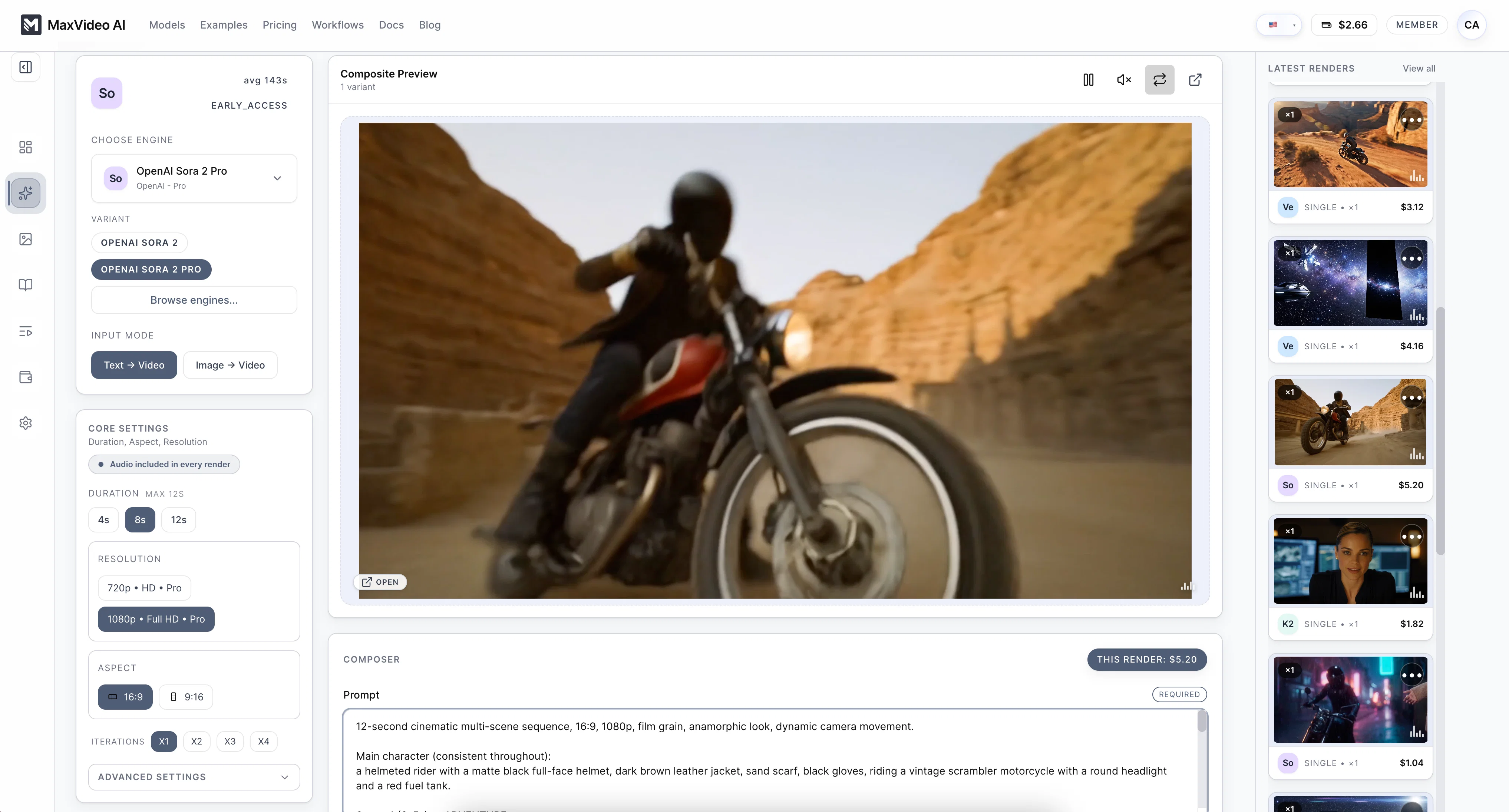
MaxVideoAI is a cutting-edge tool for creating AI generated videos using multiple engines in a unified workspace. It provides an array of engine options such as Sora 2, Veo 3, Pika, and others, to cater different user requirements for diverse projects. Individual engines template descriptions suggests that they can be used to create cinematic 8-second TV commercials in 16:9 with sound, replicate soft and expressive features of a character, generate a global look of an elegant thriller on a rainy night, etc. MaxVideoAI comes with a 'Pay-as-you-go' feature offering transparent pricing which lets users view the price before generating the video. It even supports 4K upscaling and iterative renders. Moreover, MaxVideoAI also includes facilities such as audio enabling, live pricing preview, option to clone settings and real time progress monitoring. One key attribute is the automatic refund for failed renders thus keeping user's investment secure. Furthermore, the tool offers an independent hub work environment, with single-view controls where prompts can be tweaked, outputs reviewed, and queue monitored without leaving the screen. It also has in-built wallet for transactions, job history and gallery for keeping the team aligned. MaxVideoAI indeed provides an all in-one workspace for professional AI video creation. Help other people by letting them know if this AI was useful. Add your own prompts and outputs to help others understand how to use this AI.
When considering MaxVideoAI for integration into your organizational workflow, we recommend deploying a structured score card across three critical operational pillars: Security & Compliance, Integration Friction, and long-term Price Scalability. Rather than looking only at basic feature lists, modern procurement teams must assess how a software platform behaves under high load and how well it fits into the team's data security guidelines.
Depending on your operating region and field, ensure that MaxVideoAI supports standard security layers such as SOC 2 Type II certifications, GDPR compliance, or HIPAA-compliant database encryption. If the tool connects directly to client database tables or handles user passwords, verify that they implement multi-factor authentication (MFA), single sign-on (SSO) integrations, and end-to-end data encryption in transit and at rest.
Siloed data is the primary cause of operational friction. Evaluate if MaxVideoAI has native connectors for your current project trackers, messaging hubs, and customer communication channels. For custom developer requirements, check if they provide a fully documented REST API with reasonable rate limits, comprehensive Webhooks support, and robust SDK packages in your language. A flexible API layer saves hundreds of hours of manual copy-paste overhead.
SaaS pricing packages are often deceptively simple. When reviewing MaxVideoAI's billing structure, map out your team's projected expansion over the next 12 to 24 months. Determine how costs scale as your customer database increases or as you add team members. Factor in setup costs, mandatory support plan upgrades, API access fees, and storage overage rates to understand the true cost before committing to a contract.
By combining verified user reviews from our directory with internal workflow pilot tests, your procurement team can make an informed decision that drives productivity without creating capital waste.
Overall rating
Based on 21 reviews
This team took the time to understand the industry, problem and its users and designed a perfectly engineered solution. Kudos.
Junaid Ali
Would be better if they let you use your own text as an option.
William Lowe
Such a great place to start out!
Helli Lang
Free Start with a Free Experience $0 /mo
Vitus Bering
The website is pretty good but there are only a limited number of responses
Probal Roy
Old man with white short hair and bard
Dom Cauv
After my first use, I think it's surprisingly good. The only drawback so far is the PDF export option for the report which is formatless.
Alejandro Correa
Really impressive! The suggestions were simple, and the image came out beautifully well too!
Jojo
There were no aristocratic Asians and Africans in ancient Rome.
Sándor Gajdos
still background removing accuracy is required. it only 80% not 100%
Krutika Creations
I forgot to take videos on my trip, so I gave this a shot with just the photos I had. Surprisingly, it created a short clip that actually looked real, super cool. Just wish it didn’t take forever to render
Noob Gupta
too expensive for me, I just want to make memes, not pay that much
Grzegorz Rolnik
Great tool! Was very helpful in content production
Duck Typer
nice holistic
Amit ImmI
I think it's the best @Image Generator I ever found on the net. It gives more accurate image according to the prompt. And thank you for keeping it for free.
My Sawsiri
Not at all accurate…. The only thing similar between original and generated images were the clothes and accessories… face was absolutely new and unconnected.
Shvetank Sharma
They're dreaming if they think I'd give them my credit card info just for a free trial. Most useless thing ever...
Noeffen Way
easy onboarding, quick to set up.
Pluto Radigund
You get 300 credits upon signing up, which is enough to test out the app and see its potential. I had a bit of fun with it. It takes a few minutes to generate content, but the results are impressive. There are many styles, modifiers, and customization options available. I would definitely use this for content creation or storytelling.
Daniel Garaiacu
WE USE @D-ID AT THE COLORADO VIRTUAL CREATIVE FACTORY...AND LOVE IT.
Franco Arteseros
The concept is great.
kanawati
Starting Price
From $15.00/user/month
Pricing may vary based on team size and features selected.


