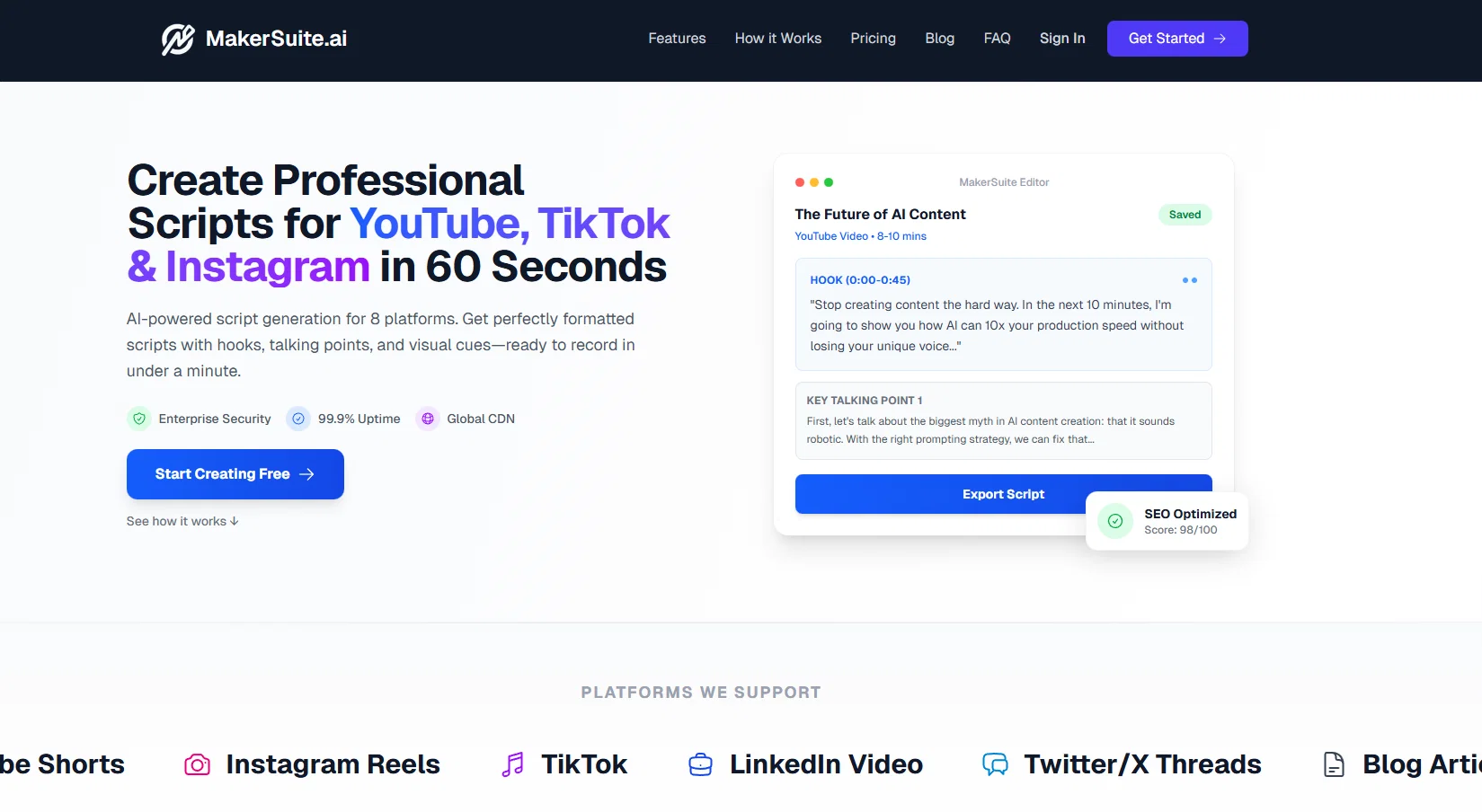
MakerSuite is designed as a comprehensive solution for content creators, providing various tools to streamline the content creation process. Leveraging AI technology, it aims to aid from the ideation phase through to the final launch of content.
MakerSuite primarily facilitates in the creation of scripts, thumbnails, and copy. One core application served by this AI tool includes producing AI-generated scripts useful for videos, presentations, and similar content formats.
It further presents functionalities for generating thumbnails which can be beneficial in platforms where graphical summaries play a pivotal role in attracting viewers.
Additionally, the tool assists users in crafting copy or textual content, making it versatile for various types of content creators whether they are bloggers, social media marketers, or digital content producers.
Overall, MakerSuite is positioned as an all-in-one tool, integrating different aspects of content creation to provide seamless assistance for its users.
Script Generator Mode System
Quick Mode: Simplified interface for essential fields, perfect for beginners and fast content creation
Advanced Mode: Complete control over all script parameters and customization options
Mode Toggle: Seamless switching between Quick and Advanced modes with visual indicators
Smart Mode Sync: Advanced mode state synchronized across components via custom events
Enhanced Tour System
Dashboard Tour: Comprehensive 9-step guided tour introducing all main features
Script Generator Tour: 7-step interactive tour specifically for the script creation workflow
Mode-Specific Guidance: Tour content adapts based on Quick vs Advanced mode selection
Persistent Progress: Tour completion status saved
🔧 Improvements
User Experience
Dynamic Form Rendering: Intelligent form field display based on content type and mode selection
Visual Mode Indicators: Color-coded mode buttons (green for Quick, purple for Advanced)
Contextual Tooltips: Helpful guidance throughout the script creation process
Streamlined Navigation: Better organization of script generation steps
Bug fixes and performance optimizations.
Help other people by letting them know if this AI was useful.
Add your own prompts and outputs to help others understand how to use this AI.
Screenshot gallery
Pros & Cons
Pros
+Content creation streamline
+Export scripts to Teleprompter - PDF - Word - TXT - JSON formats
+Content calendar
+Thumbnail creation
+Advanced Analytics
+Advanced algorithm utilization
+Autonomous script generation
+Optimized visual design
+Multi-platform copy creation
+Single tool integration
+Efficient content creation
+Life cycle management
+Evolving needs adaptation
+Ideation to launch assistance
+Video content facilitation
+Presentation content aid
+Bloggers' tool
+Social media marketers' tool
+Digital content producers' tool
+All-in-one tool integration
Cons
−Limited to digital content only
−No multi-language support
−Lack of collaboration features
−No scheduling features
−Text-to-speech missing
A Professional Framework to Evaluate MakerSuitev1.1.0
When considering MakerSuitev1.1.0 for integration into your organizational workflow, we recommend deploying a structured score card across three critical operational pillars: Security & Compliance, Integration Friction, and long-term Price Scalability. Rather than looking only at basic feature lists, modern procurement teams must assess how a software platform behaves under high load and how well it fits into the team's data security guidelines.
1. Security and Database Compliance
Depending on your operating region and field, ensure that MakerSuitev1.1.0 supports standard security layers such as SOC 2 Type II certifications, GDPR compliance, or HIPAA-compliant database encryption. If the tool connects directly to client database tables or handles user passwords, verify that they implement multi-factor authentication (MFA), single sign-on (SSO) integrations, and end-to-end data encryption in transit and at rest.
2. API Coverage and Custom Integrations
Siloed data is the primary cause of operational friction. Evaluate if MakerSuitev1.1.0 has native connectors for your current project trackers, messaging hubs, and customer communication channels. For custom developer requirements, check if they provide a fully documented REST API with reasonable rate limits, comprehensive Webhooks support, and robust SDK packages in your language. A flexible API layer saves hundreds of hours of manual copy-paste overhead.
3. Total Cost of Ownership (TCO)
SaaS pricing packages are often deceptively simple. When reviewing MakerSuitev1.1.0's billing structure, map out your team's projected expansion over the next 12 to 24 months. Determine how costs scale as your customer database increases or as you add team members. Factor in setup costs, mandatory support plan upgrades, API access fees, and storage overage rates to understand the true cost before committing to a contract.
By combining verified user reviews from our directory with internal workflow pilot tests, your procurement team can make an informed decision that drives productivity without creating capital waste.
Features of MakerSuitev1.1.0
Blog Scripts
Copywriting
Creators
Instagram Scripts
TAAFT Code
Video Scripts
Free + From $9/Mo
SaaS1to10 verified reviews for MakerSuitev1.1.0
Overall rating
★★★★★5.0
Based on 20 reviews
★★★★★5.02 months ago
“Review”
I can't explain how impressed i am by this. I've seen tools to help you brainstorm ideas, but not one to break your task down into big steps, then little steps for each of these. Plus "games" to help come up with more ideas for your project. I'm excited to use this!
ImpulseOscar
★★★★★5.02 months ago
“Review”
Absolutely in love. I could create my own custom AI and shared it with my colleuges to get instant support from me, i mean digital AI of me :)
Derek W.
★★★★★5.02 months ago
“Review”
Ideal for stock-watchlist and not missing trade setups that correspond to my strategy.
Builder
★★★★★5.02 months ago
“Review”
It's a really great tool. I've used it for many different stories and brainstorms.
Justin Patterson
★★★★★5.02 months ago
“Review”
filters my spam calls
Robin Haw
★★★★★5.02 months ago
“Review”
I've been playing around with this for a few hours. It's made me say "WOW" too many times than i wish to admit. I'm going to follow this and see how it evolves. For now, i managed to create quite a nice Expenses app for personal use. | It did have some problems when it came to moving some components on other pages, but for how short the prompts it uses can be, it is really impressive. With some proper prompts it can generate some strong stuff.
Bernard
★★★★★5.02 months ago
“Review”
Very interesting
Béatrice Duval
★★★★★5.02 months ago
“Review”
Really like how it finds connection in the content that I save. I don't think any other tool can do that.
amix ffx
★★★★★5.02 months ago
“Review”
Great tool! Was very helpful in content production
Duck Typer
★★★★★5.02 months ago
“Review”
Not at all accurate…. The only thing similar between original and generated images were the clothes and accessories… face was absolutely new and unconnected.
Shvetank Sharma
★★★★★5.02 months ago
“Review”
very good tool. done your work in seconds with Retouch Pro
Tahir
★★★★★5.02 months ago
“Review”
This is my favourite, so handy and works brilliant
Colin Fitzpatrick
★★★★★5.02 months ago
“Review”
B12 exceeded my expectations especially after I tried a few similar tools. Signing up took under a minute and because I offer a very specific set of services as a consultant, I didn't expect the AI to be able to capture my work, but it did a great job with creating content for me. I only had to make a few edits, add my bio, and was able to publish that same day. Now I get lots of compliments on my site and I've even tried their other tools like email marketing, which is great because the emails match my site's appearance. Overall I would recommend B12 as an effective, affordable, and easy to use website solution.
Katie G
★★★★★5.02 months ago
“Review”
nice holistic
Amit ImmI
★★★★★5.02 months ago
“Review”
I think it's the best @Image Generator I ever found on the net. It gives more accurate image according to the prompt. And thank you for keeping it for free.
My Sawsiri
★★★★★5.02 months ago
“Review”
This tool i found is super cool, I created 5 books from this tool to sell them online, which gives me great profit. I am creating more valuable books to spread knowledge, and earn some bucks as well 🤑.
Bilal Ashraf
★★★★★5.02 months ago
“Review”
Hi everyone!
I am Adnan, the author of @MakerSuite.AI. I am a content creator as well as a software engineer (16+ years of experience).
@MakerSuite has been created firstly for my own needs with a goal to help me organize content creation workflow (from YouTube scripts to blog and social media posts).
The application covers a lifecycle from idea generation to complete script, thumbnail, description, and all the necessary things to prepare you for video recording or to provide you with a script that you can use on your blog or social media platforms.
@MakerSuite is a result of continuous work from more than 6 months of active day-night and weekend hard work on it.
In the end I decided to share it with the world so other people could benefit from it, and also in return I can pay off the hard work and support the platform's future development and maintenance costs. As the models and infrastructure cost a lot.
I am open to any form of suggestions or comments; even negative ones are always welcome.
The platform has a lot of planned future developments that have to be added to make it even better.
Please share your thoughts and feedback in the comments section, as it will help me improve it more!
Thanks, everyone!
Best,
Adnan
MakerSuite
★★★★★5.02 months ago
“Review”
Heya Russell! We’re part of the TAAFT staff, and we test most of the apps ,especially the ones people report as not working. Most of the non-functional ones get taken down, which is why it might seem like we don’t post negative comments. Have a nice day! :D