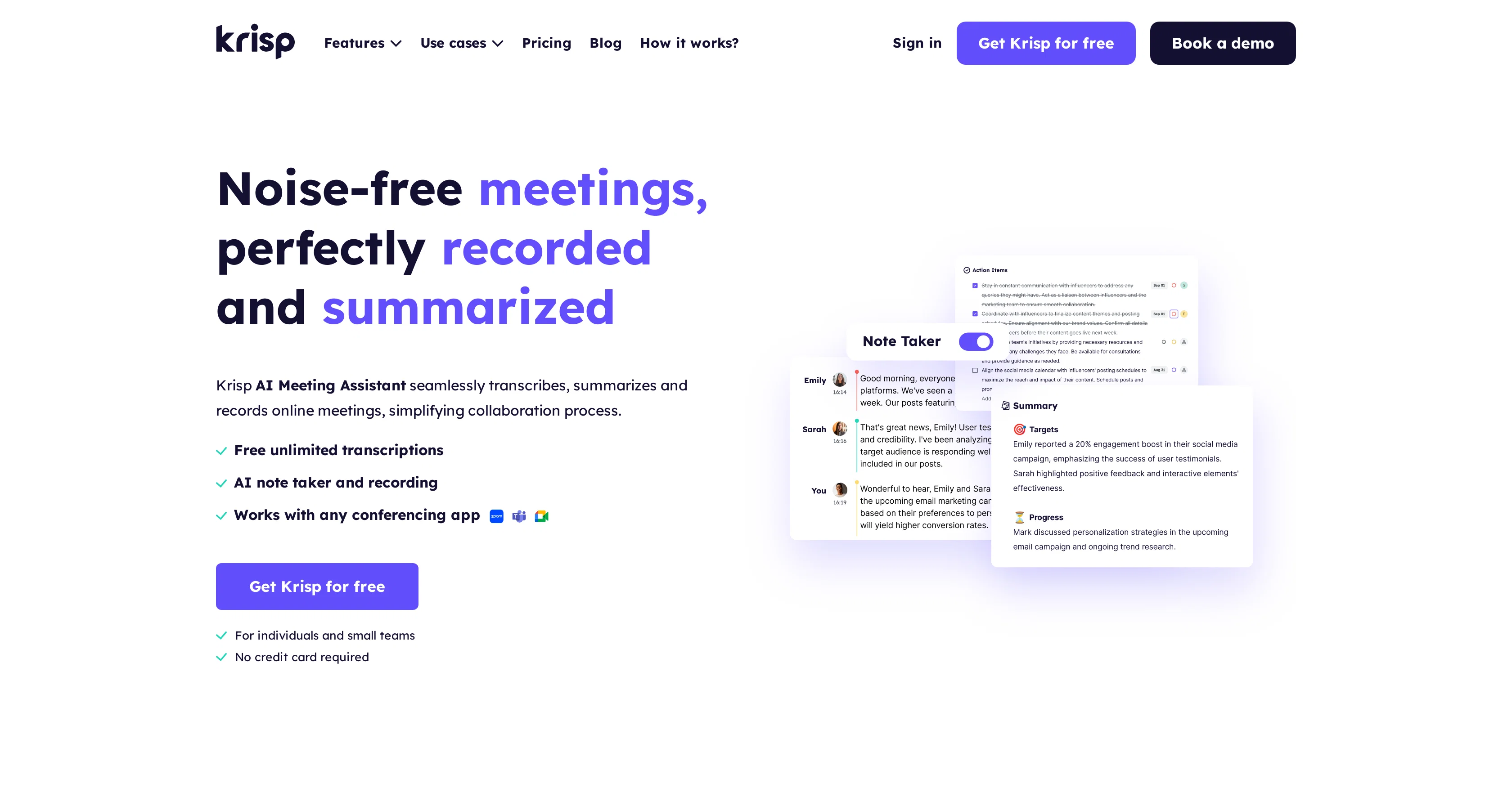
Krisp is a robust AI-powered tool built to assist individuals, teams, enterprises, and call centers with meeting transcription, summaries, and recording.
The tool offers seamless integration across various communication apps, and as such, enhances the flexibility of the user. The functionalities of Krisp range from recording online meetings and transcribing them in real-time to generating comprehensive meeting notes and summaries.The tool also includes an AI Noise Cancellation feature that helps to remove background noises, voices, and echoes from online meetings, fostering a clearer and distraction-free communication environment.
This feature is particularly beneficial for call centers where crystal clear conversations are crucial for a positive customer experience.Another innovative feature of Krisp is the AI Accent Localization which converts agents' accents in real-time to the customer's native accent to enhance understanding in communication.
This is particularly beneficial to global businesses that prioritize seamless communication with customers irrespective of geographical and linguistic differences.
For software developers and organizations aiming to integrate voice AI technologies into their product, Krisp offers an SDK, providing an added convenience.
Through various features, Krisp manages to streamline online communication and noise management during meetings, thereby improving team collaboration and productivity in various work settings.
Help other people by letting them know if this AI was useful.
Add your own prompts and outputs to help others understand how to use this AI.
Screenshot gallery
Pros & Cons
Pros
+Single button noise elimination
+Transcribes and summarizes meetings
+Generates templates for notes
+Free unlimited transcriptions
+Bot-free experience
+Works with any voice app
+No plugins or extensions required
+Compatible with SDK integration
+Recognized by Gartner and Forbes
+Secure local data processing
+Real-time transcription
+Automatic recording of meetings
+Accent localization for global communication
+Meeting transcription for call centers
+Summarize and delegate tasks
+Accurate 96% transcription
+Secured meeting summary sharing
+Automated note taking
+Auto-generated action items
+Cloud stored secure recordings
+Real-time on-device transcription for calls
+Supports 17+ dialects for localization
+Female and male voice outputs for localization
+Automated distribution of meeting notes
+Meeting summaries for informed decision making
+Task assignment automation
+Synchronization of playback with transcriptions
+Real-time accent adjustment
+PII redaction in call transcription
+Noise-free online meeting experience
+Meeting transcription for clients' consultation
+Multi-use: for individuals, teams, enterprises, call centers
+Real-time insights from transcriptions
+Meeting follow-ups automation
+Easily editable meeting summaries
Cons
−No multi-language transcription support
−Doesn't specify storage limit
−Dependency on stable Internet connection
−Potential errors in automated summary
−Transcription deletion permanent
−Requires download and installation
−Lack of transcription correction feature
−Requires manual sharing of transcripts
−Lack of on-screen notification for transcription
A Professional Framework to Evaluate Krisp AI Meeting Assistant
When considering Krisp AI Meeting Assistant for integration into your organizational workflow, we recommend deploying a structured score card across three critical operational pillars: Security & Compliance, Integration Friction, and long-term Price Scalability. Rather than looking only at basic feature lists, modern procurement teams must assess how a software platform behaves under high load and how well it fits into the team's data security guidelines.
1. Security and Database Compliance
Depending on your operating region and field, ensure that Krisp AI Meeting Assistant supports standard security layers such as SOC 2 Type II certifications, GDPR compliance, or HIPAA-compliant database encryption. If the tool connects directly to client database tables or handles user passwords, verify that they implement multi-factor authentication (MFA), single sign-on (SSO) integrations, and end-to-end data encryption in transit and at rest.
2. API Coverage and Custom Integrations
Siloed data is the primary cause of operational friction. Evaluate if Krisp AI Meeting Assistant has native connectors for your current project trackers, messaging hubs, and customer communication channels. For custom developer requirements, check if they provide a fully documented REST API with reasonable rate limits, comprehensive Webhooks support, and robust SDK packages in your language. A flexible API layer saves hundreds of hours of manual copy-paste overhead.
3. Total Cost of Ownership (TCO)
SaaS pricing packages are often deceptively simple. When reviewing Krisp AI Meeting Assistant's billing structure, map out your team's projected expansion over the next 12 to 24 months. Determine how costs scale as your customer database increases or as you add team members. Factor in setup costs, mandatory support plan upgrades, API access fees, and storage overage rates to understand the true cost before committing to a contract.
By combining verified user reviews from our directory with internal workflow pilot tests, your procurement team can make an informed decision that drives productivity without creating capital waste.
Features of Krisp AI Meeting Assistant
Meeting Transcription
AI Meeting Assistant
Online Meetings
Voice AI Technologies
Call Center Tool
Real Time Transcription
Free + From $8/Mo
SaaS1to10 verified reviews for Krisp AI Meeting Assistant
Overall rating
★★★★★5.0
Based on 22 reviews
★★★★★5.01 months ago
“Review”
Good idea on democratization of AHP based Multiple Criteria Decision Making / Analysis (MCDM / MCDA). Helping common people to get AI powered MCDA at own mobile phone, otherwise only available expencive software with enterprises.
Shashi Bhattarai
★★★★★5.02 months ago
“Review”
Nice interface, but no good at PDF answers, especially tables data.
hifive szu
★★★★★5.02 months ago
“Review”
Undetectable.wtf is better bypasses everything maintaining thee integrity of the text.
LiteEagle
★★★★★5.02 months ago
“Review”
I tried using it but the website has too many bugs.
João Neiva
★★★★★5.02 months ago
“Review”
It's sad to see people want to try your tool out but you have no free sample for them. This may be the best tool out there, but, as mentioned, going through with the AI for minutes to explain what you want, then being prompted to pay, without even knowing if it CAN create something, is discouraging. I hope we can get a free sample or preview at one point, im interested in this one.
Ron Jayson
★★★★★5.02 months ago
“Review”
An amazing app, I love the share feature and the comment section summaries
Silvia Cho
★★★★★5.02 months ago
“Review”
I'm still testing the tool yet it looks very promising. I tested it with a 5.5k words Academic text that I had previously red. I tested the Key points feature, it does work!
Ivana González
★★★★★5.02 months ago
“Review”
As the service was in beta-testing stage, I created there a dozen of AI-generated courses for free. I wanted to use them. Those courses remained in my account as they started subscription tiers. But recently I have found out that they were deleted. The support didn't answer to my e-mail at all.
Oldfag TV
★★★★★5.02 months ago
“Review”
Great idea, but does not find what you are looking for-about the same as Google Scholar
Andy
★★★★★5.02 months ago
“Review”
I didn't get to the voices. I don't give my credit card information up front. I clicked away as soon as I saw that. It's a shame too, the pricing structure looked great.
David Marshall
★★★★★5.02 months ago
“Review”
Great! I think @AI Lawyer is the best service I've ever seen. Perfect use. Prompting helps in the work
Yuri Gerasimov
★★★★★5.02 months ago
“Review”
O GPT faz uma análise melhor e mais personalizada.
Vinicius Vilela
★★★★★5.02 months ago
“Review”
It seems to be working fine right now. Maybe try again and double check if you’re using the book’s original or most recognized title. That might make a difference.
Alexandru Bostina
★★★★★5.02 months ago
“Review”
The website is pretty good but there are only a limited number of responses
Probal Roy
★★★★★5.02 months ago
“Review”
Really amazing! Makes learning content and engaging with things so much easier!
Jamie McDonald
★★★★★5.02 months ago
“Review”
It is useful in the free version too..you get credits inviting people!
cristina recenti
★★★★★5.02 months ago
“Review”
I've tried 10 note-taking tools, and so far this is the best. My work is now much simpler and more efficient.
Happy Kid
★★★★★5.02 months ago
“Review”
Maybe more useful as I think!
yuesheng zheng
★★★★★5.02 months ago
“Review”
I like the desktop version, it can record and transcribe my meetings. Pretty accurate transcript and summary.
akihouse98
★★★★★5.02 months ago
“Review”
very accurate transcription. summaries are spot on. and can transcribe conversations in real-time. easy to use
Jeff Matteus
★★★★★5.02 months ago
“Review”
Very smooth and effective. It could detect even Hindi language and could summarise pretty reasonably
Pankaj Dixit
★★★★★5.02 months ago
“Review”
👋 Hey everyone — I’m Yusef, founder of @Jamy. We built @Jamy because we were tired of wasting time after meetings — rewriting notes, chasing action items, and trying to remember what was actually said. @Jamy handles all of that automatically: it joins your calls, transcribes, summarizes, pulls tasks and quotes, and even sends branded follow-ups. It works with Zoom, Google Meet, Teams, and phone calls — and connects with tools like Slack, Trello, and Notion. If you’re curious, give it a spin — @Jamy.ai. Would love your feedback! — Yusef