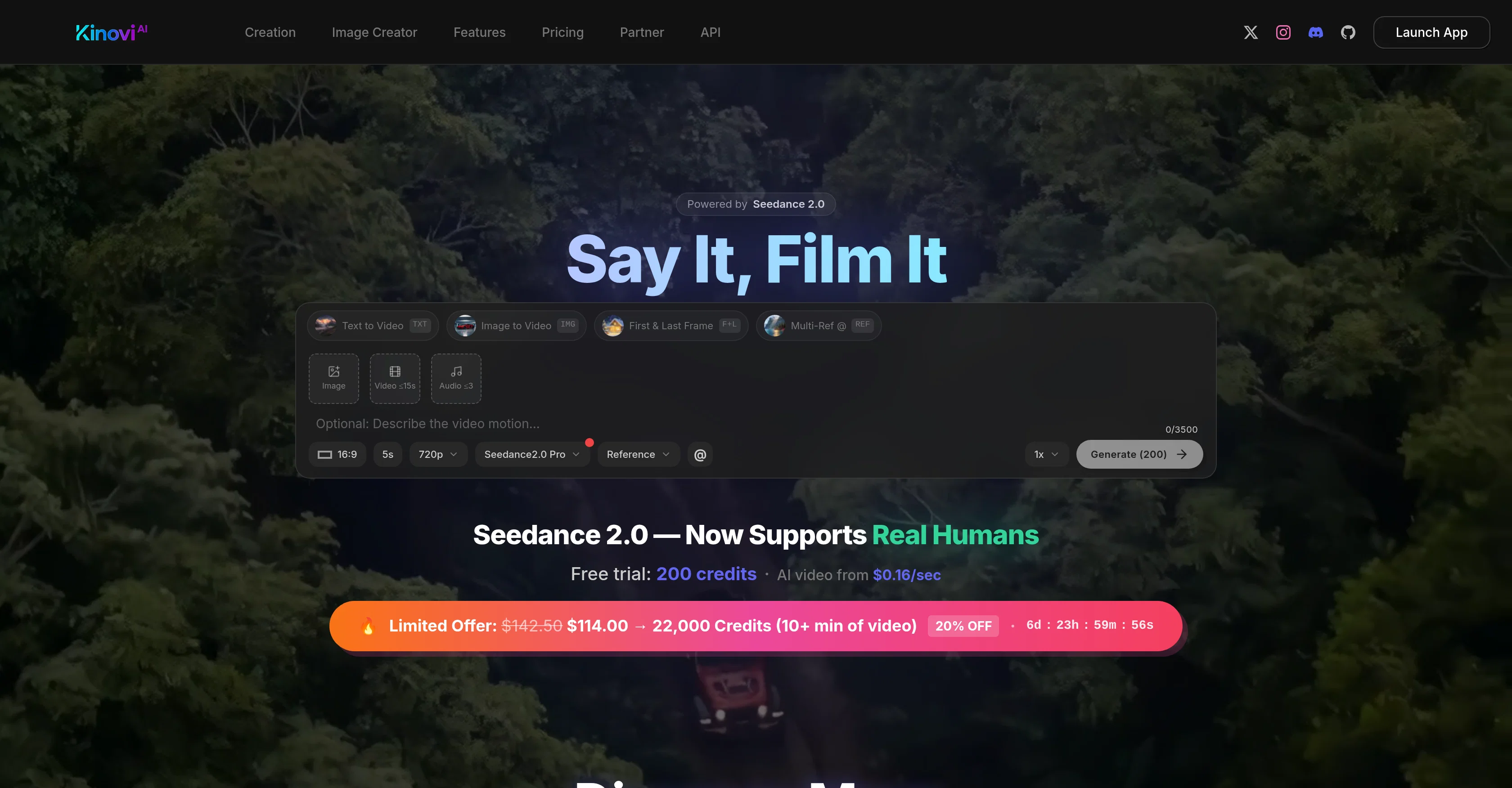
Kinovi is an AI-powered video and image creation tool, specifically designed to enable custom interface for video generation. The tool is powered by Seedance 2.0 technology and aims to democratize video creation.
Kinovi allows users to upload references including images, videos, and audio clips, assign roles to these references, specify how to utilize them, and generate a polished video clip.
It supports language prompts to describe actions, camera and intent, offering a creative way to direct video content creation. It accepts up to 9 images, 3 videos and 3 audio clips.
The created video clips can be between 4 to 15 seconds long and can be extended or edited with new instructions for a tailored creation process. Kinovi provides a versatile platform, enabling content creators to bring their vision to life, using AI.
The tool is free to start with, and various plans are available to scale up based on user needs. However, it strictly prohibits the creation of NSFW and sexually explicit content.
It is ideal for both individual creators and large production houses intent on reimagining their content creation process with the help of AI.
Help other people by letting them know if this AI was useful.
Add your own prompts and outputs to help others understand how to use this AI.
Screenshot gallery
Pros & Cons
Pros
+Custom interface
+Seedance 2.0 technology
+Well-polished video generation
+Supports multiple media uploads
+Supports language prompts
+Creative video direction
+Supports mixed inputs
+Customised video length
+Edit and extend capabilities
+Free to start
+Scaling plans available
+Versatile for all creators
+Great for large productions
+Prohibits explicit content
+4-15s video generation
+Supports up to 9 images
+Supports up to 3 videos
+Supports up to 3 audio
+Accepts text to video
+Image to video feature
+Direct video creation
+<5s video Generation
+4k resolution support
+API access
+No watermark
+Character consistency across shots
+Fast video generation
+Commercial usage permitted
+Supports real human references
+Supports MP3
+Supports multiple @file roles
+Limited offers available
+200 free credits
+22, 000 credits pack
+Real-time generation tracking
+Unlimited folder capabilities
+Supports natural language
+Prompt description features
+Audio generation
+Customisable duration
+Action and intent description
+Flexible input modes
+Concurrent generations
+Startup friendly
+Good for vloggers and bloggers
Cons
−Limits on uploads
−Only short videos
−Prohibits NSFW content
−Requires paid plans for scale
−Specific technology (Seedance 2.0)
−No 4K resolution in basic
−Editing limited to instructions
−No automatic audio generation
−Artificial character consistency
A Professional Framework to Evaluate Kinovi - AI Video Generator
When considering Kinovi - AI Video Generator for integration into your organizational workflow, we recommend deploying a structured score card across three critical operational pillars: Security & Compliance, Integration Friction, and long-term Price Scalability. Rather than looking only at basic feature lists, modern procurement teams must assess how a software platform behaves under high load and how well it fits into the team's data security guidelines.
1. Security and Database Compliance
Depending on your operating region and field, ensure that Kinovi - AI Video Generator supports standard security layers such as SOC 2 Type II certifications, GDPR compliance, or HIPAA-compliant database encryption. If the tool connects directly to client database tables or handles user passwords, verify that they implement multi-factor authentication (MFA), single sign-on (SSO) integrations, and end-to-end data encryption in transit and at rest.
2. API Coverage and Custom Integrations
Siloed data is the primary cause of operational friction. Evaluate if Kinovi - AI Video Generator has native connectors for your current project trackers, messaging hubs, and customer communication channels. For custom developer requirements, check if they provide a fully documented REST API with reasonable rate limits, comprehensive Webhooks support, and robust SDK packages in your language. A flexible API layer saves hundreds of hours of manual copy-paste overhead.
3. Total Cost of Ownership (TCO)
SaaS pricing packages are often deceptively simple. When reviewing Kinovi - AI Video Generator's billing structure, map out your team's projected expansion over the next 12 to 24 months. Determine how costs scale as your customer database increases or as you add team members. Factor in setup costs, mandatory support plan upgrades, API access fees, and storage overage rates to understand the true cost before committing to a contract.
By combining verified user reviews from our directory with internal workflow pilot tests, your procurement team can make an informed decision that drives productivity without creating capital waste.
Features of Kinovi - AI Video Generator
API
Video Generation
AI Image Creation
Video Editing
Content Creation
Seedance Technology
Free + From $17.99
SaaS1to10 verified reviews for Kinovi - AI Video Generator
Overall rating
★★★★★5.0
Based on 16 reviews
★★★★★5.02 months ago
“Review”
Started out good and has real potential, but the owners got greedy. You used to be charged 1 credit for each generation and got 20 free credits a day. Now you get 30 credits, but (for example Flux pro ultra) costs 9 credits and some change, meaning you get just 3 credits a day in reality. And when a run fails you are still charged so if you click a fourth time and it fails, they subtract and put you into credit debt (negative credits). Greed... the downfall of so many AI art websites. You are better off just buying a miniPC with good memory and good video card and downloading Flux to your computer and running it locally. The pricing? Let's do the math. $2 for 200 credits, but a Flux ultra run will cost you 9.97 credits. So for $2 you get actually 20 runs, and that is what you used to get each day for free. Totally not worth your money, especially when they charge you for failed runs too and the fact that on the average, it will take you 5 or 6 runs to get a decent picture that doesn't have deformed hands or other defects or deviations from what you are looking for. Better to download stable diffusion and run flux on it or uses any of the other local ways to run AI art if you can.
Mic
★★★★★5.02 months ago
“Review”
Instantly goes live without hassle
E
★★★★★5.02 months ago
“Review”
I handle a large number of tasks simultaneously through @VoooAI to complete my creative work, thereby accomplishing the workload equivalent to one month in one day
Terry
★★★★★5.02 months ago
“Review”
I forgot to take videos on my trip, so I gave this a shot with just the photos I had. Surprisingly, it created a short clip that actually looked real, super cool. Just wish it didn’t take forever to render
Noob Gupta
★★★★★5.02 months ago
“Review”
Deploys the backend directly from chat!
Spam Trapper
★★★★★5.02 months ago
“Review”
Purely magic. It increases the productivity by a lot and the process is pretty addictive. I've been building websites like there's not tomorrow.
Geo Burlibasa
★★★★★5.02 months ago
“Review”
The most humanly AI i have used so far but the problem is as soon as you start piling up messages in single chat session , it starts getting slow and at some point it starts freezing and also uses a lot of resources. For time being its okay to do 3 4 messages but as soon as we continue it has messages limitation and also starts getting very very slow . For the price of £18 per month this is unacceptable and with the newly introduced feature called project, if we start new chat within the project we cannot continue with the context we provided in other chats within same project. There are lot of improvements for them to work on. And to start with the its speed and its price
Bibash Katel
★★★★★5.02 months ago
“Review”
State of the Art
Dmitry G.
★★★★★5.02 months ago
“Review”
@AIReel provides a convenient way to generate videos or images from text prompts or photos using several AI models in one place. When trying different prompts and images, the platform produced AI creations with noticeably different visual styles depending on the model selected. Compared with accessing many AI video models directly on their native platforms, the overall cost is more affordable, making it easier to experiment with AI-generated content, including both AI videos and AI images.
AIReel
★★★★★5.02 months ago
“Review”
I think it's the best @Image Generator I ever found on the net. It gives more accurate image according to the prompt. And thank you for keeping it for free.
My Sawsiri
★★★★★5.02 months ago
“Review”
Not at all accurate…. The only thing similar between original and generated images were the clothes and accessories… face was absolutely new and unconnected.
Shvetank Sharma
★★★★★5.02 months ago
“Review”
They're dreaming if they think I'd give them my credit card info just for a free trial. Most useless thing ever...
Noeffen Way
★★★★★5.02 months ago
“Review”
easy onboarding, quick to set up.
Pluto Radigund
★★★★★5.02 months ago
“Review”
You get 300 credits upon signing up, which is enough to test out the app and see its potential. I had a bit of fun with it. It takes a few minutes to generate content, but the results are impressive. There are many styles, modifiers, and customization options available. I would definitely use this for content creation or storytelling.
Daniel Garaiacu
★★★★★5.02 months ago
“Review”
WE USE @D-ID AT THE COLORADO VIRTUAL CREATIVE FACTORY...AND LOVE IT.
Franco Arteseros
★★★★★5.02 months ago
“Review”
The concept is great.
kanawati
Pricing
Starting Price
Free plan available
Free tier available with optional paid upgrades.
Where can Kinovi - AI Video Generator be deployed?