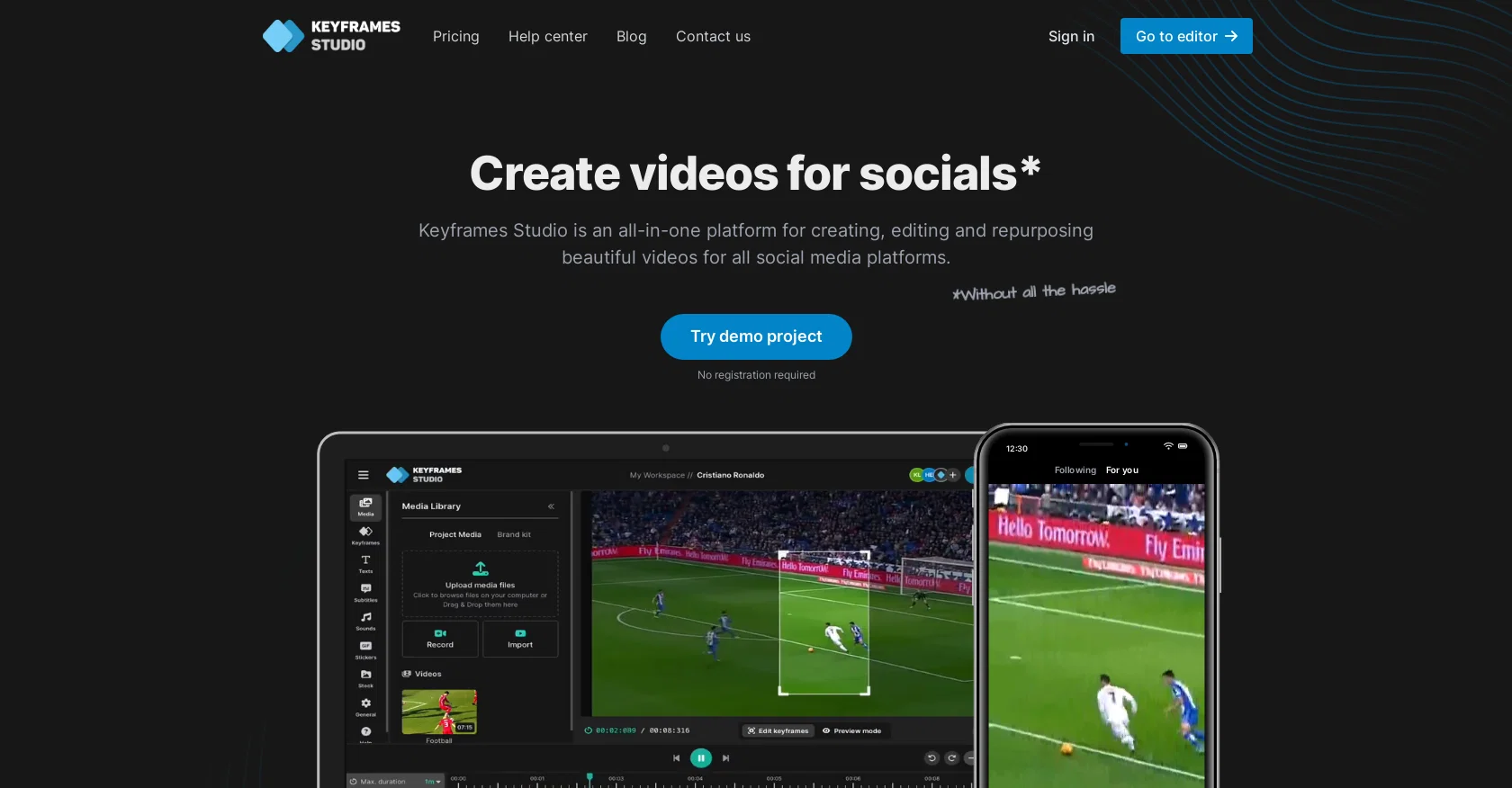
Keyframes Studio is an all-in-one online video editor platform that specializes in creating videos specifically tailored for social media. It eliminates the need for time-consuming research on aspect ratios and heavy video editing software, offering an intuitive and efficient solution for content creators.
The platform uses AI technology to simplify the video creation process and provides a variety of features to enhance the quality and engagement of videos.With Keyframes Studio, users can easily repurpose their existing content with just a few clicks.
The platform offers automatic keyframe creation and catchy subtitles powered by AI algorithms. It also integrates a library of stock images, videos, and viral sounds to add extra elements and enhance the visual appeal of videos.Collaboration is made effortless through the platform, as it allows users to invite their team members to work together on projects.
The workspace supports unlimited projects and provides the ability to save work and continue at a later time. Additionally, Keyframes Studio offers a brand kit feature, enabling digital agencies to streamline their branding efforts.The editing process is made simple and accessible to users of all experience levels.
Keyframes Studio provides an easy-to-use editor with features such as resizing, trimming, cropping, zooming, and live preview. It supports automatic subtitle generation in multiple languages and provides options for highlighting words karaoke-style.Whether users are content creators, digital agencies, or individuals looking to create videos, Keyframes Studio offers a comprehensive solution that allows users to create high-quality videos optimized for social media platforms.
Help other people by letting them know if this AI was useful.
Add your own prompts and outputs to help others understand how to use this AI.
Screenshot gallery
Pros & Cons
Pros
+Optimized social media videos
+Automatic keyframe creation
+Integrated library of stock content
+Viral sounds addition
+Effortless team collaboration
+Work on unlimited projects
+Branding efforts streamlining
+Resizing and trimming features
+Cropping and zooming features
+Live video preview
+Multiple languages subtitle generation
+Karaoke-style words highlighting
+Save work and continue later
+Brand kit feature
+Videos for all socials creation
+No registration required for demo
+Resize, trim, crop, cut
+Automatic subtitles creation
+Supports 12 languages
+Workspace sharing
+Keyword search in libraries
+Screen and camera recording
+Control camera movements
+Direct post to social media
+Target audience reach
+No credit card required for demo
+Repurpose existing content
+Easy-to-use editor
+Mobile-friendly video creation
+Video aspect ratios management
+No software download required
+Online tool access
+Social media aspect ratios automatic generation
+Intuitive user interface
+For content creators and agencies
+Templates availability
Cons
−No offline editing option
−No plugin integration mentioned
−Only 12 languages supported
−Not mentioned file size limits
−No third-party sharing capabilities
−Perhaps limited audio editing
−No versioning control
−No specific format export options
−Not mentioned different user roles
−No professional color grading
A Professional Framework to Evaluate Keyframes.studio
When considering Keyframes.studio for integration into your organizational workflow, we recommend deploying a structured score card across three critical operational pillars: Security & Compliance, Integration Friction, and long-term Price Scalability. Rather than looking only at basic feature lists, modern procurement teams must assess how a software platform behaves under high load and how well it fits into the team's data security guidelines.
1. Security and Database Compliance
Depending on your operating region and field, ensure that Keyframes.studio supports standard security layers such as SOC 2 Type II certifications, GDPR compliance, or HIPAA-compliant database encryption. If the tool connects directly to client database tables or handles user passwords, verify that they implement multi-factor authentication (MFA), single sign-on (SSO) integrations, and end-to-end data encryption in transit and at rest.
2. API Coverage and Custom Integrations
Siloed data is the primary cause of operational friction. Evaluate if Keyframes.studio has native connectors for your current project trackers, messaging hubs, and customer communication channels. For custom developer requirements, check if they provide a fully documented REST API with reasonable rate limits, comprehensive Webhooks support, and robust SDK packages in your language. A flexible API layer saves hundreds of hours of manual copy-paste overhead.
3. Total Cost of Ownership (TCO)
SaaS pricing packages are often deceptively simple. When reviewing Keyframes.studio's billing structure, map out your team's projected expansion over the next 12 to 24 months. Determine how costs scale as your customer database increases or as you add team members. Factor in setup costs, mandatory support plan upgrades, API access fees, and storage overage rates to understand the true cost before committing to a contract.
By combining verified user reviews from our directory with internal workflow pilot tests, your procurement team can make an informed decision that drives productivity without creating capital waste.
Features of Keyframes.studio
Video Creation
Social Media Management
Digital Marketing
Content Marketing
Content Automation
Video Editing
Free + From $9/Mo
SaaS1to10 verified reviews for Keyframes.studio
Overall rating
★★★★★5.0
Based on 17 reviews
★★★★★5.02 months ago
“Review”
It's really frustrating when you try to select something you want, only to be immediately redirected to a subscription-based payment model. There's no opportunity to even test things out, which kills the enthusiasm right away. It seems like everything is geared towards subscriptions nowadays, and it's a turn-off. Companies should prioritize transparency and give customers a chance to try out products before committing to a subscription. Practices like these erode consumer trust and deter many potential customers.
X X
★★★★★5.02 months ago
“Review”
It's not free, it forces you to input an email before shoving a price tag in your face.
Arvoly XSL
★★★★★5.02 months ago
“Review”
O GPT faz uma análise melhor e mais personalizada.
Vinicius Vilela
★★★★★5.02 months ago
“Review”
As the service was in beta-testing stage, I created there a dozen of AI-generated courses for free. I wanted to use them. Those courses remained in my account as they started subscription tiers. But recently I have found out that they were deleted. The support didn't answer to my e-mail at all.
Oldfag TV
★★★★★5.02 months ago
“Review”
WE USE @D-ID AT THE COLORADO VIRTUAL CREATIVE FACTORY...AND LOVE IT.
Franco Arteseros
★★★★★5.02 months ago
“Review”
Works but I cannot understand what's the use. I was expecting it to give me some videos
Samartha Venkatramana
★★★★★5.02 months ago
“Review”
After my first use, I think it's surprisingly good. The only drawback so far is the PDF export option for the report which is formatless.
Alejandro Correa
★★★★★5.02 months ago
“Review”
Very use full video generator nice.......
yuri boyka
★★★★★5.02 months ago
“Review”
This is phenomenal. I demo it in my sessions all the time.
Beth Ziesenis
★★★★★5.02 months ago
“Review”
I completely agree with the previous comment. I first purchased the $5 package and then upgraded to the Pro package, hoping to create videos longer than 3.5 minutes. However, I was disappointed to find out that I needed to purchase the $99 package to create longer videos. It was not clear that the 5000 characters of script only equated to 3.5 minutes of video. To make things worse, the company has a strict no-refund policy, which feels unfair. They seem more focused on taking your money than providing quality service. I would highly recommend avoiding this service at all costs.
Yannis P.
★★★★★5.02 months ago
“Review”
Only available on the iphone... doesn't seem super intuitive to use.
Mental Forge Media
★★★★★5.02 months ago
“Review”
Really amazing! Makes learning content and engaging with things so much easier!
Jamie McDonald
★★★★★5.02 months ago
“Review”
Seems to be working for me. Maybe try again?
Aramis
★★★★★5.02 months ago
“Review”
Bro, @Captions is actually straight fire for short-form content. Script in, clean @Captions and edits out, and it makes talking-head clips feel way more polished in minutes. Big w for creators
Chris Studioz
★★★★★5.02 months ago
“Review”
Selamat siang saya akan membagikan tutorial gimana caranya mengedit video di aplikasi capcut