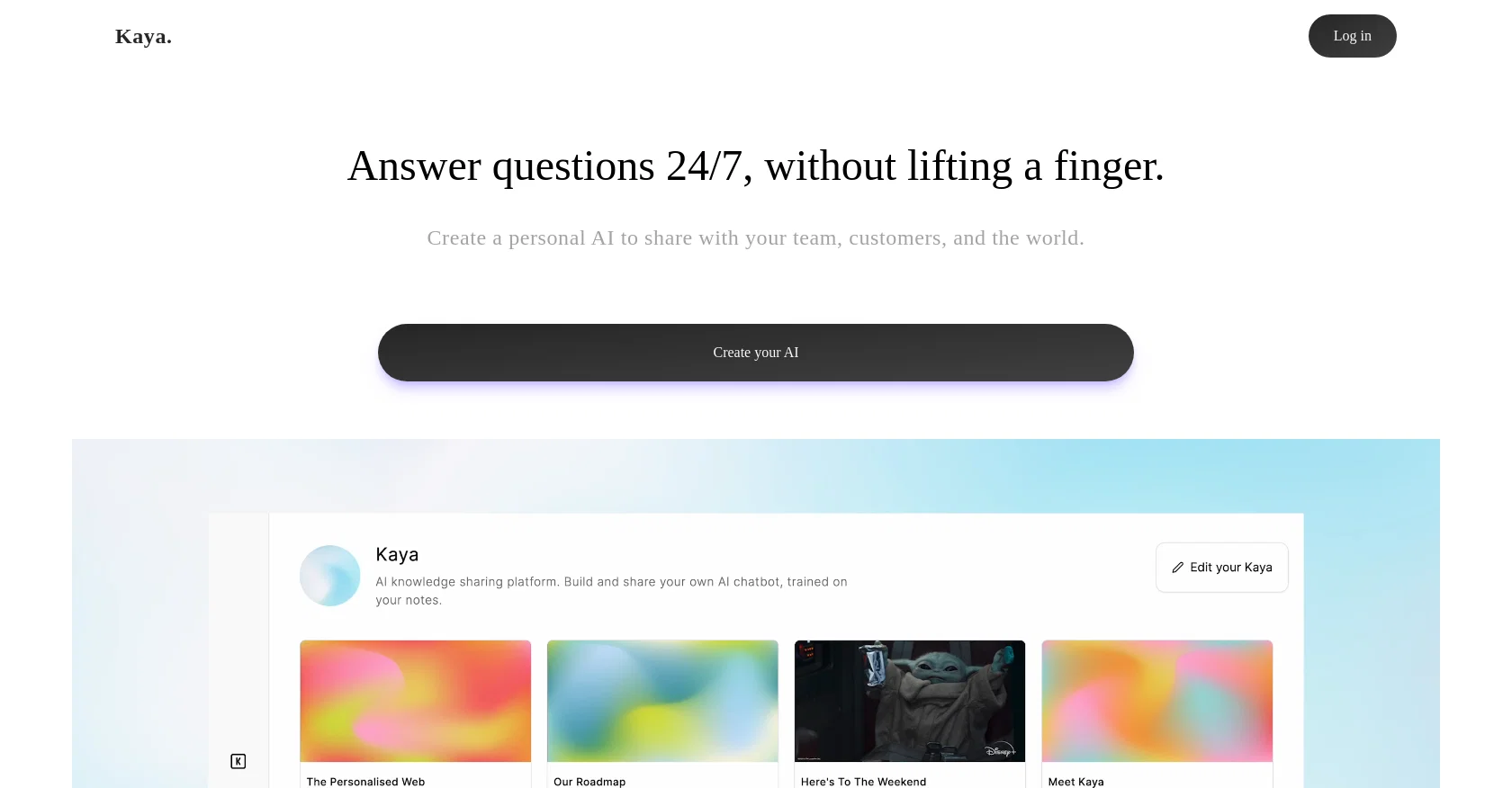
Kaya is an AI tool that enables users to create and share their personal AI, which is trained on the user's notes. The platform allows users to write about anything they want and their AI learns as they type, becoming their personal assistant that grows, answers questions, and provides personal insights from their knowledge.
Kaya's conversational interface makes it an excellent tool for personalized learning, content creation, and customer service. Instructors can use Kaya to create chatbots that mimic one-on-one tutoring sessions, while students can access personalized learning content that adapts to their learning style and progress.
Kaya AI can also help businesses generate interactive content experiences, such as adventure stories, quizzes, and games. Kaya can help keep users engaged and coming back for more.
Additionally, Kaya can be used to build intelligent customer service agents. Users can publish their AI at a custom domain, where anyone can talk to an AI-you.
The platform allows users to free their thoughts with a personal AI, allowing them to talk to their thoughts, learn from them, and share them like never before.
Help other people by letting them know if this AI was useful.
Add your own prompts and outputs to help others understand how to use this AI.
Screenshot gallery
Pros & Cons
Pros
+Personalized learning capabilities
+Facilitates content creation
+Can be used for customer service
+Conversational interface
+Can mimic one-on-one tutoring
+Adapts to user's learning style
+Generates interactive content experiences
+Helps retain user engagement
+Answers questions 24/7
+Can be published at custom domain
+A tool for knowledge sharing
+Supports trainers and instructors
+Suitable for creators and businesses
+Enables adventure stories, quizzes, games
+Adaptable in handling random thoughts
+Customizable personal assistant
+Grows with the user
+Answers questions and provides insights
+Promotes intuition-based learning
+Can log in to use
+Facilitates interactive educational content
+Allows users to free their thoughts
+Tool for talking to one's thoughts
+Insights from user's knowledge
+Enables learning from one's thoughts
+Ease in generating use-cases
+Enhances natural learning style
+Can be used to maintain notes
+Learning through typing
+Can serve businesses or individuals
+Suitable for any content type
+Can handle detailed essays
Cons
−No multi-language support
−Limited domain customizability
−No voice interaction
−Lacks advanced analytics
−No real-time training
−Limited user interface customization
−Learning model not transparent
A Professional Framework to Evaluate Kaya
When considering Kaya for integration into your organizational workflow, we recommend deploying a structured score card across three critical operational pillars: Security & Compliance, Integration Friction, and long-term Price Scalability. Rather than looking only at basic feature lists, modern procurement teams must assess how a software platform behaves under high load and how well it fits into the team's data security guidelines.
1. Security and Database Compliance
Depending on your operating region and field, ensure that Kaya supports standard security layers such as SOC 2 Type II certifications, GDPR compliance, or HIPAA-compliant database encryption. If the tool connects directly to client database tables or handles user passwords, verify that they implement multi-factor authentication (MFA), single sign-on (SSO) integrations, and end-to-end data encryption in transit and at rest.
2. API Coverage and Custom Integrations
Siloed data is the primary cause of operational friction. Evaluate if Kaya has native connectors for your current project trackers, messaging hubs, and customer communication channels. For custom developer requirements, check if they provide a fully documented REST API with reasonable rate limits, comprehensive Webhooks support, and robust SDK packages in your language. A flexible API layer saves hundreds of hours of manual copy-paste overhead.
3. Total Cost of Ownership (TCO)
SaaS pricing packages are often deceptively simple. When reviewing Kaya's billing structure, map out your team's projected expansion over the next 12 to 24 months. Determine how costs scale as your customer database increases or as you add team members. Factor in setup costs, mandatory support plan upgrades, API access fees, and storage overage rates to understand the true cost before committing to a contract.
By combining verified user reviews from our directory with internal workflow pilot tests, your procurement team can make an informed decision that drives productivity without creating capital waste.
Features of Kaya
Education
Virtual Assistant
Personalized Learning
Adaptive Learning
AI Tutoring
Support System
Free + From $10/Mo
SaaS1to10 verified reviews for Kaya
Overall rating
★★★★★5.0
Based on 17 reviews
★★★★★5.02 months ago
“Review”
like the other person said, you have to pay. Normally, I wouldn't care, but this particular group advertised itself as free for quite some time. A lot of the materials about it still suggest it's free. And then it engages in basically the same pricing structure that people use this tool to protect themselves from.
comrade circuits
★★★★★5.02 months ago
“Review”
Seems to be working for me. Maybe try again?
Aramis
★★★★★5.02 months ago
“Review”
I joined Kin's beta program on my iPhone XR. After upgrading to an iPhone 13, I found that I couldn't log into my existing account on the new phone, forcing me to create a new account. Now, I have two separate Kin accounts on different phones. Today, when I accessed the beta version of Kin, I got a notification stating that the test version ended on Monday, September 23rd. It instructed me to back up my data and move to the official Kin app. I did as advised—backed up my data, confirmed, uninstalled the beta app via TestFlight, and installed the official Kin app. However, when I attempted to “log in”, I was still unable to access my existing account. This issue hasn't been resolved yet. I have been trying desperately to get in contact with the support team. I left feedback through the test flight app and sent emails. No response. Now trying to find a forums, Reddit posts, TAAFT comments☻
Desiree Miller
★★★★★5.02 months ago
“Review”
Fantastic tool for anyone who is looking to promote their personal brand and gain followers on Linkedin with no experience. The tool has a lot of potential to grow and as someone who has recently purchased the tool I'm hoping for more topics in settings.
Ed Soltani
★★★★★5.02 months ago
“Review”
They're dreaming if they think I'd give them my credit card info just for a free trial. Most useless thing ever...
Noeffen Way
★★★★★5.02 months ago
“Review”
The website is pretty good but there are only a limited number of responses
Probal Roy
★★★★★5.02 months ago
“Review”
An amazing app, I love the share feature and the comment section summaries
Silvia Cho
★★★★★5.02 months ago
“Review”
After my first use, I think it's surprisingly good. The only drawback so far is the PDF export option for the report which is formatless.
Alejandro Correa
★★★★★5.02 months ago
“Review”
Excellent customer support and superb chat responses. Worth every penny.
Web3 Sources
★★★★★5.02 months ago
“Review”
Really amazing! Makes learning content and engaging with things so much easier!
Jamie McDonald
★★★★★5.02 months ago
“Review”
O GPT faz uma análise melhor e mais personalizada.
Vinicius Vilela
★★★★★5.02 months ago
“Review”
Suppppeeeeerrr! Wowwww! @Mindsmith is absolutely fantastic! It is incredibly useful, easy to use, and very professional.
Claudia Scilletta
★★★★★5.02 months ago
“Review”
As the service was in beta-testing stage, I created there a dozen of AI-generated courses for free. I wanted to use them. Those courses remained in my account as they started subscription tiers. But recently I have found out that they were deleted. The support didn't answer to my e-mail at all.
Oldfag TV
★★★★★5.02 months ago
“Review”
Yes,, it's very good
Hasna Fadilah
★★★★★5.02 months ago
“Review”
Easy to use and incredible value!
CoreWise.Video
★★★★★5.02 months ago
“Review”
Wow, wonderful project.
Palash Roy
★★★★★5.02 months ago
“Review”
Excellent chatbot, very functional and easy to teach. It took me a while to vary the prompt, but I ended up getting a great result when I put it through a stress test. I give 4 stars because I think this AI can still improve. In any case I recommend it.