5.02 months ago
“Review”
Good website builder
Martin Durant

Turn audio and video into text in minutes.
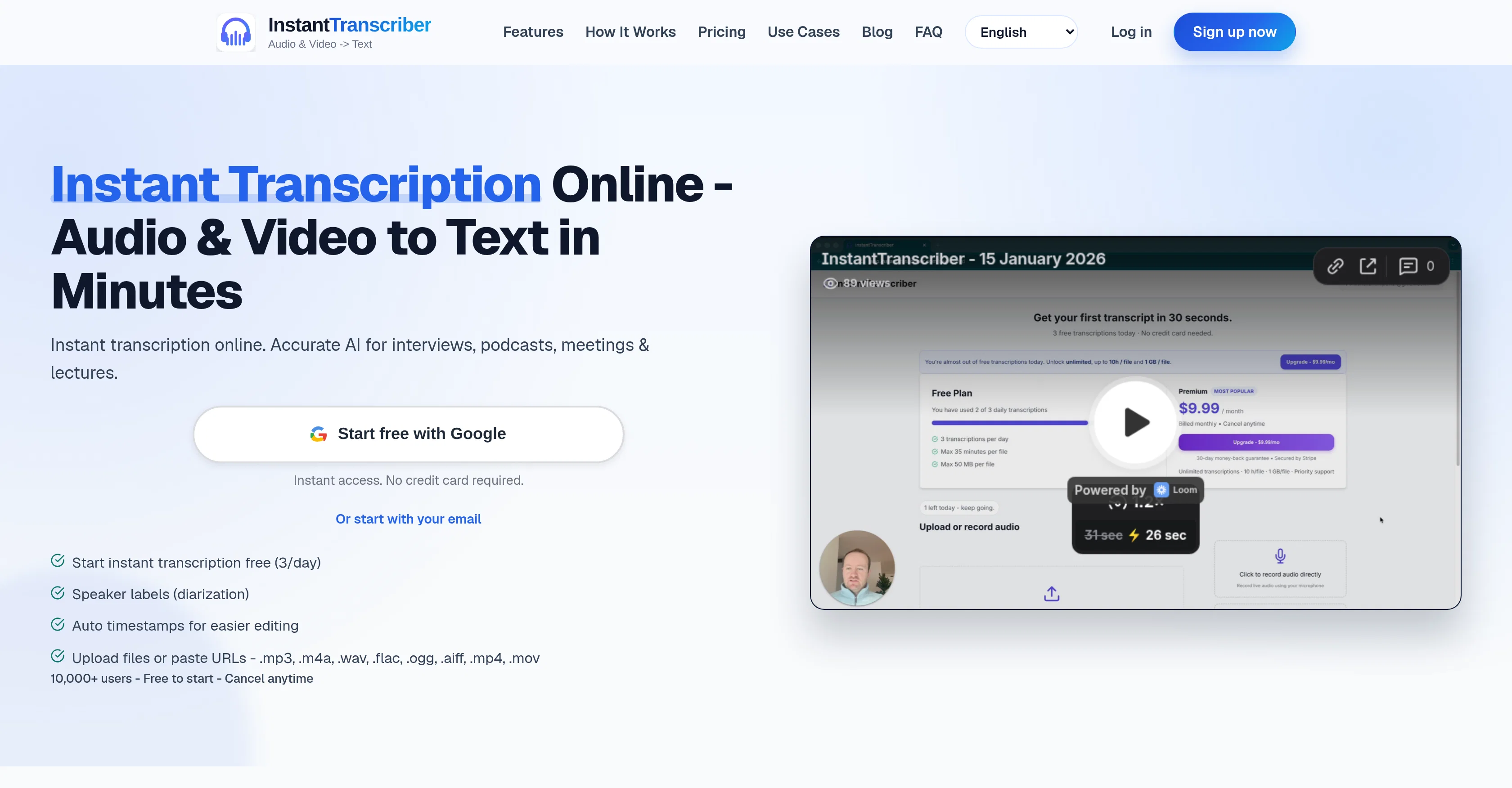
InstantTranscriber is an online tool that turns audio and video into text using artificial intelligence. It can be used to transcribe interviews, podcasts, meetings, and lectures. Users can upload files directly, paste public URLs, or even record right in the browser. The process is simple: upload your file or paste a URL link, wait for the AI to analyze and process your audio (which can extract audio from video files), and then download your transcript. The tool supports various file types including MP3, M4A, WAV, FLAC, OGG, AIFF, MP4, and MOV. Transcripts can be downloaded in multiple formats such as TXT, SRT, VTT, DOCX, or PDF. Notably, the transcripts include features like speaker labels and timestamps, making them easier to use and edit. The tool prides itself on privacy and security, using bank-level encryption to protect users' files and ensuring that audio is auto-deleted after processing. Additionally, the transcripts remain private and aren't used to train its AI models. Confidentiality aside, the transcripts feature helps with editing, captioning, and accessibility workflows. It supports multiple languages and caters to both individuals and teams with scalable plans. Help other people by letting them know if this AI was useful. Add your own prompts and outputs to help others understand how to use this AI.
When considering InstantTranscriber for integration into your organizational workflow, we recommend deploying a structured score card across three critical operational pillars: Security & Compliance, Integration Friction, and long-term Price Scalability. Rather than looking only at basic feature lists, modern procurement teams must assess how a software platform behaves under high load and how well it fits into the team's data security guidelines.
Depending on your operating region and field, ensure that InstantTranscriber supports standard security layers such as SOC 2 Type II certifications, GDPR compliance, or HIPAA-compliant database encryption. If the tool connects directly to client database tables or handles user passwords, verify that they implement multi-factor authentication (MFA), single sign-on (SSO) integrations, and end-to-end data encryption in transit and at rest.
Siloed data is the primary cause of operational friction. Evaluate if InstantTranscriber has native connectors for your current project trackers, messaging hubs, and customer communication channels. For custom developer requirements, check if they provide a fully documented REST API with reasonable rate limits, comprehensive Webhooks support, and robust SDK packages in your language. A flexible API layer saves hundreds of hours of manual copy-paste overhead.
SaaS pricing packages are often deceptively simple. When reviewing InstantTranscriber's billing structure, map out your team's projected expansion over the next 12 to 24 months. Determine how costs scale as your customer database increases or as you add team members. Factor in setup costs, mandatory support plan upgrades, API access fees, and storage overage rates to understand the true cost before committing to a contract.
By combining verified user reviews from our directory with internal workflow pilot tests, your procurement team can make an informed decision that drives productivity without creating capital waste.
Overall rating
Based on 16 reviews
Good website builder
Martin Durant
I hadn't come across this tool until just a few days ago, when I spotted it on TAAFT. It was truly a pleasant surprise; the development team genuinely offers their services completely free of charge—a remarkably generous approach compared to other tools. It saves both time and money. My sincere thanks to the development team for creating such an excellent tool.
Jason zhang
Hi everyone. 👋 I created @Ozigi because I was tired of seeing AI slop in content all over the internet, from social media posts to long-form content. @Ozigi operates on two principles: 1. We eliminate AI slop words from your content, using a banned lexicon feature that filters common/known AI words or structures from getting into your content. 2. We encourage a human-in-the-loop philosophy. We do not believe in mindless automation that values quantity over quality. We value quality, and that is why it is important to us to make sure that you--a human--reviews the generated content first before setting it up for publishing. @Ozigi does more than just social media content. It generates email newsletters and blogppsts as well.
Dumebi Okolo
This one is CRAAAAAZY! drop your MP4/MOV, it locks captions to speech cleanly (also multi-language), the in-browser editor is solid and you can either export SRT for youtube or burn the subs in shorts with a couple clicks. it's a W for creators :D
Chris Studioz
I like it but sometimes it changes some features in somone
Cherry
Thank you — this honestly means a lot 🙏 "No design experience needed" was exactly the goal, so it's awesome to hear it clicked for you. Thanks for creating with @MagicReels, and don't hesitate to reach out if you ever need anything!
MagicReels
This tool not only transcribes videos and audio, but also automatically generates summaries, which greatly helps me organize my study notes.
Sarah
Thanks! So happy to hear you're liking @FlowPost.
CodeConda
Deploys the backend directly from chat!
Spam Trapper
I think the software is really good.
Jiahui Zhou
High quality, really fast and generous free tier. Great tool! Comes even with speaker annotation!
Konstantin
the founder is cool, definitely a recommendation if you have personal requests and grow the app along with you.
Samik Choudhury
This is my favourite, so handy and works brilliant
Colin Fitzpatrick
No other tool quite like this, it's pretty straightforward. Needed to extract a long interview from YouTube and it extracted everything, providing it in different meaningful formats in less than two minutes. Awesome
Juan Sierra
I already have another transcription tool, but this one is much better. I love the different features such as the summary, quiz, and chapters. It does a great job of them. I've only done one transcript so far to try it out, but I'm truly impressed and am going to grab another code. A couple things that would make it even better are: - the ability to rename the files and organize them through folders. - the ability to download a copy of the other features as well as the transcript. Copying and pasting it works, but doesn't keep the format.
dunn
One of the most accurate API's I've used for speech to text and summarization. Cost effective w/ bulk contracts too.
Mery
Starting Price
Free plan available
Free tier available with optional paid upgrades.


