InfographicAI

5.0(19 reviews)

Create stunning infographics instantly with AI.

Free

InfographicAI Overview

What is InfographicAI?

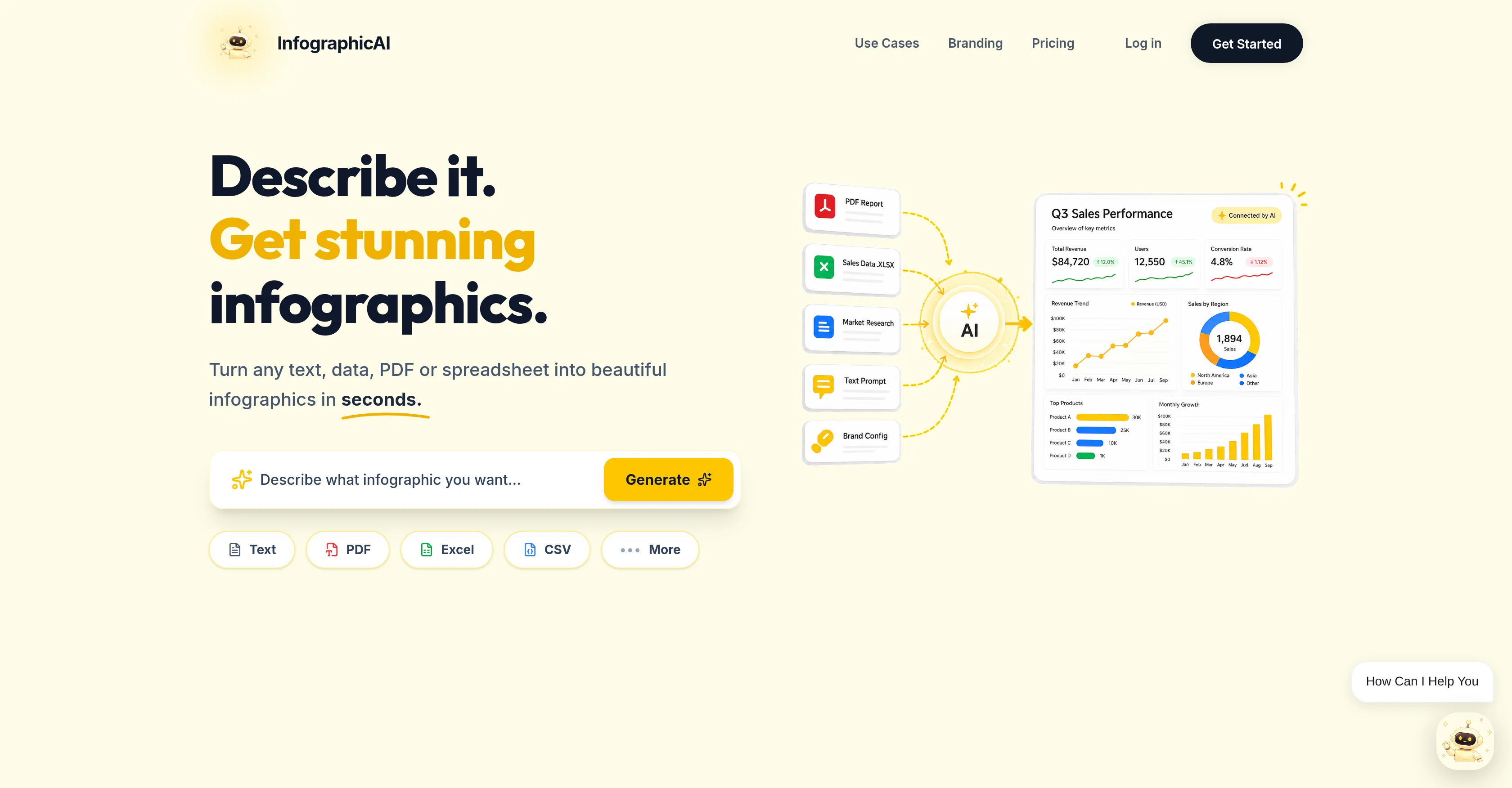
Infographic AI is an AI-powered tool designed to streamline and expedite the process of creating professional and visually engaging infographics. Utilizing advanced AI technologies, the tool converts raw data into visually appealing and understandable infographics with ease and efficiency. It offers a simplified and user-friendly interface that does not necessitate advanced graphic design or data visualization skills, making it suitable for both professionals and novices alike. The tool is ideal for data visualization tasks and can be efficiently used for the creation of reports and presentations. Infographic AI aims to assist users in conveying complex data and information in a visually compelling, easily comprehensible and engaging way. The unique AI-infused functionalities of the tool enable users to generate infographics swiftly, providing them with more time to focus on other critical aspects of their work. It's a versatile tool that can be employed in numerous sectors such as marketing, education, journalism, and business to make data communication easier and impactful. Help other people by letting them know if this AI was useful. Add your own prompts and outputs to help others understand how to use this AI.

Screenshot gallery

InfographicAI screenshot

Pros & Cons

Pros

  • Professional infographic generation
  • Visual consistency in outputs
  • Significant time-efficiency
  • Aids in data communication
  • Flexible infographic styles
  • Adapts to diverse needs
  • Applicable across industries
  • Simplified user interface
  • Novice-friendly tool
  • Processes complex data sets
  • Elevates visual data representation
  • Improves productivity and efficiency
  • Streamlines infographic creation
  • Ideal for data visualization tasks
  • Versatile usage in sectors
  • Aids in data readability
  • Advanced graphic visualization technology
  • Highly comprehensible infographics
  • Makes information visually engaging
  • Generates infographics instantly
  • Enhances report and presentation quality
  • Saves time on design
  • Aids in conveying complex data
  • Doesn't require design skills
  • Ideal for non-design professionals
  • Advanced data presentation capabilities
  • Understandable infographics output
  • Efficient in data transformation
  • No need for manual formatting

Cons

  • Limited customization options
  • Requires clean data input
  • May oversimplify complex data
  • Not suitable for detailed reports
  • Potential accuracy issues
  • Depends on online connectivity
  • Possible misunderstanding of data context
  • May lack industry-specific templates
  • Limited data types support
  • No integration with data sources

A Professional Framework to Evaluate InfographicAI

When considering InfographicAI for integration into your organizational workflow, we recommend deploying a structured score card across three critical operational pillars: Security & Compliance, Integration Friction, and long-term Price Scalability. Rather than looking only at basic feature lists, modern procurement teams must assess how a software platform behaves under high load and how well it fits into the team's data security guidelines.

1. Security and Database Compliance

Depending on your operating region and field, ensure that InfographicAI supports standard security layers such as SOC 2 Type II certifications, GDPR compliance, or HIPAA-compliant database encryption. If the tool connects directly to client database tables or handles user passwords, verify that they implement multi-factor authentication (MFA), single sign-on (SSO) integrations, and end-to-end data encryption in transit and at rest.

2. API Coverage and Custom Integrations

Siloed data is the primary cause of operational friction. Evaluate if InfographicAI has native connectors for your current project trackers, messaging hubs, and customer communication channels. For custom developer requirements, check if they provide a fully documented REST API with reasonable rate limits, comprehensive Webhooks support, and robust SDK packages in your language. A flexible API layer saves hundreds of hours of manual copy-paste overhead.

3. Total Cost of Ownership (TCO)

SaaS pricing packages are often deceptively simple. When reviewing InfographicAI's billing structure, map out your team's projected expansion over the next 12 to 24 months. Determine how costs scale as your customer database increases or as you add team members. Factor in setup costs, mandatory support plan upgrades, API access fees, and storage overage rates to understand the true cost before committing to a contract.

By combining verified user reviews from our directory with internal workflow pilot tests, your procurement team can make an informed decision that drives productivity without creating capital waste.

Features of InfographicAI

  • Infographic Creation
  • Infographic Generator
  • Infographics
  • Data Visualization
  • AI Graphics
  • AI Infographic Generator
  • Free + From $20/Mo

SaaS1to10 verified reviews for InfographicAI

Overall rating

5.0

Based on 19 reviews

5.02 weeks ago

Review

Hey! My name is Domantas and I invite all fellow solopreneurs, business and product owners to try Hostinger Horizons. Using it is super simple - you are creating a website or application just by prompting - chatting with AI. No struggle, code or design skills are needed. You can literally have your website live in few minutes. Looking forward for your feedback!

Domantas Patinskas

5.02 weeks ago

Review

I built a medical tracking App for a friend undergoing cancer treatment. He uses it to record side effects, medications, temperature, blood pressure, and more. The app turns his records into charts, making doctor visits much more efficient. Most importantly, all data stays on his own phone, giving him complete peace of mind!!! We can build apps not only for ourselfs but also as a new type of gift for people we care about. I am excited about this as I have no IT background. @NiuNiu keeps its promise that it is easy to build and deploy a real app just by chatting. definately I will try more ideas.

chaer

5.02 weeks ago

Review

Love this!! Its so easy to use and has made my life wayyyy easier. It got my whole team set up organized and has helped with every aspect from posting time to entire business structure and accounting!

L G

5.02 weeks ago

Review

Blink feels like the kind of tool that gets you from “I have an idea” to “wait, this is actually running?” pretty fast. Still curious how well the generated code holds up once the project gets more complicated.

Kolsi Adam

5.02 weeks ago

Review

Really good product, simple and no bs 👍

Etienne Dupuis

5.02 weeks ago

Review

Image3D feels like a practical tool rather than just a demo. The workflow is simple, the preview loads in-browser, and I can export common formats like GLB, OBJ, STL, and PLY. I would recommend it for fast 3D asset drafts and 3D printing experiments.

刘中奎

5.02 weeks ago

Review

Instantly goes live without hassle

E

5.02 weeks ago

Review

@Choosaro makes it much easier to compare options and make decisions with more clarity. I like that it gives structured analysis, scores, reasoning, strengths and weaknesses, and a clear recommendation instead of a generic AI answer. Very useful for reducing overthinking and choosing the best option faster.

Olivia Grace

5.02 weeks ago

Review

Purely magic. It increases the productivity by a lot and the process is pretty addictive. I've been building websites like there's not tomorrow.

Geo Burlibasa

5.02 weeks ago

Review

The most humanly AI i have used so far but the problem is as soon as you start piling up messages in single chat session , it starts getting slow and at some point it starts freezing and also uses a lot of resources. For time being its okay to do 3 4 messages but as soon as we continue it has messages limitation and also starts getting very very slow . For the price of £18 per month this is unacceptable and with the newly introduced feature called project, if we start new chat within the project we cannot continue with the context we provided in other chats within same project. There are lot of improvements for them to work on. And to start with the its speed and its price

Bibash Katel

5.02 weeks ago

Review

I think it's the best @Image Generator I ever found on the net. It gives more accurate image according to the prompt. And thank you for keeping it for free.

My Sawsiri

5.02 weeks ago

Review

Hey everyone, I’m Evaldas, co-founder of @Guideless, the fastest way to turn any browser workflow into a polished, AI-narrated video guide in minutes. No screen recording. No tedious editing. Just turn on the extension, click through your process as you normally would, and instantly get a share-ready guide. We recently shipped a major update: a sleeker UX and new high-quality AI voiceover characters — making guides sound and feel more vibrant than ever. Give @Guideless a try and see how effortless creating high-quality tutorials can be 🪄

Evaldas Bieliūnas

5.02 weeks ago

Review

Deploys the backend directly from chat!

Spam Trapper

5.02 weeks ago

Review

Very interesting

Béatrice Duval

5.03 weeks ago

Review

good for creating posts

WEB5LAB

5.03 weeks ago

Review

Which is more valuable, time or money? This doesn't save you either, at the moment as you only get two infographics to test out and you have to do quite a bit of editing to get it to look ok. The point of infographics is to inform in a highly visual and compelling way. None of the example info graphics are that. I suggest a pivot and use AI to fill out the text in a pre-made graphic template.

Michelle Ashton

5.03 weeks ago

Review

I wasn't able to use this one (I have my API key)

Pauline LeBlanc

5.03 weeks ago

Review

I had to tweak a few things to match my brand style, but overall it saved me a ton of time. Definitely handy if you need something fast and professional-looking.

Sophia

5.03 weeks ago

Review

It took me less than 20 minutes to create infographic perfection- all the other AI design sites I tried, and I tried them all, weren't able to give me what I wanted in 1 way or another. Outline Ninja helped me create my infographic

Gay Shirer

Pricing

Starting Price

Free plan available

Free tier available with optional paid upgrades.

Where can InfographicAI be deployed?

  • Cloud, SaaS, Web-Based

Recommended for you