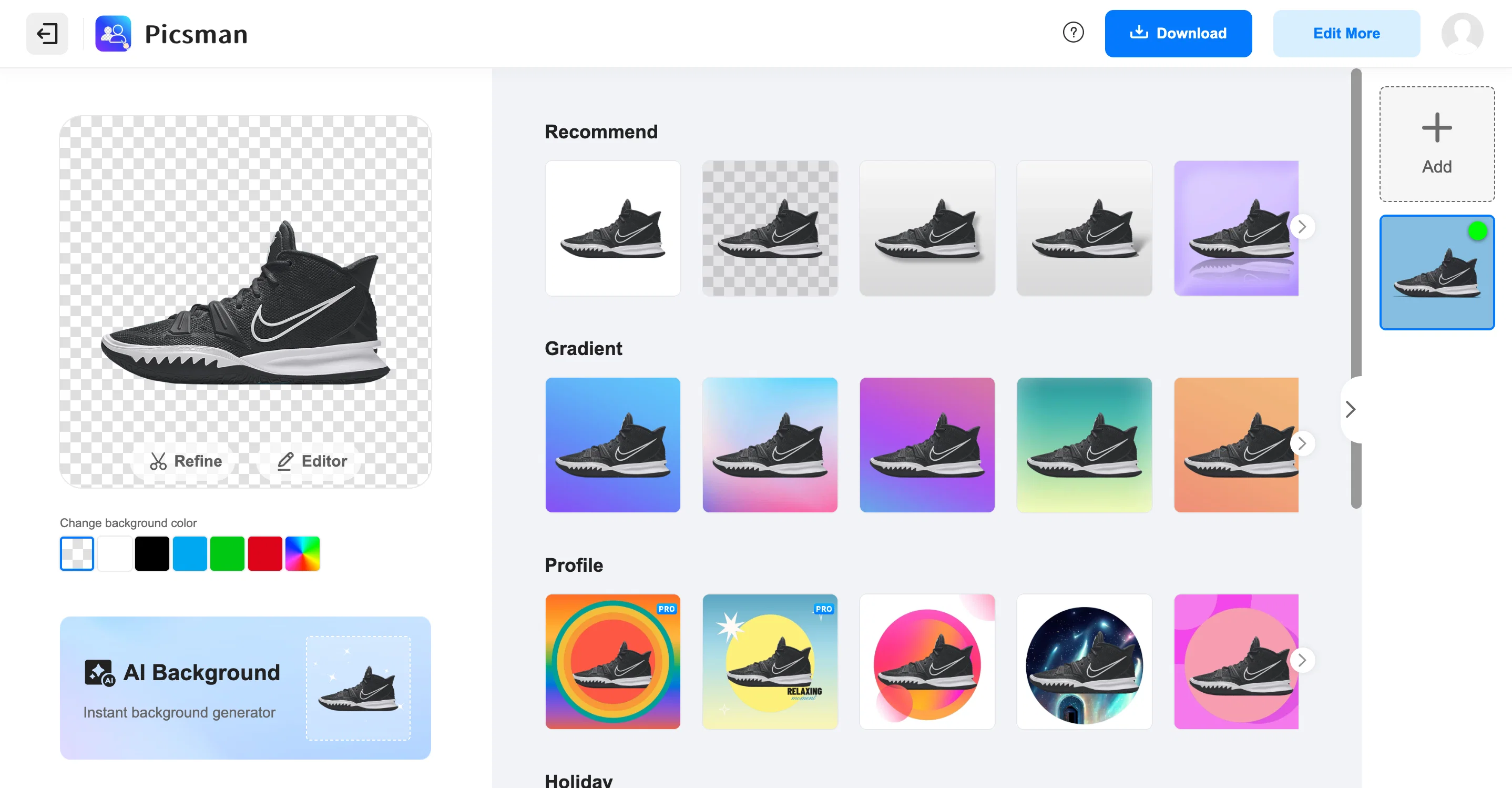
Picsman is an AI-powered tool designed to remove image backgrounds automatically and efficiently. This tool can provide transparent backgrounds for images in a single click, offering a simple yet sophisticated solution for photo editing needs.
Additional provided tools from Picsman include options to create a PNG with transparency, erase objects from images, enhance photos, generate images from text, instantly generate backgrounds, process images in batches, extend images using AI, and more.
The tool is able to manage complex images with intricate edges, which includes a range of objects such as people, animals, products, and graphics. Furthermore, the tool provides functionalities to edit the background of the image after it has been removed.
Users can opt for solid or gradient color backgrounds, providing an array of possibilities for the final appearance of the image. The AI tools embedded in the Picsman platform not only assist with removing backgrounds but also support the replacement of backgrounds, watermark removal, adding and removing text from images and overall photo enhancement.
Help other people by letting them know if this AI was useful.
Add your own prompts and outputs to help others understand how to use this AI.
Screenshot gallery
Pros & Cons
Pros
+Single click operation
+Creates PNG with transparency
+Erases objects from images
+Enhances photos
+Generates images from text
+Instantly generates backgrounds
+Batch image processing
+Edits background after removal
+Options for solid or gradient color backgrounds
+Handles complex images with intricate edges
+Allows adding and removing text
+Watermark removal
+Enables background replacement
+Optimized for a range of objects: people, animals, products, graphics
+Passport photo maker
+Cleanup pictures tool
+Removes people from photos
+Transforms text into art
+Add filters to images
+Generates realistic, high-quality backgrounds
+Large number of design templates
+Processes images in batches
+Adds shadow to images
+Batch removes backgrounds
+Applicable to product photography
+Doesn't require design skills
+Streamlines workflow
+Creates soft, hard, floating, and 3D shadows
+Automatic removal of image background
+Option to change background color after removal
+Removes background for transparent images output
+Swap backgrounds for customization
+Image enlarger tool
Cons
−Lacks offline functionality
−No support for vectors
−Accuracy may vary
−Limited editing tools
−Requires internet connection
−No mentioned integration capabilities
−Dependent on photo quality
−Limited file format support
−Specific genre of application
A Professional Framework to Evaluate AI Background Remover - Picsman
When considering AI Background Remover - Picsman for integration into your organizational workflow, we recommend deploying a structured score card across three critical operational pillars: Security & Compliance, Integration Friction, and long-term Price Scalability. Rather than looking only at basic feature lists, modern procurement teams must assess how a software platform behaves under high load and how well it fits into the team's data security guidelines.
1. Security and Database Compliance
Depending on your operating region and field, ensure that AI Background Remover - Picsman supports standard security layers such as SOC 2 Type II certifications, GDPR compliance, or HIPAA-compliant database encryption. If the tool connects directly to client database tables or handles user passwords, verify that they implement multi-factor authentication (MFA), single sign-on (SSO) integrations, and end-to-end data encryption in transit and at rest.
2. API Coverage and Custom Integrations
Siloed data is the primary cause of operational friction. Evaluate if AI Background Remover - Picsman has native connectors for your current project trackers, messaging hubs, and customer communication channels. For custom developer requirements, check if they provide a fully documented REST API with reasonable rate limits, comprehensive Webhooks support, and robust SDK packages in your language. A flexible API layer saves hundreds of hours of manual copy-paste overhead.
3. Total Cost of Ownership (TCO)
SaaS pricing packages are often deceptively simple. When reviewing AI Background Remover - Picsman's billing structure, map out your team's projected expansion over the next 12 to 24 months. Determine how costs scale as your customer database increases or as you add team members. Factor in setup costs, mandatory support plan upgrades, API access fees, and storage overage rates to understand the true cost before committing to a contract.
By combining verified user reviews from our directory with internal workflow pilot tests, your procurement team can make an informed decision that drives productivity without creating capital waste.
Features of AI Background Remover - Picsman
Background Removal
Image Editing
Image Processing
AI Powered
Background Replacement
Photo Enhancement
Free + From $4.99/Mo
SaaS1to10 verified reviews for AI Background Remover - Picsman
Overall rating
★★★★★5.0
Based on 21 reviews
★★★★★5.01 months ago
“Review”
Hey bro, I wanted to share some important feedback. Have the tools been upgraded recently? I’ve noticed a significant drop in quality over the last few days. I am using the exact same prompts that used to generate shockingly realistic results, but now the output just doesn't look the same. The realism is missing. I’ve been a heavy user of your platform and have tried almost all your tools—you guys usually do amazing work—but the current state of the tools is really concerning for me. Could you please consider restoring the previous update? Or, even better, add an option to switch between the 'Older Version' and the 'New Version'? This would allow users to choose the model that works best for them. Please look into this. Thanks!"
Kunnu Mixer
★★★★★5.01 months ago
“Review”
“Stable and efficient"
danielh
★★★★★5.01 months ago
“Review”
I like it, please make it more sexual...😁
suny sk
★★★★★5.01 months ago
“Review”
I can't believe this one is SO accurate while others misbehave like drunk rebels ;-) THX
Timeship
★★★★★5.01 months ago
“Review”
You have written, which Indian is writing this idiot, will you ever improve, you wretch?
Mulchandani M
★★★★★5.01 months ago
“Review”
I especially like that there's a colored side to guide the artist as reference
Kristoff 1 Skalet 1
★★★★★5.01 months ago
“Review”
🌟🌟🌟🌟🌟 This AI prompt generation tool is exceptional! It vividly brought to life the jungle scene I envisioned, capturing every detail with remarkable accuracy. The natural expressions, vibrant colors, and serene atmosphere were perfectly rendered. Highly recommended for creative projects!
Sukul Das PANIKA
★★★★★5.01 months ago
“Review”
very good and hyper realistic
David Akers
★★★★★5.01 months ago
“Review”
nice holistic
Amit ImmI
★★★★★5.01 months ago
“Review”
There were no aristocratic Asians and Africans in ancient Rome.
Sándor Gajdos
★★★★★5.01 months ago
“Review”
your answer is much too general, so useless. You could have just tell me to ask Perplexity.
Ta
★★★★★5.01 months ago
“Review”
Not at all accurate…. The only thing similar between original and generated images were the clothes and accessories… face was absolutely new and unconnected.
Shvetank Sharma
★★★★★5.01 months ago
“Review”
I think it's the best @Image Generator I ever found on the net. It gives more accurate image according to the prompt. And thank you for keeping it for free.
My Sawsiri
★★★★★5.02 months ago
“Review”
Thank you for your support. We value your feedback. If you have any questions or suggestions, please send us your feedback.
picsman
★★★★★5.02 months ago
“Review”
QUICK AND EASY. Perfect for any kind of pictures, it removes the background beautifully. Ez 5 stars
Ashu Jain
★★★★★5.02 months ago
“Review”
@Removal.ai is fast and easy to use, especially useful when removing backgrounds in batches. However, with complex backgrounds, manual adjustments are sometimes required. Overall, this is a useful tool that is fast and saves time.
Seol Jeon
★★★★★5.02 months ago
“Review”
still background removing accuracy is required. it only 80% not 100%
Krutika Creations
★★★★★5.02 months ago
“Review”
It works! It is fast and you have many choices for the background. Also the pricing seems to be ok
Fabio Ferraris
★★★★★5.02 months ago
“Review”
Use it daily and the results are incredibly good…
Hrach Tamrazyan
★★★★★5.02 months ago
“Review”
PLIS ! LET ME UPLOAD MORE FOR FREE ! THIS IS REALLY NICE AND I ENJOY IT ! COOL TOOL !!
Dara Mason
★★★★★5.02 months ago
“Review”
The best immage extending i have seen yet
Jászon Vászon
Pricing
Starting Price
Free plan available
Free tier available with optional paid upgrades.
Where can AI Background Remover - Picsman be deployed?