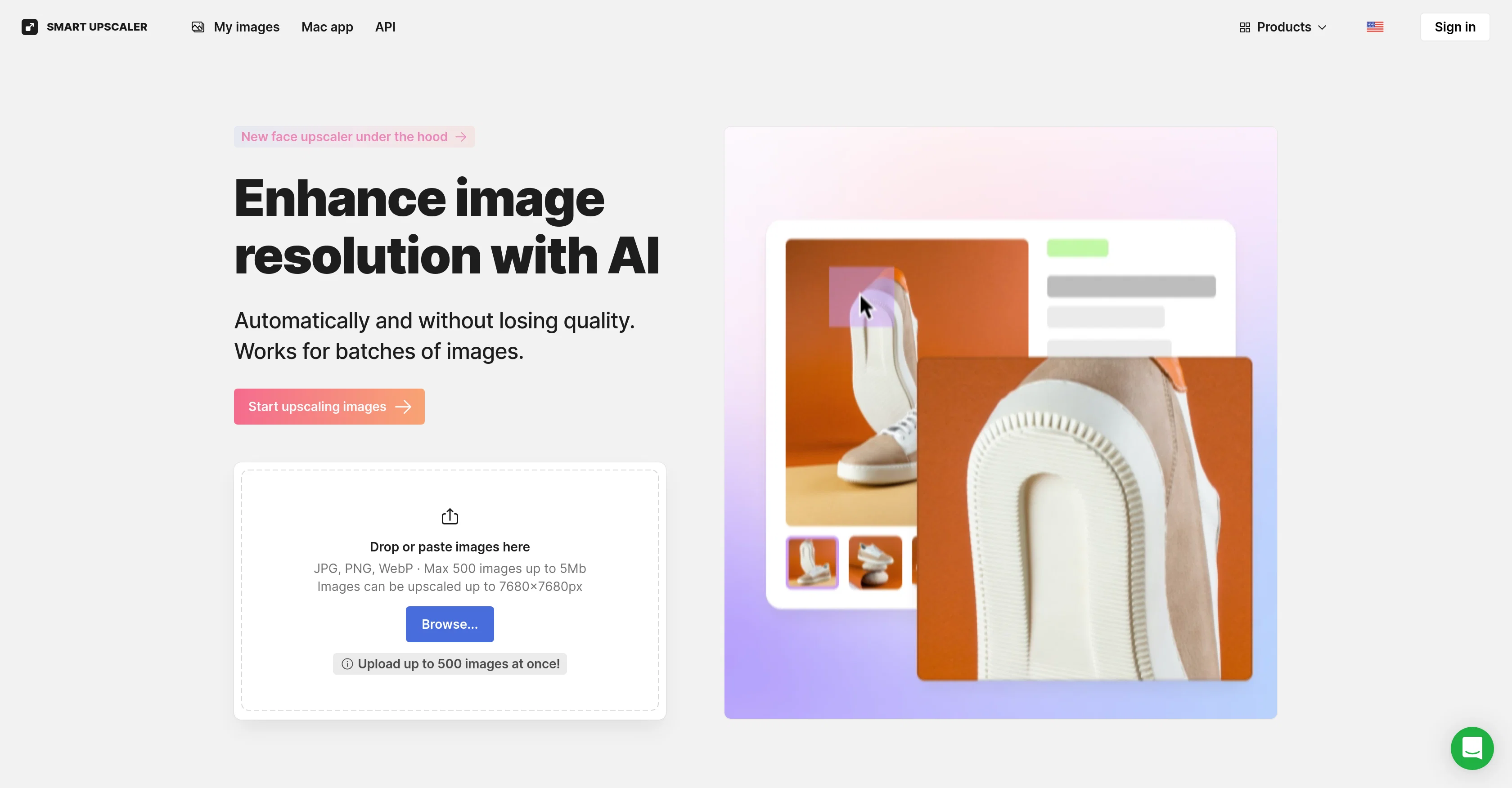
AI Image Upscaler is an online tool designed to enhance the quality and resolution of images using artificial intelligence. Its primary function is to enlarge or 'upscale' images without loss of detail or quality, with potential to upscale images to high resolution.
The tool can handle individual images or large batches making it efficient for voluminous tasks. Users are also granted access to the scaling API, offering the possibility to integrate the tools functions into their own applications or platforms.
Furthermore, this tool offers a Mac application for users seeking enhanced convenience.An additional feature of AI Image Upscaler is its ability to remove backgrounds of images, which can be useful for various graphic design tasks.
For more advanced editing, the tool incorporates capabilities such as sharpening, noise reduction and upscaling, in a fully automated editing process.
AI Image Upscaler operates based on deep learning and constant analysis of millions of images to maintain and improve its performance. This AI-powered tool enhances online content, and makes image quality enhancement more accessible and straightforward.
Help other people by letting them know if this AI was useful.
Add your own prompts and outputs to help others understand how to use this AI.
Screenshot gallery
Pros & Cons
Pros
+High resolution upscaling
+Batch processing capability
+Offers Scaling API
+Mac platform application
+Background removal feature
+Sharpening capability
+Noise reduction capability
+Deep learning technology
+Online image enhancement
+Preserves image detail
+Enhances online content
+Automated editing process
+Potential for integration
+Optimized for large tasks
+Supports up to 8x resolution
+Access to editing process API
+Upscale images to 7680x7680px
+Supports up to 500 images
+Watermark removal options
+Supports JPEG or PNG format
+Capable of dramatic upscaling
+Super-resolution enhancement
+Data-driven performance improvement
+Secure image storage
+Re-download option
+Doesn't utilize images for machine learning
+Accommodates images up to 3000x3000
Cons
−Limited to 7680x7680px
−Requires powerful GPU
−Best for JPEG or PNG
−Possibility of watermarks
−Images stored remotely
−Not optimal for images over 3000x3000px
−Subscription needed for frequent use
−No direct Windows application
A Professional Framework to Evaluate Icons8 AI Image Upscaler
When considering Icons8 AI Image Upscaler for integration into your organizational workflow, we recommend deploying a structured score card across three critical operational pillars: Security & Compliance, Integration Friction, and long-term Price Scalability. Rather than looking only at basic feature lists, modern procurement teams must assess how a software platform behaves under high load and how well it fits into the team's data security guidelines.
1. Security and Database Compliance
Depending on your operating region and field, ensure that Icons8 AI Image Upscaler supports standard security layers such as SOC 2 Type II certifications, GDPR compliance, or HIPAA-compliant database encryption. If the tool connects directly to client database tables or handles user passwords, verify that they implement multi-factor authentication (MFA), single sign-on (SSO) integrations, and end-to-end data encryption in transit and at rest.
2. API Coverage and Custom Integrations
Siloed data is the primary cause of operational friction. Evaluate if Icons8 AI Image Upscaler has native connectors for your current project trackers, messaging hubs, and customer communication channels. For custom developer requirements, check if they provide a fully documented REST API with reasonable rate limits, comprehensive Webhooks support, and robust SDK packages in your language. A flexible API layer saves hundreds of hours of manual copy-paste overhead.
3. Total Cost of Ownership (TCO)
SaaS pricing packages are often deceptively simple. When reviewing Icons8 AI Image Upscaler's billing structure, map out your team's projected expansion over the next 12 to 24 months. Determine how costs scale as your customer database increases or as you add team members. Factor in setup costs, mandatory support plan upgrades, API access fees, and storage overage rates to understand the true cost before committing to a contract.
By combining verified user reviews from our directory with internal workflow pilot tests, your procurement team can make an informed decision that drives productivity without creating capital waste.
Features of Icons8 AI Image Upscaler
API
Image Upscaling
Image Processing
Image Enhancement
Deep Learning
Quality Improvement
Free + From $9/Mo
SaaS1to10 verified reviews for Icons8 AI Image Upscaler
Overall rating
★★★★★5.0
Based on 26 reviews
★★★★★5.01 months ago
“Review”
@PPT.AI is an outstanding AI-powered presentation tool that has completely transformed my workflow! With just a few clicks, it turns my ideas, documents, or even YouTube links into polished, professional slides in minutes. The platform offers over 800 premium templates and smart editing tools, making customization both powerful and intuitive. I especially appreciate the real-time cloud collaboration and version control features, which make working in teams seamless. Whether you’re a professional, educator, or entrepreneur, @PPT.AI saves a tremendous amount of time and ensures every presentation looks visually engaging and consistent. Highly recommended—definitely a five-star experience!
Leo Wang
★★★★★5.01 months ago
“Review”
Good one, prompt works too good
Shivaforai
★★★★★5.01 months ago
“Review”
Looks amazing, but only 5 searches??
kanawati
★★★★★5.01 months ago
“Review”
Data extraction is accurate and incredibly efficient. Plus, it's super easy to use - no setup, no onboarding forms, perfectly simple UI. We started using it right away. The bank statements feature quickly imports, categorizes, and matches transactions. Their automatic categorization and matching process fully automates the reconciliation flow in our team.
Fatih Kutluturk
★★★★★5.01 months ago
“Review”
This is an awesome tool that creates crazy detailed mega-prompts
Monster Studios
★★★★★5.01 months ago
“Review”
Thank you so much!
Nevo David
★★★★★5.01 months ago
“Review”
Just implemented your instruction out how to run drip campaigns automatically, nice! Getting prospect calls coming in
Jenn N.
★★★★★5.01 months ago
“Review”
I recently started using @Napkin AI, and I couldn't be more impressed! This tool is incredibly user-friendly and intuitive, making it easy to generate clear visual representations from text. Moreover, the interface is clean and visually appealing, which enhances the overall user experience. @Napkin AI is a fantastic companion. Highly recommended for anyone looking to elevate their creative process!
Jobin Mathew
★★★★★5.01 months ago
“Review”
filters my spam calls
Robin Haw
★★★★★5.01 months ago
“Review”
i would say it gives the mind a sense of clarity
Emmanuella Marshall
★★★★★5.01 months ago
“Review”
Suppppeeeeerrr! Wowwww! @Mindsmith is absolutely fantastic! It is incredibly useful, easy to use, and very professional.
Claudia Scilletta
★★★★★5.01 months ago
“Review”
superb, e gratis, merge blana, in EN se aude ideal
jon doe
★★★★★5.01 months ago
“Review”
I'm still testing the tool yet it looks very promising. I tested it with a 5.5k words Academic text that I had previously red. I tested the Key points feature, it does work!
Ivana González
★★★★★5.01 months ago
“Review”
I found out this girl i was talking to was catfish, and just promoting her OF account
David Blake
★★★★★5.01 months ago
“Review”
It simplifies my video creation. It's a must-have tool.
fei shi
★★★★★5.01 months ago
“Review”
I think it's the best @Image Generator I ever found on the net. It gives more accurate image according to the prompt. And thank you for keeping it for free.
My Sawsiri
★★★★★5.01 months ago
“Review”
It does not load the processor. Fast in operation.
Виталий Губин
★★★★★5.02 months ago
“Review”
calling this freemium feels like a stretch as the free version is extremely limited. results are covered in watermarks and the upscaling isn't great either...
Jason Bowers
★★★★★5.02 months ago
“Review”
Very practical
Scofield michael
★★★★★5.02 months ago
“Review”
you only get 10 credits better to use other upscalers
Requiem of Ice
★★★★★5.02 months ago
“Review”
Very good job. File size concerns me, it was 10.2mb from a 1.63mb file. That was only one image, what if I had 50?
Ann P
★★★★★5.02 months ago
“Review”
5 minutes to create account. 1 minute to discover poor photo enhancing. Waste of time
Екатерина Дашкова
★★★★★5.02 months ago
“Review”
Androlicous!!!
Wazim Aju
★★★★★5.02 months ago
“Review”
nice holistic
Amit ImmI
★★★★★5.02 months ago
“Review”
It is quite an amazing ai
David T. Hart
★★★★★5.02 months ago
“Review”
Would be nice to try some other feature without paying even if only 5 trys