5.02 months ago
“Review”
Easy to use, good visuals and good price to videos ratio. Made a few with 10k views.
Edward Caveman

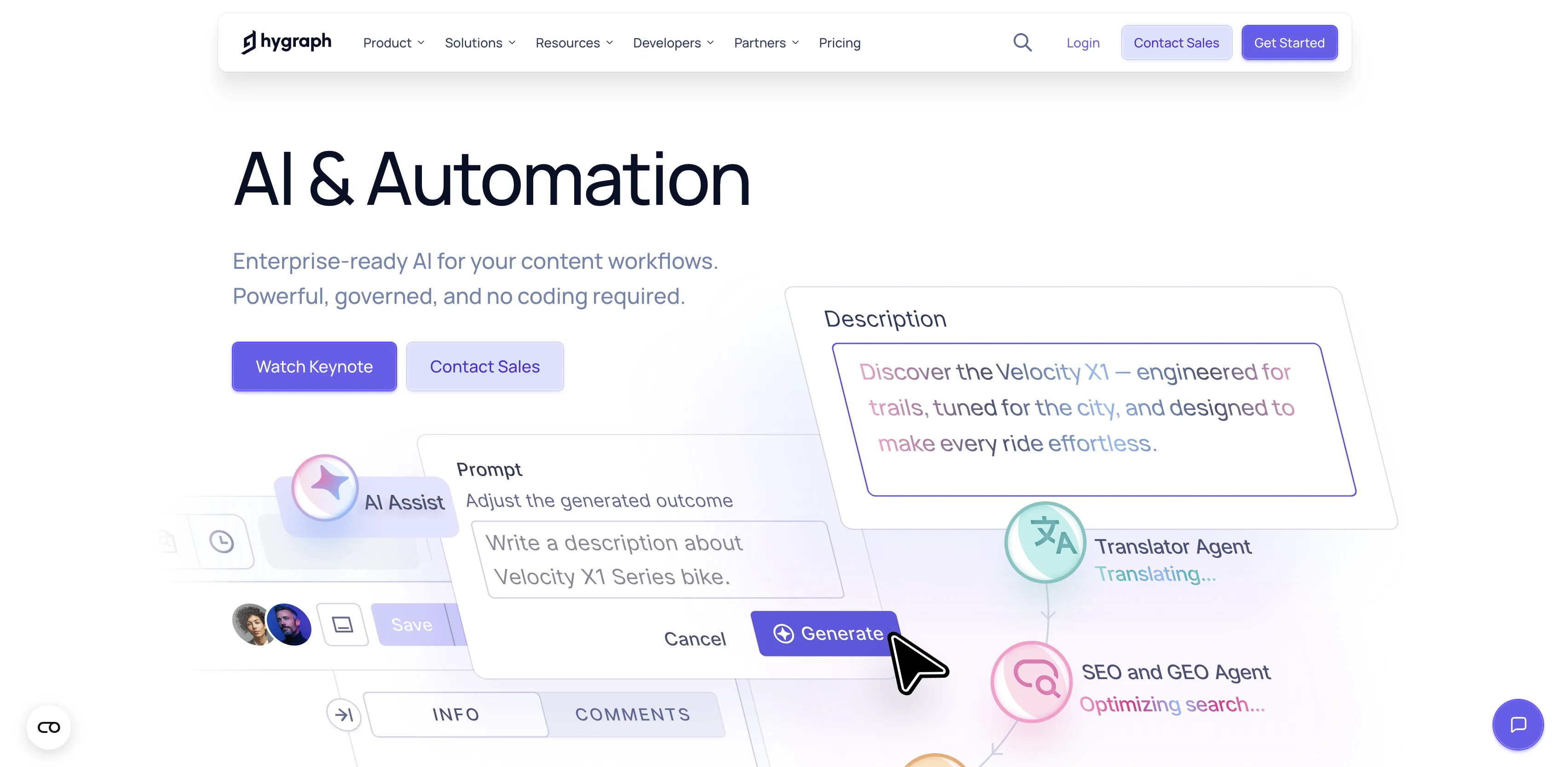
Enterprise-ready AI for your content workflows.
Hygraph is a tool designed to streamline your content workflows with the aid of its integrated AI Assist and Agentic Automation capabilities. It allows generation, translation, and optimization of content automatically in a governed manner. Hygraph is equipped with AI Assist that accelerates content creation with guided actions where each requires editor's approval ensuring enterprise governance. It helps generate content for empty fields like titles, descriptions and rich-text based on your content model, reducing time-to-publish and manual entry effort. The tool also aids in translating any content field between locales, maintaining structure, embeds, and formatting, thereby speeding up market launches and reducing translation overheads. It also offers an 'Improve' feature to refine existing entries for clarity, tone, and completeness. Hygraph's AI Agents automate translation, summarization, and SEO directly in your publishing workflows with roles, permissions, and audit trails on every action, ensuring enterprise-grade velocity and governance. Its MCP Server enables safe integration of external learning models and workflows. This tool is designed to empower developers and marketers with a scalable, safe AI option for headless content management systems. Help other people by letting them know if this AI was useful. Add your own prompts and outputs to help others understand how to use this AI.
When considering Hygraph for integration into your organizational workflow, we recommend deploying a structured score card across three critical operational pillars: Security & Compliance, Integration Friction, and long-term Price Scalability. Rather than looking only at basic feature lists, modern procurement teams must assess how a software platform behaves under high load and how well it fits into the team's data security guidelines.
Depending on your operating region and field, ensure that Hygraph supports standard security layers such as SOC 2 Type II certifications, GDPR compliance, or HIPAA-compliant database encryption. If the tool connects directly to client database tables or handles user passwords, verify that they implement multi-factor authentication (MFA), single sign-on (SSO) integrations, and end-to-end data encryption in transit and at rest.
Siloed data is the primary cause of operational friction. Evaluate if Hygraph has native connectors for your current project trackers, messaging hubs, and customer communication channels. For custom developer requirements, check if they provide a fully documented REST API with reasonable rate limits, comprehensive Webhooks support, and robust SDK packages in your language. A flexible API layer saves hundreds of hours of manual copy-paste overhead.
SaaS pricing packages are often deceptively simple. When reviewing Hygraph's billing structure, map out your team's projected expansion over the next 12 to 24 months. Determine how costs scale as your customer database increases or as you add team members. Factor in setup costs, mandatory support plan upgrades, API access fees, and storage overage rates to understand the true cost before committing to a contract.
By combining verified user reviews from our directory with internal workflow pilot tests, your procurement team can make an informed decision that drives productivity without creating capital waste.
Overall rating
Based on 12 reviews
Easy to use, good visuals and good price to videos ratio. Made a few with 10k views.
Edward Caveman
I’m not a professional animator, but @Elser AI made it easy to turn a simple script into an anime-style video. The workflow feels straightforward, and the results are more consistent than I expected.
Felix Zhang
I was skeptical about the "one-click video" claim, but I gave TemVideo a shot for a new product I'm testing. The biggest headache with AI video tools is usually the prompt engineering—you spend 30 minutes typing descriptions just to get a weird-looking hand. TemVideo completely bypasses that. My honest take after using it: The "From Raw Footage" feature is the real MVP. You know those random 10-second clips you take on your phone just to check lighting? The AI somehow turns those messy scraps into coherent ads. It’s almost spooky how well it edits around the product. It’s built for speed. If you are a dropshipper who needs to test 5 different products today, this workflow is unbeatable. Upload, click, done. I had an export ready faster than I could find a coffee. Multi-language is a bonus. It’s smart they included localization. If you sell globally, having the AI handle the lip sync and narration in different languages from one workflow is a massive time-saver. Best part? The built-in "Viral Hooks" library. It takes the guesswork out of what text to put on screen to stop the scroll.
abbey
finally don't have to babysit my campaigns at 2am. alex ai actually catches issues before they burn through budget. paused three underperforming ads last night while i was asleep. worth every penny
Gary Elhadi
It can take more than one generation but if you're specific in your prompt you get something really nice in a reasonable (to me) amount of time.
Jeff Ermoian
Protaige really made my life easier in creating Campaign across different platforms in a single click just by providing my Briefs. Thank you! Awesome Time Saving AI Tool. Really loved using it.
Imtiaz Mohammed
What is My AI Ninja? My AI Ninja simplifies content creation for social media posts, carousels, long blog posts and editorial calendars tailored to your business, writing style, and audience profile. Powered by AI, it transforms your insights into authentic, engaging content. The tool is not limited to generating text; it also comes equipped with features to aid with the appropriate illustration of the content, ensuring a comprehensive package for your content requirements with a simple and efficient user interface. ► Why My AI Ninja? Social media growth is crucial but time-consuming. Balancing authenticity with efficiency is a challenge. That’s where My AI Ninja comes in: → Save Time: No more hours spent crafting posts. → Stay Authentic: Content reflects your voice, not a cookie-cutter template. → Achieve Results: Build influence without sacrificing your focus. ► How It Works: → We Understand You: The AI learns your tone, style, and goals. → Simplified Input: Share ideas via text or voice notes; we handle the rest. → Authentic Output: From social media posts to blogs and carousels, every piece feels uniquely you. ► What You Gain: → Direct connection with your audience. → Insightful sharing that feels natural. → Expanded reach while staying true to your expertise. ►►►Join Hundreds of Entrepreneurs My AI Ninja already supports hundreds of users in turning ideas into impactful content. With new features on the horizon, it’s the perfect time to amplify your voice and share
Sanjay Das
This is a very useful tool for anyone that can create a prompt. I've used it time and again and it always delivers stunning results, and best of all at absolutely no cost. I would definitely recommend it.
Henderson Weekes
I swear this actually saved me a lot. 100% recommend to anyone.
307LLL
So much for unrestricted.
Katie Beck
It has content filters and there is no option to use a system prompt.
Gabriel Koh
I think it's the best @Image Generator I ever found on the net. It gives more accurate image according to the prompt. And thank you for keeping it for free.
My Sawsiri
Starting Price
Free plan available
Free tier available with optional paid upgrades.


