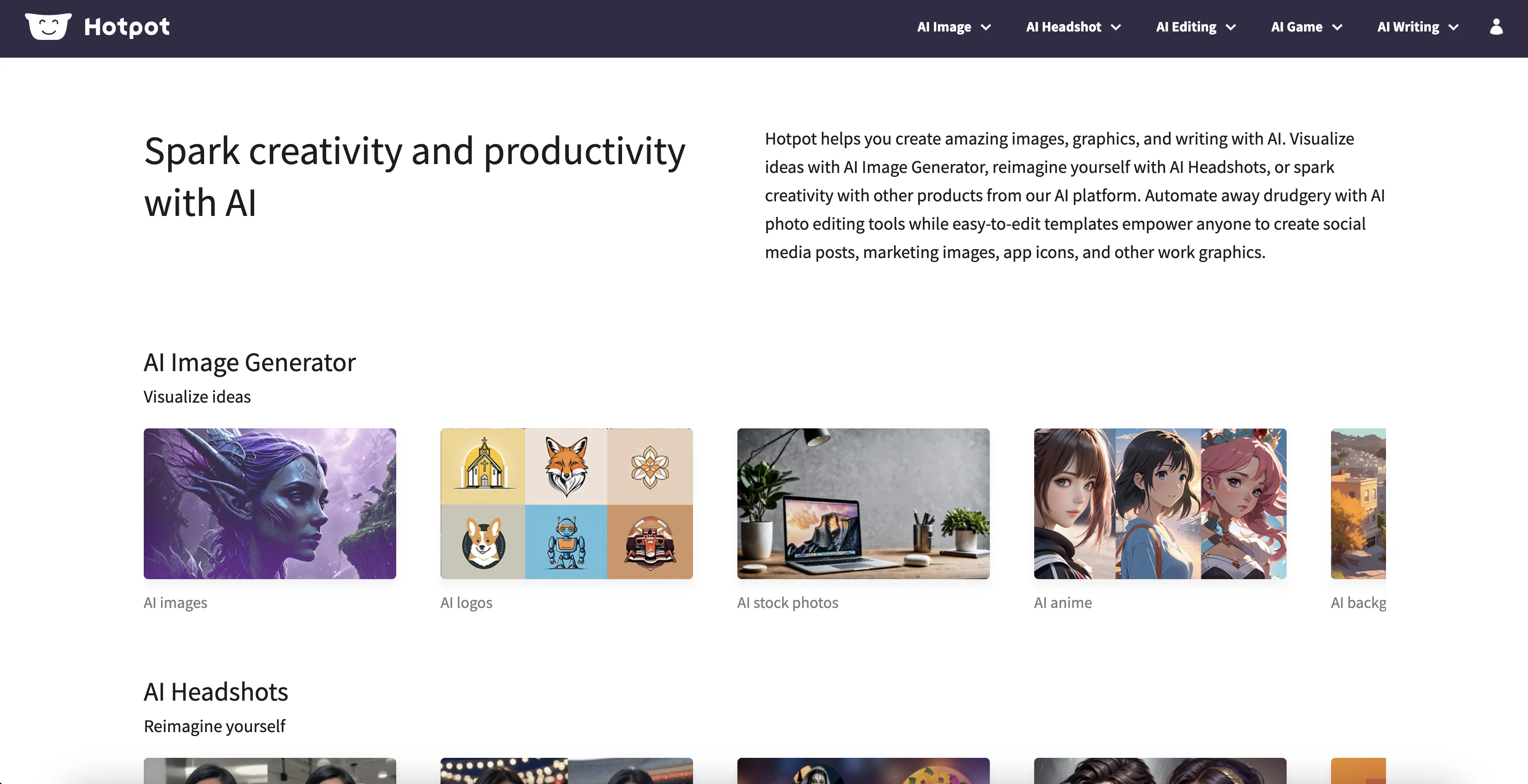
Hotpot.ai is an AI-driven platform that provides tools and templates to help users create amazing graphics, pictures, and text. It features an AI Art Generator to spark creativity and automate tasks such as creating device mockups, social media posts, marketing images, app icons and more.
Users can also use the AI Headshot Generator to create headshots and glamour shots in any style or scene imaginable. Hotpot also offers an AI Photo Upscaler that uses AI to increase image resolution and optimize for people, products and art.
The AI Object Remover and Background Remover tools allow users to quickly erase unwanted parts from images. Hotpot also features an AI Color Generator, Face Enhancer and Picture Restorer to help users customize images, as well as an AI Copywriter to help users conquer writer's block and create compelling stories, product descriptions, Google ads and more.
In addition, Hotpot offers easy-to-edit templates to help users create social media graphics, including Facebook posts, Instagram posts, LinkedIn banners and more.
Designs are free or $1 per graphic.
Help other people by letting them know if this AI was useful.
Screenshot gallery
Pros & Cons
Pros
+Templates for social media
+Affordable designs
+Quick editing of templates
+Wide range of templates
+Tools for game creation
+Content brainstorming tool
+Song and book writing tools
+Photo colorization
+Art personalizer
+Device mockups creation
+Picture personalization
+Background removal for e-commerce
+Automatic ad creation
+API access
+Customizable app icons
+Logo design templates
+Social media banner templates
+Tool for removing objects
+Professional writing assistance
+Product writing assistance
+Hotpot API
+Automated task execution
+Integrated creativity tools
+App marketing pack
+NFT Generator
+Free game assets
+Icons resizer
+User-friendly
+Helpful for designers and marketers
+Supports personal and commercial use
+Resourceful blog for tips
+Can optimize for people, products, and art
+Automates background removal
+Helps e-commerce stores and marketing agencies
+Automates content creation
+Restores damaged photos
+Enables personal art creation
+Retouches and enhances faces
Cons
−Limited template customization
−No version histories
−No collaboration features
−Limited visual asset library
−No animation tools
−Limited export options
−Not usable offline
−No plugin support
−$1 per graphic cost
−Inconsistent image resolution optimization
A Professional Framework to Evaluate Hotpot
When considering Hotpot for integration into your organizational workflow, we recommend deploying a structured score card across three critical operational pillars: Security & Compliance, Integration Friction, and long-term Price Scalability. Rather than looking only at basic feature lists, modern procurement teams must assess how a software platform behaves under high load and how well it fits into the team's data security guidelines.
1. Security and Database Compliance
Depending on your operating region and field, ensure that Hotpot supports standard security layers such as SOC 2 Type II certifications, GDPR compliance, or HIPAA-compliant database encryption. If the tool connects directly to client database tables or handles user passwords, verify that they implement multi-factor authentication (MFA), single sign-on (SSO) integrations, and end-to-end data encryption in transit and at rest.
2. API Coverage and Custom Integrations
Siloed data is the primary cause of operational friction. Evaluate if Hotpot has native connectors for your current project trackers, messaging hubs, and customer communication channels. For custom developer requirements, check if they provide a fully documented REST API with reasonable rate limits, comprehensive Webhooks support, and robust SDK packages in your language. A flexible API layer saves hundreds of hours of manual copy-paste overhead.
3. Total Cost of Ownership (TCO)
SaaS pricing packages are often deceptively simple. When reviewing Hotpot's billing structure, map out your team's projected expansion over the next 12 to 24 months. Determine how costs scale as your customer database increases or as you add team members. Factor in setup costs, mandatory support plan upgrades, API access fees, and storage overage rates to understand the true cost before committing to a contract.
By combining verified user reviews from our directory with internal workflow pilot tests, your procurement team can make an informed decision that drives productivity without creating capital waste.
Features of Hotpot
API
Graphic Design
Text Design
Design Templates
Graphic Templates
Text Templates
SaaS1to10 verified reviews for Hotpot
Overall rating
★★★★★5.0
Based on 18 reviews
★★★★★5.02 months ago
“Review”
this is a solid AI generator. you get 75 free daily generations, which is plenty to experiment. it doesn’t just do images, there are character, logo and avatar tools too. the interface is a bit plain but easy to use. results came out pretty good overall, not mind-blowing, but usable. it's a nice free option. :)
Sean Gandhi
★★★★★5.02 months ago
“Review”
Great avatar generation tool!
Ethan Webb
★★★★★5.02 months ago
“Review”
Really good AI vocals and training your own voice
Subraiz Ahmed
★★★★★5.02 months ago
“Review”
After my first use, I think it's surprisingly good. The only drawback so far is the PDF export option for the report which is formatless.
Alejandro Correa
★★★★★5.02 months ago
“Review”
Best AI free tool for text to image genaration.
Script Writer
★★★★★5.02 months ago
“Review”
@Stable Diffusion XL 0.9 (the version I've used), is hands down one of the best programs I've used. It however, if you don't get free credits, depressingly enough, you have to pay for more to be able to use it.
Sora The Reaper
★★★★★5.02 months ago
“Review”
Insanely useful
S Rohan Karthik
★★★★★5.02 months ago
“Review”
Looks promising and allows free image generation after signing up (with a daily limit).
Jaroslav Osicka
★★★★★5.02 months ago
“Review”
Diffusion pulls out extremely good images from simple prompts. Renders were a little slow on higher quality, but totally worth it for the results. The controls feel clear enough and the outputs look legit. Good one here!
Harsh Nether
★★★★★5.02 months ago
“Review”
I am not satisfied with @Looka.
AK Properties
★★★★★5.02 months ago
“Review”
Classic tool 😮💨 Loving Gen 4, it's wild how good the motion consistency is. It feels like a full studio in your browser. Big W guys keep it up!
Chris Studioz
★★★★★5.02 months ago
“Review”
It works nicely. The autodraw function works really well, it easily detects what I’m trying to go for. W tool!
Orit Paredes
★★★★★5.02 months ago
“Review”
This one gives some pretty decent logo directions quickly. The first concepts are useful, but I’d still want finer control over typography and spacing before calling anything final.
Josh KUMAR
★★★★★5.02 months ago
“Review”
Such a great place to start out!
Helli Lang
★★★★★5.02 months ago
“Review”
Love how it offers stuff for both free and premium users. huge thanks to the devs and keep it up!
Burner Cruz
★★★★★5.02 months ago
“Review”
Free Start with a Free Experience $0 /mo
Vitus Bering
★★★★★5.02 months ago
“Review”
It's not free, it forces you to input an email before shoving a price tag in your face.
Arvoly XSL
★★★★★5.02 months ago
“Review”
I think it's the best @Image Generator I ever found on the net. It gives more accurate image according to the prompt. And thank you for keeping it for free.