Hoop

5.0(21 reviews)

AI captures tasks from meetings and chats

Free

Hoop Overview

What is Hoop?

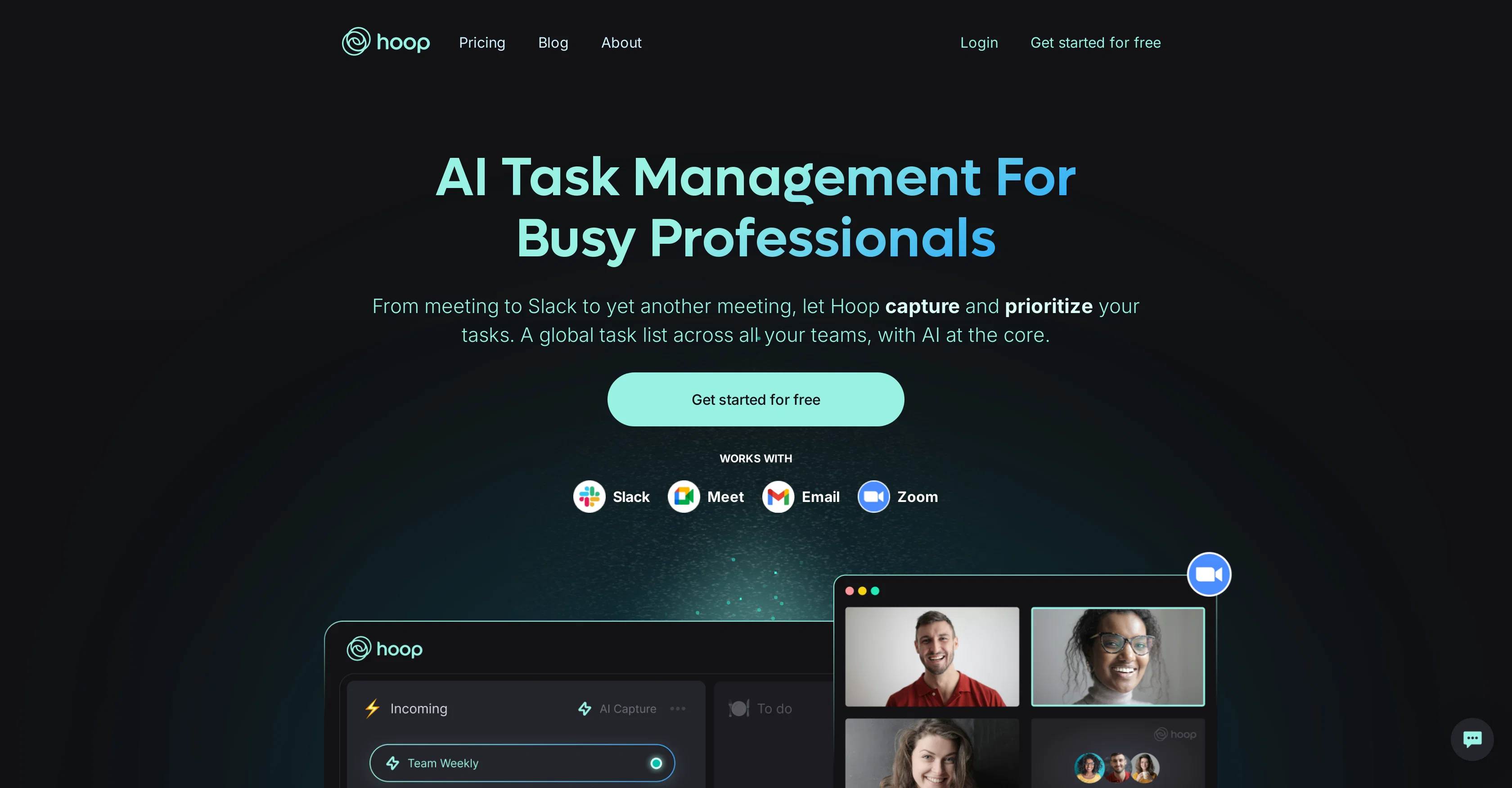
Hoop is an AI-empowered task management tool specifically designed for busy professionals. This tool connects to a variety of popular collaboration platforms such as Google Meet, Zoom, and Slack, using AI to identify and extract tasks from these tools and compile them into a consolidated list. These tasks are presented complete with transcripts, summaries, and links, providing users with context and helping them recapture necessary details quickly and efficiently. Hoop also provides an auto-labeling feature which uses AI to identify and flag high-priority tasks, which is useful in time and project management. Moreover, it also has a 'focus mode' feature that allows users to concentrate solely on their most important tasks. Hoop is also notable for its security and data privacy features as well as visibility controls. The AI in Hoop is designed with respect to data privacy, ensuring that user-generated content remains strictly confidential. It uses enterprise-grade encryption techniques to guarantee the highest levels of data security. Overall, Hoop is an innovative task management tool that leverages AI technology to improve productivity and streamline task management processes for professionals. Help other people by letting them know if this AI was useful. Add your own prompts and outputs to help others understand how to use this AI.

Screenshot gallery

Hoop screenshot

Pros & Cons

Pros

  • Connects to multiple platforms
  • Identifies tasks automatically
  • Compiles consolidated task list
  • Provides task transcripts
  • Provides task summaries
  • Links for task context
  • Auto-labels high-priority tasks
  • Focus mode for important tasks
  • Heightened data privacy
  • Enterprise-grade encryption
  • Task extraction from meetings
  • Task extraction from chats
  • Grab tasks from Google Meet
  • Grab tasks from Zoom
  • Grab tasks from Slack
  • Meeting summarization
  • Automatic flagging of priorities
  • Facilitates time management
  • Facilitates project management
  • Visibility control features
  • Prioritizes tasks across teams
  • Intelligent task capturing
  • Auto-labeling saves time
  • Matches tasks to priorities
  • Reduced need for manual project management
  • Specific focus on task management
  • End-to-end encryption
  • Robust monitoring for security
  • Third-party security testing
  • More than meeting bot
  • Autodetection from email tasks
  • Transcripts for additional context
  • Summarizes consolidated task list
  • Meeting content controlled access
  • Never miss another task
  • Automatic capture across tools
  • Cross tool communication
  • Automatic task recording
  • Automated action item capturing
  • Laser-focused on task management
  • Live meetings action tracking
  • Positive customer reviews
  • Tasks auto-pull from Slack
  • Privacy as top priority
  • User generated content kept private

Cons

  • Not standalone tool
  • Dependence on collaboration platforms
  • Auto-labeling may not be accurate
  • Requires task clarification
  • Limited to Google Meet, Zoom, Slack
  • Might miss non-verbal tasks
  • Could have notification overload
  • Might require continuous Internet connectivity
  • Focus mode may oversimplify tasks
  • No customization features

A Professional Framework to Evaluate Hoop

When considering Hoop for integration into your organizational workflow, we recommend deploying a structured score card across three critical operational pillars: Security & Compliance, Integration Friction, and long-term Price Scalability. Rather than looking only at basic feature lists, modern procurement teams must assess how a software platform behaves under high load and how well it fits into the team's data security guidelines.

1. Security and Database Compliance

Depending on your operating region and field, ensure that Hoop supports standard security layers such as SOC 2 Type II certifications, GDPR compliance, or HIPAA-compliant database encryption. If the tool connects directly to client database tables or handles user passwords, verify that they implement multi-factor authentication (MFA), single sign-on (SSO) integrations, and end-to-end data encryption in transit and at rest.

2. API Coverage and Custom Integrations

Siloed data is the primary cause of operational friction. Evaluate if Hoop has native connectors for your current project trackers, messaging hubs, and customer communication channels. For custom developer requirements, check if they provide a fully documented REST API with reasonable rate limits, comprehensive Webhooks support, and robust SDK packages in your language. A flexible API layer saves hundreds of hours of manual copy-paste overhead.

3. Total Cost of Ownership (TCO)

SaaS pricing packages are often deceptively simple. When reviewing Hoop's billing structure, map out your team's projected expansion over the next 12 to 24 months. Determine how costs scale as your customer database increases or as you add team members. Factor in setup costs, mandatory support plan upgrades, API access fees, and storage overage rates to understand the true cost before committing to a contract.

By combining verified user reviews from our directory with internal workflow pilot tests, your procurement team can make an informed decision that drives productivity without creating capital waste.

Features of Hoop

  • AI Task Management
  • Productivity
  • Collaboration Platforms
  • Google Meet
  • Meeting Summarization
  • Slack
  • Free + From $35/Mo

SaaS1to10 verified reviews for Hoop

Overall rating

5.0

Based on 21 reviews

5.01 weeks ago

Review

I have been using @Life Note for months and this has improved my own mental health and self-discovery journey. I learn new things about my self from people who inspire me while I journal. It's really helpful for me to go deeper with self-introspection and growth.

Vicky Lee

5.01 weeks ago

Review

Thanks for your great feedback Gregory. A feature in @Macky that is designed for more specific industry-specific information is the "Ask @Macky" one. In this feature you can use your own promopting to get outputs that are specific to the business question being asked. Also, at the end of each output you have an opportunity to ask any detailed question you want about the output to get more specific responses. You can drill down several times to get further insights using this feature. Hope this helps!

Kinetic Consulting

5.01 weeks ago

Review

very impressive, will use again

josh Rawlinson

5.01 weeks ago

Review

Auto-categorization is a must, it allows me to find influencers in any niche. Tracking saves me a looot of time.

AIInfluencer

5.01 weeks ago

Review

I swear this actually saved me a lot. 100% recommend to anyone.

307LLL

5.01 weeks ago

Review

Thanks for the feedback, and also for the tip for the community. One more tip: if you upload an image directly, you can add context that might be missing in the image. For example, the duration is 3 hours or prefix every event title with Name:

Caren Cioffi

5.01 weeks ago

Review

Big time saver but the download file is not very friendly

Paul Mercer

5.01 weeks ago

Review

Hi thanks for pointing this out, we've checked and can confirm that the thing is in fact doing the thing 🫡

Osum

5.01 weeks ago

Review

@KeywordSearch creates AI Ad Targeting audiences for YouTube

Aleric Heck

5.01 weeks ago

Review

We will give you guys a go! thanks!

Silent Co

5.01 weeks ago

Review

A little biased, but I think it's great.

Dawson Whitfield

5.01 weeks ago

Review

I already have another transcription tool, but this one is much better. I love the different features such as the summary, quiz, and chapters. It does a great job of them. I've only done one transcript so far to try it out, but I'm truly impressed and am going to grab another code. A couple things that would make it even better are: - the ability to rename the files and organize them through folders. - the ability to download a copy of the other features as well as the transcript. Copying and pasting it works, but doesn't keep the format.

dunn

5.01 weeks ago

Review

It's really frustrating when you try to select something you want, only to be immediately redirected to a subscription-based payment model. There's no opportunity to even test things out, which kills the enthusiasm right away. It seems like everything is geared towards subscriptions nowadays, and it's a turn-off. Companies should prioritize transparency and give customers a chance to try out products before committing to a subscription. Practices like these erode consumer trust and deter many potential customers.

X X

5.01 weeks ago

Review

It's genius. Amazing tool. PDF generation might be improved, but apart from that is amazing.

Aleksander Lukashou

5.01 weeks ago

Review

After my first use, I think it's surprisingly good. The only drawback so far is the PDF export option for the report which is formatless.

Alejandro Correa

5.01 weeks ago

Review

I think it's the best @Image Generator I ever found on the net. It gives more accurate image according to the prompt. And thank you for keeping it for free.

My Sawsiri

5.01 weeks ago

Review

O GPT faz uma análise melhor e mais personalizada.

Vinicius Vilela

5.03 weeks ago

Review

Would love to see this in other lenguages. works great.

Son Dan

5.03 weeks ago

Review

Hey everyone! I’m Martin — co-founder, builder, and creator of @OneTask 🚀 @OneTask is specifically designed for people with ADHD and other creatives who can’t be bothered to spend time “managing” their tasks, and instead need an app that just helps them get things done. We have a Todoist and Google Calendar integration, and offer many other features that will help you optimize your life. Let me know if you have any questions! As of this writing, we have a special lifetime deal featured on our website — be sure to catch it before it’s gone! Martin

Martin Adams

5.03 weeks ago

Review

@Bracket makes your task list proactive. Instead of hunting tasks across tools, @Bracket captures them straight from Slack and Email (for now :P). It automates follow-ups, takes accountability for your tasks, and eliminates the hours wasted maintaining task systems. Operate where your work happens —> no context switching, no dropped balls, just a team that actually follows through. Try @Bracket free, sign up to the waitlist today.

Dor Linhard

5.03 weeks ago

Review

Easy to use and the AI does its work but it is not something extraordinary. But the AI can do nothing more as it does right now

Michael

Pricing

Starting Price

Free plan available

Free tier available with optional paid upgrades.

Where can Hoop be deployed?

  • Cloud, SaaS, Web-Based

Recommended for you