Home Design AI

5.0(28 reviews)

Transform any room instantly with AI interior design.

Paid

Home Design AI Overview

What is Home Design AI?

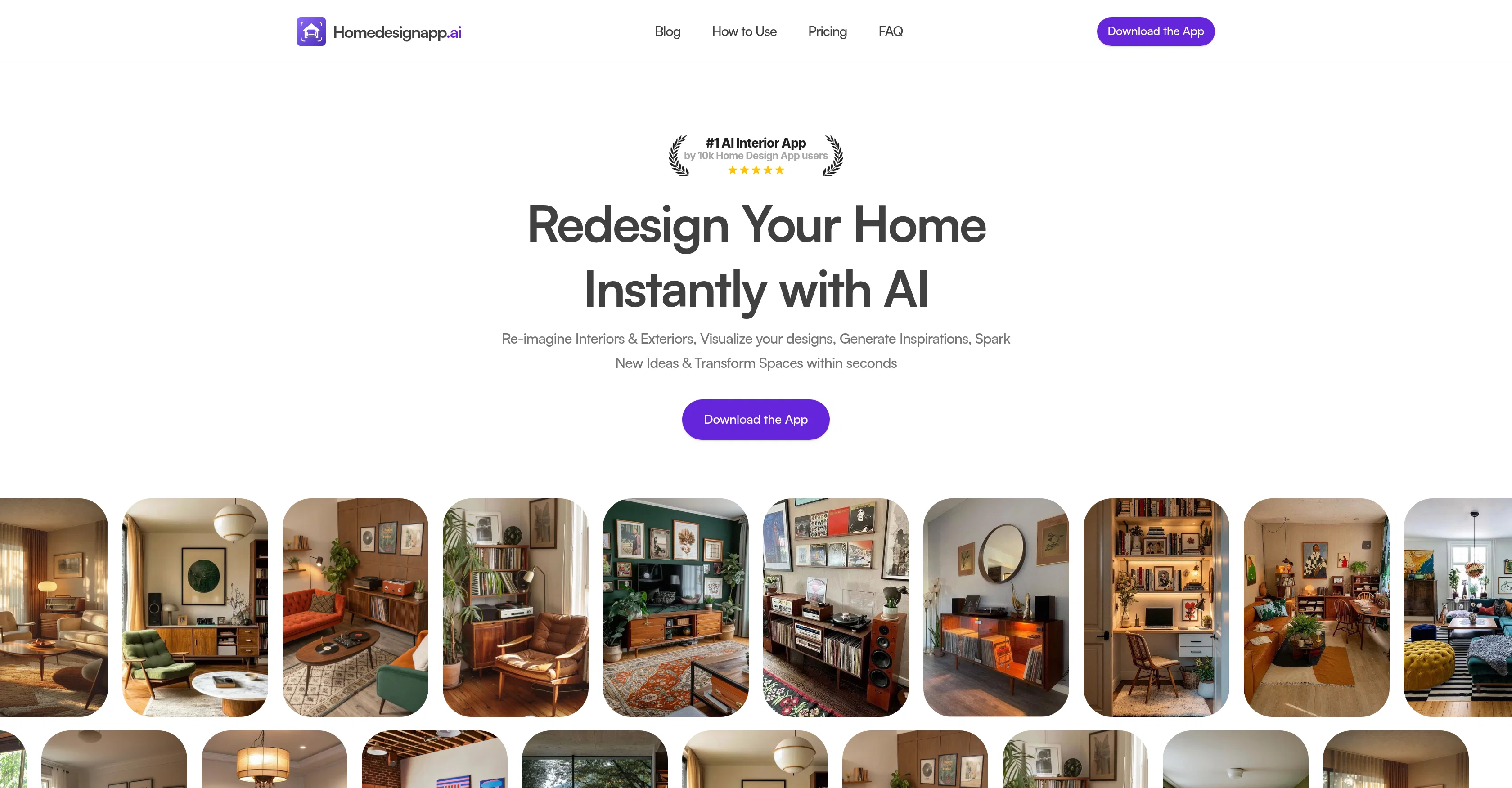
Home Design AI is an Artificial Intelligence-driven interior design and room planner app, designed to help users reimagine and transform their spaces. Users can simply upload a photo of their room, where the AI will then apply preselected designs to the image, enhancing it from bare walls to a furnished interior. The app allows users to easily upgrade and restyle their spaces with a few clicks, without the need for manual editing or prior design skills. The incorporation of AI allows for adding or removing furniture pieces, rearranging objects and transforming simple sketches into detailed layouts. The user experience process involves four key steps; uploading a photo of the room, selecting the room type, choosing from 25+ predefined aesthetic styles, and subsequently selecting a color scheme from curated palettes. After the steps, the user's space is redesigned according to the chosen preferences and presented as a fully rendered image that can easily be shared. The transformation happens quickly and users are given the freedom to explore a wide range of interior styles, from Scandinavian and minimalist, to contemporary and boho-chic designs, among others. Help other people by letting them know if this AI was useful. Add your own prompts and outputs to help others understand how to use this AI.

Screenshot gallery

Home Design AI screenshot

Pros & Cons

Pros

  • Transform spaces within seconds
  • Easy restyling features
  • Upgrade room style instantly
  • Sketch to design transformation
  • Add or remove objects
  • 25+ pre-defined styles
  • Curated color palettes
  • Generated designs easily shared
  • Multiple interior design styles
  • Virtual staging capabilities
  • Suitable for both interiors and exteriors
  • Compact and easy to use
  • Accessible on mobile devices
  • Commercial use license
  • Supports JPEG, PNG, HEIC
  • High image size limit 15MB
  • Privacy protection for user photos
  • Subscription cancellation anytime
  • Ad-free user experience
  • Predefined aesthetic styles
  • Detailed and hyper-realistic layouts
  • Commercial usage license for images
  • Instant room transformation
  • No design skills required
  • Eliminates manual editing
  • Supports major image formats
  • No watermark on images
  • Enterprise plan offering
  • Private and secure use
  • Easy 4 step process
  • Applicable for real estate professionals
  • Useful for architects, interior designers
  • Unlimited design generations
  • Access to all features
  • No prior design skills needed
  • Automatic rendering and enhancement
  • Wide variety of room types
  • Eco-friendly, minimalist designs
  • Transformation of simple sketches
  • Various interior styles offered
  • Supports both interior and exterior
  • Assists in furniture arrangement
  • Quick transformation process
  • Automated editing feature
  • Object rearrangement option
  • Home styling assistance
  • Easy sharing of rendered images
  • Absolute user-freedom on styles
  • Detailed and hyper-realistic images

Cons

  • Only supports images up to 15MB
  • Android app not available
  • No refunds
  • Limited to predefined styles
  • Visualisation in app only
  • No free tool usage
  • Price not indicated for business plans
  • Support only via email
  • Limited number of color palettes
  • Web app is not available

A Professional Framework to Evaluate Home Design AI

When considering Home Design AI for integration into your organizational workflow, we recommend deploying a structured score card across three critical operational pillars: Security & Compliance, Integration Friction, and long-term Price Scalability. Rather than looking only at basic feature lists, modern procurement teams must assess how a software platform behaves under high load and how well it fits into the team's data security guidelines.

1. Security and Database Compliance

Depending on your operating region and field, ensure that Home Design AI supports standard security layers such as SOC 2 Type II certifications, GDPR compliance, or HIPAA-compliant database encryption. If the tool connects directly to client database tables or handles user passwords, verify that they implement multi-factor authentication (MFA), single sign-on (SSO) integrations, and end-to-end data encryption in transit and at rest.

2. API Coverage and Custom Integrations

Siloed data is the primary cause of operational friction. Evaluate if Home Design AI has native connectors for your current project trackers, messaging hubs, and customer communication channels. For custom developer requirements, check if they provide a fully documented REST API with reasonable rate limits, comprehensive Webhooks support, and robust SDK packages in your language. A flexible API layer saves hundreds of hours of manual copy-paste overhead.

3. Total Cost of Ownership (TCO)

SaaS pricing packages are often deceptively simple. When reviewing Home Design AI's billing structure, map out your team's projected expansion over the next 12 to 24 months. Determine how costs scale as your customer database increases or as you add team members. Factor in setup costs, mandatory support plan upgrades, API access fees, and storage overage rates to understand the true cost before committing to a contract.

By combining verified user reviews from our directory with internal workflow pilot tests, your procurement team can make an informed decision that drives productivity without creating capital waste.

Features of Home Design AI

  • Interior Design
  • Automated Design
  • Room Planner
  • AI Design
  • Predesigned Styles
  • Home Decor
  • From $49.99/Yr

SaaS1to10 verified reviews for Home Design AI

Overall rating

5.0

Based on 28 reviews

5.02 weeks ago

Review

Tried it out to mess with some room ideas. the customization options are nice, you can change the vibe, color scheme, budget etc. Some stuff looks a bit off (ai glitches here and there, weird spots in the render) but it's still helpful for getting a rough idea of what you could go for. It's not like the tool literally buys you the furniture lol

Mia Camiña

5.02 weeks ago

Review

Thank you, if we can help with anything reach out any time!

Dan Mindru

5.02 weeks ago

Review

yes,the good idea

Putri Destiani

5.02 weeks ago

Review

Works well and connects with my apps easily. I’m considering using it for daily reports and posts

Ron Hardman

5.02 weeks ago

Review

I’ve found Jogg.ai to be super convenient, especially for creating short ad videos for products! If you haven’t tried it yet, you should check out this tutorial: https://www.jogg.ai/blog/4-steps-to-create-your-product-video-ads-in-minutes/

chen chris

5.02 weeks ago

Review

It`s up and running Amar! Give it another chance when you want to :D

Daniel Garaiacu

5.02 weeks ago

Review

It's a fun tool to play around with. They start you with 70 credits, enough to make a model, images, and, a video.

Sue

5.02 weeks ago

Review

Amazing tool to get things done! Trully amazing use of AI

Andres

5.02 weeks ago

Review

tried @Veo 3 today and it honestly feels like a sneak peek into the future. one short prompt and it gave me a crisp 4K video with perfect audio and cinematic camera moves. not flawless yet, but wow.

Lark Cube

5.02 weeks ago

Review

I rarely leave reviews, but Elsa amazed me. After a few weeks of using it, I'm still excited. Props, guys.

Anton

5.02 weeks ago

Review

Great tool! Was very helpful in content production

Duck Typer

5.02 weeks ago

Review

It has everything that I need in one place: ChatGPT, Copywriting templates, AI Images, Audio Transcription.

Dmytro

5.02 weeks ago

Review

too expensive for me, I just want to make memes, not pay that much

Grzegorz Rolnik

5.02 weeks ago

Review

Reducing manual efforts in first-pass during code-review process helps speed up the "final check" before merging PRs

Sahil Mohan Bansal

5.02 weeks ago

Review

Very interesting

Béatrice Duval

5.02 weeks ago

Review

I think the software is really good.

Jiahui Zhou

5.02 weeks ago

Review

I joined Kin's beta program on my iPhone XR. After upgrading to an iPhone 13, I found that I couldn't log into my existing account on the new phone, forcing me to create a new account. Now, I have two separate Kin accounts on different phones. Today, when I accessed the beta version of Kin, I got a notification stating that the test version ended on Monday, September 23rd. It instructed me to back up my data and move to the official Kin app. I did as advised—backed up my data, confirmed, uninstalled the beta app via TestFlight, and installed the official Kin app. However, when I attempted to “log in”, I was still unable to access my existing account. This issue hasn't been resolved yet. I have been trying desperately to get in contact with the support team. I left feedback through the test flight app and sent emails. No response. Now trying to find a forums, Reddit posts, TAAFT comments☻

Desiree Miller

5.02 weeks ago

Review

This tool i found is super cool, I created 5 books from this tool to sell them online, which gives me great profit. I am creating more valuable books to spread knowledge, and earn some bucks as well 🤑.

Bilal Ashraf

5.02 weeks ago

Review

It is the best free image to image generator I have seen! It is fast, reliable, and good for making either quick adjustments or large gradual changes! 10/10 would recommend!

Papi Fast

5.02 weeks ago

Review

State of the Art

Dmitry G.

5.02 weeks ago

Review

still background removing accuracy is required. it only 80% not 100%

Krutika Creations

5.02 weeks ago

Review

your answer is much too general, so useless. You could have just tell me to ask Perplexity.

Ta

5.02 weeks ago

Review

I think it's the best @Image Generator I ever found on the net. It gives more accurate image according to the prompt. And thank you for keeping it for free.

My Sawsiri

5.02 weeks ago

Review

Great free tool. Simple and easy to use. Best of all don't need any subscriptions.

Ecko Max

5.02 weeks ago

Review

Not at all accurate…. The only thing similar between original and generated images were the clothes and accessories… face was absolutely new and unconnected.

Shvetank Sharma

5.03 weeks ago

Review

Fun, but weird. It thought my flat screen tv was a window in every render. Runners and bricks mid-floor. Other strangeness.

Sandia Harrison

5.03 weeks ago

Review

The application arbitrarily adds doors and windows, making the final design unusable. It also changes the view from the window. In the final you are looking at a completely different room than the one you are interested in redesigning.

Martin Březina

5.03 weeks ago

Review

DO NOT PAY FOR THIS. TERRIBLE PRODUCT, THERES FREE ALTERNATIVES OUT THERE THAT ARE JUST AS GOOD IF NOT BETTER. TRUST ME.

Michael Israel

Pricing

Starting Price

From $19.00/user/month

Pricing may vary based on team size and features selected.

Where can Home Design AI be deployed?

  • Cloud, SaaS, Web-Based

Recommended for you