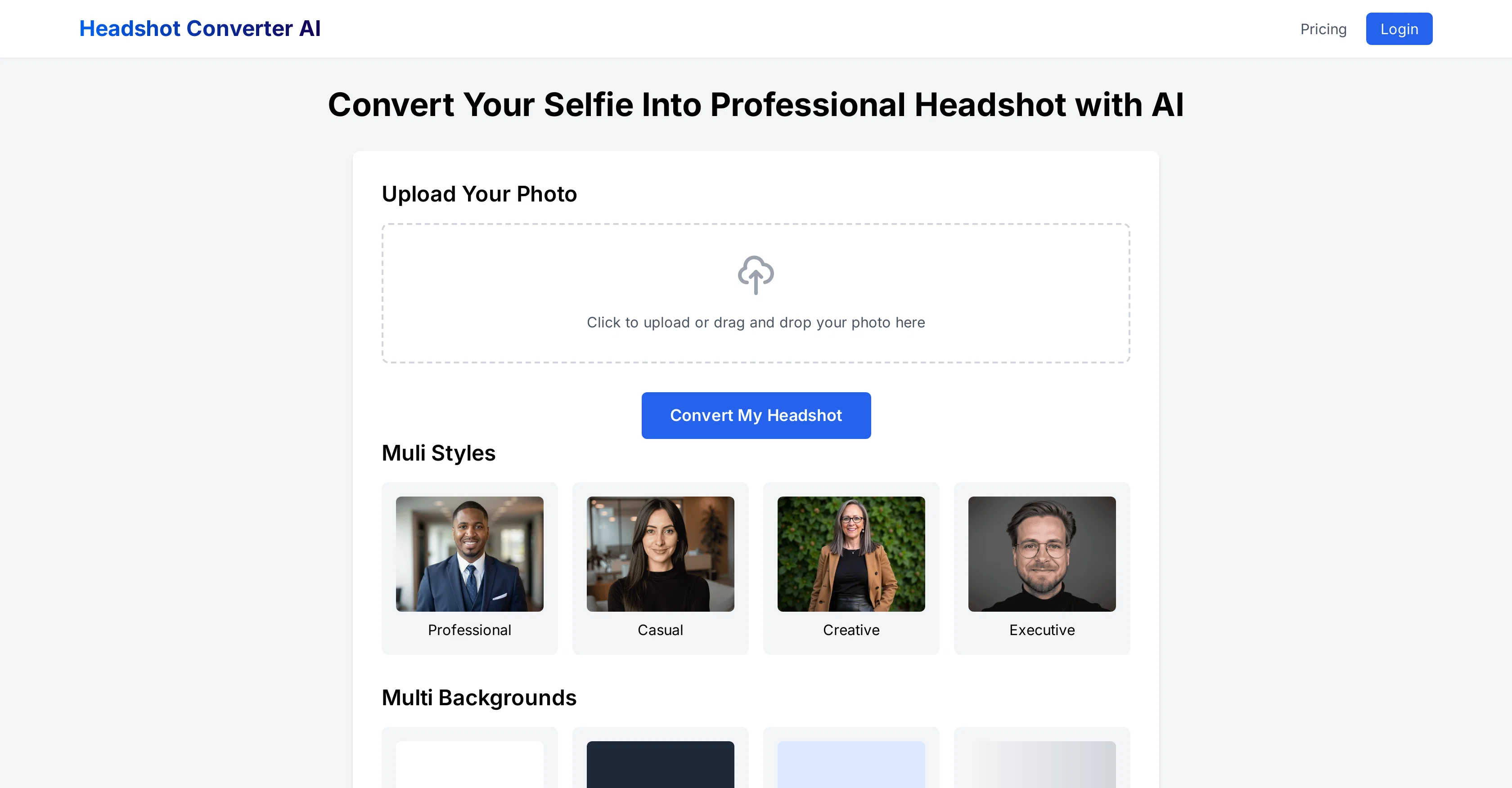
Headshot Converter AI is an online tool that uses artificial intelligence technology to transform selfies or personal photos into professional headshots.
It's designed to cater to diverse needs, providing options to customize styles and backgrounds. Styles offered include Professional, Casual, Creative, and Executive catering to different professional appearances, while backgrounds provide visual context to the headshot with options like White, Dark Gray, Light Blue, and Gradient.
The photo upload process is simple and user-centric, with the tool optimizing for time and ease. After uploading a photo, users choose their style and background preferences, and the AI system will automatically enhance the image to create a professional headshot, with most conversions completed within seconds.
The tool is web-based, meaning it works directly from the users' browser, eliminating software installation requirements. It is optimized for mobile use as well, allowing flexibility for users to upload and edit their headshots from their smartphones or tablets.
Once the AI generates the headshot, users have the option to make further adjustments by choosing different styles and backgrounds before finalizing. Headshot Converter AI prioritizes user privacy and data security, ensuring all uploaded photos are processed with encrypted technology.
This tool is particularly suitable for job seekers, freelancers, entrepreneurs, professionals updating their company profiles, or anyone in need of a polished photo.
Help other people by letting them know if this AI was useful.
Add your own prompts and outputs to help others understand how to use this AI.
Screenshot gallery
Pros & Cons
Pros
+Customizable styles and backgrounds
+Mobile optimized
+Data encrypted for security
+Multiple professional appearances
+User-centric photo upload
+Web-based, no installation
+Suitable for multiple professions
+Instant headshot conversion
+Preview before finalizing
+User privacy prioritized
+Simple process for use
+Free basic features
+Fast headshot generation
+Further adjustments post-generation
+Transform selfies into headshots
Cons
−Limited style options
−Restricted background selections
−No local software available
−Dependent on internet connection
−No offline operation
−Limited mobile optimization
−No high-resolution for free
−Limited HDR support
−Limited batch processing
−Limited photo editing features
A Professional Framework to Evaluate Headshot Converter AI
When considering Headshot Converter AI for integration into your organizational workflow, we recommend deploying a structured score card across three critical operational pillars: Security & Compliance, Integration Friction, and long-term Price Scalability. Rather than looking only at basic feature lists, modern procurement teams must assess how a software platform behaves under high load and how well it fits into the team's data security guidelines.
1. Security and Database Compliance
Depending on your operating region and field, ensure that Headshot Converter AI supports standard security layers such as SOC 2 Type II certifications, GDPR compliance, or HIPAA-compliant database encryption. If the tool connects directly to client database tables or handles user passwords, verify that they implement multi-factor authentication (MFA), single sign-on (SSO) integrations, and end-to-end data encryption in transit and at rest.
2. API Coverage and Custom Integrations
Siloed data is the primary cause of operational friction. Evaluate if Headshot Converter AI has native connectors for your current project trackers, messaging hubs, and customer communication channels. For custom developer requirements, check if they provide a fully documented REST API with reasonable rate limits, comprehensive Webhooks support, and robust SDK packages in your language. A flexible API layer saves hundreds of hours of manual copy-paste overhead.
3. Total Cost of Ownership (TCO)
SaaS pricing packages are often deceptively simple. When reviewing Headshot Converter AI's billing structure, map out your team's projected expansion over the next 12 to 24 months. Determine how costs scale as your customer database increases or as you add team members. Factor in setup costs, mandatory support plan upgrades, API access fees, and storage overage rates to understand the true cost before committing to a contract.
By combining verified user reviews from our directory with internal workflow pilot tests, your procurement team can make an informed decision that drives productivity without creating capital waste.
Features of Headshot Converter AI
Professional Headshots
Photo Editing
Background Selection
Personal Branding
Style Customization
Fast Processing
From $29
SaaS1to10 verified reviews for Headshot Converter AI
Overall rating
★★★★★5.0
Based on 23 reviews
★★★★★5.01 months ago
“Review”
As the service was in beta-testing stage, I created there a dozen of AI-generated courses for free. I wanted to use them. Those courses remained in my account as they started subscription tiers. But recently I have found out that they were deleted. The support didn't answer to my e-mail at all.
Oldfag TV
★★★★★5.01 months ago
“Review”
your answer is much too general, so useless. You could have just tell me to ask Perplexity.
Ta
★★★★★5.01 months ago
“Review”
So far, I love it! I added a caller to the podcast and referred to them as a 'female caller,' but it was actually a male. That was the only issue. Also, I wish the podcast could be a bit longer, but all in all, I love this!"
ERICA BELL
★★★★★5.01 months ago
“Review”
Easy-to-use, but poor quality for German pronounciation. Much better in English, therefore 3 stars.
Kai Gondlach
★★★★★5.01 months ago
“Review”
Love Dadan's new AI features. I used to hate searching through videos to find specific points and actions. Now I just get AI Assist to transcribe them and use one of the meeting templates to find what I need in a few seconds.
Olly Silver
★★★★★5.01 months ago
“Review”
Love it!!! It still need work, I wish I can add 3 or 4 more voices in my podcast. I trying to make callers call in. That would help.
ERICA BELL
★★★★★5.01 months ago
“Review”
I swear this actually saved me a lot. 100% recommend to anyone.
307LLL
★★★★★5.01 months ago
“Review”
The site has a fantastic presentation and from what we tested the features are perfect. Congratulations to the development team
Tudonumclic Consultoria
★★★★★5.01 months ago
“Review”
As a longtime namecheap customer, I got to say, this tool is... just ok. One I can use in a pinch for a slide deck / pitch / MVP, but nothing worth sharing. I doubt anyone will be vowed with the logos made here.
Vineet Sinha
★★★★★5.01 months ago
“Review”
It's genius. Amazing tool. PDF generation might be improved, but apart from that is amazing.
Aleksander Lukashou
★★★★★5.01 months ago
“Review”
Suppppeeeeerrr! Wowwww! @Mindsmith is absolutely fantastic! It is incredibly useful, easy to use, and very professional.
Claudia Scilletta
★★★★★5.01 months ago
“Review”
You can find the customer service with chat button. Tina help me a lot
Humb
★★★★★5.01 months ago
“Review”
typed in my prompts and boooooom. clean descriptions in secs lol. handy if you suck at writing (like me). lowkey a cheat code (no san andreas)
Liam Therrien
★★★★★5.01 months ago
“Review”
I think it's the best @Image Generator I ever found on the net. It gives more accurate image according to the prompt. And thank you for keeping it for free.
My Sawsiri
★★★★★5.01 months ago
“Review”
Thanks for free credits. Please 🙏 adapt for mobile💪
Budget Plusit
★★★★★5.01 months ago
“Review”
We will give you guys a go! thanks!
Silent Co
★★★★★5.02 months ago
“Review”
ideal for LinkedIn, CVs, social media
Ivan Korol
★★★★★5.02 months ago
“Review”
Incredible product and way better than all the other solutions out there for professional looking Headshots.
Tom Osman
★★★★★5.02 months ago
“Review”
They offer a wide range of options, including Corporate, Festive, and Pet themes. The platform is incredibly user-friendly, and each headshot features a thoughtfully curated color palette that complements the look, ensuring a polished and professional result.
Kavir Dalvi
★★★★★5.02 months ago
“Review”
Wow, great idea with intuitive onboarding. This tool would have saved a ton of time for me it I knew it before!
Magnus
★★★★★5.02 months ago
“Review”
I mean, it deserve it, no?
Ray
★★★★★5.02 months ago
“Review”
Hey Chris! Right now, we don't offer a free version due to the high computational costs of generating photos that capture your look, but we're exploring ways to offer a free trial in the future. In the meantime, you're free to check out our demo and sample gallery to see the quality for yourself!
Markus
★★★★★5.02 months ago
“Review”
Got the 100 photo package and out of those the majority didn't look like me and reminded more someone of Slavic/East Asian descent (I'm NE European). Some photos had typical AI flaws. While I got some nice hairstyle ideas out of the photos, I would dare to upload only a couple out of those 100 as my professional headshots. The generator did not account to my body type AT ALL - I am reasonably far from the petite East Asian figure and even with weight loss this result would be literally unattainable. Those 100 photos generated were more repetitive than I would've expected for the price.
Taiki-Viia Tungal
Pricing
Starting Price
From $6.00/user/month
Pricing may vary based on team size and features selected.