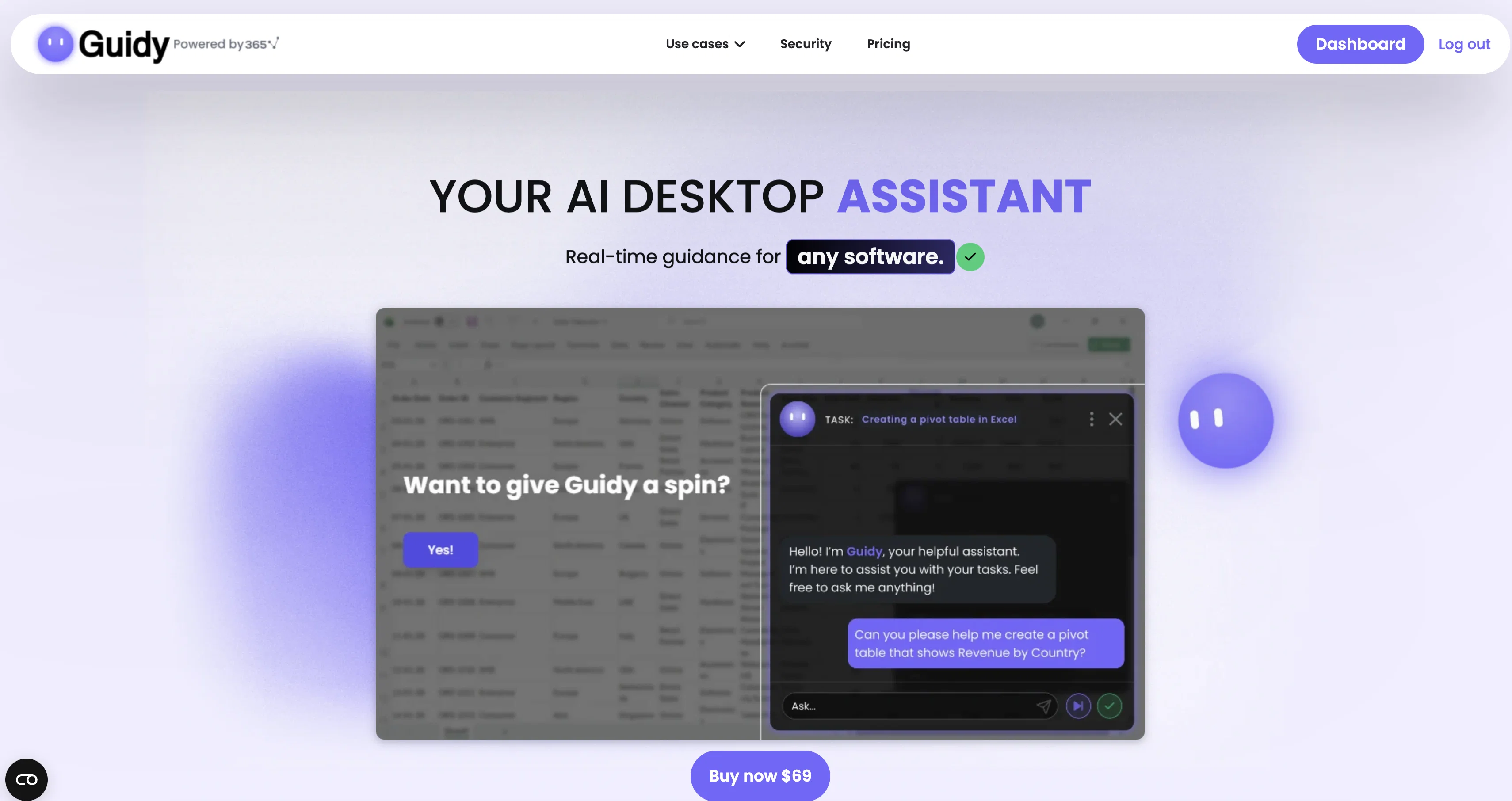
Guidy is a real-time AI desktop assistant that can be used across diverse software platforms. It is designed to step in and provide guidance the moment users encounter an unfamiliar task, error, or feature in a software application, or need a second opinion on their work.
Users simply have to type their problem or question, much like they would text a colleague, and Guidy provides relevant advice and precise step-by-step instructions to address the issue without leaving the actual software.
It points directly to the areas users need to navigate and does not initiate any action without user approval. It is compatible with a wide range of popular software tools including Excel, Word, Google Sheets, Outlook, Slack, Salesforce, Monday, and many more.
It does not connect to apps individually but instead, reads the user's screen to provide guidance. Guidance is provided directly on the user's screen, thus ensuring a seamless, real-time experience without having to constantly switch tabs or interrupt workflow.
Currently, Guidy is available only for Windows but support for MacOS is anticipated in the future.
Help other people by letting them know if this AI was useful.
Add your own prompts and outputs to help others understand how to use this AI.
Screenshot gallery
Pros & Cons
Pros
+Real-time guidance
+Seamless multi-software assistance
+Second opinion feature
+On-screen instruction
+Screen reading feature
+Direct in-app guidance
+Windows compatibility
+Upcoming MacOS compatibility
+User-friendly interface
+Quick problem-solving
+Interactive learning
+Cross-platform utility
+Workflow efficiency
+Excel, Word, Outlook, Slack, Salesforce, Monday support
+Real-time fixes
+Location-specific guidance
+Simple download and installation
+Time-saving
+Works with diverse software
+Textual input handling
+Immediate step-by-step guidance
+Direct screen guidance
+No action initiation without user approval
+Not interrupting workflow
+Reduced tab switching
+Seamless spreadsheet, email, website assistance
+Guidance on your own screen
+Maintains user control
+Recognizes range of software
+Efficient task-handling
+Does not require know-how
+Gives expert advice
+Quick feature learning
+Promotes learning while working
+Screen content reader
+Real-time navigation guidance
+Comprehensive software support
+Prevents aimless clicking
+Non-obtrusive guidance
+Data safety prioritized
+Does not store, log, or retain data
+Session ends completely clean
Cons
−No MacOS compatibility (yet)
−No mobile compatibility
A Professional Framework to Evaluate Guidy
When considering Guidy for integration into your organizational workflow, we recommend deploying a structured score card across three critical operational pillars: Security & Compliance, Integration Friction, and long-term Price Scalability. Rather than looking only at basic feature lists, modern procurement teams must assess how a software platform behaves under high load and how well it fits into the team's data security guidelines.
1. Security and Database Compliance
Depending on your operating region and field, ensure that Guidy supports standard security layers such as SOC 2 Type II certifications, GDPR compliance, or HIPAA-compliant database encryption. If the tool connects directly to client database tables or handles user passwords, verify that they implement multi-factor authentication (MFA), single sign-on (SSO) integrations, and end-to-end data encryption in transit and at rest.
2. API Coverage and Custom Integrations
Siloed data is the primary cause of operational friction. Evaluate if Guidy has native connectors for your current project trackers, messaging hubs, and customer communication channels. For custom developer requirements, check if they provide a fully documented REST API with reasonable rate limits, comprehensive Webhooks support, and robust SDK packages in your language. A flexible API layer saves hundreds of hours of manual copy-paste overhead.
3. Total Cost of Ownership (TCO)
SaaS pricing packages are often deceptively simple. When reviewing Guidy's billing structure, map out your team's projected expansion over the next 12 to 24 months. Determine how costs scale as your customer database increases or as you add team members. Factor in setup costs, mandatory support plan upgrades, API access fees, and storage overage rates to understand the true cost before committing to a contract.
By combining verified user reviews from our directory with internal workflow pilot tests, your procurement team can make an informed decision that drives productivity without creating capital waste.
Features of Guidy
Desktop Assistant
Real Time Assistance
Step By Step Instruction
Software Guidance
Multi Platform
On Screen Guidance
Free + From $69.00
SaaS1to10 verified reviews for Guidy
Overall rating
★★★★★5.0
Based on 10 reviews
★★★★★5.02 months ago
“Review”
@amaiko finally makes AI feel native to Teams. Instead of another chatbot bolted onto your workflow, @amaiko lives right inside Microsoft Teams and actually gets things done — reading your email, digging through Microsoft 365, researching the web, and drafting documents through a team of specialist agents that remember who you are and how you work. It's everything Copilot promised, but sharper, faster, and genuinely useful. If you live in Teams, @amaiko is the AI colleague you've been waiting for. 🚀
Frichdal
★★★★★5.02 months ago
“Review”
Really impressed with @Junior.so so far. Having an AI teammate inside Slack that can handle CRM updates and follow-ups without me constantly prompting it feels genuinely useful, especially for small teams juggling sales and ops. Setup was pretty smooth, and the daily reports are a nice bonus.
Gemini Omni Video - AI video generator that works like a creative conversation
★★★★★5.02 months ago
“Review”
Tried @AnyGen for a bit and I like how flexible it feels compared to more rigid AI generators. Seems useful for quickly experimenting with different types of content and ideas without overcomplicating the workflow.
Philip Alfredsson
★★★★★5.02 months ago
“Review”
AI Inspo is an excellent all-in-one AI platform. With trending templates and advanced AI generation models, creating engaging videos becomes fast and effortless in just a few clicks.
Chloe
★★★★★5.02 months ago
“Review”
gave @Botlor a quick try and the setup was pretty straightforward. It handled the basic use case well, though I’d want a bit more customization before using it for something serious. decently useful.
Marco Patuzzo
★★★★★5.02 months ago
“Review”
Being able to tell it to create an app for anything I want - for myself or for the AI to use is the coolest thing!
Seth
★★★★★5.02 months ago
“Review”
This app is really great it helped me with automation and also getting an AI assistant that sounds exactly like a human improved my productivity
M O
★★★★★5.02 months ago
“Review”
I've been using it for a few months, primarily for research, content generation and writing for both internal docs and public posts, and searching for data from weeks prior. It's been a game changer.
Pete Ballotta
★★★★★5.02 months ago
“Review”
Thanks for noticing this Tyler, we really liked the idea of getting back to lifetime one-time purchases. Alice is a desktop app and it doesn’t use our cloud resources much, so this should be also feasible for the long run. Please, give Alice a try, you won’t regret it!