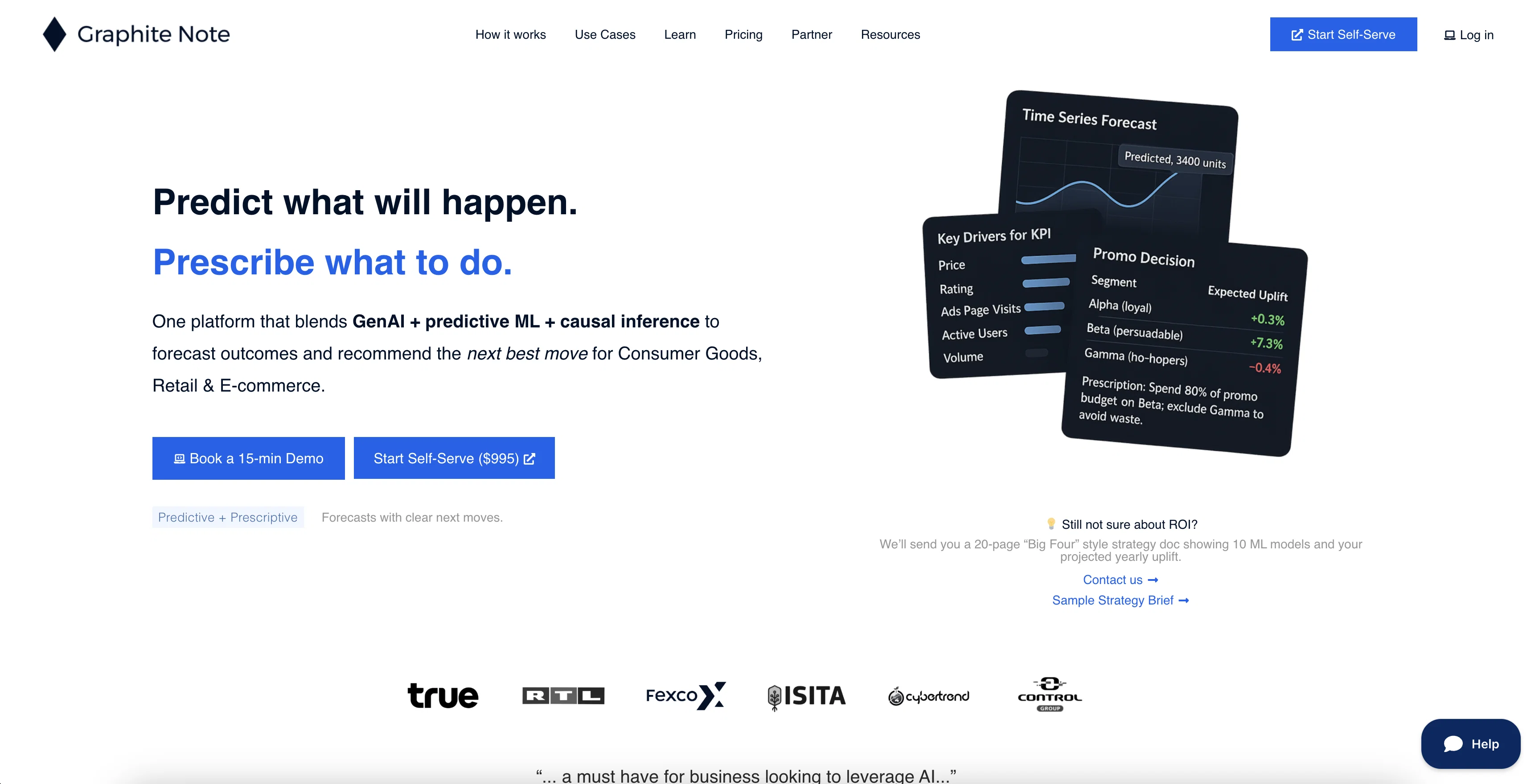
Graphite Note is a no-code AI tool designed primarily for data analysts and business intelligence professionals. This tool is meant to simplify the process of creating machine learning models without the need for any coding expertise.
Users can use their business data to instantly generate actionable insights through these models. The application of Graphite Note goes beyond pure data analysis, as it also includes features tailored for performance and digital agencies.The tool automates the data pre-processing and preparation phase, enabling swift and easy data modelling.
Once the AI models are trained and ready, Graphite Note facilitates the understanding of key drivers that affect a models predictions, aiding clear and data-driven decision-making processes.
Additionally, it offers the possibility of predicting future trends and behaviors based on the model set up by the users. With pre-built models and templates, users can dive straight into AI-powered analytics, transforming complex data into comprehensible insights.
These insights can then guide actions and decision-making.A significant aspect of Graphite Note is its clear commitment to data security and protection.
Efforts are made to ensure that this commitment permeates every aspect of operations, from software development to data handling. Finally, the tool provides resources such as on-demand webinars to foster better understanding of AI complexities and its suite of integrations, making it easier for users to blend data sources seamlessly with Graphite Note.
It is made to serve modern businesses that aim to leverage predictive analytics to stay ahead, drive growth, and make informed decisions.
Help other people by letting them know if this AI was useful.
Add your own prompts and outputs to help others understand how to use this AI.
Screenshot gallery
Pros & Cons
Pros
+No-code tool
+Aimed for data analysts
+Generates actionable insights
+Automates data pre-processing
+Provides understanding of key drivers
+Predicts future trends
+Pre-built models and templates
+Emphasis on data security
+Offers on-demand webinars
+Seamless data source integrations
+Useful for modern businesses
+Facilitates data-driven decision-making
+Simplifies machine learning model creation
+Aids swift and easy data modelling
+Strong commitment to data protection
+Tailored features for performance agencies
Cons
−Limited customization of models
−Not ideal for complex datasets
−Limited range of pre-built templates
−Dependent on quality of business data
−May oversimplify complex data analysis tasks
−Limited to tabular business data
−No code approach could limit flexibility
A Professional Framework to Evaluate Graphite Note
When considering Graphite Note for integration into your organizational workflow, we recommend deploying a structured score card across three critical operational pillars: Security & Compliance, Integration Friction, and long-term Price Scalability. Rather than looking only at basic feature lists, modern procurement teams must assess how a software platform behaves under high load and how well it fits into the team's data security guidelines.
1. Security and Database Compliance
Depending on your operating region and field, ensure that Graphite Note supports standard security layers such as SOC 2 Type II certifications, GDPR compliance, or HIPAA-compliant database encryption. If the tool connects directly to client database tables or handles user passwords, verify that they implement multi-factor authentication (MFA), single sign-on (SSO) integrations, and end-to-end data encryption in transit and at rest.
2. API Coverage and Custom Integrations
Siloed data is the primary cause of operational friction. Evaluate if Graphite Note has native connectors for your current project trackers, messaging hubs, and customer communication channels. For custom developer requirements, check if they provide a fully documented REST API with reasonable rate limits, comprehensive Webhooks support, and robust SDK packages in your language. A flexible API layer saves hundreds of hours of manual copy-paste overhead.
3. Total Cost of Ownership (TCO)
SaaS pricing packages are often deceptively simple. When reviewing Graphite Note's billing structure, map out your team's projected expansion over the next 12 to 24 months. Determine how costs scale as your customer database increases or as you add team members. Factor in setup costs, mandatory support plan upgrades, API access fees, and storage overage rates to understand the true cost before committing to a contract.
By combining verified user reviews from our directory with internal workflow pilot tests, your procurement team can make an informed decision that drives productivity without creating capital waste.
Features of Graphite Note
No Code AI
Business Intelligence
Data Analytics
Predictive Analytics
Actionable Insights
AI Modelling
Free + From $95/Mo
SaaS1to10 verified reviews for Graphite Note
Overall rating
★★★★★5.0
Based on 23 reviews
★★★★★5.01 months ago
“Review”
as someone into djing and mixing, this was actually pretty fun to mess around with. cool seeing how different sounds work together. not sure how often i’ll use it, but def feels like it could be useful in production one day xD
Georgina Ahmad
★★★★★5.02 months ago
“Review”
We are launching first of its kind AI Vision Search App.
Dos James
★★★★★5.02 months ago
“Review”
not bad, but few templates
Sonya Salenko
★★★★★5.02 months ago
“Review”
T shirt description
Adrita Jahan Afrin
★★★★★5.02 months ago
“Review”
I really like the generated PDF and the content. It would be great if you had a way or add some instructions on how to use it on my website. Thank you.
Mia Brown
★★★★★5.02 months ago
“Review”
I have been using @Life Note for months and this has improved my own mental health and self-discovery journey. I learn new things about my self from people who inspire me while I journal. It's really helpful for me to go deeper with self-introspection and growth.
Vicky Lee
★★★★★5.02 months ago
“Review”
Faster than sifting through reddit myself. TY for building.
Sean M
★★★★★5.02 months ago
“Review”
Will not let you test on a HD picture without paying. I found a lot of these "programs" do a poor job and I am tired of paying for a test. Maybe offer 1 HD picture, but crop it (user crop)?
Tim Patrie
★★★★★5.02 months ago
“Review”
There are much better apps for much better pricing. Company was rude after discovering it couldn't do as advertised, refused any refund (nothing was really accomplished at all, quirky at best). MOVE app on the iphone is so much better. Avoid this software, waste of money.
Jared Smith
★★★★★5.02 months ago
“Review”
Excellent chatbot, very functional and easy to teach. It took me a while to vary the prompt, but I ended up getting a great result when I put it through a stress test. I give 4 stars because I think this AI can still improve. In any case I recommend it.
Waltdege
★★★★★5.02 months ago
“Review”
Very expensive for most common pages, no way you pay that
Leandro Conti
★★★★★5.02 months ago
“Review”
Allows me to create high-quality banners to promote my products.
Marc Heldo
★★★★★5.02 months ago
“Review”
Amazing title choices! I put in a title idea with a one sentence video description and got back amazing title options.
Caroline Flansbaum
★★★★★5.02 months ago
“Review”
Only available on the iphone... doesn't seem super intuitive to use.
Mental Forge Media
★★★★★5.02 months ago
“Review”
Great tool for my video content
Silvia Cho
★★★★★5.02 months ago
“Review”
WE USE @D-ID AT THE COLORADO VIRTUAL CREATIVE FACTORY...AND LOVE IT.
Franco Arteseros
★★★★★5.02 months ago
“Review”
I just joined the website, hope it would be a worthy experience
Syed Moiz Uddin
★★★★★5.02 months ago
“Review”
I really value the sentiment analysis tool—it simplifies understanding customer feedback by picking up on their emotions. Plus, the way it groups comments into topics is super helpful for decision-making.
Prakhar Pratap Mall
★★★★★5.02 months ago
“Review”
Immo currently best solution if you want to convert / enchant your how-to tutorials to more professional!
asusi zuppa
★★★★★5.02 months ago
“Review”
Created a dashboard using my Excel file and it gave insights I didn’t even expect. It can read any kind of Excel file no matter the template. I can even check the accuracy by tracing back which column the data came from Great tool. highly recommended!!
Anubhav Pandey
★★★★★5.02 months ago
“Review”
Signed up for a pro account for Google Drive integration. Works great! Saves me a lot of manual excel work.
Thu Ha Vu
★★★★★5.02 months ago
“Review”
It is the ease of use for me. @DataSquirrel is fast, the UI is super intuitive, and the guided analysis feature is highly convenient. I have officially moved from uploading CSV files from Google sheet to @DataSquirrel. Within minutes, I can visualize my data and interpreting it becomes super simple.