5.02 months ago
“Review”
it is so good
AI SHU

Transform any photo into stunning dynamic videos.
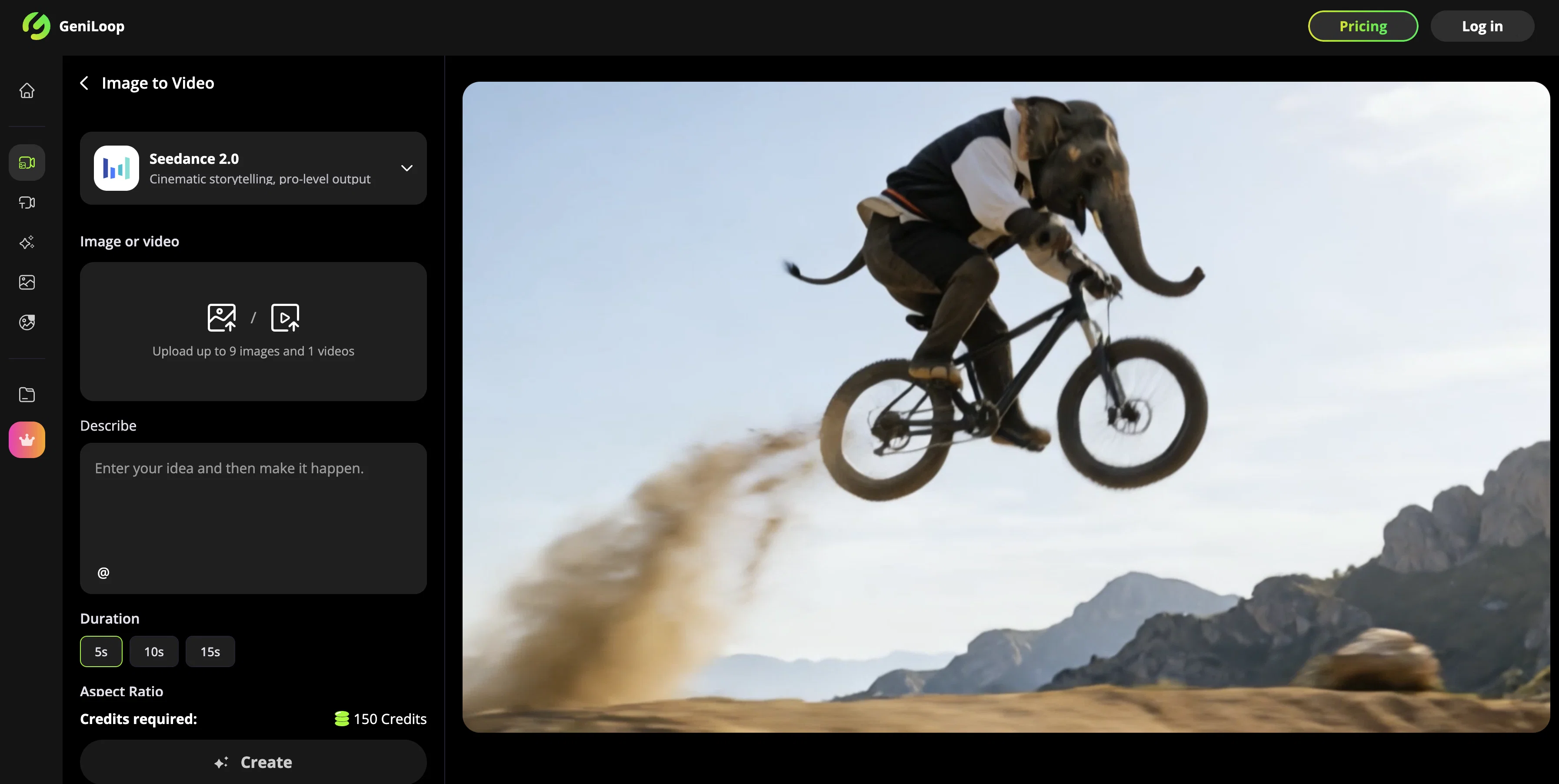
GeniLoop's Seedance 2.0 is an AI-powered Image to Video conversion tool, specializing in creating lively and impressive short clips from static images. Designed to add natural, cinematic motion to any photo, the tool maintains the integrity of the subject while enriching it with elements of movement and depth. It intelligently utilizes animations, effects and transformations to transform an image into a dynamic, visually compelling video. Seedance 2.0 excels in creating short, punchy clips, enhanced with subtle head tilts, expressive smiles, looping backgrounds, and trendy transitions. It also provides a range of artistic motion styles and cinematic aesthetics, such as oil, watercolor, pixel art and more. Communicating a sense of camera craft, it can generate output with parallax depth, rack focus, and dramatic angles. The tool allows for lighting alteration, imposing grain, bloom, vignette and grading sliders, ensuring high-resolution outputs up to 4K quality. Additionally, the tool ensures that even in styles like anime, low-poly, or impressionist, the key aspects and facial features are preserved. The process of creating a video from an image is straightforward: users upload an image, select an AI model or motion style, then generate, pick favorites, and adjust the strength of the output video. It simplifies content creation, freeing users from needing complex software or substantial editing skills. Help other people by letting them know if this AI was useful. Add your own prompts and outputs to help others understand how to use this AI.
When considering GeniLoop | AI Image to Video Generator for integration into your organizational workflow, we recommend deploying a structured score card across three critical operational pillars: Security & Compliance, Integration Friction, and long-term Price Scalability. Rather than looking only at basic feature lists, modern procurement teams must assess how a software platform behaves under high load and how well it fits into the team's data security guidelines.
Depending on your operating region and field, ensure that GeniLoop | AI Image to Video Generator supports standard security layers such as SOC 2 Type II certifications, GDPR compliance, or HIPAA-compliant database encryption. If the tool connects directly to client database tables or handles user passwords, verify that they implement multi-factor authentication (MFA), single sign-on (SSO) integrations, and end-to-end data encryption in transit and at rest.
Siloed data is the primary cause of operational friction. Evaluate if GeniLoop | AI Image to Video Generator has native connectors for your current project trackers, messaging hubs, and customer communication channels. For custom developer requirements, check if they provide a fully documented REST API with reasonable rate limits, comprehensive Webhooks support, and robust SDK packages in your language. A flexible API layer saves hundreds of hours of manual copy-paste overhead.
SaaS pricing packages are often deceptively simple. When reviewing GeniLoop | AI Image to Video Generator's billing structure, map out your team's projected expansion over the next 12 to 24 months. Determine how costs scale as your customer database increases or as you add team members. Factor in setup costs, mandatory support plan upgrades, API access fees, and storage overage rates to understand the true cost before committing to a contract.
By combining verified user reviews from our directory with internal workflow pilot tests, your procurement team can make an informed decision that drives productivity without creating capital waste.
Overall rating
Based on 17 reviews
it is so good
AI SHU
AI Inspo is an excellent all-in-one AI platform. With trending templates and advanced AI generation models, creating engaging videos becomes fast and effortless in just a few clicks.
Chloe
It's quite convenient to use.
Phan Tung
I’m the developer of @ClaviSay, and I’ve always struggled with learning foreign languages. But since I need to use them for work, I wondered if I could create an AI that would help me read more efficiently and save unfamiliar words—all while I’m actually reading content like BBC or Medium. Now I’ve made it happen—@ClaviSay. All features are free, so feel free to use them as you like. You can also provide feedback at any time; @ClaviSay offers a dedicated feedback channel. Thank you all.
W Gregorin
Clean UI, multiple video models in one place, and fair credit refunds when generations fail. Nice that you can try it for free before committing.
umusonet
Didn't really do the graphs that i thought it would do. Good for simple graphs, like for a presentation
Timothy Unfried
Very impressed with the results! The illustrations are wonderful and really high quality
Antonia Mitrea
Creat cartoon video 5minet
PRAVIN THAKOR
I was surprised by MotionGen's image2 model. I've uploaded a photo and it accurately suggested hairstyle variations I actually loved. Didn't expect that at all.
Allen Shi
WTF... this thing is actually wiiiildd! everything i've tried came out looking like straight up high quality movie scenes.. i'm actually mind blown... insane..
Chris Studioz
Noodle Tomato is an amazing video creation tool. You can create shorts or full length videos on ANY subject. Choose your voice, bullet points about what you want the video to be about. It then creates the script, all of the videos into parts that are editable. After it compiles the video you can download it directly, post it to YouTube and it's that simple. You need 0 knowledge of AI prompting or video editing.
Joe Bento
I mainly used Himedia AI for image creation and got surprisingly realistic outputs. Prompt control feels intuitive compared with some other tools.
KoooU
Many ai models help me create videos I love
long ff
Requires previous login, not fully free
Elenimotoon
Feels illegal to be this early, quick run with @Grok Imagine: great for teaser bits. The image-to-video pass holds up for shorts ~6s loops with decent motion and sound sync. Style range is solid. Access sits behind the Grok sub on mobile, so not fully free and I’d love longer clips!
Herbert Kemp
a friend sent me this the other day. veo, grok, seedance all run from one upload and it's actually fast. ui doesn't fight me. no complaints.
owen_reeves
Only app I could create video for free! Thanks
7even
Starting Price
From $21.00/user/month
Pricing may vary based on team size and features selected.


