5.02 months ago
“Review”
Used it for PPT generation and performed extremely well, especially the numbers and data part.
Salina Hook

Transform data into stunning infographics with AI.
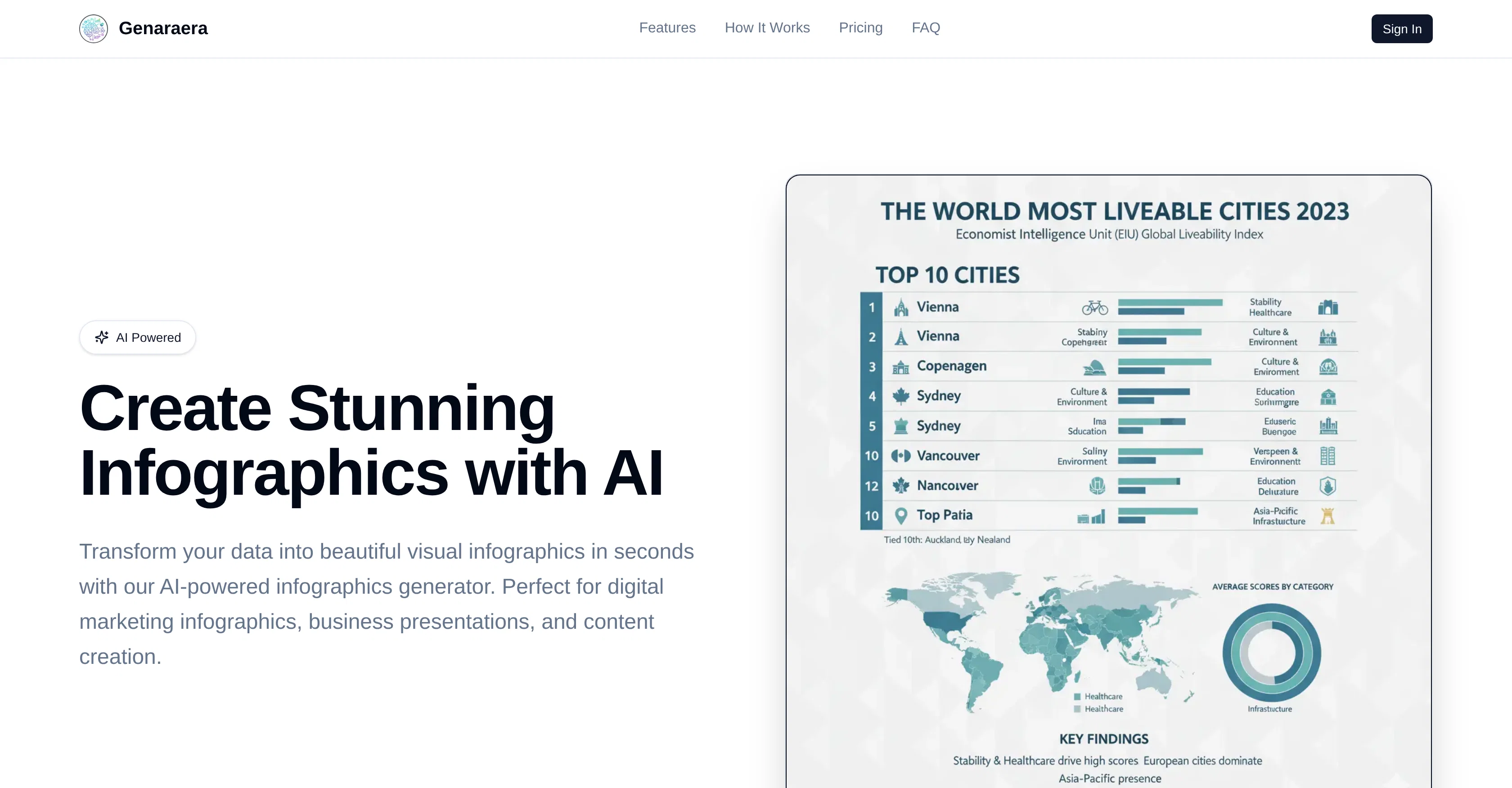
Genaraera is an Artificial Intelligence (AI) powered tool designed for creating professional infographics from raw data. The tool, geared towards digital marketers, data visualization, and content creators, generates high-quality infographics instantly. Users can determine the type of infographic to design, such as business data visualization, social media statistics, or nutrition charts, and input the requisite data. The AI then converts this submitted data into visually appealing infographics. The tool has two creation methods, both based on Natural Language Processing (NLP). In the first method, users simply describe in natural language the type of infographics they want to create, and input the relevant data. The AI then instantly generates professional infographics based on the given specifications. The second method involves the user uploading a reference image that indicates a desired style. They then input their data, prompting the AI to analyze the reference and generate new infographics in the same visual style, color, and layout. The tool eliminates the need for templates and graphically adept skills; the AI creates tailored infographics directly based on the user's description. The final results are professional-grade, suitable for presentations, social media posts, websites, print materials, or digital marketing campaigns. Help other people by letting them know if this AI was useful. Add your own prompts and outputs to help others understand how to use this AI.
When considering Genaraera for integration into your organizational workflow, we recommend deploying a structured score card across three critical operational pillars: Security & Compliance, Integration Friction, and long-term Price Scalability. Rather than looking only at basic feature lists, modern procurement teams must assess how a software platform behaves under high load and how well it fits into the team's data security guidelines.
Depending on your operating region and field, ensure that Genaraera supports standard security layers such as SOC 2 Type II certifications, GDPR compliance, or HIPAA-compliant database encryption. If the tool connects directly to client database tables or handles user passwords, verify that they implement multi-factor authentication (MFA), single sign-on (SSO) integrations, and end-to-end data encryption in transit and at rest.
Siloed data is the primary cause of operational friction. Evaluate if Genaraera has native connectors for your current project trackers, messaging hubs, and customer communication channels. For custom developer requirements, check if they provide a fully documented REST API with reasonable rate limits, comprehensive Webhooks support, and robust SDK packages in your language. A flexible API layer saves hundreds of hours of manual copy-paste overhead.
SaaS pricing packages are often deceptively simple. When reviewing Genaraera's billing structure, map out your team's projected expansion over the next 12 to 24 months. Determine how costs scale as your customer database increases or as you add team members. Factor in setup costs, mandatory support plan upgrades, API access fees, and storage overage rates to understand the true cost before committing to a contract.
By combining verified user reviews from our directory with internal workflow pilot tests, your procurement team can make an informed decision that drives productivity without creating capital waste.
Overall rating
Based on 19 reviews
Used it for PPT generation and performed extremely well, especially the numbers and data part.
Salina Hook
Nice good better than before
Rehankhan Shamim
@Whiteboard by Athena AI is a user-friendly, AI-powered tool that makes digital collaboration seamless. supports real-time brainstorming, and integrates easily with other apps—ideal for teams, educators, and remote learners alike.
hamed elghoul
I swear this actually saved me a lot. 100% recommend to anyone.
307LLL
It is genius! And seems to be free. I can't believe!
Youssef Moustafa
gooooooooooood
Khaled Mahmoud
Great accuracy and easy to crosscheck with the provided hyperlinks to the sources.
Marius Schmitt
I would highly recommend for researches and students. useful to manage your articles and use AI to get the key points.
Hamed Mousavi
i would say it gives the mind a sense of clarity
Emmanuella Marshall
It is the ease of use for me. @DataSquirrel is fast, the UI is super intuitive, and the guided analysis feature is highly convenient. I have officially moved from uploading CSV files from Google sheet to @DataSquirrel. Within minutes, I can visualize my data and interpreting it becomes super simple.
Aakriti Mahajan
I got some top quality results after learning how to prompt songs 🤩
Claes Lanng
Went from a C to an A in Cognitive Psychology using @Thea!!
Sarah White
I did not like it. Seems very generic and did not adapt or recognized the topic to change the figures and the templates. Simply put my text to templates not related to the topic.
Laura Matos
I got some free credits to try the app when I signed up, I could create a few great infographics
Valentina Jara
Need Credit for use. How Can we spend money without even try?
TheOneWebTechnology Technology
Which is more valuable, time or money? This doesn't save you either, at the moment as you only get two infographics to test out and you have to do quite a bit of editing to get it to look ok. The point of infographics is to inform in a highly visual and compelling way. None of the example info graphics are that. I suggest a pivot and use AI to fill out the text in a pre-made graphic template.
Michelle Ashton
I wasn't able to use this one (I have my API key)
Pauline LeBlanc
I had to tweak a few things to match my brand style, but overall it saved me a ton of time. Definitely handy if you need something fast and professional-looking.
Sophia
It took me less than 20 minutes to create infographic perfection- all the other AI design sites I tried, and I tried them all, weren't able to give me what I wanted in 1 way or another. Outline Ninja helped me create my infographic
Gay Shirer
Starting Price
Free plan available
Free tier available with optional paid upgrades.


